

Artificial intelligence-driven video generation has come a long way in a short space of time, from heavily distorted and distorted two-second clips to shots that are nearly indistinguishable from filmed footage, and Runway is the latest player in this space to release its next-generation model.
Gen-3 was first revealed two weeks ago, and after some initial testing with our creative partners, it's now available to everyone – at least the text-to-video version is available, with the text-to-image version coming soon.
Each generation produces a 10-11 second photorealistic clip with stunningly accurate motion, including depictions of human behavior that reflect the scenario and setting.
In my initial tests, it performs as well as Sora on some tasks, but outperforms OpenAI's video model in that it's broadly available to everyone, and it's better than Luma Labs Dream Machine at understanding motion, though it lacks consistency due to the lack of an image-to-video model.
What is it like working with Gen-3?
I've been using it since it was released and have created over a dozen clips to effectively improve my prompting process. While “less is more” and “be descriptive” are my main takeaways, Runway has created a handy guide to Gen-3 prompts.
Each generation of Gen-3 costs between $1 and $2.40 per 10 seconds, so you'll want to try to get the prompts right the first time. The cheapest option is to top up with credits, which cost $10 per thousand. In contrast, Luma Labs' basic plan costs 20 cents per generation.
In terms of actually using the video generator, it works exactly the same as Gen-2 – you give it a prompt and wait for it to create the video. It's integrated into the same interface as the video creation, and you can even use lip sync which is animated throughout the video.
I came up with five prompts that worked particularly well and have shared them below: Until image-to-video is released, you'll need to be very detailed if you want a specific look, but Runway's third-generation image generation is impressive. Also, you only have 500 characters available for your prompt.
1. Cyber City Race
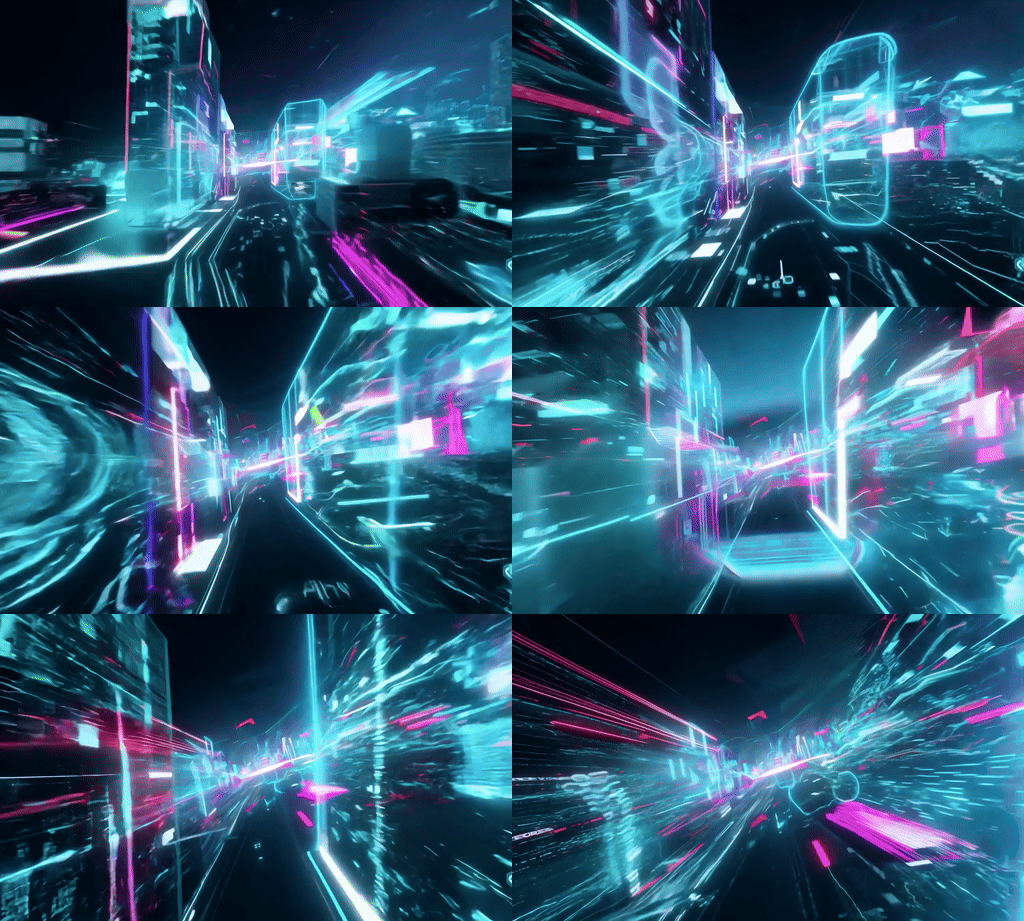
This was one of the final prompts I created and refined. Although it's relatively short, it's very specific about both the motion and style, and Runway interpreted it exactly how I wanted it to.
Prompt: “Hyperspeed perspective: Data streams and holograms blur past as you hurtle through a neon-lit cyberpunk city and zoom into a digital realm of swirling code.”
2. Scuba Diver
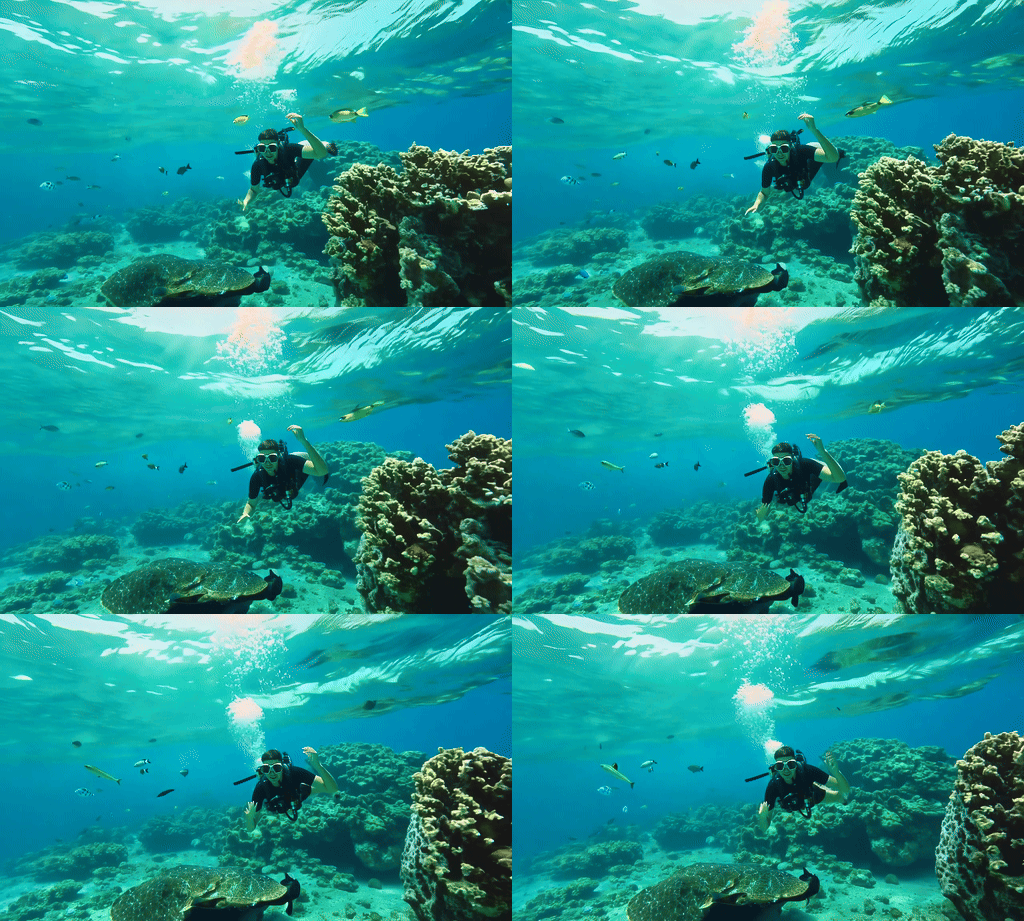
The first part had some weird motion blur over the eyes and long fingers, but this was automatically fixed. Other than that it was an impressive and realistic interpretation. The motion blur issue was with the prompt suggesting sunlight shining in. The prompt was too complicated.
Prompt: “Slow-motion tracking shot: A scuba diver explores a vibrant coral reef teeming with colorful fish. A ray of sunlight penetrates the crystal-clear water, creating a dreamlike atmosphere. The camera glides past the diver as he encounters an inquisitive sea turtle.”
3. Street View
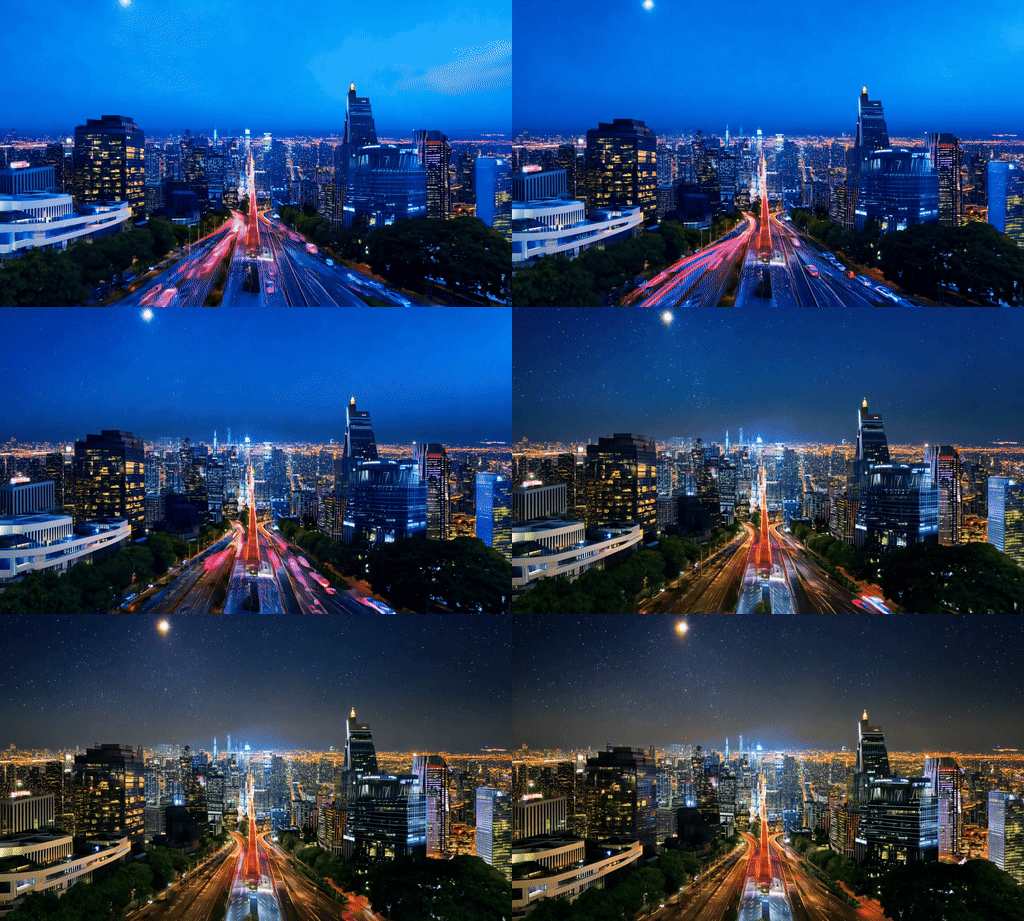
This is one of my favorite videos, not just of Runway Gen-3 Alpha, but of all the videos I've made with the AI video tool over the past year or so. Although I didn't follow the prompts exactly, it captured the changing sky throughout the day.
Prompt: “Super-fast time-lapse: The camera rises from street level to rooftops, showing the city's transition from day to night. Neon signs flicker, traffic becomes a stream of light, and skyscrapers glow against the darkening sky. The final frame reveals a breathtaking cityscape beneath a starry sky.”
4. Bear
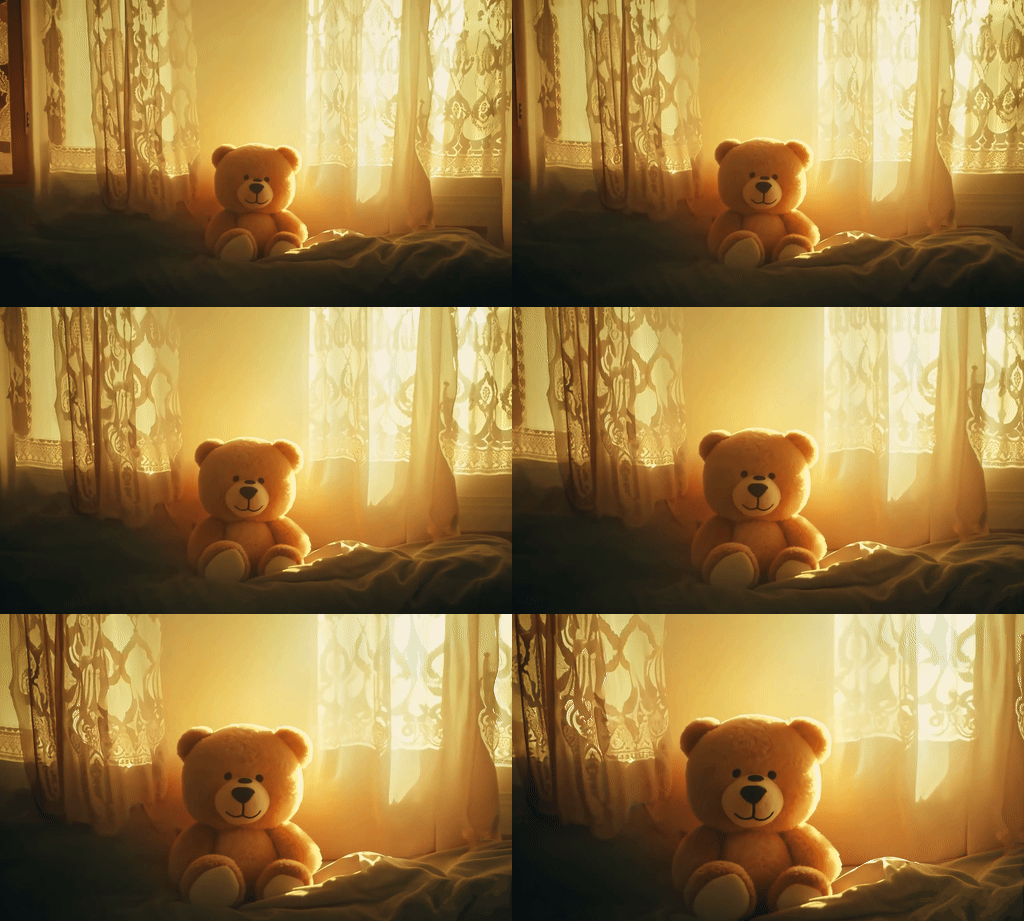
I vastly overwrote this prompt – I was supposed to show the bear looking more alive towards the end, but I ended up asking for too much in under 10 seconds.
Prompt: “Slow-motion close-up to wide-angle: A well-worn vintage teddy bear sits motionless on a child's bed in a dimly lit room. Golden sunlight gradually filters in through the lace curtains, gently illuminating the teddy bear. As the warm light touches its fur, the teddy bear's glassy eyes suddenly blink. The camera pulls back as the teddy bear slowly sits up, making its movement more fluid and lifelike.”
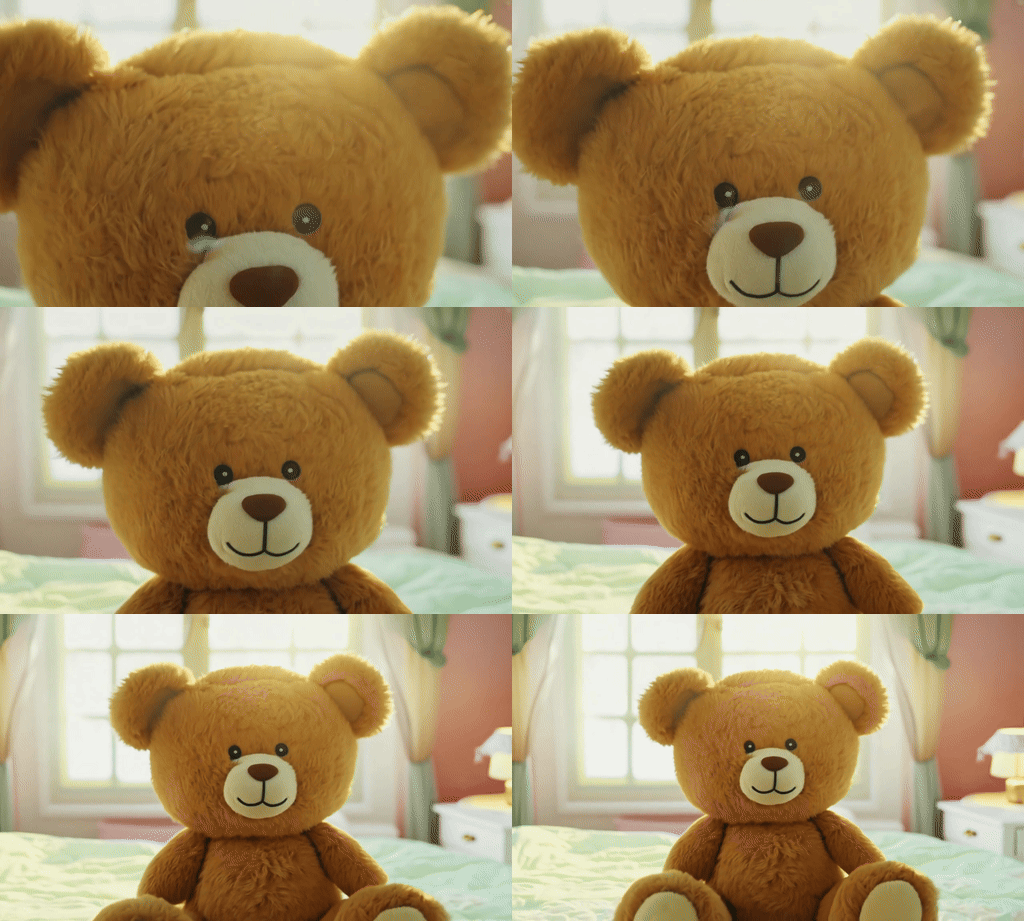
I refined the prompt to read: “Slow motion close-up to wide-angle: A vintage teddy bear on a child's bed blinks to life as golden sunlight filters through lace curtains. The camera pulls back to show the bear getting up and moving.”
This resulted in a reversed motion to the original, which created some artifacts on the bear's face and gave it better movement, although it still couldn't get up.
5. The Old Farmer
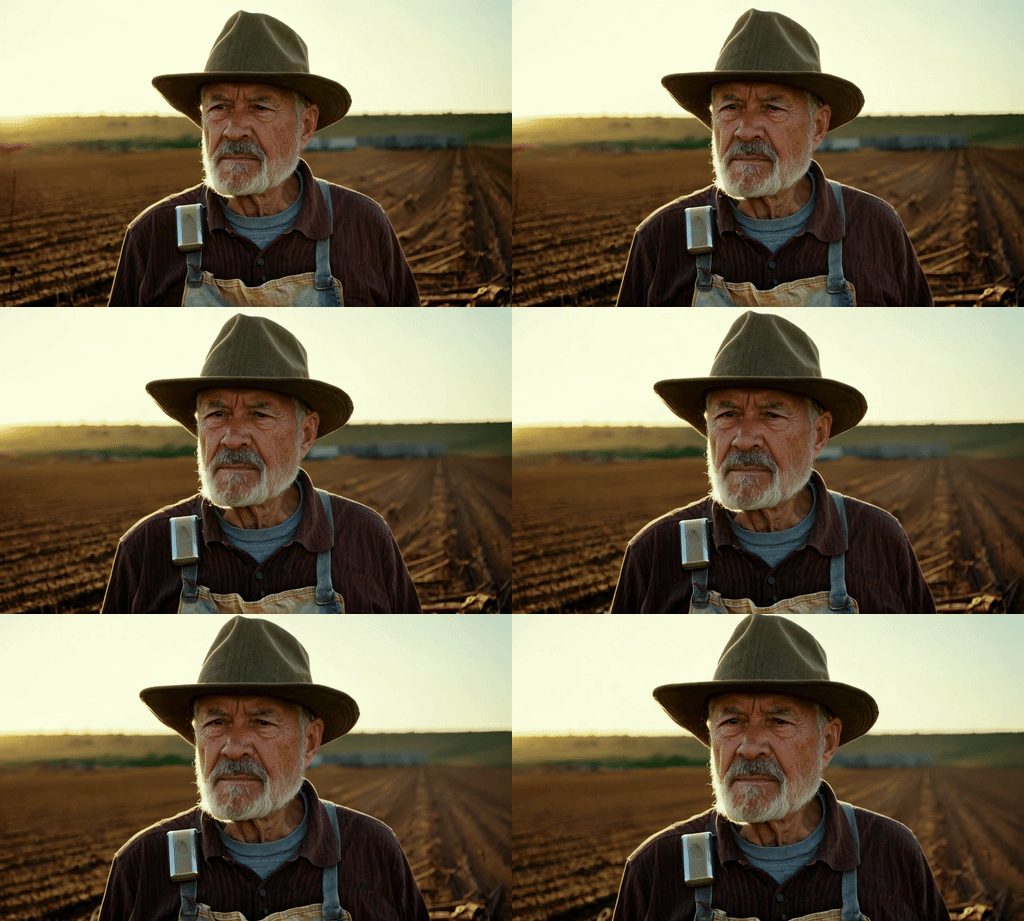
This was the first prompt I tried with Runway Gen-3 Alpha. It was overly complicated and descriptive because I was trying to recreate something I'd created using image-to-video conversion in the Luma Labs Dream Machine. It wasn't the same, but it was very well done.
Prompt: “A tanned farmer in his seventies looks out over a burnt field. He squints beneath his leathery skin, silver beard, and dusty hat. Frayed shirt, patched overalls. Callused hands grip a fence post. Golden light illuminates wrinkles of worry and determination. The camera zooms in on his cold gaze. The barren landscape stretches out, ruins loom in the distance. A makeshift irrigation system, a reinforced fence are visible. The old man reaches into his hat to reveal hidden technology. A device flashes, and hope rises.”
More articles from Tom's Guide

Back to MacBook Air


