Pika Labs has upgraded the way its image-to-video model works. The AI video platform launched a year ago and is facing increasing competition from upcoming services such as OpenAI's Sora, China's Kling AI model, and the newly released Luma Labs Dream Machine.
So far, Pika Labs has focused on building a broader platform, including the ability to add sound effects and lip-syncing audio to your productions.
When it was first released, it had cutting-edge video generation capabilities, but its popularity fell as other models came on the scene. To combat these issues, Pika Labs improved the image recognition capabilities ahead of the release of the new generation model.
The company says you can get impressive results by starting with an image and giving it film-like camera motion instructions, which it demonstrates with its own examples, which you can also remix and reprompt in the Pika Labs web app.
Testing Pika Labs Image to Video Converter
This photo-to-video model update is awesome. pic.twitter.com/L7117cMnNOJune 11, 2024
My first experience trying out the updated image to video converter was with a landscape/drone type shot I generated, and it caught my attention as the movement was significantly better than the video I had previously produced, so I decided to push it further.
I created five images using Leonardo's new Phoenix model and entered them into Pika Labs along with a description of the motion I wanted. All settings were left at default, including the amount of motion.
1. Cyberpunk Carnival
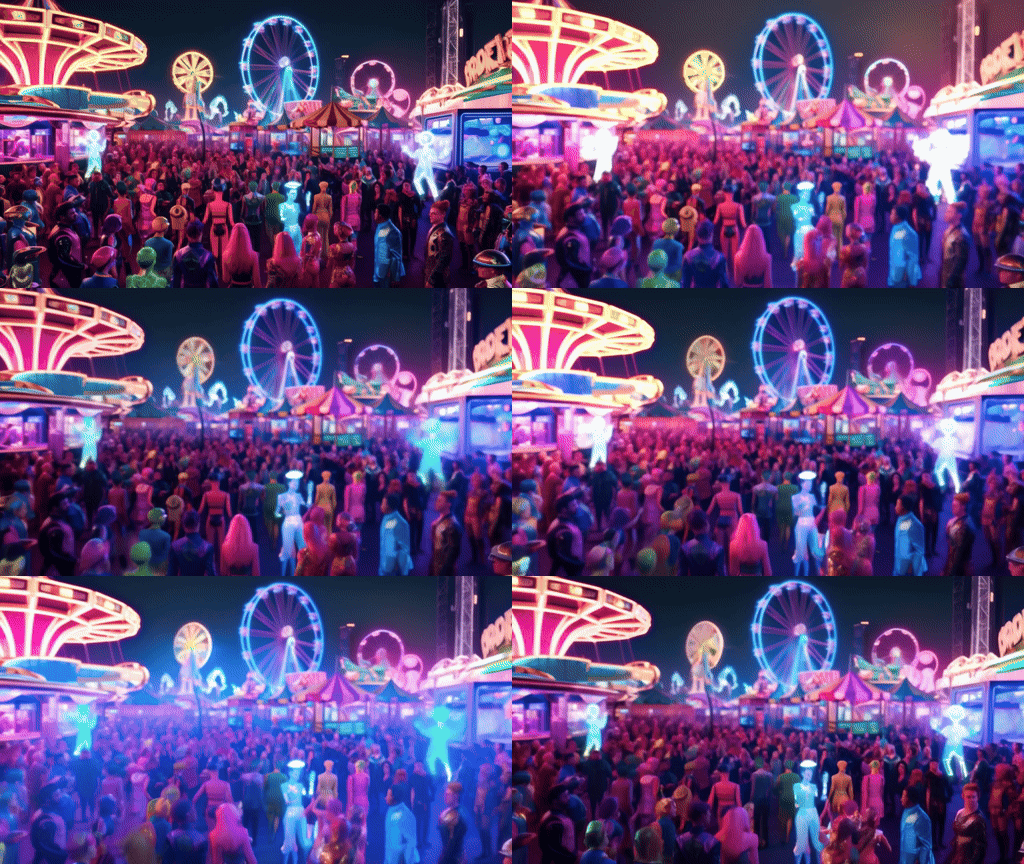
First of all, we will enter a cyberpunk world where a carnival takes place at night, with a lot of dazzling lights and a request to create a walkthrough of this bright world.
Leonardo Phoenix's prompt: “A vibrant, nocturnal cyberpunk carnival with neon-lit rides, futuristic food stalls, augmented reality games and a diverse crowd dressed in colorful, outlandish costumes. Holographic performers entertain audiences in a dazzling light bale.”
Pika Labs Motion Prompt: “Utilize dynamic walk-through motion that weaves through the crowds, starting at the carnival entrance, passing by the food stalls and games, and ending at center stage with holographic performers.”
Three seconds wasn't enough to properly capture the walkthrough, but it was enough to get the process started, and the motion would be better if you provided more explanation and used images as prompts.
2. Glowing Mushroom Forest
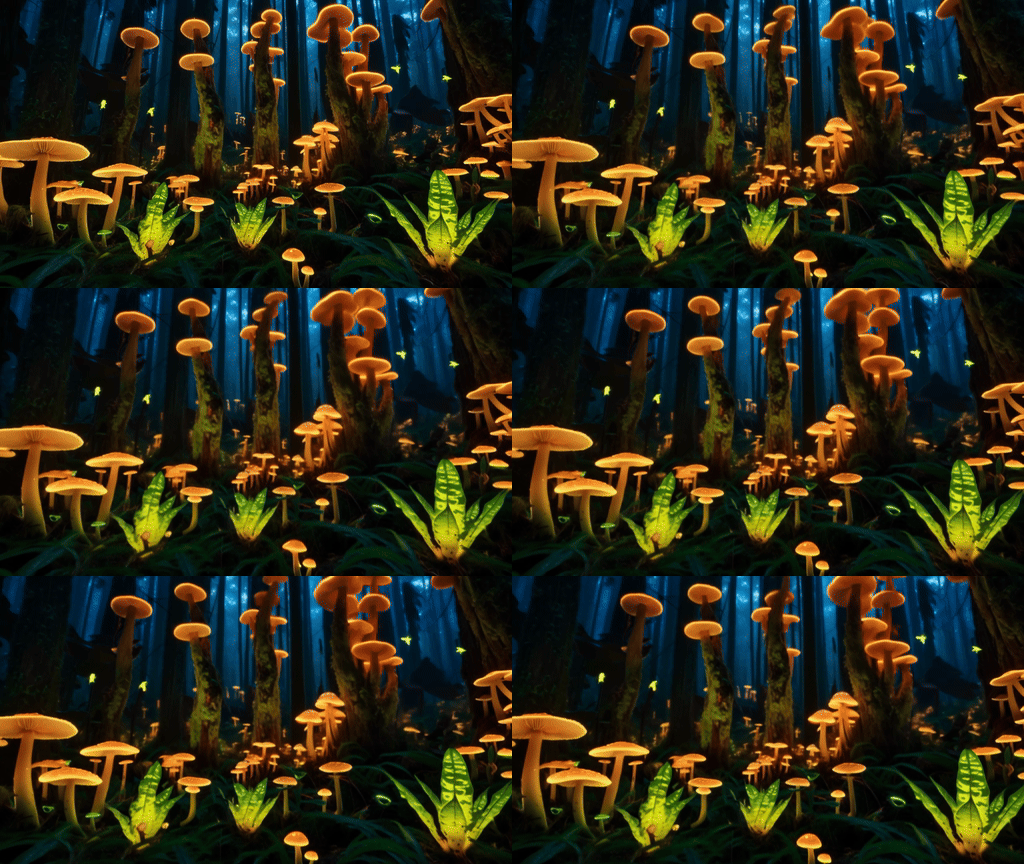
Next we introduce the mushroom, his name is Dave and he's the life of the party. Well, more than a fun guy, it's a forest of mushrooms. Here we need a slow dolly-in movement.
Leonardo Phoenix's prompt: “A dense forest filled with towering luminescent mushrooms that give off a surreal glow. Exotic plants with luminescent patterns and tiny glowing creatures darting among the leaves create an otherworldly atmosphere.”
Pika Labs motion prompt: “Starting at the edge of the forest, use a slow dolly-in motion to move deeper into the forest, revealing larger mushrooms and glowing creatures, emphasizing the transition from the edge of the forest to the glowing center.”
The movement was limited, but it worked as required. The problem was that 3 seconds was not enough time to test it properly, so only this time I decided to use the extend feature to give it another 4 seconds. In the end, the same movement was repeated.
3. Hanging Gardens of Ancient Civilizations
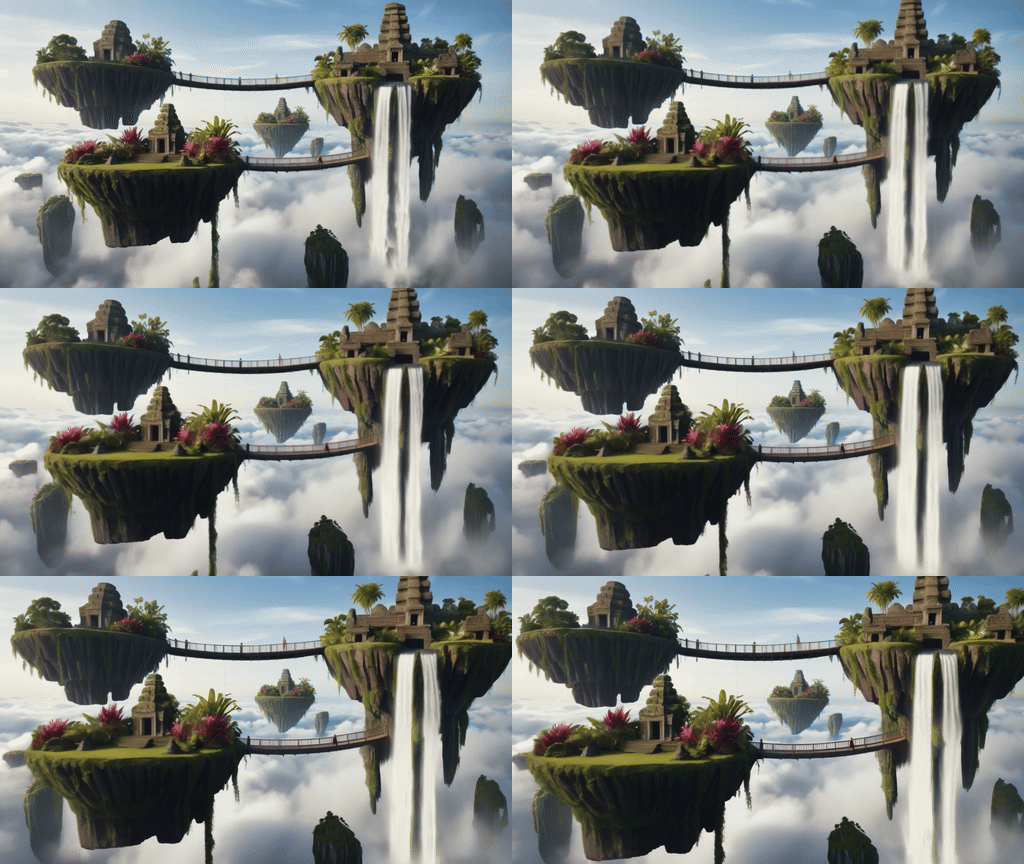
In the third test, we imagine an ancient civilization that has built a network of floating islands connected to each other by suspension bridges. The motion is to start below the islands and fly upwards.
Leonardo Phoenix's prompt: “Floating islands connected by suspension bridges. Each island is lush with vibrant exotic plants and ancient stone structures adorned with intricate carvings. Waterfalls tumble off the edges and disappear into the clouds below.”
Pika Labs motion prompt: “Use a smooth fly-through motion that starts below the floating island, rises towards the floating island, passes over suspension bridges and waterfalls, and ends with the most complex structure in the center.”
The problem again was that the movement was too slow and not long enough to get a true experience, so I made some tweaks, changing it from smooth to fast, and breaking my “only default settings” rule, bumping the movement strength up to 3.
That's the version you see here: Increasing the intensity of the movement made a big difference, and going from smooth to rapid also helped.
4. Abandoned Time Capsule City
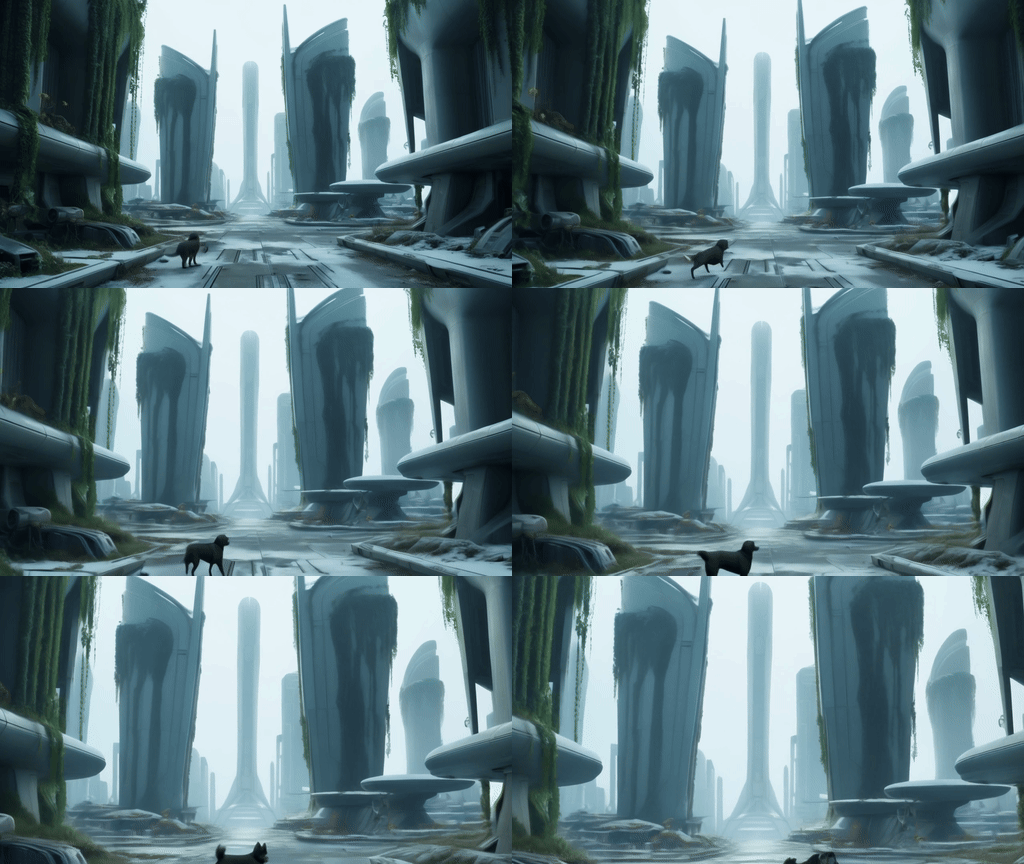
Another name for this prompt is “Return to Nature.” Basically, a world reclaimed by nature after being abandoned. The movement is a fast dolly-in. I learned my lesson from the previous prompt to avoid the word “slow.”
Leonardo Phoenix's theme: “A futuristic city frozen in time. Abandoned and reclaimed by nature, its buildings are reclaimed by nature. Vines and flowers cover the sleek skyscrapers, wild animals roam the empty streets, and remnants of advanced technology are strewn everywhere.”
Pika Labs Motion Prompt: “Fast dolly-in motion, starting on the outskirts of the city and gradually moving towards the city centre, showcasing a mix of nature and abandoned technology, ending in a central plaza with a large tree.”
Again, I put the motion strength at 3 to avoid being too subtle. I wasn't getting any motion at all, so that didn't work. So I removed everything from the motion prompts after the fast dolly-in motion. I still wasn't getting any motion other than the little dog, so I decided I needed to take a closer look at my settings.
This time I was more compliant with the prompts and checked the Zoom in Motion button in the settings, which solved the issue and gave me some impressive motion.
5. Mysterious ice caves
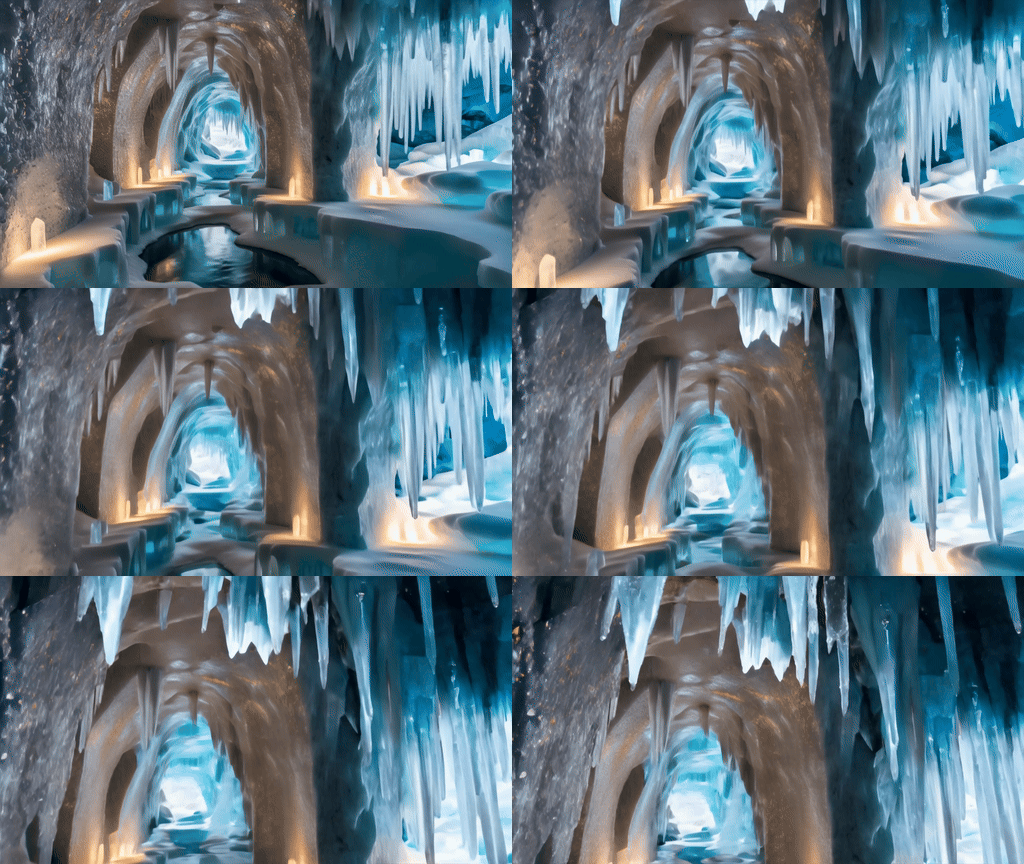
Finally, we enter an ice cave whose walls sparkle with crystals and are surrounded by frozen waterfalls. I wasn't impressed with the images, but since I started this route, I'll go to the end. The motion was a walkthrough.
Leonardo Phoenix's prompt: “A maze of ice caves with walls that sparkle with embedded crystals and cast colorful reflections. Frozen waterfalls, sparkling stalactites, and an ethereal glow from hidden light sources create a magical ambiance.”
I kept it very simple using Pika Labs' motion prompt “Smooth Walkthrough Motion”, I also checked the zoom and tilt buttons and kept the motion at 3.
This works well, meaning that adding an image will improve your video output, and you're free to take advantage of the settings that come with Pika Labs.
More articles from Tom's Guide

Back to MacBook Air