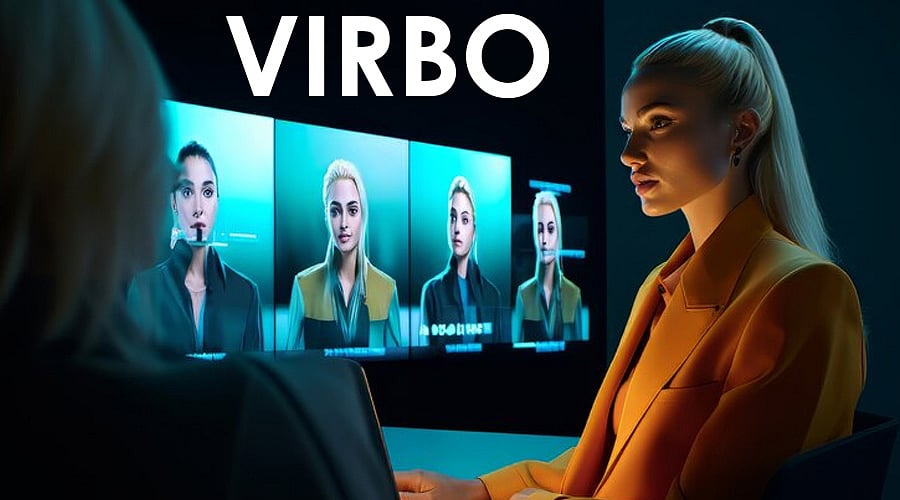
Artificial intelligence (AI) has transformed several fields, including video production. AI Video Generator is an advanced technology that uses machine learning algorithms to automate the creation of video content. These programs are becoming popular because they allow you to create high-quality movies in a fraction of the time it takes human editors.
AI in filmmaking increases efficiency, creativity, and personalization. You can automate time-consuming operations like editing and subtitling, generate unique content ideas based on data analysis, and tailor video content to specific target segments. Essentially, AI solutions optimize your production operations, making it easier and faster to create high-quality videos.
In this article, we will show you how to create amazing videos using an AI video generator.
Part 1: Choosing the best AI video generation tool
Choosing the right AI video production tool is important. Consider video quality, ease of use, customization possibilities, and integration features to decide which one best fits your needs and budget. Whether you need an easy-to-use platform for your social media clips or a wide range of editing tools for professional production, choose the tools that will unleash your creativity and improve your video output.
Factors to consider when choosing a tool
Here are some factors to consider when choosing an AI video generator.
A good AI video generation tool should include rich AI avatars. Avatars must lip-sync well and look realistic. When they're not moving, you should be able to make small gestures to make them seem real. Moreover, this tool should provide you with the best personalized avatar.
The tool should provide a diverse set of high-quality languages and voices. The voice must sound authentic and belong to the company. The technology should also offer in-app translation and voice cloning. Voices must be easy to hear in a variety of tones and accents.
Tools should be user-friendly and easy to operate. It should provide templates for different use cases and offer AI-assisted video production. The program should also include video export and sharing options. Team collaboration and commenting features are also useful.
This tool must use clean, compliant data and comply with GDPR requirements. It must also enable single sign-on and meet SOC2 requirements. Companies should have strong moderation policies in place to prevent malicious actors from using their services.
Companies should establish internal research teams to foster innovation. This team is well known and should be recognized for its accomplishments. Companies should also have an active presence in the academic world and regularly release new products.
While analyzing prices, consider value for money. Look for tools that offer a variety of features and choices at different price points. Be careful when purchasing an instrument that is too cheap as it may not have the quality you need.
Read reviews from other users to learn about the pros and cons of this tool. Look for reviews that highlight the tool's security features, audio and avatar quality, and ease of use. Also look at the company's customer service and reputation.
Part 2. Create an AI video using Wondershare Virbo
Wondershare Virbo is an amazing AI video generator that lets you create professional-looking videos in just minutes. Just enter the text you want to convey and Virbo will take care of the rest. With just a few clicks, you can create videos in any format, including educational purposes, promotional content, and social media sharing.
Virbo offers a variety of features that make video creation easy. Generate engaging video scripts using our advanced AI script generator and bring them to life with dynamic speaking avatar videos. Choose from over 300 voices and languages, as well as a variety of templates to suit your industry and style.
Plus, the text-to-speech feature lets you create studio-quality narration without breaking the bank. And with our growing library of creative assets, you can add fonts, images, and shapes to make your videos truly unique.
Virbo also offers features such as royalty-free stock music, storyboard editing, and full HD downloads. You can also use the AI translation feature to translate text into different languages. And if you want to get really creative, you can add a human voice to your photos or turn audio or text scripts into engaging videos.
A step-by-step guide to creating AI videos using Virbo
Creating AI videos using Virbo AI Video Generator is very easy and straightforward. Here are the steps to create an AI video in minutes.
First, choose from a variety of avatars, each with different characteristics, ages, and nationalities. Choose an avatar that embodies your audience and brand, and change the look to match your aesthetic. With over 300 avatars available, you're sure to find the perfect one.
Write an interesting script in the text box.Use natural and direct language
Bring your scripts to life using the customization tools provided by Virbo. Choose from a wide range of templates, colors, and fonts to match your brand and style. You can also add shapes, music, or photos to your video to enhance its aesthetic appeal. Thanks to her user-friendly UI, you can quickly try out different settings to find your ideal mix.
Press the “Generate” button to delegate the task to the AI. Your written text is transformed into a dynamic video complete with music, graphic effects, and talking avatars thanks to our sophisticated algorithms. Post videos directly to social media or download them in full HD.
Part 3. Tips to enhance your AI videos
There are many tips and tricks you can use to bring quality to your content. Here are some tips to easily improve the quality of your videos using AI video generator.
A clear script is essential for making AI videos engaging. Keep your script short, sweet, and focused. Use basic language and avoid jargon and complex terms. Vary sentence length and use filler words to create a natural flow. And finally, you need to proofread your script to remove flaws and ensure a polished final result.
Customization is essential to make your AI film stand out. Choose a template that matches your brand and message, then customize colors, fonts, and images to match your visual identity. Try a few formats to find what works best for your video. Don't be afraid to use your creative touch to make your video truly distinctive.
The right voiceover can elevate your AI video from good to outstanding. When choosing your voiceover style, consider your target audience and brand tone. Choose a voice that connects with your target audience and supports your message. Make sure your narration is clear, snappy, and well-paced to keep your audience interested.
conclusion
Creating beautiful movies using AI has never been easier. You can quickly create high-quality films using Wondershare Virbo or other AI video generation applications. By following the comprehensive steps and tips provided in this article, your video creation can reach new heights.
Whether you're a marketer, educator, or social media influencer, AI video generators are a powerful way to improve your video content and engage your audience.