
The demand for content is increasing, and as someone who works in the media industry, we understand that creators need video editing tools that are fast and have all the professional tools they need without compromising on quality. Wondershare Filmora V15 does just that with new AI-powered features and a set of pro-level editing options. I've been testing it lately and I think it's one of the best AI video editors out there. This article will explain why.
What is Wondershare Filmora V15?
You may already know about Wondershare. Wondershare is a very popular name in the creator space and offers all kinds of creative solutions. The latest Filmora V15 video editor has been released. This provides a variety of functionality. AI video generation function Powered by Google Veo 3.1 and ChatGPT Sora 2. It also features a new AI Mate. This is a powerful assistant that will accompany you and solve your editing problems.
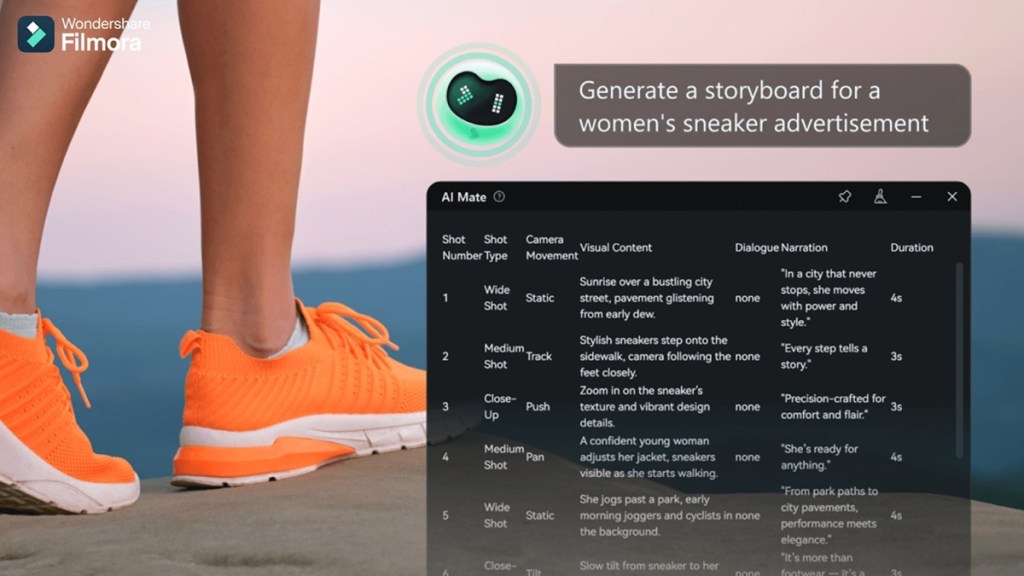
Filmora V15 is defined not only by its headline AI video generation capabilities and the introduction of AI Mate, but also by the depth of its overall workflow improvements. This release introduces new tools such as AI Extend, Loudness Normalization, Audio Gain, Dual Timeline Editing, and Pen Tools to make advanced editing scenarios easier to use.
Additionally, existing features such as Smart Cutouts, AI Video Enhancer, AI Object Remover, and Dynamic Captions have received meaningful upgrades for even greater speed, quality, and creative control.
Wondershare Filmora V15 Highlights
V15 is a huge update and adds so many useful AI video editing features that it's impossible to cover them in this article. So, here are the highlight features introduced in Wondershare Filmora V15.
- Advanced text-to-video and image-to-video generation using Sora 2 and Veo 3.1
- New AI Mate assistant for video editing and workflow assistance.
- AI Extend tool that intelligently extends clips along the timeline
- Upgraded smart cutouts with improved edge refinement
- Upgraded AI video enhancer and AI object remover
- Dynamic captions with new animations and batch editing
- Loudness normalization and audio gain quality for professional sound control
New features in Wondershare Filmora V15
I used to use Wondershare Filmora V12, but V15 feels like a huge improvement. There are a lot of new tools I've tried out that are sure to be useful to both casual and veteran video editors. Here are some of my favorite new tools.
Filmora’s improved AI-powered video generation
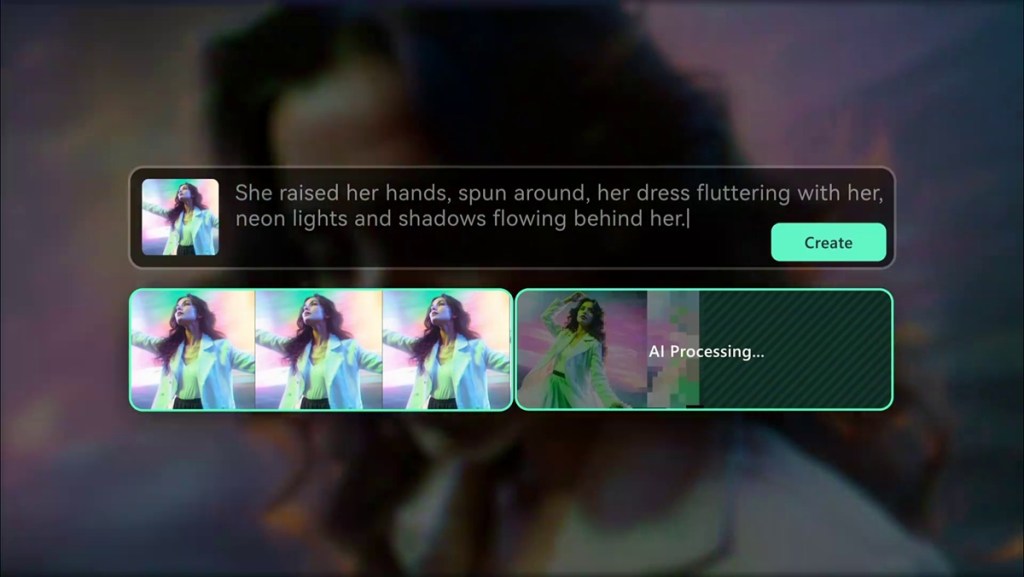
Filmora V15 brings significant improvements to the video generation model, turning the editing app into a more sophisticated AI video generator for creators. Users can experiment with text-to-video generation using the following tools: Sora 2 and Veo 3.1allows you to create clips with realistic movement, lifelike appearance, and the flexibility to produce any type of video you can dream up.
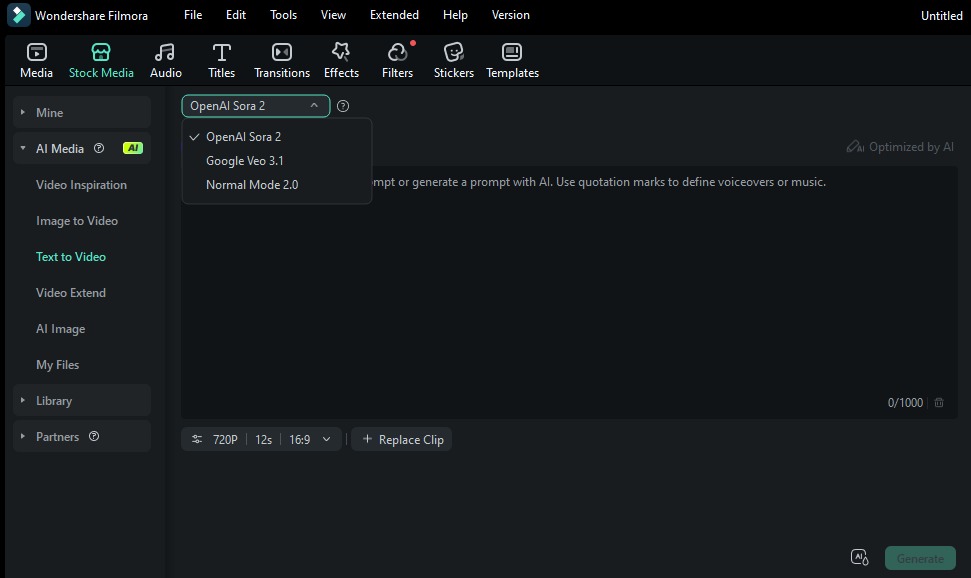
It also enables text-to-image generation leveraging Google's latest Nano Banana Pro model, enabling faster video generation and better results. This is useful for generating posters, thumbnails, and other required artwork. With Sora 2 and Veo 3.1, you can also use image-to-video conversion to create even more sophisticated video clips. You can link these features to seamlessly complete your creative workflow.
Built-in AI-powered assistant
The highlight of Wondershare Filmora V15 is the new AI Mate. this is Powerful assistant built into the tool As such, it helps users generate or edit videos using basic text commands. Creators can input instructions such as “cut silence,'' and AI Mate will take care of the rest. Besides being a handy assistant, it also acts as a video editing coach.
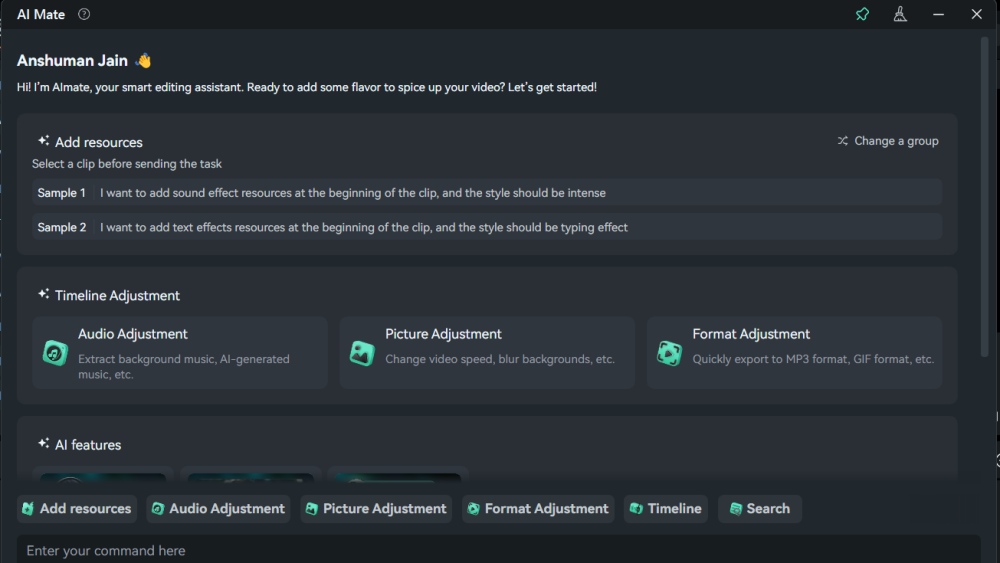
Users can ask questions about specific tools, how to edit in different work environments, and ask for help whenever they need it. AI Mate alone makes Filmora feel like a truly intelligent AI video editor.
AI editing suite
Filmora V15 also solves problems in today's editing environments by introducing a series of AI-powered features that help you get the most out of your footage. AI Extend is a key example. Rather than relying on reshoots, creators start by entering prompts that explain how they want to extend the scene.
Prompt-based guidance allows you to extend your clip forward by up to 5 seconds or backward by up to 8 seconds. New frames are then generated to fit the original visual context, helping maintain continuity and natural transitions.
Filmora V15 upgrades Smart Cutouts to add more accurate intelligent subject recognition, allowing creators to cleanly separate people and objects with minimal manual adjustments. It also introduces a stylish outline effect, allowing for glowing or feathered edges that are precisely aligned with your subject through movement, allowing key elements to stand out naturally from the background.
AI Object Remover is another useful upgraded tool that removes time-consuming cleanup tasks through its Magic Box feature, allowing creators to quickly remove watermarks, subtitles, people, logos, and other background distractions. This algorithm intelligently fills deleted areas with natural textures, keeping the results clean, seamless, and professional.
To complement this, the upgraded AI Video Enhancer applies improved AI algorithms to enhance clarity and resolution, restoring visual quality and providing sharper, more polished video output, especially when dealing with less-than-ideal source footage.
Then there are dynamic captions. With this you can apply. Expressive animated font With just one click. The animation is modern, fluid, and perfectly tailored for platforms like TikTok, Instagram Reels, and YouTube Shorts. Filmora also supports batch editing, so you can update font, color, timing, and animation settings for multiple captions at once.
Professional editing suite
Audio quality is the most important factor for high-quality content, and Wondershare Filmora V15 introduces two new tools that bring professional-level audio editing to even novice creators. The first is loudness normalization, which automatically adjusts the audio to meet the platform's loudness standards (LUFS/LKFS).

Audio gain further improves accuracy and enables both functions. Batch adjustment and individual adjustment. Video editors can apply normalization based on fixed gain, relative gain, or peak level. This is very useful for interviews, podcasts, or clips recorded with inconsistent audio quality.
Filmora V15's dual timeline editing will greatly improve the quality of life for anyone working on long or complex projects. it's for you Zoom-out macro view of entire timeline Enlarged display for frame level adjustment. Easily work with large projects with full control over detailed editing. This is a boon for creators with multi-layered videos, long-form content, and travel vlogs.
Wondershare Filmora V15 price
With all these exciting new improvements and AI video editing features, Filmora V15 becomes a great option not only for those new to video creation, but also for professionals looking to streamline their work with an AI video editor. If you're considering using Filmora, here's how much it costs.
| schedule | Pricing |
|---|---|
| 7 day trial | free |
| Basic (monthly) | $9.99 |
| Advanced (annual) | $34.99 |
| perpetual license | $49.99 |
These are quite reasonably priced compared to other similarly competent video editors available on the market. However, please note that prices vary by region.
Wondershare Filmora V15 brings a new era of video creation
Wondershare Filmora V15 is a huge step forward in bringing AI video editing to everyone. Whether you're a beginner looking to learn fast or an experienced creator looking for efficiency, this tool brings you the best of both worlds. This is a highly intelligent AI video editing and AI video generation tool that you should implement in your workplace.


