Visual content continues to grow in importance in today’s society. Therefore, clarity and quality of visual/image content is increasingly required. As technology is evolving at an accelerated pace, the majority of users continue to have problems with blurry photos, pixelated images from downloaded online resources or videos recorded in low-resolution formats, which can be very difficult for some to find. Professional editing software is usually very expensive and very difficult for novice users to learn at a glance.
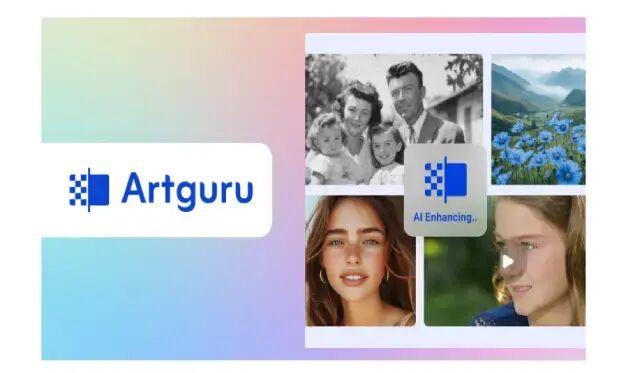
Artguru, an AI-enhanced platform, was designed to help users overcome these obstacles. AI photo enhancer (up to 4K), AI image upscaler (up to 8K), and video enhancer (up to 4K) for improved clarity and resolution. Artguru is accessible from the web, iOS, and Android devices, giving users the flexibility to use it on virtually any device.
Artguru was developed to cater to all types of users. Content creators can benefit from Artguru just as much as social media users and small businesses, so there’s something for everyone who wants to improve their visual content without having to learn how to use advanced editing programs/software.
The main issues that Artguru seeks to address are:
- Blurry or low quality photo images.
- Pixelated images that don’t convey professionalism.
- Old videos and low quality recording formats.
- Low quality visuals used for websites and social platforms (e.g. social media).
- Images and videos that need immediate attention and correction without the need for additional editing skills or time.
The use of AI technology allows Artguru to automatically handle these issues and provide users with clean, natural-looking results without the additional time and effort required for manual editing methods.
Image enhancement and upscaling experience
Artguru’s image upscaling feature is one of the best. There are two main image enhancement tools: AI Photo Enhancer and AI Image Upscaler.
Photo Enhancer allows you to improve the sharpness and sharpness of your images up to 4K resolution and can be used for everyday photos, portraits, product shots, animations, and all other types of images and text-based images.
Image upscaler is designed for more complex tasks. Image Upscaler can upscale up to 8K resolution, perfect for large format printing, viewing on a big screen, or creating professional projects.
One of the big advantages of Artguru is that it is designed for beginners, so it is very easy to use. Users just upload images and artificial intelligence does the rest. Even beginners can get good results in seconds.
Artguru also has the ability to process multiple images in batch. Users can process up to 50 images at once. This feature saves businesses and creators valuable time.
Video upscaling feature
Artguru has a video enhancement tool that uses artificial intelligence to improve videos recorded in low resolution or on older equipment.
This feature allows you to convert videos to HD or 4K for various uses. Enhance your videos by improving visual clarity, increasing sharpness, and increasing the visual appeal of each frame. By processing each frame with artificial intelligence, the system can reduce blur, enhance detail, and overall make your videos look smoother.
The overall processing speed varies depending on the length of the video, typically anywhere from a few minutes to an hour, but you can close the tab and run it in the background, automatically upscaling the video. It provides a clean output that can be used on several social media sites such as Instagram, TikTok, and YouTube.
Supported formats and usage examples
Artguru has a large number of supported image and video formats that users can use for various purposes. It works with common image formats such as JPG, PNG, and WEBP, as well as commonly used device-based video formats.
For content creators, it helps improve photos and videos for social media posts, thumbnails, and short-form content. Clear visuals help increase engagement and improve the overall presentation.
For e-commerce and online sellers, Artguru improves product images so they look crisp and professional. This will make your product look more appealing, build trust, and increase sales.
For personal projects, users can enhance family photos, old memories, travel photos, and personal videos. Artguru is also useful for students and researchers who need clearer visuals for their presentations and projects.
Advantages and limitations
Artguru has several strong advantages that appeal to many users.
Main strengths:
- Very easy to use even for beginners
- High-quality image upscaling up to 8K
- Natural results without excessive editing
- Supports batch processing
- Available on web, iOS, and Android
- You can try the free plan
However, there are also some limitations to consider.
Limitations:
- Free version contains watermark
- High resolution export requires paid plan
final verdict
In summary, Artguru is an effective yet easy-to-use program for enlarging images and videos. We combine superior technology with an easy-to-use interface so anyone can get the most out of visual art without being overwhelmed by complex processes.
Artguru’s features are perfect for everyone, from students who need quick updates to online sellers and content creators who want to improve their work without spending hours learning how to edit and enhance it.
If you often work with low-quality images and videos and want quick, natural-looking results, try Artguru. For people who like to do everything quickly, easily, neatly and professionally, Artguru offers an excellent overall enhancement solution.