
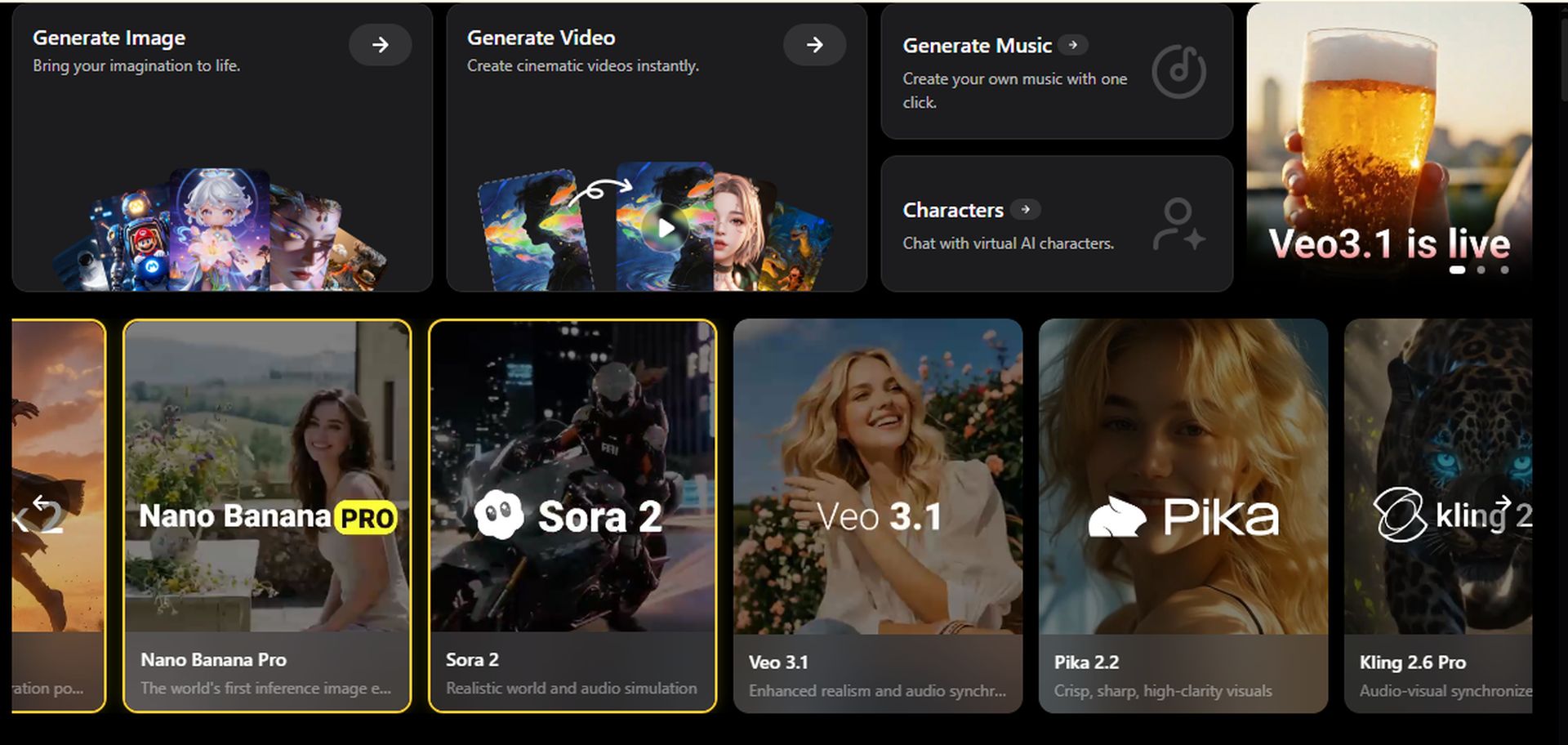
Looking for a comprehensive AI image generator? WeryAI is the perfect tool to create images and videos from pure imagination. This AI video generator combines all the top models such as Pika, Sora, Runway, Hailuo AI, etc.
Consolidated into a single, easy-to-use dashboard. Creators, marketers, and B2B content producers can use this AI tool to get polished output in 4K. If you can subscribe to WeryAI, there is no need for multiple subscriptions.
What is WeryAI?
This next-generation multimodal platform powers the creation of images, videos, digital humans, and music. This was very recently released to address specific pain points in creative production and is ideal for AI video creation and AI image creation. This tool can be used to:
- text to video art
- face swap
- lip sync
- Video/image upscaling
- motion transfer
Do all this using a single interface. That’s why WeryAI is perfect for e-commerce product shots, marketing videos, social content, and more. We also offer a free tier with a paid upgrade to export without watermarks. WeryAI’s model aggregator approach gives you access to the latest AI such as GpT-4o, Wan 2.5, Nano Banana, and more. No app switching is required here.
It also enables cross-device sync between mobile and desktop, helping creators test their content on the go. Generation times range from seconds to minutes.
However, styles such as anime, film, and photorealistic offer surprising consistency.

Core features of WeryAI
Top AI models
It brings together premium engines like Kling AI, Google Veo 3.1, Sora 2, and Flux to generate images/videos with text and 4K realism.
advanced video editing
WeryAI features AI face swap, lip sync, subtitle eraser, 4K upscaler, and watermark remover. There’s no need to waste 30% of your time searching for the right AI tool.
Animation and transformation
You can create a video using an image or another video (Img2Vid and Vid2Vid). Includes motion imitation (Viggle style) and AI characters to enhance storytelling.
e-commerce and marketing
Get localization with AI background remover/changer, product showcase, and instant face replacement for global campaigns, the magic of full integration.

Text to video walkthrough
- Select tool and model: Go to the “Generate Video” option and select “Text to Video”.
- Input prompt: Enter a detailed description. Add specific parameters such as duration (5-60 seconds), aspect ratio (16:9), and style (photorealistic).
- Generate and preview: Press “Generate”. WeryAI takes 45 seconds to process your instructions.
- Filter and export: Enhance your videos to 4K using the built-in upscaler. Please download in MP4.
face swap tutorial
- Upload the base video: Select the face swap tool. Upload a 10-second speaker clip (keep it under 100MB).
- Add target face: Upload a high resolution photo of your desired face.
- Configure settings: Select your model and adjust the intensity slider to make the final result look natural. If you need audio, please enable lip sync.
- Process and review: Generate a video and check for defects.
- completion: Erase any remaining subtitles, upscale and export. You can obtain satisfactory localization without having to reshoot.
Image to Video Walkthrough
- Upload image: [画像からビデオへ]section and upload a photo of your product.
- Prompt enhancements: Add motion prompts that describe what you want your video to do or do.
- Model selection: Choose Flux for art and Veo for realism. Set the length to 8 seconds.
- Generate: Wait about 30 seconds. You will get smoothly animated output.
- export: Download HD directly.
WeryAI pricing
 Achieving excellence in AI content creation
⚠️ WeryAI is intended for artistic creation, visual design, style simulation, and legitimate entertainment purposes only. Users must comply with all applicable laws and Platform guidelines. Do not enter or generate prompts that contain illegal, harmful, or inappropriate content. Also, avoid unauthorized deepfakes and activities that violate privacy and rights.
WeryAI has transformed image and video generation in this AI era. Now you can quickly get professional-looking visuals with a single tool. SEO marketers can create video blogs and combine them with TikTok ideas to generate viral leads. Sign up for free and try this tool.
Disclaimer: This review is based on publicly available information and field testing (as of January 2026). It is provided here for informational purposes only. We respect all brands involved in this post. Individual results may vary depending on updates, terms of use, settings, etc. Therefore, we encourage readers to test WeryAI for themselves to see if it is the best fit for their purposes.
 Is WeryAI suitable for B2B marketing videos?
Yes, WeryAI is suitable for B2B marketing videos as it can create product demos, social clips, and localized ads.
What are the limitations of WeryAI?
The limitation of WeryAI is that the free plan provides daily credits for the base generation and these works are watermarked. The paid tier unlocks unlimited 4K exports, and a premium model with queues is also available.
How does WeryAI compare to standalone tools?
If you compare WeryAI to standalone tools (like Kling), you’ll see that this aggregator combines multiple models into one dashboard. Save time and money.


