
introduction
Creating top quality videos is now really easy. You don’t need to spend a lot of money on software or have difficult editing skills. Today, AI-powered programs help filmmakers quickly edit videos and fix image quality without human intervention, while making creating social media posts much easier.
Among all these tools, Vmake is known for providing powerful AI editing features to creators, marketers, e-commerce sellers, and influencers.
This Vmake review aims to reveal the main AI video editing tools, features, price, pros, cons, and the target audience for this product.
What is Vmake?
Vmake is an AI-powered video editing platform that helps creators create high-quality content in a quick and easy way. It runs directly on your browser and comes as a mobile app, making it convenient for editing on both your PC and mobile phone.
We primarily produce short-form content, talking head videos, e-commerce clips, and social media content for the content platforms most used by young audiences: TikTok, Instagram Reels, and YouTube Shorts.
Main categories of functionality
According to the official feature list, Vmake leverages AI to provide a variety of content creation solutions, including:
- AI video enhancements: Improve the quality of your videos by changing resolution, clarity, lighting, and overall appearance.
- Remove video background: Ability to remove backgrounds or replace them without using a green screen.
- Watermark removal: You can improve your videos by removing unnecessary logos, text, and marks.
- Automatic caption: Automatically create subtitles to make your content more accessible and encourage audience interaction.
- AI video generation: Create videos using AI-driven templates and automation tools.
- Noise reduction: Reduces interfering sound without compromising video audio clarity.
First impressions and user experience
Vmake has a clean and easy-to-use interface designed around easy one-click workflows. Uploading videos is easy because you can easily drop your files, and all processing happens in the cloud for even faster results.
Vmake is definitely the easiest option for those who don’t edit videos, as it doesn’t require advanced editing skills like traditional software does. Additionally, the platform is very good at handling work on both desktop browsers and mobile devices, making it very useful for creators who are always on the go.
Vmake’s AI video enhancements
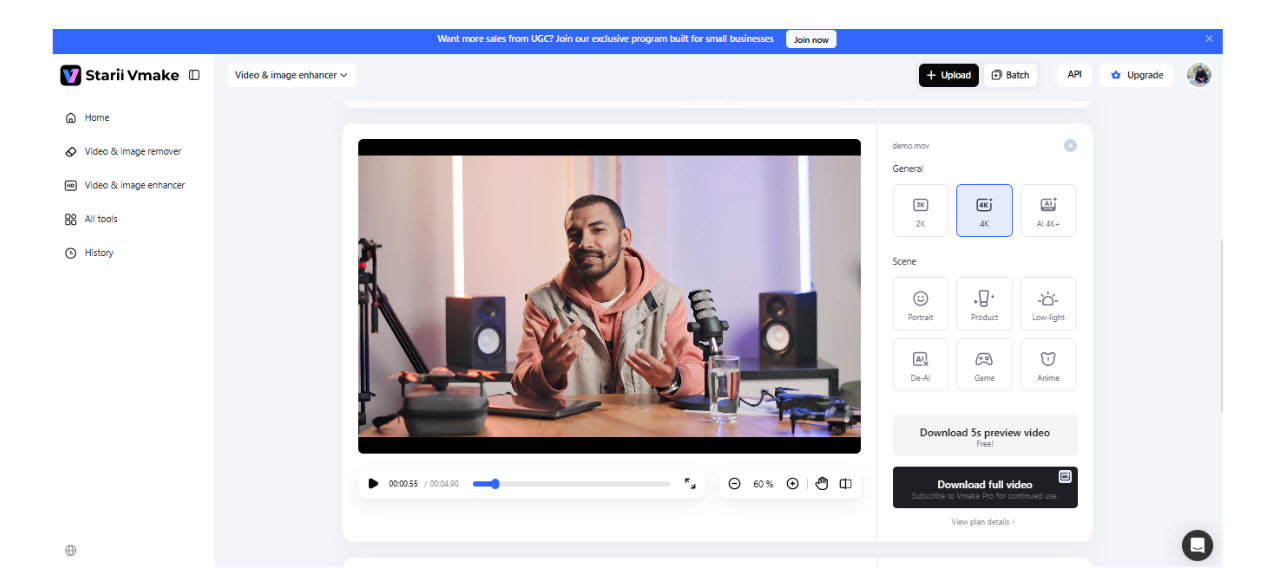
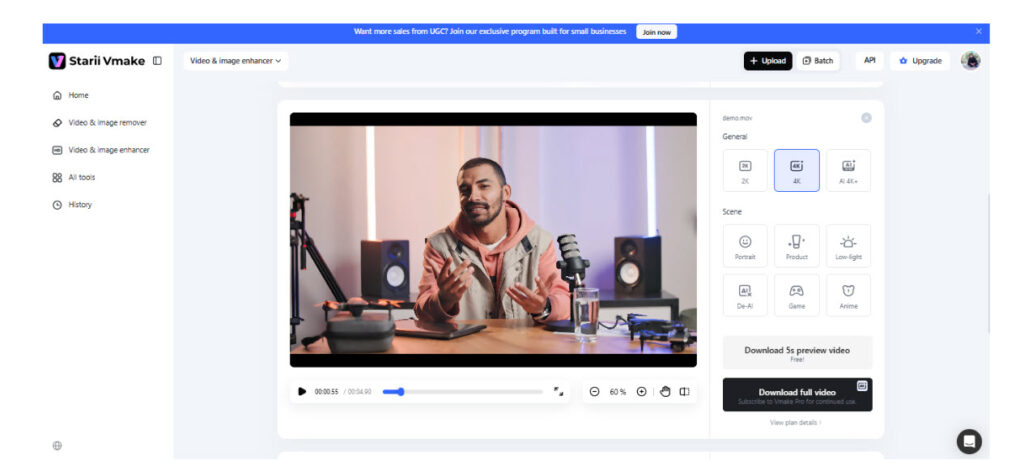
I tested Vmake’s AI Video Enhancement tool and found the process to be very easy. I uploaded a low-quality video and the AI automatically improved it with no manual settings required.
It applies AI to remove blur, sharpen, and recreate missing visuals in your video, providing a sharper version at 2K, 4K, and even AI 4K+ quality levels.
Unlike old-fashioned filters, your video won’t look tampered with at all because it thoroughly inspects the frame to enhance the fluidity of movement, correct lighting, reduce noise, and restore texture in a natural way.
In addition, it has a set of distinctive enhancement modes for specific purposes such as portrait, product, low light, gameplay, and animation, making it extremely useful for those creating social media content, e-commerce ads, and AI-generated clips.
Testing the video background removal tool
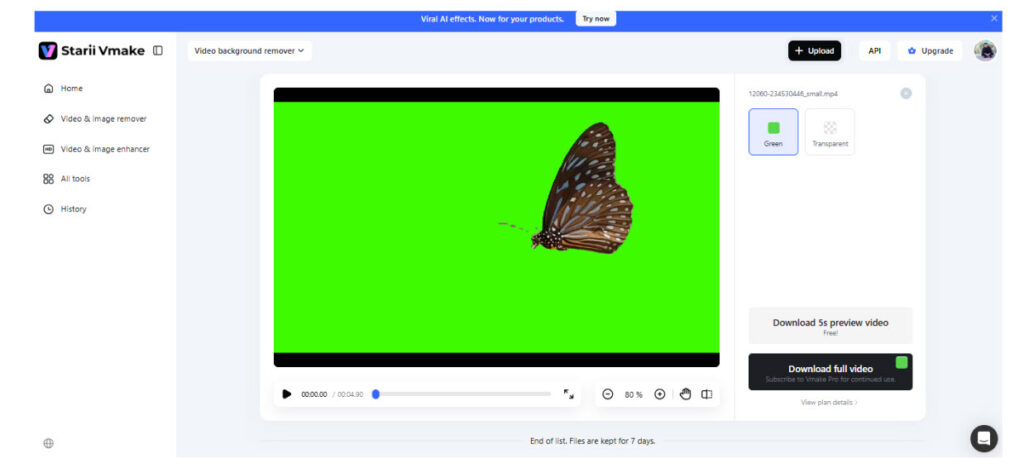
I also tested Vmake’s Video Background Remover and found it very easy to use. Just upload your video and AI will automatically detect your subject and remove the background without the need for a green screen.
It identifies the subject in every frame and separates it from the background, allowing creators to export either transparent video or green screen for further editing. Therefore, it is very advantageous for e-commerce ads, talking head videos, product demos, and social media content where visuals need to be clean.
How well does the watermark removal tool perform?
For those who are deleting old or branded footage, an AI-powered watermark removal tool aims to make one of the most time-consuming editing tasks completely a thing of the past.
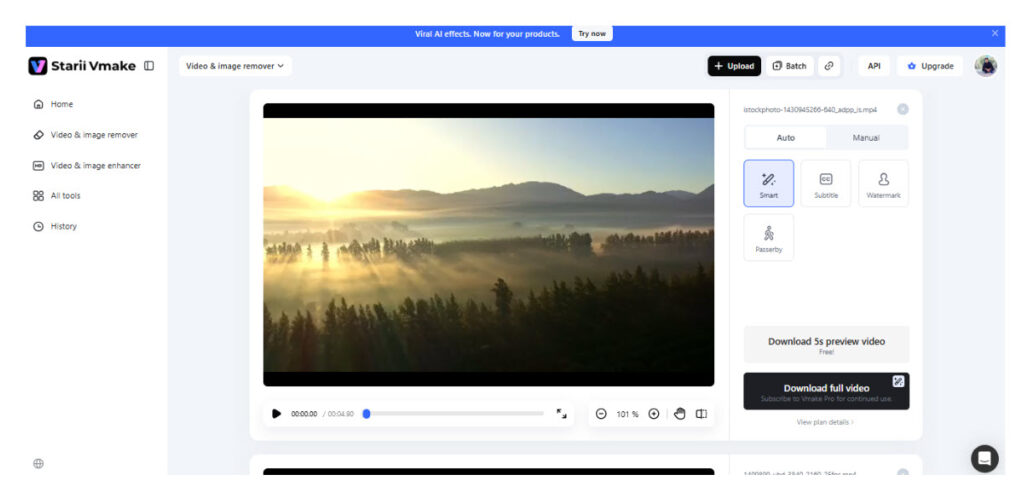
I tested Vmake’s watermark removal feature and it was very smooth from start to finish. I first uploaded a video with a watermark and the tool automatically recognized the watermark without me having to manually select it. In addition to that, this tool also handles the movement of the watermark between frames and permanently erases the watermark while leaving the rest of the video unchanged.
After processing the video, observing the preview, the background seemed to be reproduced very naturally, without any obvious blurring or distortion. For more complex areas, a protection zone option was also available in addition to erasing, which helped optimize the output and preserve important details.
Performance, price, and limitations
processing speed
Vmake works with cloud-based processing, so speeds will vary depending on the size of your video, the type of tool you use, and the load on your server. Most small edits are quick, but AI tasks like video enhancement and upscaling may take longer.
price model
Vmake takes a freemium approach, and its main subscription plan consists of three levels.
- About freein addition to watermarking the video, credits and basic features are limited.
- plus plan $9.99 per month enables all core AI tools, including watermark removal, enhancers, and the ability to export videos up to 1080p.
- pro plan The $29.99 monthly fee is for heavy users and adds higher levels of credits, faster usage limits, and up to 2K and 4K export capabilities, including full commercial use rights.
Restrictions
The free version has very strict usage restrictions and includes watermarks on your videos. Additionally, certain advanced AI models and high-resolution exports are exclusive to paid plans.
Comparison of Vmake and traditional video editing software
| Features | vmake | Traditional video editing software (Premiere Pro, Final Cut, etc.) |
| Ease of use | Beginner-friendly one-click AI tools | Steep learning curve, training required |
| editing style | Automatic editing by AI | Manual frame-by-frame editing |
| speed | Acceleration of AI tasks (cloud processing) | Depends on system performance |
| background removal | Built-in AI tools, no green screen required | Requires manual masking or plugin |
| video enhancement | One-click AI upscaling and repair | Requires advanced color grading tools |
| watermark removal | Automatic AI removal tool | Not available natively |
| flexibility | Manual controls are limited | Complete creative control |
| Ideal for these people | Social media creators, marketers, e-commerce | professional editor and filmmaker |
final verdict
For creators looking for quick and easy AI-driven video editing without the hassle of complex tools, Vmake emerges as an attractive option. Features like video enhancement, background removal, and watermark removal are likely best suited for social media content, advertising, and e-commerce videos.
While it’s no substitute for professional-level editing software when it comes to advanced filmmaking, it actually serves the needs of casual creators who value speed and automation very well. In summary, it’s a useful tool that allows you to create great-looking, high-quality videos with very little effort.


