
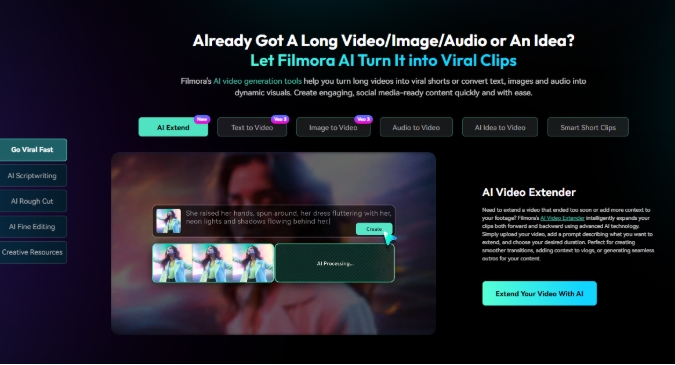
Video production is increasingly being redefined by artificial intelligence. Tasks that once required hours of manual labor are increasingly being automated, such as categorizing footage, trimming clips, creating subtitles, recording voiceovers, and adapting content to multiple platforms.
This shift is important for creators as the demand for content continues to rise across platforms like YouTube, TikTok, and Instagram. When it comes to video editing, it’s no longer just about features and effects. There is an increasing focus on workflow efficiency and how AI changes the production process itself.
Tools like Wondershare Filmora demonstrate how this shift is moving from experimentation to everyday content creation.
Why video creation workflows are changing
Traditional video editing has long required a series of manual production steps.
Creators typically spend a lot of time organizing footage, identifying usable clips, assembling rough cuts, adding subtitles, recording voiceovers, and adjusting visuals.
As publishing frequency increases, these tasks become difficult to scale.
This challenge is especially acute for individual creators and small content teams. Workflows that previously required dedicated editors, motion designers, and production support increasingly need to be handled by individuals working on shorter timelines.
As a result, the role of AI tools is beginning to change.
Video editing tools like Wondershare Filmora are increasingly competing for workflow efficiency over standalone editing capabilities.
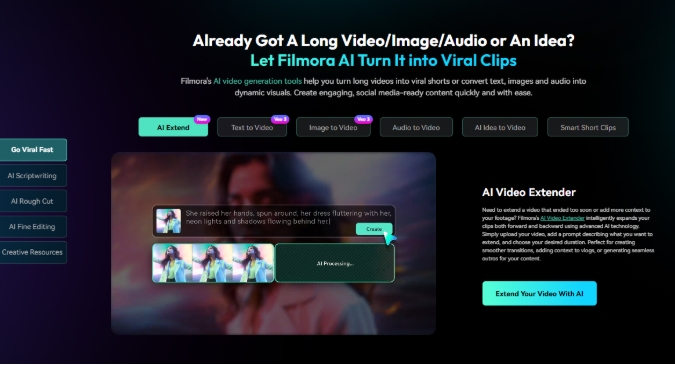
Why Wondershare Filmora provides useful examples
Rather than representing a single AI feature trend, Wondershare Filmora reflects a broader shift in how AI is integrated into the overall video creation workflow.
Traditional editing tools often focus primarily on post-production. Recent AI developments aim to reduce friction at every stage of content creation, from generating assets to editing footage to adjusting the final output.
For example, early production challenges often involve limited footage or missing assets. AI generation tools such as Text-to-Video, Image-to-Video, AI Music, AI Sound Effects, and AI Extend help creators generate or extend content when the material is incomplete.
While editing, you can use tools like AI Text-Based Editing, AI Mate, Smart Scene Cut, and Smart Short Clips to simplify rough cuts and content organization.
Post-production presents many challenges, including unwanted objects, noise, and quality issues. Reduce post-shoot cleanup with AI-powered enhancement, denoising, and removal tools.
Rather than solving isolated tasks, Wondershare Filmora increasingly applies AI across workflows to help creators address bottlenecks before, during, and after editing.
Wondershare Filmora shows how AI is moving from standalone functionality to end-to-end workflow support.
Test the AI in real-world content scenarios
Supports background music and ambient audio enhancements to extend your video forward by 5 seconds or backward by up to 8 seconds.
Feature lists often describe what an AI tool can do. The more practical question is where the actual production workflow will change.
After testing several features within Wondershare Filmora, we found that the AI is most effective when it supports different stages of creation, rather than individual editing tasks.
Scenario 1: Resolve content gaps before you start editing
A common challenge in early production is limited footage or missing assets.
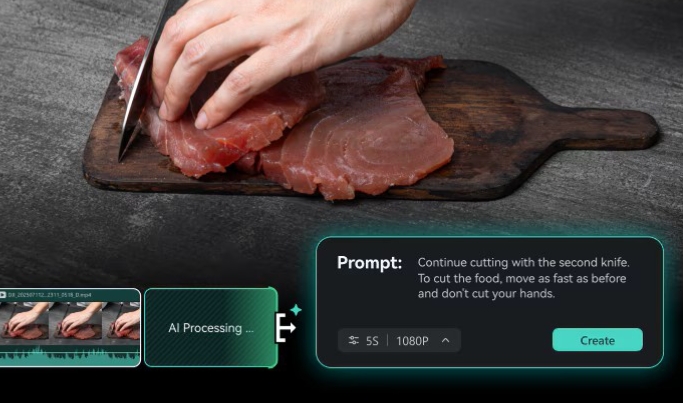
Rather than searching for additional material or reshooting content, tools like AI Extend, Text-to-Video, and AI-generated assets allow you to fill in visual gaps and extend existing material.
According to Wondershare Filmora, you can easily extend your video forward by 5 seconds or backward by up to 8 seconds, with support for background music and ambient audio enhancements, just by adding clips to the timeline and typing prompts with the AI extension.
Scenario 2: Accelerating rough cuts and content organization
Once a video enters the editing stage, creators often spend a lot of time reviewing clips and assembling the first draft.
Features like AI Text-Based Editing, Smart Scene Cuts, Smart Short Clips, and AI Mate simplify rough edits by identifying highlights, organizing content, and reducing manual review efforts.
The real effect is that the path from raw footage to first edit is shortened.
Scenario 3: Adjust the video after production
Editing challenges don’t always arise during filming.
Creators often notice distractions, unnecessary objects, noise, or quality limitations after production has already finished.
Tools like AI Object Removal, Dynamic Subtitles, AI Video Denoiser, AI Color Palette, and AI Video Enhancer can help you reduce cleanup efforts and improve the quality of your footage without the need for additional production.
AI is most useful when mitigating bottlenecks in pre-, during-, and post-edit workflows across multiple stages of creation.
Who will benefit most from AI-assisted workflows?
AI-driven editing tools impact different groups differently.
-
For independent creators, automation reduces repetitive tasks and shortens production cycles.
-
For content teams, AI can accelerate rough cuts and support the creation of multiple versions faster.
-
For non-professional users, workflow assistance can reduce technical barriers and make editing more approachable.
The broader meaning extends beyond convenience.
AI will increasingly change who can create video content and how quickly production can be completed.
The next step in video editing may be workflow, not features
Future competition between editing tools may not revolve solely around timelines, transitions, and visual effects.
Rather, the big question is increasingly whether AI can connect previously separate production steps into smoother workflows.
Content creation is rarely done as a separate task.
Selecting footage, assembling a rough cut, creating subtitles, generating narration, adjusting visuals, and preparing for export all belong to the same production process.
AI appears to be moving from functional-level assistance to workflow-level coordination.
Wondershare Filmora is an example of how editing platforms are reflecting this change.
Next-generation video editing tools like Wondershare Filmora may compete not on functionality, but on how effectively AI supports end-to-end workflows.
final outlook
Artificial intelligence is no longer just an editing feature.
The structure of creative workflows is increasingly changing.
The importance of tools like Wondershare Filmora may ultimately lie less in how much AI functionality they include and more in how naturally their systems fit into everyday production processes.
The bigger story may not be that AI will replace creators.
AI may change the way creation itself occurs.
media contact
Company Name: edrawmind.wondershare.com
Email: send email
country: Canada
Website: edrawmind.wondershare.com


