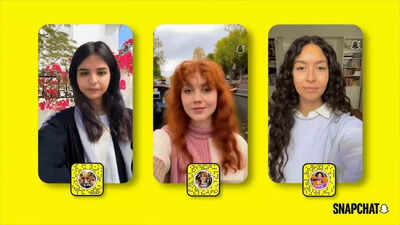
Snapchat has introduced AI Clips to Lens Studio, a new Lens format that turns a single photo into a 5-second video. The AI clips available to Lens+ subscribers use a closed prompt system. This means that the creative direction is predefined by the developer. Users do not need to provide any instructions or text prompts. This feature aims to quickly and easily convert photos to videos and will allow you to create AI videos using AI. AI Clips is part of the Gen AI suite within Lens Studio, which allows developers to create and distribute AI clips on Snapchat.
Snapchat AI Clip : Convert your snaps or camera roll photos into 5-second AI videos
AI Clips is similar to Snapchat’s Lenses, which turn uploaded snaps or photos from your camera roll into videos. This process includes closed prompts, a creative framework for users determined by developers. Users can simply select a lens and create a video using the AI clip feature. The videos created are 5 seconds long and can include a variety of settings, including cinematic settings and surreal backgrounds.Closed prompts are different from the typical AI video creation process, which includes open-ended prompts. A typical AI video creation process involves a user creating a video using a set of written instructions. Some instructions may or may not produce a video with a specific output.
How to use AI clips on Snapchat
If you’re a Snapchat user, you can easily use AI Clips.
- First, open the Snapchat app and make sure you’re enrolled in Lens+.
- Next, open the Lens carousel or Lens snapcode.
- Select the AI clip lens you want to use. You can use your camera to take a photo or select an image from your camera roll.
- You can then tap the screen to apply the lens.
- The AI generates a 5-second video in response to the creative prompts of the image and lens.
Once the video is created, users can use the Snapchat app to view the video, save it to their device, and even share it with friends through chat, stories, and even the spotlight feature without having to edit the video, without having to know anything about how to use AI video editing tools.
How AI Clips stands out in the AI video industry
AI Clips is unlike any other AI video currently available. Most AI videos are based on text-to-video conversion, which can be time-consuming. AI clips are based on pre-designed experiences. They are mobile-first and help developers maintain their unique vision.A closed prompt system helps reduce all the variables. This ensures that all videos are produced according to the developer’s vision. This system is also easy for users. AI clips are based on 5 seconds of output, making it easier for users.