

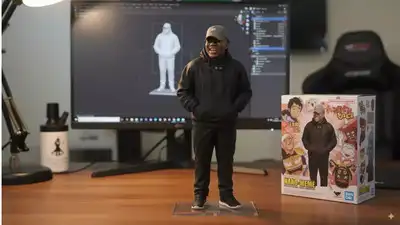
Google Gemini's 3D model of Nano Banana AI Tool has now become a viral trend. However, users will need a video generator to bring these 3D figurines created over their lifetimes from photographs. Many popular generators, like Google's VEO 3 and Openai's SORA, are behind paywalls, but free alternatives like GROK allow users to animate images. Now popular as Nano Banana, the Gemini 2.5 Flash Image model attracts attention for its ability to perform complex editing at natural language prompts while maintaining visual consistency. Users apply tools to a variety of creative tasks, such as generating holographics and visually transforming photos. Here's how to turn these 3D figurines into videos:
How to turn Nano Banana 3D Figurine To the free video: a step-by-step guide
Follow these steps to convert 3D figurines created by Google Gemini's Nano Banana AI tool into video.
- open
Grok ai : Launch the GROK app on your phone or access the chatbot via X (formerly Twitter). - Go to the Imagine section. Tap “Imagine” and select the gallery icon at the bottom.
- Upload Photo: Select the image to convert to video.
- Create a video: Click “Make Video.”
- View Results: Within seconds, a video will be generated with a sound clip.
- Save or redo: You can also ask Grok to redo the video if necessary, or save it to your phone for later use.
How to create 3D figures using the Nano Banana AI tool
Here's how to create a Nano Banana 3D figurine for free:


