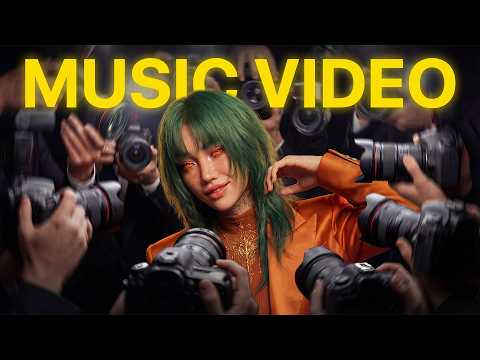
AI-driven platforms like Seedance 2.0 and Suno V5.5 open up new possibilities for creating music videos that seamlessly blend sound and visuals. In a recent overview, Dan Kieft examines how these technologies can be used in conjunction to produce compelling results, even with certain constraints such as Seedance 2.0’s 15-second video limit. Kieft shows you how to overcome challenges such as synchronization issues and achieve polished, professional-quality output by combining a structured workflow with creative experimentation.
Read this guide in detail to uncover practical strategies for every step of the process. Learn how to use AI to create meaningful lyrics, fine-tune your songs with Suno V5.5, and design consistent visuals that align with your song’s theme. You’ll also gain insight into animating characters, dealing with common production hurdles, and adjusting the final video during post-production. Each step is designed to help you create music videos that resonate with your audience and enhance your creative projects.
Create music videos with AI
Key points:
- AI tools like Seedance 2.0 and Suno V5.5 are transforming music video creation by integrating music, visuals, and editing for professional-quality results.
- To create compelling lyrics using AI tools like Claude AI, you need to define a clear theme, adjust the prompts, and tailor the output to the desired mood or genre.
- Advanced tools like Suno V5.5 and Hickfield’s Soul enable precise music composition and consistent visual design, increasing the overall impact of your videos.
- Seedance 2.0 makes video production easier, but requires careful planning to address limitations such as short video lengths and possible lip-sync issues.
- Post-production such as synchronization, color grading, and iterative adjustments are critical to achieving a polished and appealing final product.
1: Create lyrics using AI
Engaging lyrics are the foundation of a great music video. AI tools like Claude AI simplify this creative process by generating lyrics based on your input. To maximize the quality of your lyrics:
- Define a clear concept or theme for your song to guide the AI.
- Iterate and adjust your prompts to fit your artistic vision.
- Include specific details like genre, tone, structure, and beats per minute (BPM).
For example, if your goal is to create a pop ballad, use descriptors like “uplifting,” “melancholic,” and “emotional” to shape the AI’s output. This will ensure that your lyrics reflect the mood and theme you want to convey, and will set you up for a cohesive music video.
2: Generating music using Suno V5.5
Once the lyrics are complete, you can use Suno V5.5 to compose the incidental music. This tool has advanced customization options that allow you to create sounds that complement your lyrics. The main strategies at this stage are:
- Create a more customized sound by excluding unnecessary instruments and effects.
- Extract vocal stems individually for precise synchronization during video production.
By carefully tweaking your music, you can seamlessly integrate audio and visuals and increase the overall impact of your video.
Here are additional guides from our vast article library that you may find useful in Seedance 2.0.
3: Visual design
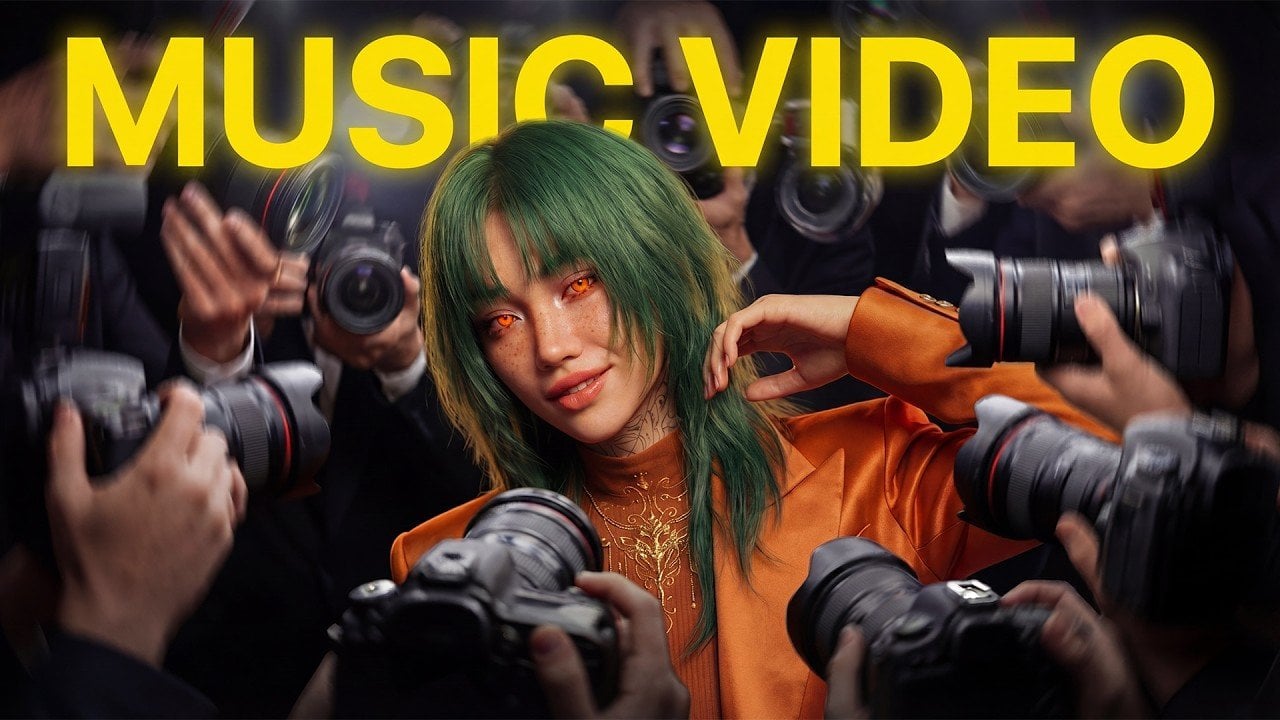
Visuals are at the heart of music videos, and tools like Hicksfield’s Soul and Nano Pro allow you to create engaging, dynamic characters. Start by creating a detailed character sheet to maintain consistency throughout the scene. Next, use virtual photography to generate different images of your character. This approach allows you to:
- A consistent visual identity that aligns with the theme of the song.
- A variety of visuals to choose from to suit various scenes and moods.
Well-designed visuals can not only enhance the aesthetic appeal of your music video, but they can also be memorable and leave a lasting impression on your audience.
4: Creating videos using Seedance 2.0
Seedance 2.0 is a powerful tool for generating video content and synchronizing visuals and audio. However, there are certain limitations, such as a maximum video length of 15 seconds and lip-syncing issues. To address these challenges:
- Fix sync errors and improve accuracy with Hickfield’s Lip Sync Studio.
- Plan your scene in short segments so you can work within the tool’s time constraints.
With careful planning and adjustments, you can ensure that your videos maintain professional quality even within the tool’s limitations.
5: Animating the character
Dynamic animation brings your characters to life and adds energy and emotion to your music video. Cinema Studio is a great tool for creating dance sequences and other animations that match the rhythm and mood of your songs. To adjust the animation:
- Experiment with different prompts to explore creative possibilities and variations.
- Generate multiple versions and iterate until your animation perfectly complements your music.
This iterative process makes the character’s movements feel natural and engaging, enhancing the overall storytelling of the video.
6: Editing and post-production
Editing is the final step in bringing all the elements together to create a cohesive, polished product. This phase:
- Synchronize music, vocals, and visuals to ensure a seamless flow.
- Incorporate B-roll footage to fill in gaps and enhance transitions between scenes.
- Polish your videos with color grading, effects, and other finishing touches to give them a professional look.
Paying attention to detail during post-production is essential to improving the overall quality of your music video and ensuring it captivates your audience.
overcome challenges
While AI tools such as Seedance 2.0 and Suno V5.5 offer great capabilities, they are not without limitations. Common challenges include:
- Audio sync issues can disrupt the video flow.
- Visual inconsistencies between scenes can disrupt the overall sense of unity.
To address these issues, plan your visuals and prompts carefully and be prepared for iterative experiments. You can also resolve any remaining discrepancies by making manual adjustments during post-production, ensuring a polished and professional final product.
Unleash your creative potential
With advanced tools like Seedance 2.0 and Suno V5.5, you can push the boundaries of creativity and create visually stunning and emotionally resonant AI-generated music videos. Each step from lyric writing to post-production requires thoughtful planning and persistence. With the right approach, you can use these technologies to create videos that captivate your audience and leave a lasting impression.
Media credit: Dan Kieft
Filed Under: AI, Guide
Disclosure: Some articles contain affiliate links. If you buy something through one of these links, Geeky Gadgets may earn an affiliate commission. Learn about our disclosure policy.