

You get bored of AI tools that promise to create great videos and images, but leave only hard movements, random visuals, or watermark exports? You are not alone.
Most AI video generators on the market all face these issues, such as single templates, low customizations, long render times. AI image generators are interesting, but often misunderstand prompts and produce insufficient results.
Whether you're a content creator or a student looking for pre-usable materials, there is still a huge gap between your creative ideas and the effectiveness these tools can achieve, but it's frustrating.
That's where Clipfly comes in. As an all-in-one AI video and image generator platform, Clipfly focuses on ease of use, speed and visual quality.
It will help you turn your creative ideas into videos and images that really match your vision.
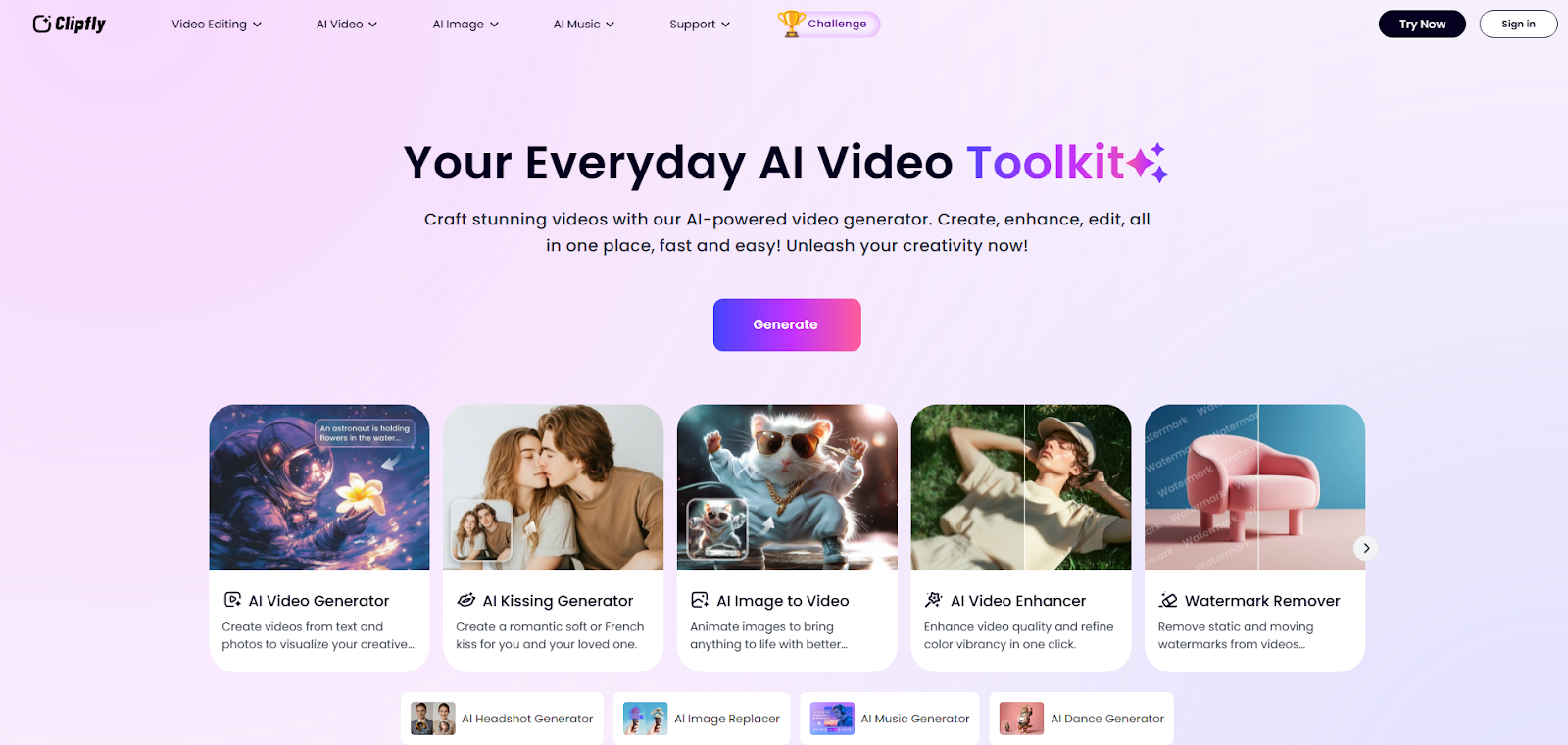
To meet the needs and expectations of users, Clipfly offers a variety of powerful AI tools. Whether working, school or casual sharing, Clipfly will be your good assistant. For example, if you want to create videos from ideas to get inspiration, AI video generators allow you to turn text into videos. If you want custom images for your presentation, the AI Image Generator can help you generate unique images. Also, if you want to create something more playful, Clipfly includes interesting features like the AI Kissing Video Generator, making it easy to create clips in seconds. Let's see how these features work.
It not only simplifies the video creation process, but also removes new ways to realize your imagination. Clipfly is an AI-powered video creation tool that helps you turn text and ideas into animated videos. There is no need to use professional editing or design skills. Clipfly makes it easy to create videos that anyone can look professional. It offers a variety of powerful AI tools, including AI video generation, AI image generation, AI video enhancers, AI background removers, and more. Experience an interesting process and see how AI can make your ideas come true. Even if you don't have an idea from the start, Clipfly also offers quick features to inspire creativity.
Clipfly also supports background music editions, smart subtitle generation, and basic video editing. Choose from a variety of visual styles and animation effects and adjust the elements freely in the video. Once the video is generated, you can continue editing and get the results you need. Clipfly is web-based so you can create videos anytime, anywhere without having to install software or worry about setting up your device.
This section provides a detailed explanation of how the main features of Clipfly actually work. From turning text and images into videos to experimenting in more playful formats such as AI Kissing Video Generators, we tested each tool to see how well it worked. You can see what stands out, what you still feel limited, and how each tool supports different types of content creators. If you are interested in whether Clipfly is suitable for your image or video production needs, you should provide a more clear image in this section.
AI Video Generator
The free feature allows you to generate videos from text and images. Simply enter your idea, upload an image, choose your favorite style, then wait for the AI video generator to convert your creative ideas into a crisp video.
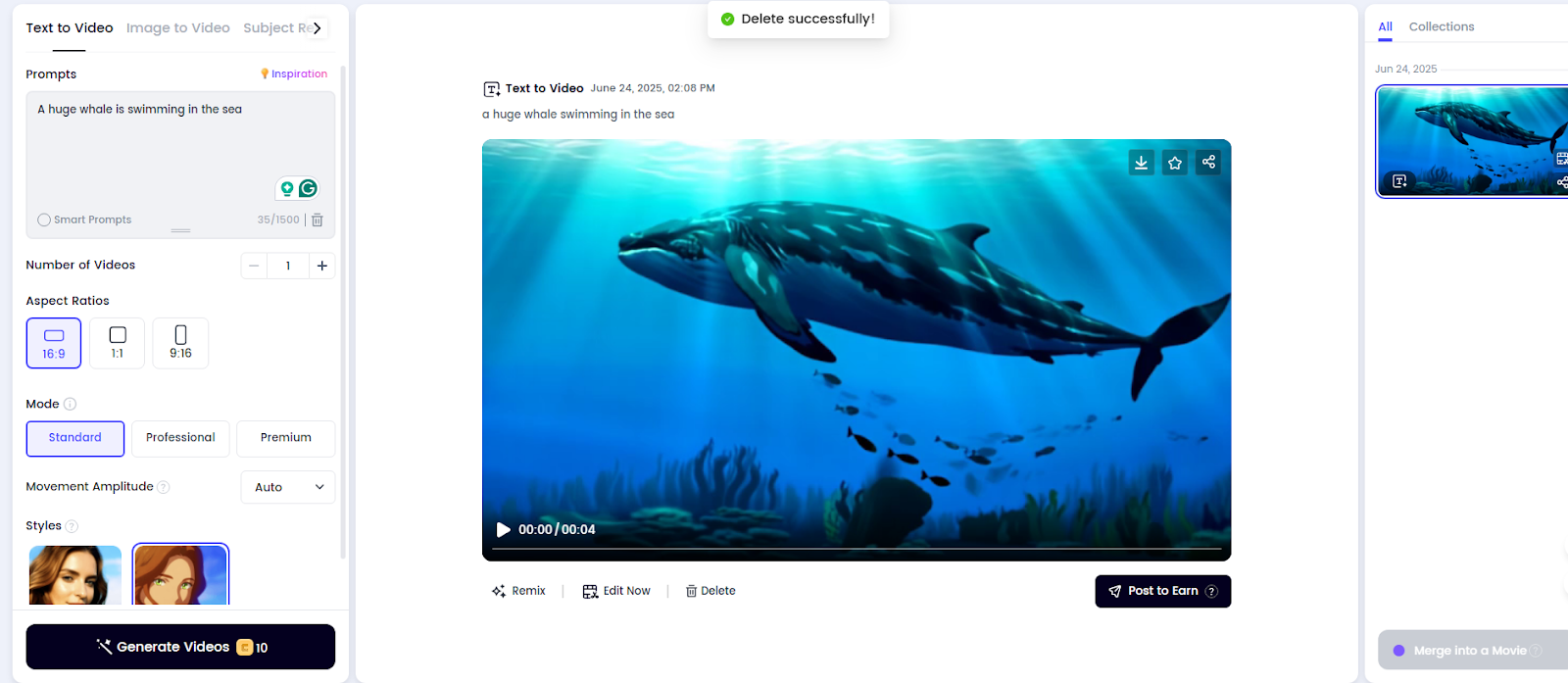
If you want to see it visualized with ideas in mind, you can generate a video from the text description. Simply enter a prompt and specify what the AI wants to create, then select the number of videos, aspect ratio, mode, and style. There are two preset styles. Although it is a general and anime provided by Clipfly, if you want to add special elements to your video, simply add style in a specific word and the feature can turn your imagination into an engaging visual. For example, you can combine videos with animation styles, movie styles, and cartoon styles. There are no restrictions on style options.
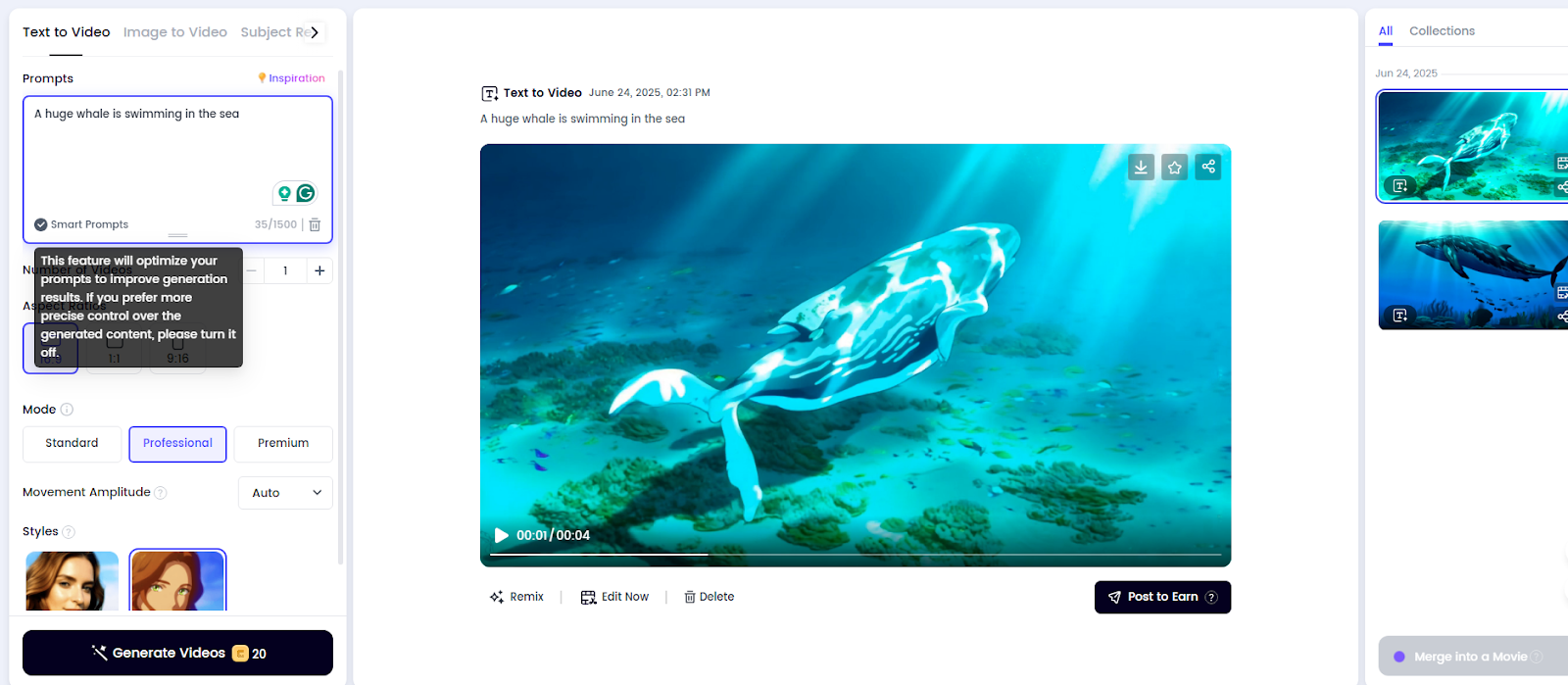
As you can see, I tested it using one of the ideas. I used the short prompt “a giant whale swimming in the ocean” and chose the anime style. You can see the initial results below, which is already fascinating. Next, I checked the effect of the second professional mode and smart prompt. This optimized the prompt to improve the generation results. However, if you prefer to have more accurate control over the generated content, it's better to turn it off. You can also view the second result below: I think the results are better than the first time, including changes in light and details of the marine environment. The word limit for prompts is 1500, long enough to explain your thoughts without a doubt and get the video you need.
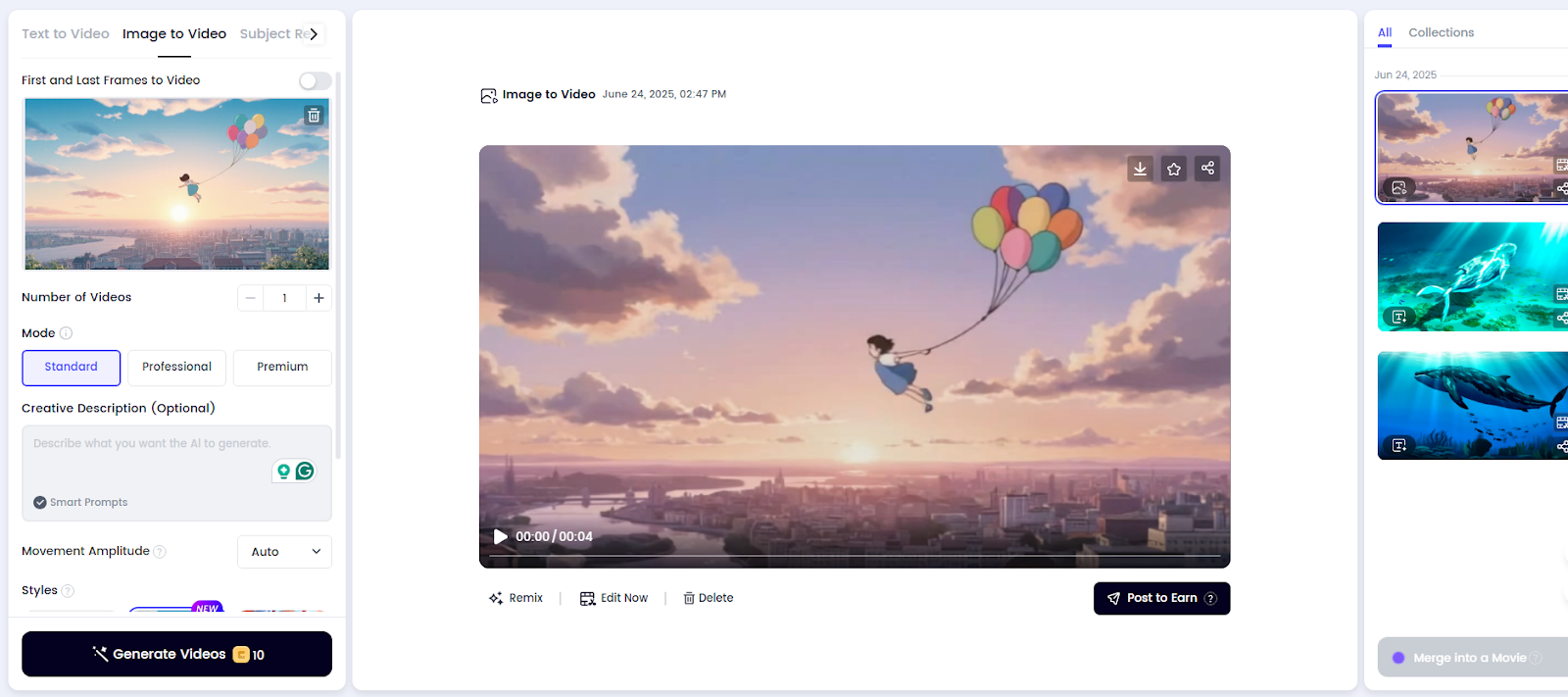
Clipfly is not limited to text prompts. You can also use images to create videos. Simply upload an image and it will help convert image-to-video functionality into video. This process follows a similar procedure for creating a video from text. There is a wide range of visual styles, from anime to Ghibli styles to illustration art, and it is easily matched to your style and feelings. You can also set the first and last frames to video. This means you have a little more control over the start and end of the video. This is an easy way to make the transition look smoother and make things more consistent along the look you're aiming for.
As in the photo I used, I wanted to turn it into something that felt a bit magical, so I chose the Ghibli style and flew the girls across the sky. The results look smooth and the motion blends naturally into the original image. It didn't take much time, and the final video fits into the dreamy moment I often thought up. Also, if you already have some ideas or requirements regarding the outcome, you can use creative explanations to tell the AI the details you want to generate. In my second attempt, I added a creative prompt description. A girl flying directly in the sunset. I wanted little girls to have more direction and determination, so this time I chose professional mode. You can see the effects of the results below: The main elements of the image remain, but the emotions it conveys are slightly different.
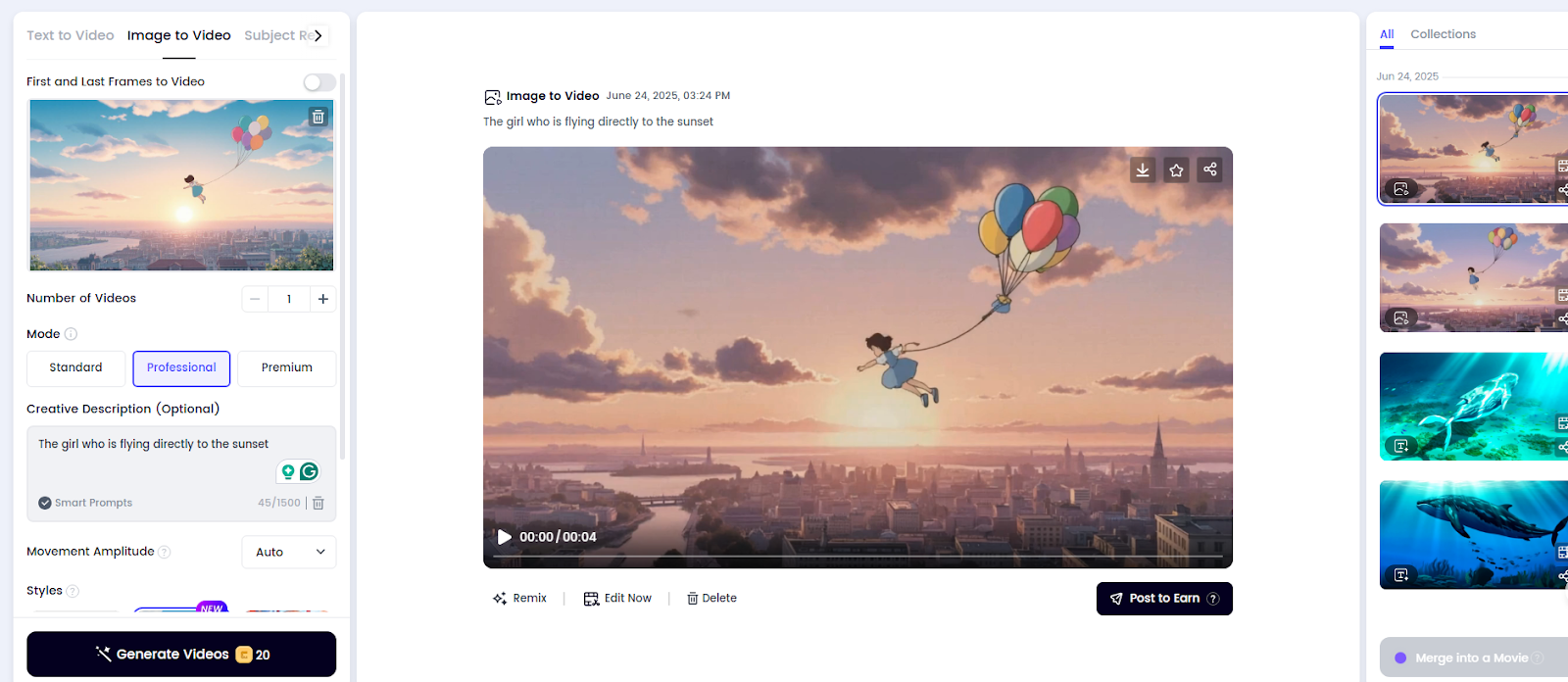
The maximum number of items generated at a time is 4. If you are not clear about the usage process, we have summarized the usage instructions here to give you a better experience. Follow these steps to try it out fun.
Step 1. Add a prompt or upload an image
Select a video or video text or image to video if necessary. Describe the video to create or upload a reference image.
Step 2. Adjust the settings
Select a style, set quality, select aspect ratio, and determine the number of clips you want. You can also add optional details and use negative prompts to avoid certain elements.
Step 3. Edit or export
Download or continue editing the completed video. Add music, cut or combine clips, insert text or extra images, and create more complete videos as you like.
- AI Kiss Video Generator
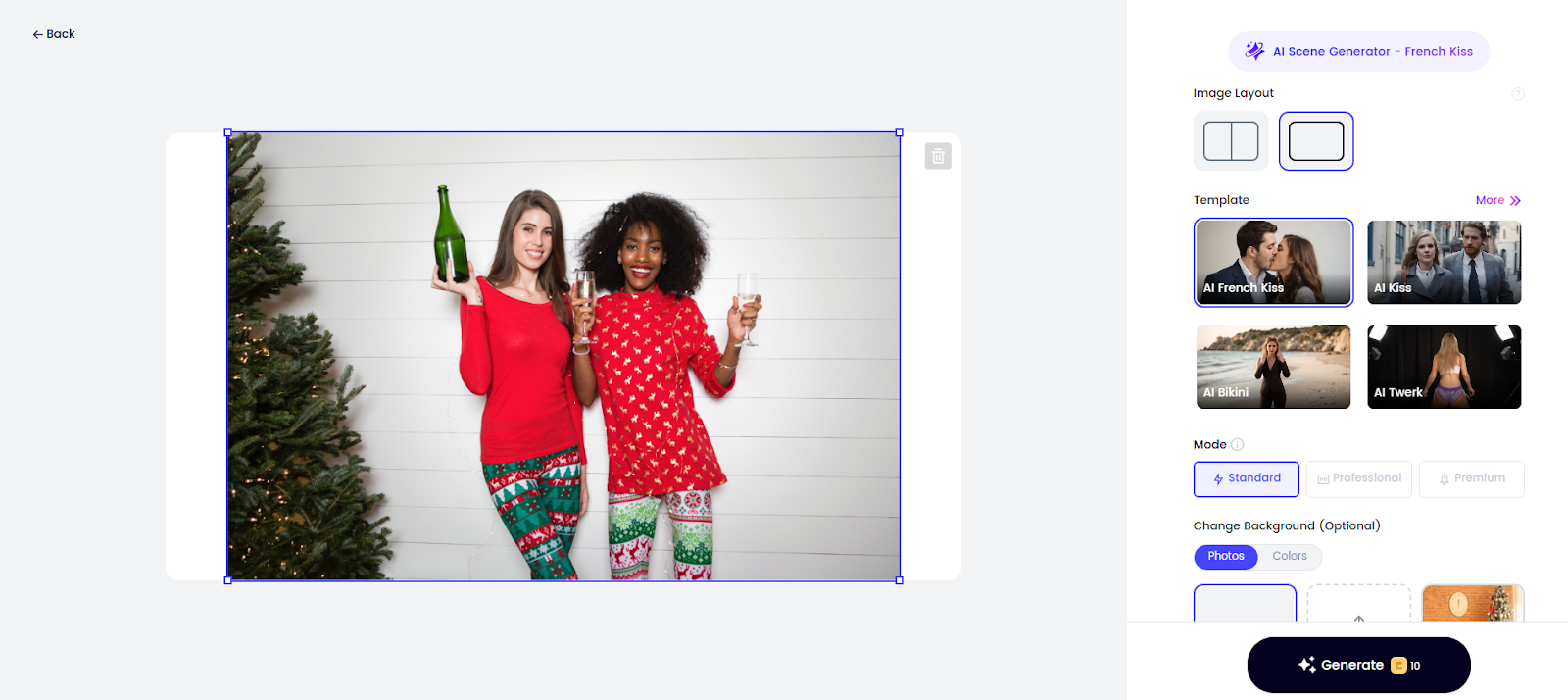
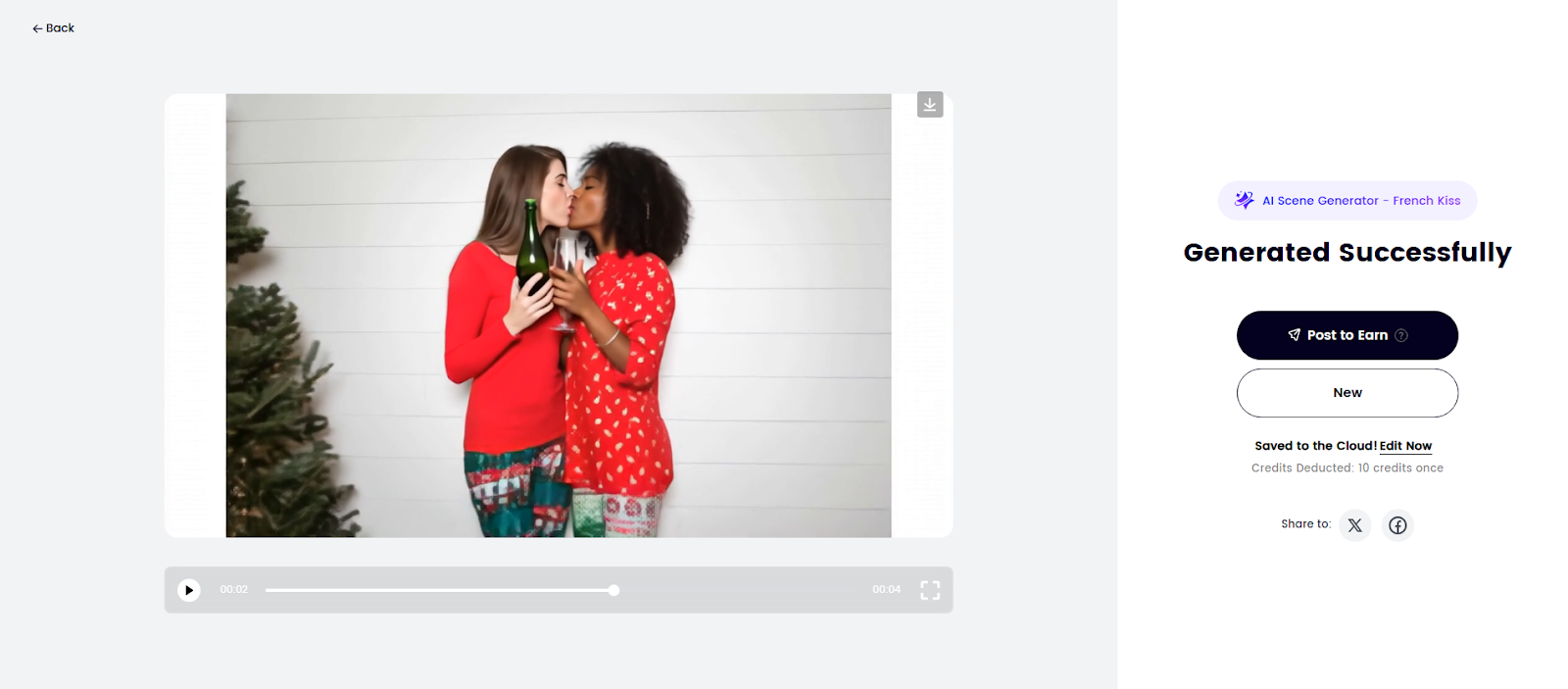
The AI Kissing Video Generator feature is an interesting feature that allows you to create romantic kissing scenes using photos of two people or photos of two separate images. Convert your original photos into realistic AI-generated French kiss videos without watermarks. These videos can be used for a variety of purposes, including French kiss emojis, marketing campaigns and more. This creates the perfect French kiss scene while saving you the cost of hiring a professional photographer and the effort of multiple shooting. In addition to accurate subject recognition, you can bring two people to life in the photos. Whether they're a loved one they've left, an old photo character, or a virtual person in a surreal way with realistic expressions, mouth movements, and natural movements.
For example, I used photos of two girls and the results worked. What's interesting is that if you want to apply a different atmosphere to your photo, you can also choose to change the background. You can choose from the preset backgrounds provided by Clipfly, or upload your own image to use as a new background.
AI Image Generator
Now that we've talked about AI generation related to video, let's take a look at another powerful feature of Clipfly, the AI Image Generator. It works in a similar way. Simply enter the prompt, select a style, and the tool will create a new image based on the input. Whether you're looking for something realistic, artistic or completely imaginative, the results are tailored to your expectations, especially when you want to infuse ideas with your ideas without spending time designing yourself.
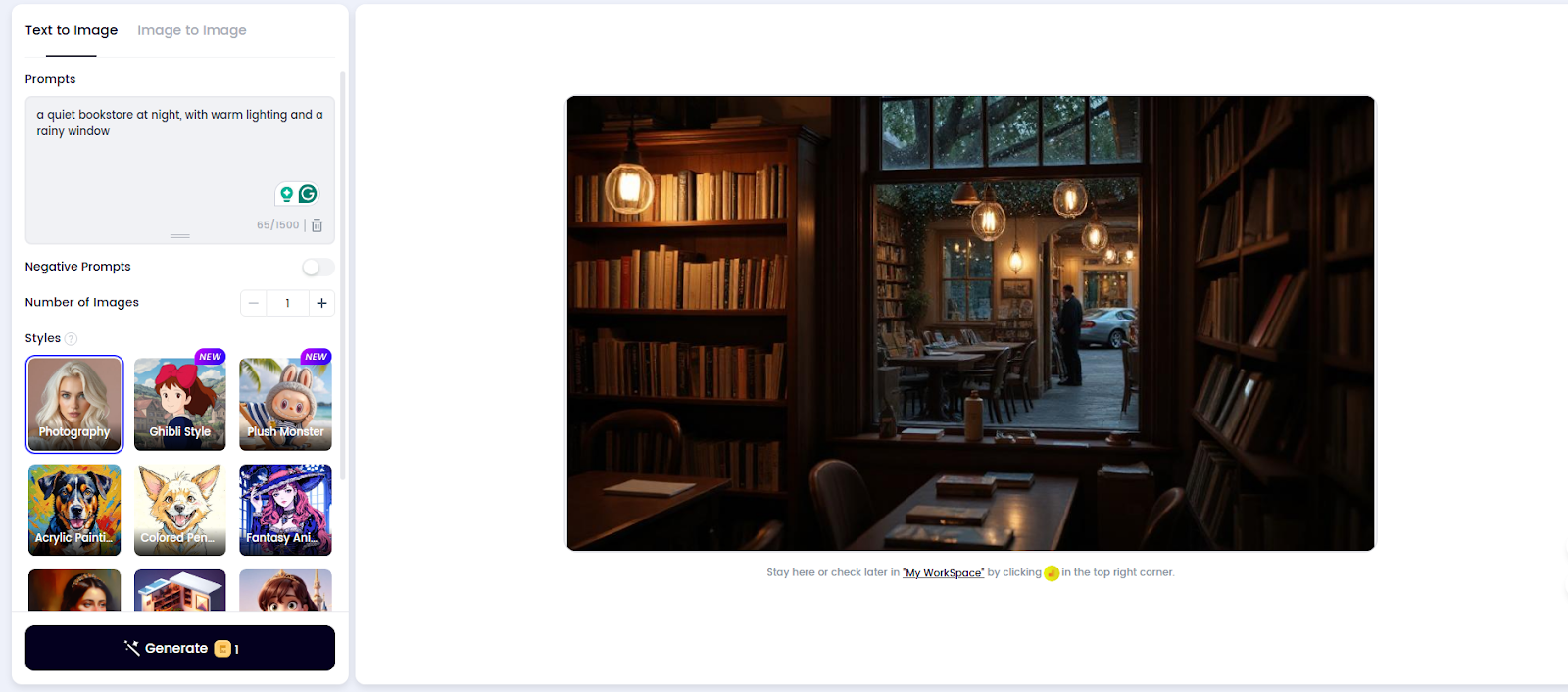
AI Image Generators come in a variety of styles and models to choose from. I've tried a few options, but the range seems to be spacious enough to cover most creative needs and add more styles over time. Select the one that matches your idea, enter a prompt, and let the tool generate an image. I tested it using several different prompts and styles. For the first time, I went into a “quiet bookstore on the night with warm lighting and rainy windows” and chose my photography style. Generation takes about 10 seconds and the results are suitable for use as background or as social media images. The lighting felt soft and warm, the raindrops on the outside of the window looked natural, and the details were very rich.
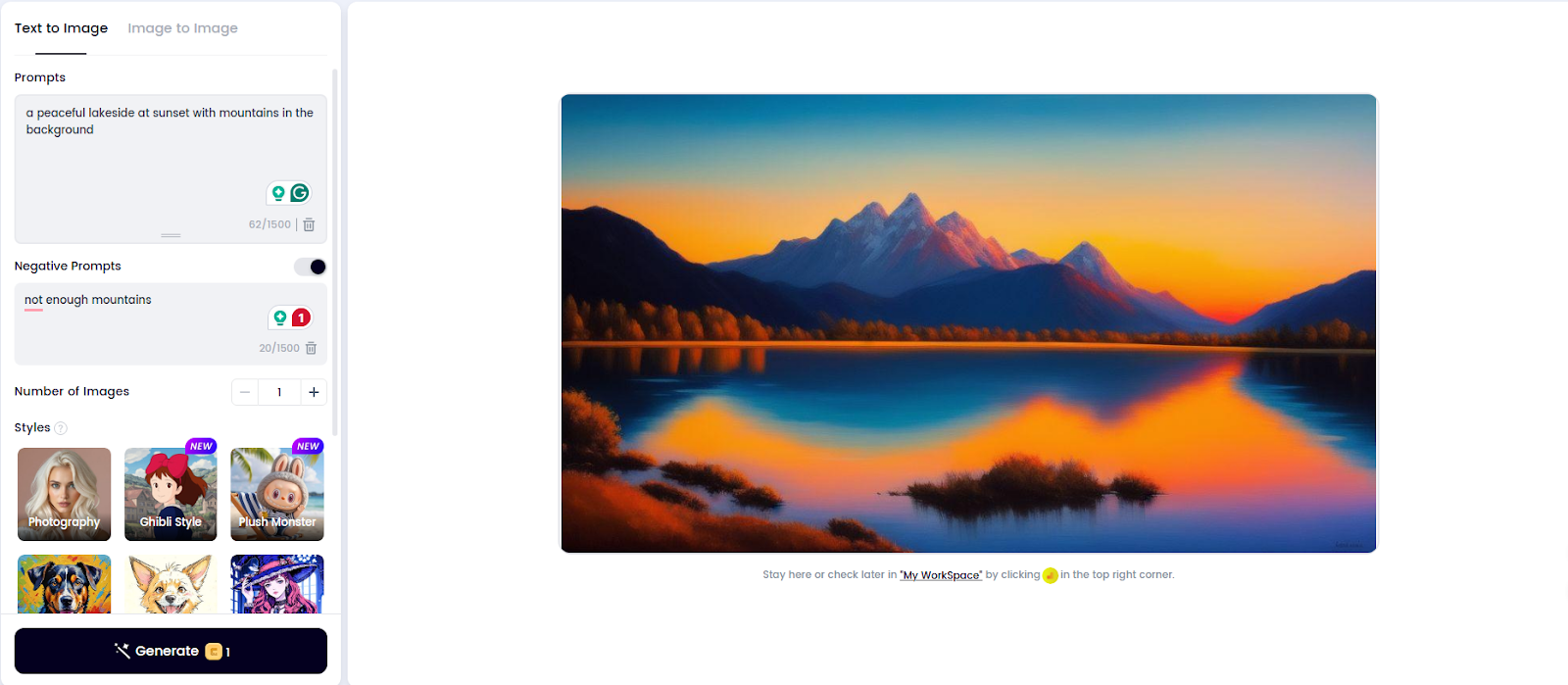
For my second attempt, I went into “a lakeside with mountains in the background and peaceful at sunset” and chose the style of oil painting. This time, you can use the negative prompt feature to avoid too little pile in the background and make the scene look clear. The generated images captured the scene well, with the lake's surface calm and the contours of the distant mountains clear. The colours are soft and natural, creating a peaceful atmosphere. Some details were a little simple, but the overall results met my expectations and worked well as an illustration.
Currently, Clipfly offers a free usage model that allows users to access most features without paying. This includes text to video, video to video, AI image generation, and video editing tools. Even if you have a free account, the videos and images you create don't have watermarks. Additionally, the interface is clean with no ad interruptions.
Credits are required to use AI tools. Clipfly offers several starting credits for each new registered user, enough to explore the platform. If you need more, earn more credits at “Rewards Centers”, where there are various ways to earn extra credits. Daily check-in is the most common, with the longer the streak, the more credits you receive.
In addition to check-in, you can also generate videos, use AI Talking Avatar, and earn credits by taking on other features. You will also receive one-time rewards, including downloading the Fotor and Clipfly mobile apps and following Clipfly on social platforms such as Twitter, Instagram and YouTube. Overall, the system is designed to promote creativity and regular use, making it easier for ideas to come true.
- Can be used freely
- A wide range of AI tools, from text to video, between images, and AI image generation
- The built-in video editor supports the addition of subtitles, music, text and other visual elements
- Inspiration for users without first ideas
- You need a stable internet that is not suitable for offline use
- Some content generated by complex AI can be a little slow
I have to say that Clipfly is a user-friendly AI platform for video and image generation. This is a wise choice for all content creators, especially social media users who need to quickly create visual content. It supports dynamic content creation from both text and images, and has a clean ad-free interface. Even free users can enjoy high quality output without watermark.
Overall, Clipfly balances practicality and creativity. Suitable for users looking for a lightweight yet effective creative tool. If you want a convenient and fun AI content generation platform, Clipfly is definitely worth a try.



The sentence “There is no need to use professional editing or design skills.” captures the practical issue clearly. Is there a simple sign readers can use to tell when it applies? Disclosure: I am associated with
this game reference , an independent Geometry Dash Lite site.