In today's world, AI chatbots have become an integral part of our lives. AI is at your fingertips, from finding information to completing basic tasks. However, there are not many AI tools that focus on productivity and act as AI assistants. Thanks to the Alice app, you now have a private AI assistant to help you with information and tasks. So what exactly is this tool? Let's find out!
What is the Alice app?
Alice App is your go-to AI assistant tool. Installs on your Windows or Mac computer and connects with your existing apps. As a result, you can automate tasks based on your instructions or provide information to improve efficiency. It helps streamline your workflow while increasing productivity.
This particular app is designed with privacy in mind. Rest assured, your chat history remains completely private and secure, as developers have no access to it.
Additionally, the app has a user-friendly interface similar to the one you might encounter when using ChatGPT. This means that you can expect a smooth and effortless experience when using the app without worrying about any difficulties or complications that may arise during the setup and usage process.
Additionally, you can also use the app via keyboard shortcuts, and it comes with several pre-built prompts to help you get started quickly.
Main features of Alice app
Alice App is more than just an AI chatbot. Get useful information and automate tasks. So what features does it offer? Well, let's take a quick look:
Multiple AI models
When using an AI chatbot like ChatGPT, there are only a limited number of AI models available. However, the Alice app allows you to choose from the best models available on the internet without paying any extra fees. We offer AI models such as GPT-4, Vision, Perplexity, Claude, and Groq, as well as local models such as Ollama. However, to use these AI models, you must purchase their respective API licenses.
Built-in prompt
You don't need to create your own prompts while using the Alice app. Instead, you can use over 100 existing prompts to accomplish a variety of tasks. Alternatively, you can create a snippet if you want something specific.
Also, using snippets is very easy. You must follow up by clicking the snippet icon to activate the snippet. Snippets are designed to help you accomplish certain tasks faster and more efficiently, so following each prompt will help you get the most out of the feature.
Connect the app

Alice can connect to apps you already use to help automate. It uses webhooks to connect to different apps, so you don't have to worry about connecting them. As for supported apps, you can use Alice AI with Dropbox, Google Calendar, Spotify, Gmail, etc.
Fastest GPT experience
Alice AI is a powerful tool that provides faster output speeds than other popular AI tools.that designed provide Fast and reliable answers to your questions. Alice AI makes it extremely easy to access, as you can launch the tool with just a keyboard shortcut.
Alice AI's advanced algorithms also allow you to receive high-quality responses quickly, making it an efficient and valuable assistant for those who need fast and accurate information. Whether you're looking for answers to complex questions or need help with simple tasks, Alice AI is the perfect tool to help you get things done quickly and efficiently.
development assistant
One of the benefits of using an AI-powered assistant is that you can create specialized assistants that can help with specific tasks. For example, you can create an assistant who is knowledgeable about marketing strategies, sales techniques, regulations, and more.
These assistants work alongside you as colleagues, helping you complete projects and achieve your goals more efficiently.
How to install Alice app?
Alice App is available for Windows and Mac computers and comes with a perpetual license. A perpetual license provides access to Alice features and updates for one year.
In addition to purchasing an Alice App license, you will need to purchase your preferred AI model API, such as the OpenAI API. APIs are required to power all the functionality of the Alice app.
- First, go to Heyalice.app and click “Download”.
- Next, download the Alice app to your Mac or Windows device.

- Once downloaded, double-click the file and follow all on-screen instructions to install.
- You will then be asked for the email ID you used to purchase the license.
- Finally, the Alice App will verify your email and give you access to its features.

How to use gems in Alice
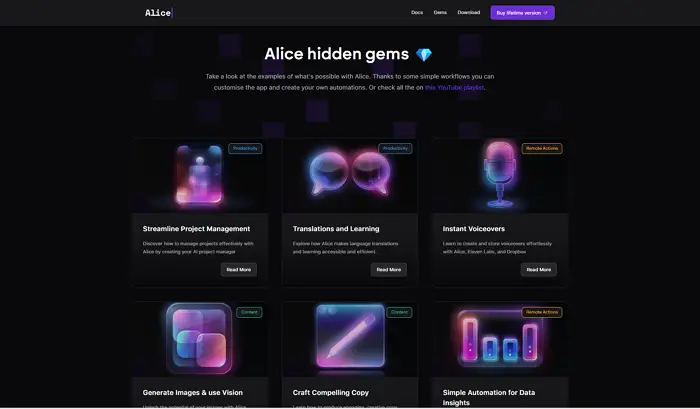
Another nice thing about the Alice app is that it comes with pre-made templates or prompts called gems that you can customize for different tasks and needs. It features several gems to help you streamline project management, create instant narrations, easily automate for data insights, and more.
To start using gems, you need to:
- Open the Alice app and click “New Chat”.
- Then enter the task you want to accomplish and it will start suggesting pre-written prompts.

- Select one of the prompts to get the desired result.
- Select it and follow the prompts to set up the gem.
Alice App can increase your productivity and automate various tasks across your desktop. It helps you schedule meetings, pull reports, create social media posts, generate images, and automate social media. So explore the app yourself and see how it works.