As information flows into workflows at a faster pace, the challenges facing note-taking tools have also changed. It’s no longer just about how to record things, it’s about how to make them easily available at any time.
After a series of intensive meetings, people save all records and photos of whiteboards in notes. When we find valuable industry content, we casually collect and archive it. But after some time, when you try to find the conclusions or important materials of previously recorded meetings, most of the contents are forgotten deep in the memo list… This is a common problem for countless office workers, especially those who have knowledge-intensive jobs.
For a long time, the core functionality of note-taking tools has been information storage. The industry competes in terms of interface, editing capabilities, and storage capacity, assuming users have enough time and energy to complete subsequent tasks such as categorizing, organizing, and associating content.
However, the current speed of information generation far exceeds the efficiency of manual organization. Large amounts of notes go unused and forgotten, and the tool ends up becoming a “digital trash can” that only takes things in and doesn’t take them out.
In response to this issue, Kingsoft Office launched an AI-native product, WPS Notes. Note that we are moving the tool from “save” to “use”. It shifts the tedious tasks of organization, association, and reuse to AI, bringing new development ideas to the current note-taking market.
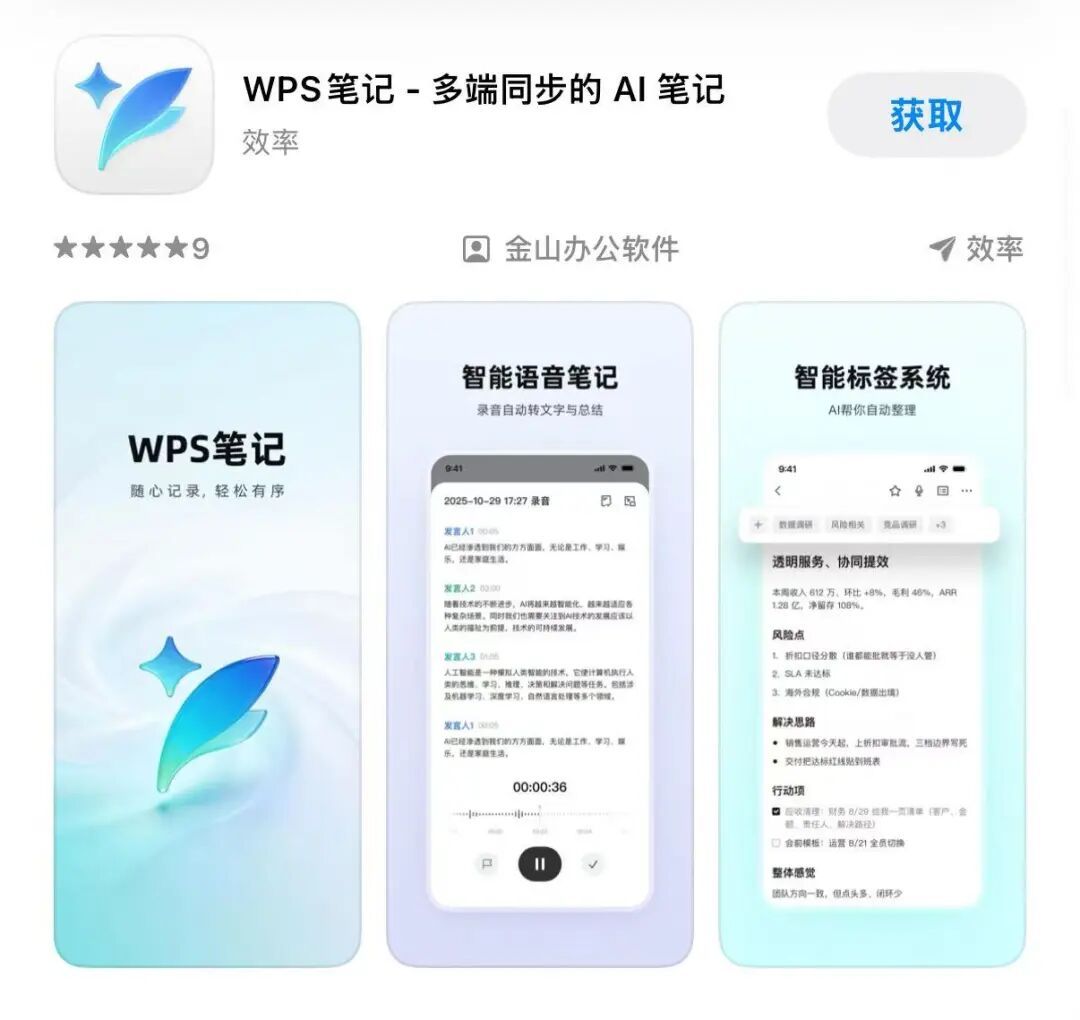
WPS Notes has been officially launched on the official website and app store.
AI takes over the complex tasks and you just “throw in” your content
For many people, the main obstacle to successfully using note-taking tools lies in the initial construction of a knowledge system.
When using traditional notes, users typically have to first plan their classification rules, create folders for each hierarchy, and then categorize different content one by one. For example, project meeting notes are relevant to the current project and clearly list upcoming tasks. Which folder should I put it in?
If you categorize things by project, it’s easy to get lost in what needs to be done. When placed in the task folder, the full meeting context is missing. If you need to make adjustments later, you’ll have to manually move large amounts of content. As the number of notes increases, the burden of organizing them becomes heavier and heavier.
To solve this common pain point, WPS Notes abandoned the traditional folder model in favor of an AI multi-level auto-tagging system. Users can easily enter meeting content, project materials, or inspiration. The system uniquely understands the information behind these contents and automatically adds tags according to the theme, people involved, usage scenarios, etc.
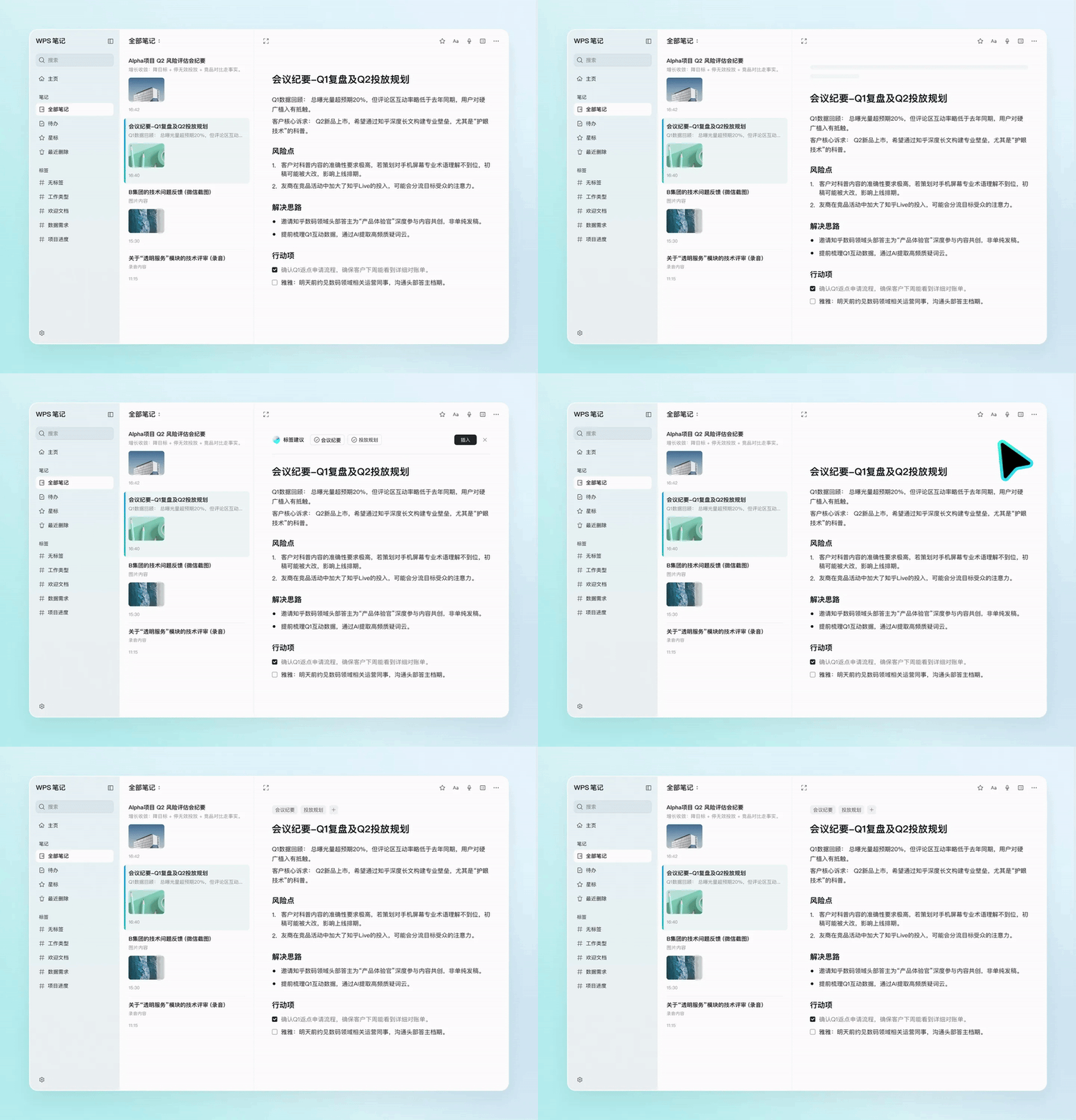
WPS Notes AI auto-tagging
For example, the same meeting recording can be tagged with multiple identifiers such as project, to-do, participant, etc. at the same time. Users do not need to plan an entire set of classification rules in advance or repeatedly move files later. AI is now in charge of the work that originally required users to make repeated decisions and archive.
Building the entire architecture around AI capabilities, rather than adding “AI add-ons” to note-taking tools, is also a core feature that differentiates WPS Notes from existing note-taking tools on the market.
This is especially noticeable in conference scenarios. During work meetings, it can be very tedious to organize long recordings and conversations between multiple people. Manual transcription is not only time-consuming, but also tends to confuse the story. Identification errors are common with technical terms and unusual words.
WPS Notes supports real-time transcription of recordings and can automatically distinguish between different speakers. During the transcription process, with AI correction while listening, the system intelligently corrects common terminology, names, project names, and more based on context. Unlike most products that do not allow you to change the transcription content during the recording stage, this feature also supports manual real-time error correction. After recording, the system automatically extracts the main points of the content and organizes to-do items, reducing tedious manual organization.
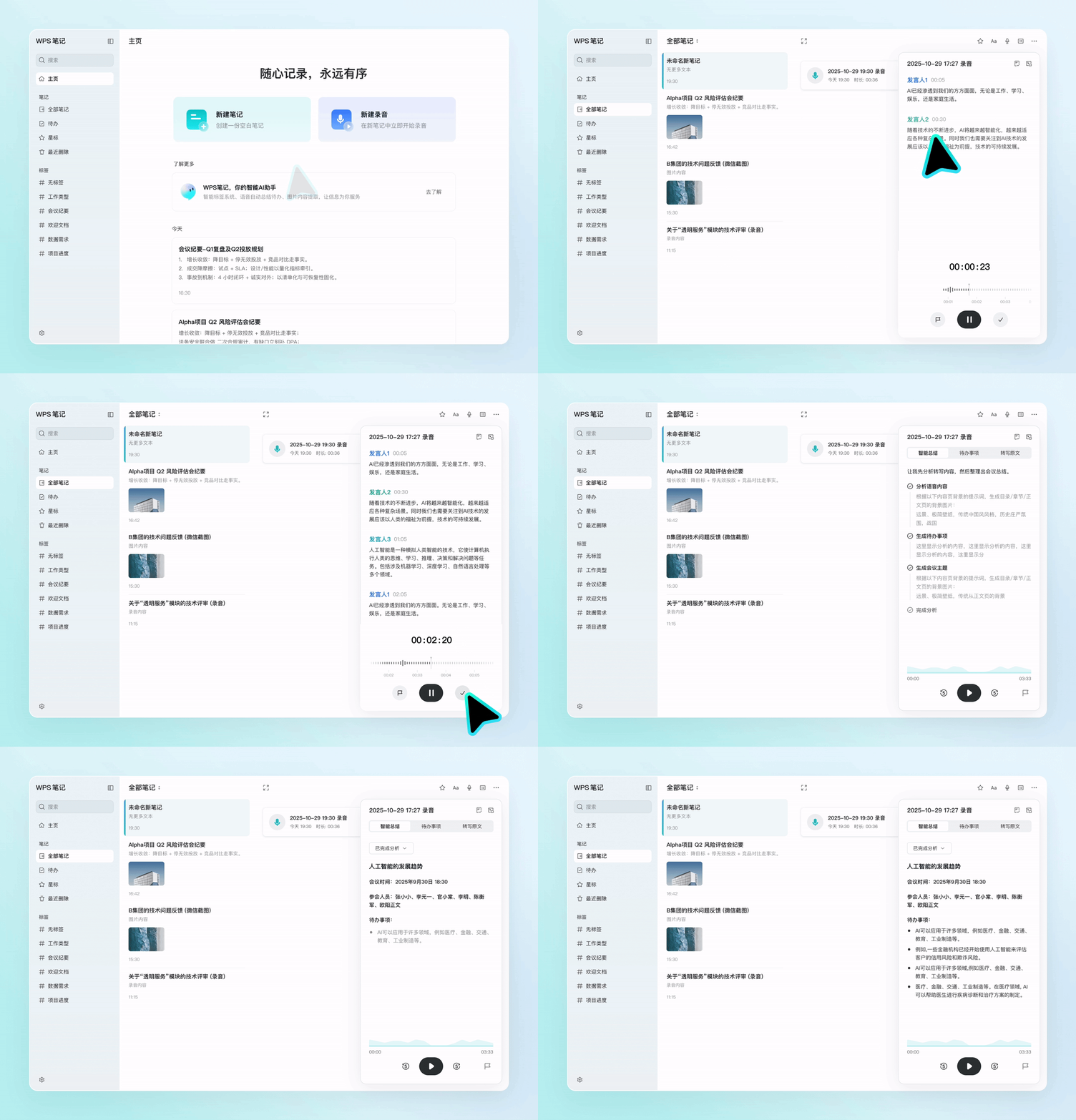
WPS Notes real-time recording transcription demo
Whiteboard photos, PPT screenshots, and various reports are also common information formats in daily work. Most traditional tools can only extract pure text from images and have difficulty processing complex content such as graphs and formulas. WPS Notes can parse tables and formulas in images, converting static images into editable and searchable content, and making image-based records truly reusable.
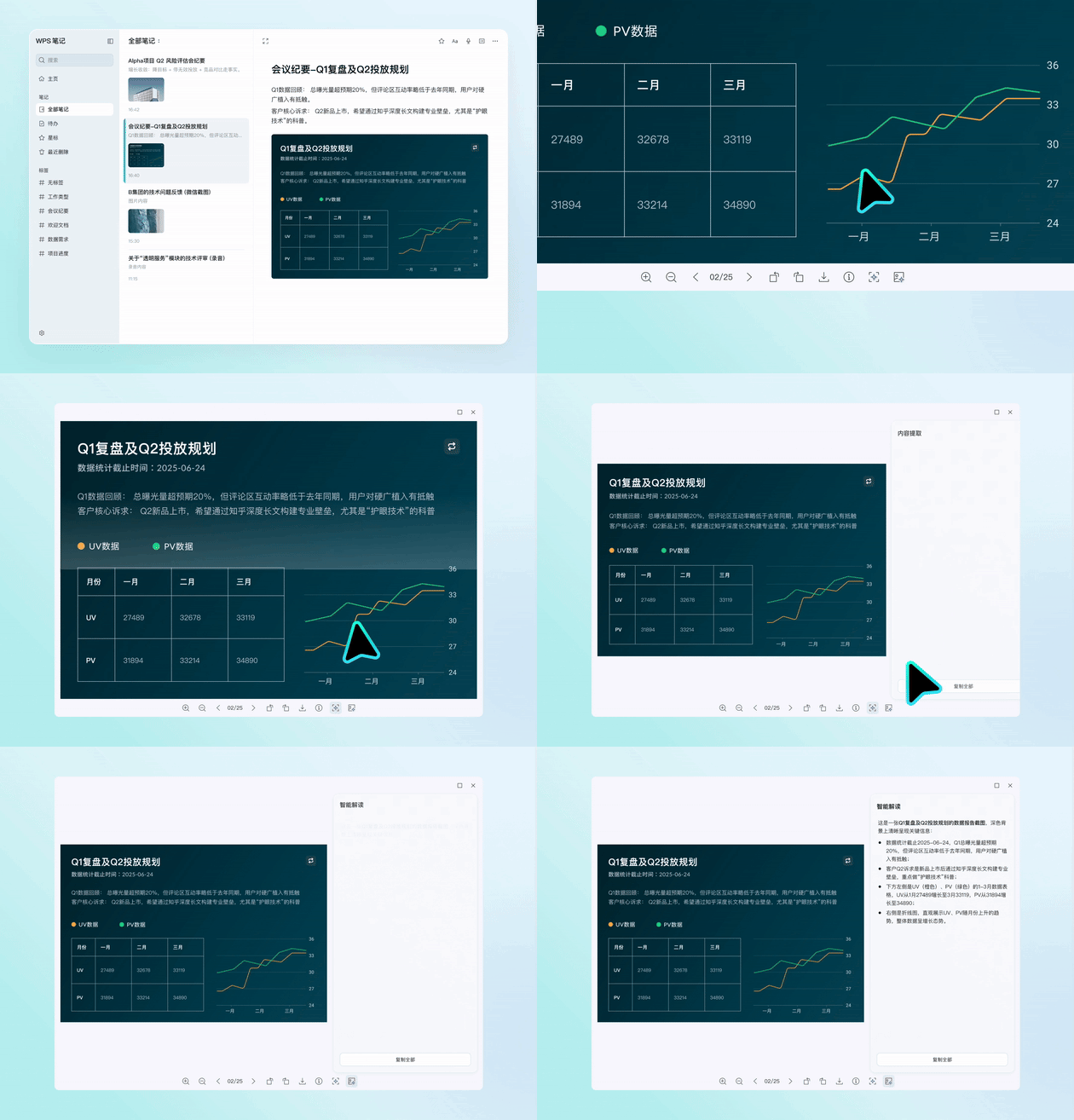
WPS Notes can deeply analyze complex content within images
In other words, to use WPS Notes successfully, you don’t first have to be a good information manager.
Breaking the “I can’t find the notes I need” situation
The second big problem with note-taking tools is search.
When most users recall past records, they often cannot remember the full title, exact keywords, or storage path. They can only search everywhere based on vague impressions. For example, a budget was talked about in a particular meeting, a flowchart was drawn on a particular whiteboard, an idea was mentioned in a particular piece of content…
However, traditional search relies on keyword matching, which does not match human memory habits. When it comes to actual use, it often happens that I have saved something, but I can’t search it.
To resolve the “not found” issue, WPS Notes’ search functionality is no longer limited to text. Built with all-main multimodal search and content association capabilities, you can search all photos and recorded content within your notes. Users don’t have to intentionally remember the exact words. By describing your needs in everyday spoken language, you can match relevant content in all your notes.
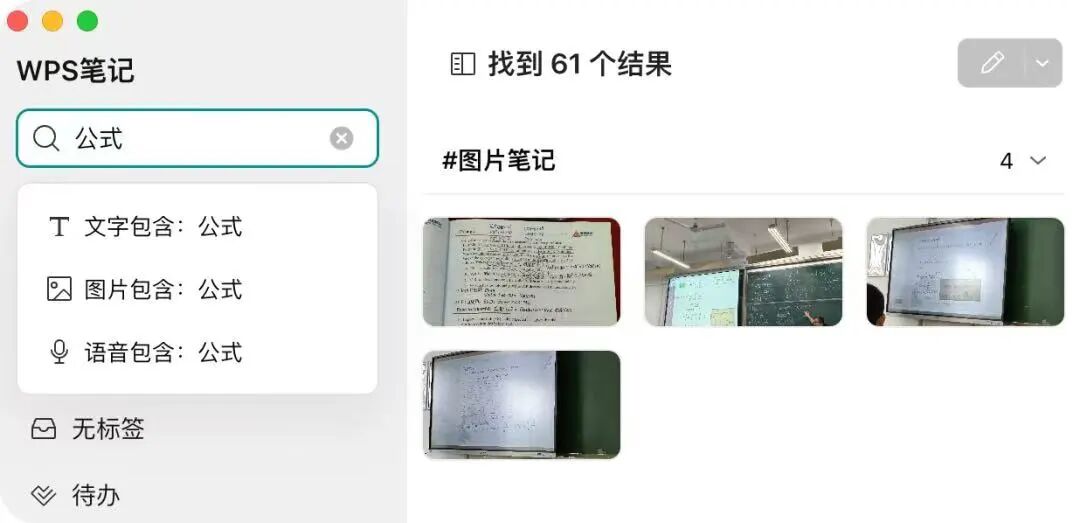
WPS Notes all – domain multimodal search demonstration
Also, as the number of notes increases, it becomes easier to ignore connections between old and new content. In fact, many of the repeated thoughts that occur when using notes stem from a lack of connection between pieces of information that are inherently fragmented.
Leveraging the built-in WPS native Office intelligent agent “WPS Lingxi”, WPS Notes can actively detect relationships between different notes and push related historical records when viewing a single piece of content. At the same time, the AI regularly cleans up your notes library, merging duplicate content, and optimizing tags to avoid clutter as your knowledge base grows in volume.
With support for this set of features, stored content is no longer an isolated piece. All your past thoughts, collected materials, and recorded experiences are immediately available when you need them, reducing repetitive thinking and inefficient searches.
AI-enabled office integration: From “knowledge storage” to “productivity output”
If the first two steps solve the problem of “recording” and “searching,” the greater room for imagination for AI Notes is “direct use when searching.”
As AI agents are increasingly integrated into office scenarios, the value of a notable tool no longer depends only on its own functionality, but also on its ability to become a data source that other tools can call upon. In other words, if the contents of your notes exist only within a single software and cannot be recalled from other office tools, it will be difficult to integrate the accumulated information into actual business processes.
This is also the main reason why WPS Notes opened up MCP bidirectional read, write, and CLI command line tools.
Currently, most note-taking software on the market only opens read permissions, and external tools can only view the contents of your notes, but cannot send back new information. Bidirectional read/write design allows WPS Notes to form a closed loop with various AI tools. External AI can recall note content as a reference, and newly generated content can also be saved directly to notes, eliminating the need for repeated transfer and import operations. The CLI command line also allows users with personalized usage requirements to build their own work processes.
In a real office scenario, this collaboration effectively reduces repetitive tasks. Office workers can use external tools to automatically generate weekly reports and meeting minutes by consolidating a week’s worth of meeting notes and to-do items. Content creators can tap into long-term collection of ideas, materials, and writing style references to directly assist in creating and optimizing their copywriting.
At this point, notes are no longer an independent database, but a source of information that runs through multiple tasks.
According to Chen Yonghao, WPS Notes R&D lead, in the future, WPS Notes will gradually connect multiple products within the WPS Office ecosystem, allowing plans, inspiration, and materials in notes to flow smoothly into tools such as cloud documents, knowledge bases, and presentation slides, further integrating complete office processes.
Overall, WPS Notes is more than just adding AI features to traditional notes. Instead, reorganize the note-taking tool’s operational logic. Previously, users had to actively adapt to tools and expend energy to organize information. Now, AI actively works with users to organize and manage all recorded content.
Chen Yonghao said in a recent communication: “Our ideal scenario is that when you open your notebook and want to create or do something, the AI will tell you if you want to do it already. We want to integrate all the functionality into the AI so that it can proactively help you solve problems and reduce the choices and thoughts you have to make. Just save and let us do the rest.”