

Generative AI started with a simple and innovative idea: input a prompt and retrieve an image.
The creative process is now evolving into a more fluid workflow powered by AI, allowing you to generate, refine, and shape your ideas into unique works. Increasingly, people want to use conversational AI controls to more naturally guide them through the process of exploring, iterating, and developing ideas in real time.
Adobe Firefly was built as an all-in-one creative AI studio that integrates industry-leading AI models with the best multimodal creative tools. We are currently expanding access to Firefly custom models. This allows you to turn your creative style into reusable models trained with your own images. In this public beta release, custom models are optimized for character, illustration, and photography style ideas.
The trained custom model works with the 30+ industry-leading models available in Adobe Firefly (including models from Adobe, Google, OpenAI, and Runway, and new features like Kling), as well as powerful video and image editing tools and conversational AI experiences, all in one environment to help you move your work from concept to completion faster.
Here’s what’s new in Adobe Firefly.
Your style to scale
Your style is your signature. If you are a creative professional or a brand, this is your identity.
No matter who you are, building a visual identity takes years of investment. Sustaining it across media, campaigns, formats, and platforms requires intent. To grow your brand, you need a steady supply of assets that consistently represent who you are. Those assets should be yours alone.
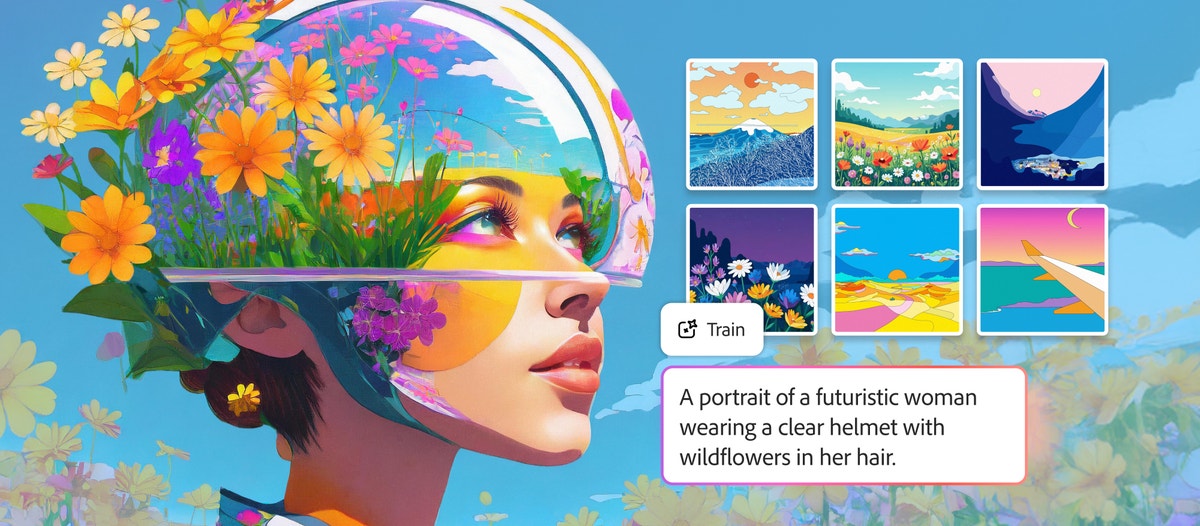
That’s where Firefly custom models come into play. Currently available in public beta, you can train models based on your own images to capture a particular style, character, or photo look. Upload your assets and Firefly will analyze and train a model that matches your aesthetic.
Custom models are especially powerful for three types of creative tasks:
- illustration stylestroke thickness, fill, and color consistency are important.
- characterif the same character needs to appear consistently throughout the scene
- photography styleif you need to repeat a certain look across many images
Details like stroke weights, color palettes, lighting, and character traits can be preserved across generations, allowing you to explore new creative directions without losing visual consistency. Rather than starting from scratch every time, the trained model becomes a reusable foundation that you can build on again and again.
Once trained, your custom model becomes part of your workflow. Generate new ideas that align with your aesthetic, reuse models across projects, briefs, and campaigns, and create at scale without losing the character of your work. For teams that create large amounts of content, that consistency is a competitive advantage. Also, models are private by default, so the content you create using them is completely yours.
Start exploring and creating your own custom models today. We continue to learn with creative professionals and teams, using this feature in real-world workflows and gathering feedback to improve quality, training flows, and new features over time.
More Choices, More Control
Good creative work requires both choice and control. Firefly offers both.
It starts with having access to the right model for the job. Each model has different strengths. Some people excel at cinematic movements. Some stand out for their illustrations, photorealism, and stylized designs. Different creative directions require different strengths.
Within Firefly, creators can now control more than 30 top models from across the industry, including Google’s Nano Banana 2 and Veo 3.1, Runway’s Gen-4.5, Adobe’s Firefly Image Model 5 (now generally available), and now Kling’s 2.5 Turbo.
Firefly brings these models together into a single creative environment. It’s the only place you can generate on one model, adjust on another, compare output, and continue editing using Adobe’s professional creative tools.
To support your exploration, we currently offer unlimited video and image generation using the wide range of models available in Adobe Firefly. Learn more about Firefly promotions and plans.
Firefly is built to help you move from concept to finished output faster and with greater control.
After generating with a model of your choice, you can use Firefly’s image and video editing tools to format the output into a production-ready format.
We’ve introduced new features that make it easy to transform your ideas into structured, editable results. Quick Cut turns raw footage into a structured first cut in minutes. Enhanced image editing features make it easy to add or remove objects, enhance scenes, and fine-tune the generated visuals.
Generation and editing are fully integrated, so you can go from idea to draft and from draft to refinement without interrupting your flow.
From prompts to chat: Project Moonlight
Typing prompts were the first breakthrough. The conversation is next.
Across Adobe products, including Photoshop, Express, and Acrobat, we’re introducing agent-based AI assistants that turn conversations into creation. Chat to explain what you want to accomplish, and agents can work with you to execute on that vision and take real action to refine, adjust, and build using Adobe’s iconic tools.
The result is a more intuitive way of creating, and a closer feel to how your ideas actually evolve.
First previewed at MAX, Project Moonlight is a new conversational agent interface we’re building (currently in private beta) that will work across Adobe apps to help you move quickly from concept to completion.
Moonlight will catch you. Understand your style and control your work by drawing from your own assets and libraries. You become the creative director of your world, guiding your direction while the system helps you move forward.
Now, we’re expanding access to the Project Moonlight private beta and continuing to gather feedback from creators to shape the future of creative workflows for agents.
Firefly: All-in-one creative AI studio
Creative work is evolving. So is the way you build it.
Explore the new Firefly today and see what happens when you bring conversation, control, and the world’s best creative tools together in one place.


