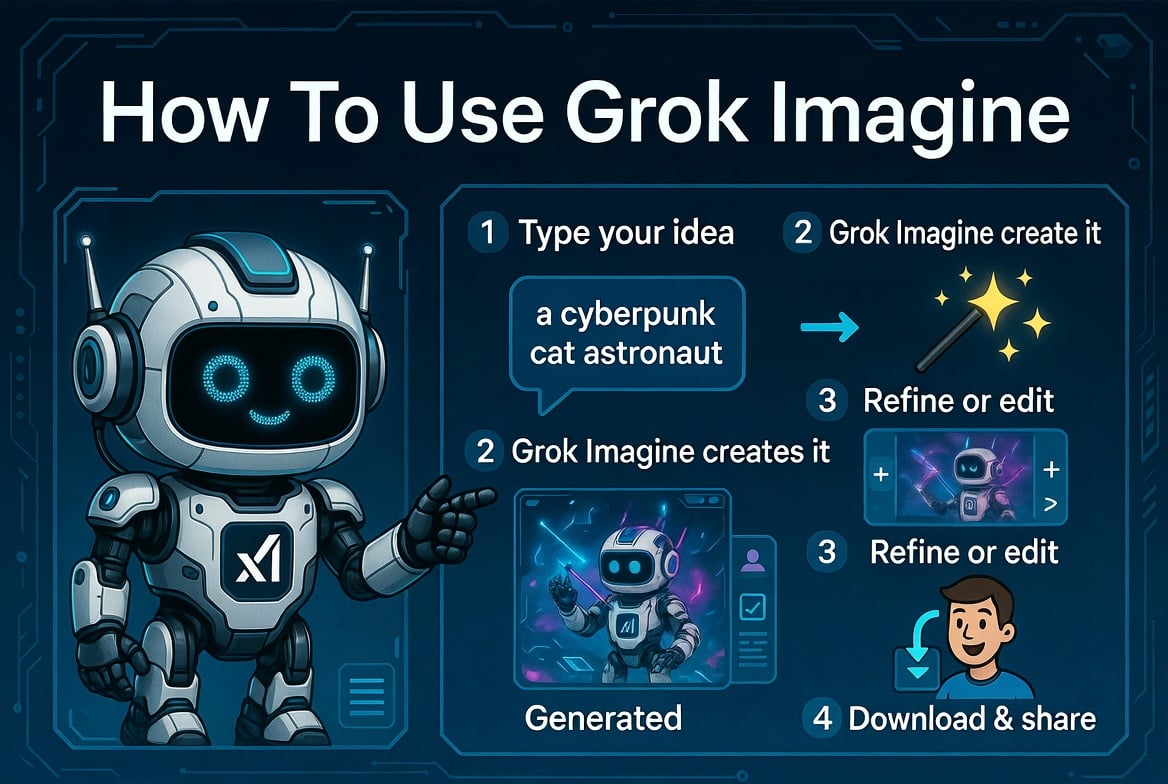
AI content creation has gone from novelty to everyday workflow for marketers, designers, filmmakers, and social media creators. In a wave of new tools, Grok Imagine has quickly become one of the most talked about platforms. Grok Imagine combines text-to-image, text-to-video, and image-to-video generation in one interface, all powered by xAI’s Aurora engine. If you’ve heard of Grok Imagine AI but aren’t sure where to start, this guide will show you exactly how to use Grok Imagine AI to turn your ideas into sophisticated visual content.
What is Grok Imagine?
Grok Imagine is xAI’s multimodal generative AI platform built to generate photorealistic images, cinematic video, and synchronized audio from simple prompts. Unlike traditional AI image tools that only process still images, Grok Imagine AI is designed to accept multiple input types at once. You can input text descriptions, reference images, short clips, and even audio files and ask it to blend those inputs into a single output.
What stands out is the combination of speed, quality and flexibility. Generate 4- to 15-second cinematic videos with built-in sound effects, animate still photos to create dynamic clips, and create high-resolution images for blog headers. This platform supports multiple aspect ratios such as 16:9, 9:16, 4:3, 3:4, 21:9, and 1:1. This means anything you create will work on YouTube, TikTok, Instagram Reels, or the Hero section of your website without any extra cropping.
If you want to try it out for yourself, you can access the tool directly from Grok Imagine. This gives you a free tier with daily credits so you can try it out before committing to a paid plan.
Why creators are switching to Grok Imagine AI
Before we get into the how-to, it’s worth understanding why this tool attracts millions of active users. Several reasons stand out.
- Multimodal input. You can upload up to 9 images, 3 videos, and 3 audio files in a single project, and combine up to 12 files in various formats.
- Please refer to anything. Point your model at the reference clip and in plain English, ask them to copy the camera movement, lighting, choreography, or character style.
- Built-in audio generation. Most AI video tools require you to add sound in post. Grok Imagine AI generates context-aware sound effects and background music that automatically syncs to your footage.
- Export without watermark. Downloaded videos are clean and ready to produce, which is important for commercial use.
- Consistency between shots. Faces, clothing, and even small text remain consistent across multi-shot sequences, which has historically been one of the most difficult problems in AI video.
How to use Grok Imagine: Step-by-step
Step 1: Explain your vision
Open the generator and enter the prompts that describe the scene you want. The more specific you are, the better the results. Instead of writing “Cool city at night,” try writing something like “Cyberpunk Tokyo streets, rain-soaked neon lights, 35mm lens, slow dolly, blue and magenta lighting.” If you have a reference image or video, drop it next to the text. Grok Imagine AI uses both to form its output.
Step 2: Choose a model
The platform offers several specialized models, each tailored for a different job.
- Grokuimazine For text-to-image generation and image-to-image generation.
- grok video For cinematic text-to-video output and image-to-video output.
- groku upscale You can increase the resolution up to 2K or 4K.
- groku extend Stretch and combine existing clips while maintaining visual continuity.
You can switch models at any time without having to start over, which greatly speeds up iterations.
Step 3: Generate and adjust
Click Generate, preview the results, and make adjustments. Most prompts produce usable output within a few seconds. If something doesn’t look right, perhaps the lights are off or the camera movement is too aggressive. Please adjust the prompt and regenerate. Each cycle costs a small amount of credits, but the free tier gives you plenty of room to experiment.
Step 4: Download and use
Once you are satisfied with the output, download the file. Videos are exported in the aspect ratio of your choice and ready to drop into content calendars, ad campaigns, or client deliverables.
Tips for best results
Repeat in small steps. Change one variable per regeneration. If you adjust the prompt, model, and reference image all at once, you won’t know which changes caused the change.
Please explain the camera in detail. AI models rely heavily on the technical language of cinematography. “35mm dolly, low angle, slow push” produces clearly better results than “cinematic shot”.
Anchor lighting and time. Phrases like “soft window light,” “golden hour,” and “neon-rimmed light” are often more effective than color descriptions alone.
Use references for difficult questions. If you want a specific dance move, a specific camera arc, or a character consistent with your brand, upload your references. The Reference Anything feature helps pin down details that are difficult to explain in text.
Common use cases
Grok Imagine AI fits into a wide range of workflows. E-commerce sellers use it to create product videos without studio filming. Social Media Manager generates vertical content for TikTok and Reels in minutes. Agencies use this to pitch more concepts faster. Filmmakers and indie creators use it for storyboarding and visual development. Illustrators and digital artists use it as a brainstorming tool before finalizing their work.
Pricing overview
Grok Imagine offers a free tier of 5 credits per day, enough to test the platform and generate some output. Paid plans start at around $113 per year for the Starter tier (3,000 credits), with Pro and Premium tiers available for heavier creators and teams. Paid plans unlock the full set of 20+ AI models, including video enhancement and video enhancement tools.
final thoughts
The barriers to producing professional quality visual content have been significantly lowered. Work that once required a full production team can now be done in the browser with well-crafted prompts. Although Grok Imagine is not the only tool in this field, the combination of multimodal input, audio generation, watermark-free export, and strong consistency makes it a practical option for creators who need to quickly deliver content. By starting with the free tier and trying out a few prompts, you can often see what you can do in one session.