

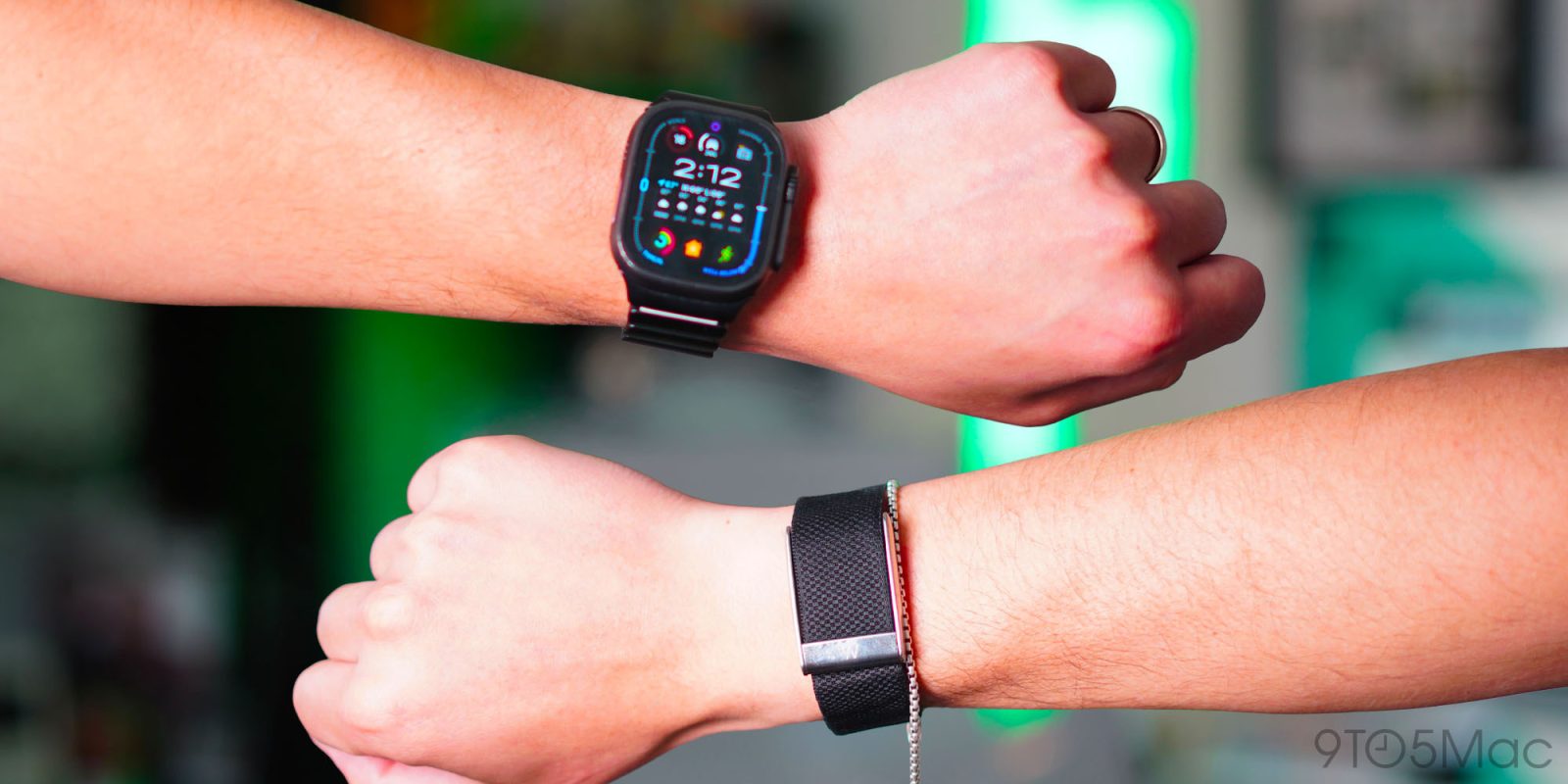
For the past 60 days, I’ve been wearing an Apple Watch Ultra 2 and the latest WHOOP MG. I wanted to better understand the hype surrounding WHOOP. If you spend enough time online, you’ll find that WHOOP users are loud and proud. It’s marketed as a full-fledged wellness and fitness tracker worn by famous athletes and Silicon Valley tech founders. So, as someone who cares about fitness, wellness, sleep, and overall health, I felt I needed to experience this for myself and, of course, compare it to my Apple Watch, the fitness tracker I’ve been wearing for over a decade. Here’s what I learned after 60 days.
Be sure to check out our detailed video review below. We spent over 60 days meeting with both in person and learned a lot about what each can and cannot do.
Completely different design philosophy
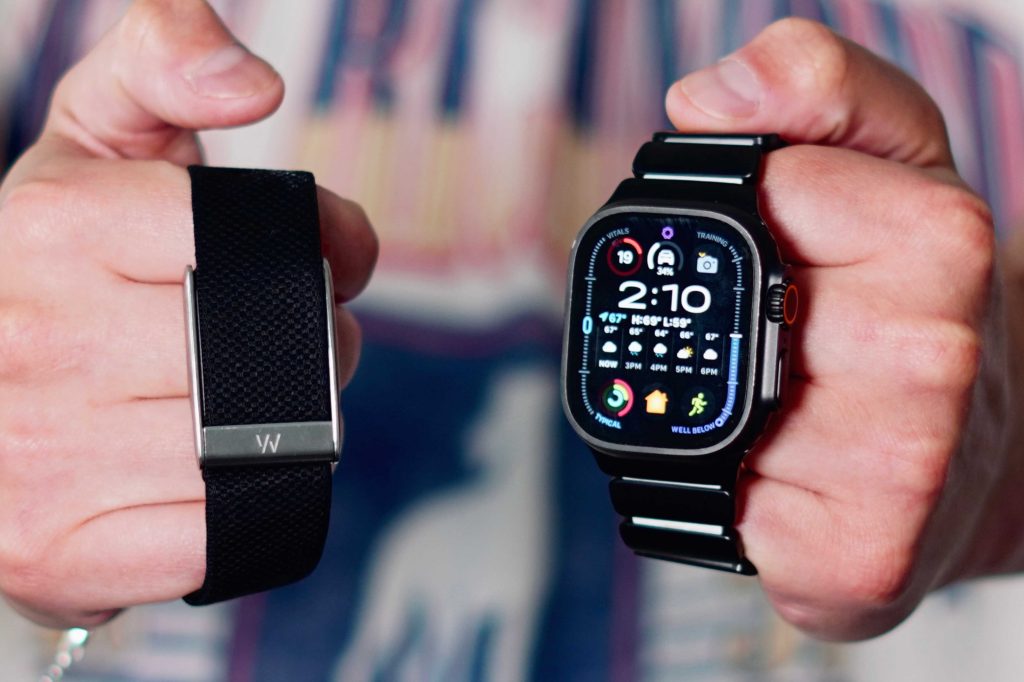
The first thing I noticed when I finally set up WHOOP is that these fitness trackers are built on completely different ideas. WHOOP has no screens. Weighing just 26.5g, it’s lightweight, thin, and designed to blend into your body. I wore it on my right wrist, but with the right accessories you can also wear it on your bicep or waistband. There is very little to interact with. When you wear it, data is collected in the background. And that’s the point, it’s meant to feel passive.
Then there’s the Apple Watch, which is exactly the opposite. I used an Apple Watch Ultra 2 in my testing, but everything I say here applies to any Apple Watch. The Apple Watch is first and foremost a smartwatch. An extension of your iPhone on your wrist. It has a bright display, tactile buttons, apps, notifications, can even make calls, and does almost everything an iPhone does on a smaller scale.
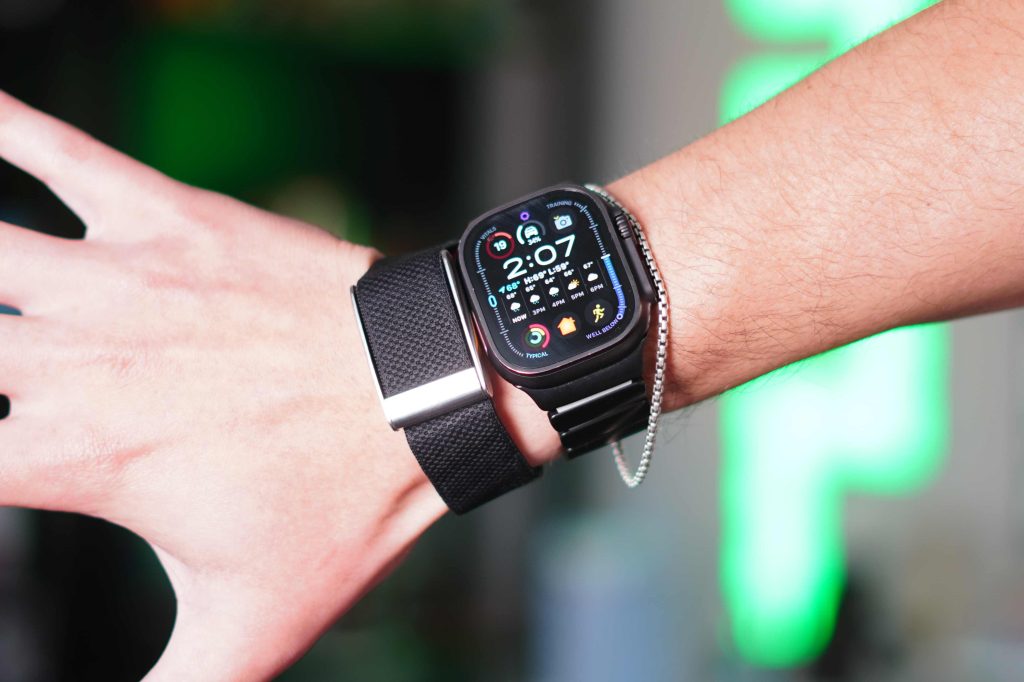
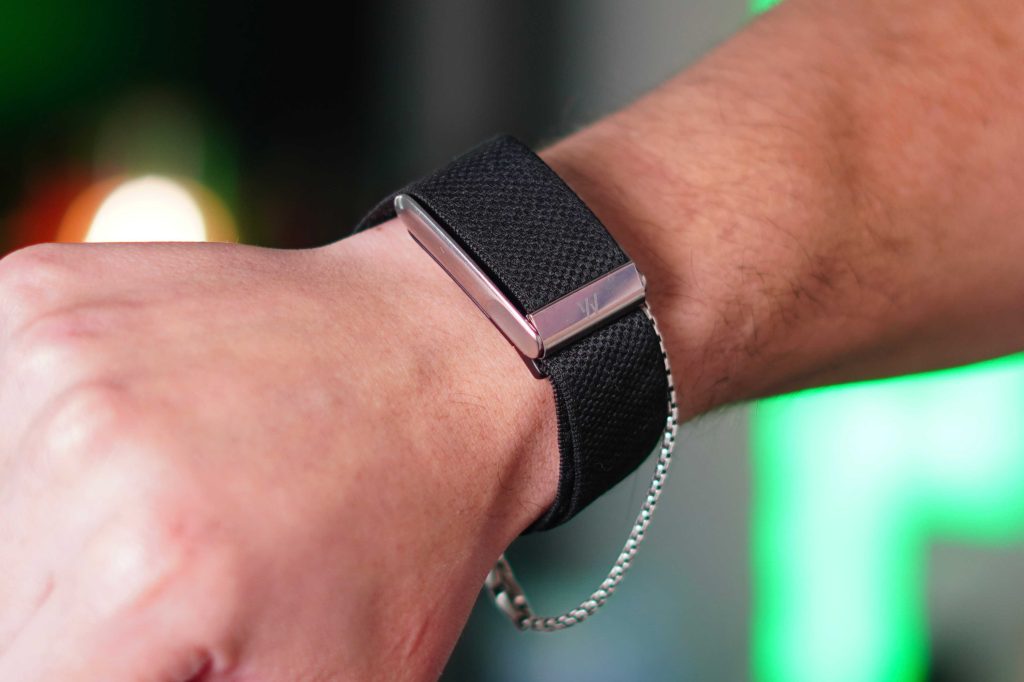
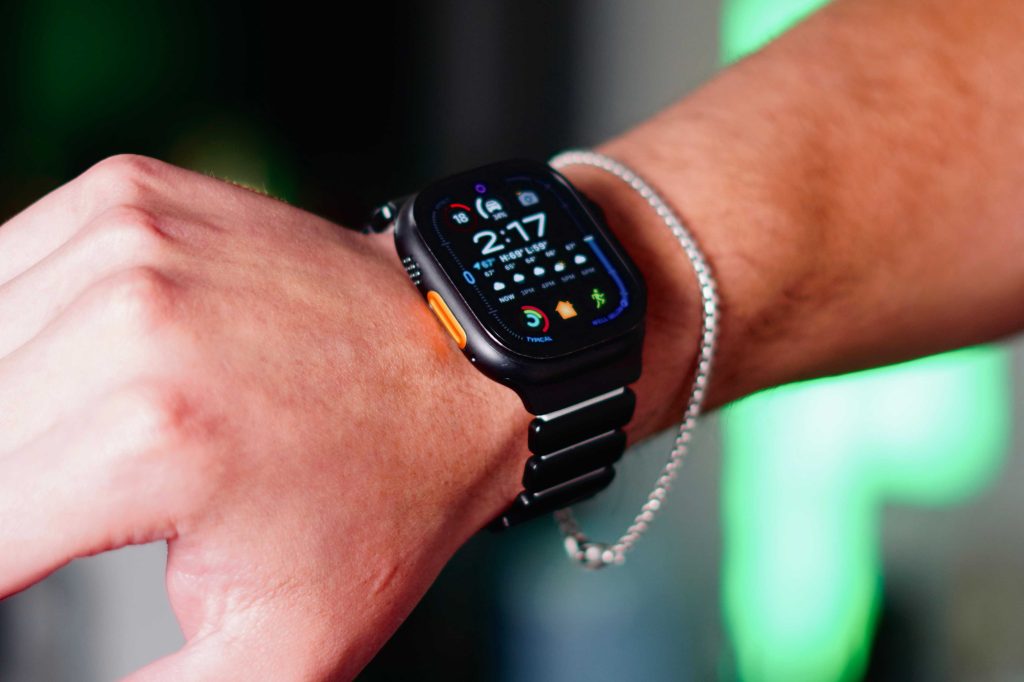
I’m comparing them from a health and fitness perspective, and while the Apple Watch still feels like a tool that you actively use throughout the day, WHOOP feels more like something you forget is there. I understand the appeal of accessories that are intentional, focused, and free of distractions. I enjoyed that aspect. The only physical contact I had with the WHOOP was to charge it. So if you’re deciding between the two and want to decide on a fitness tracker, WHOOP will do it for you.
battery life
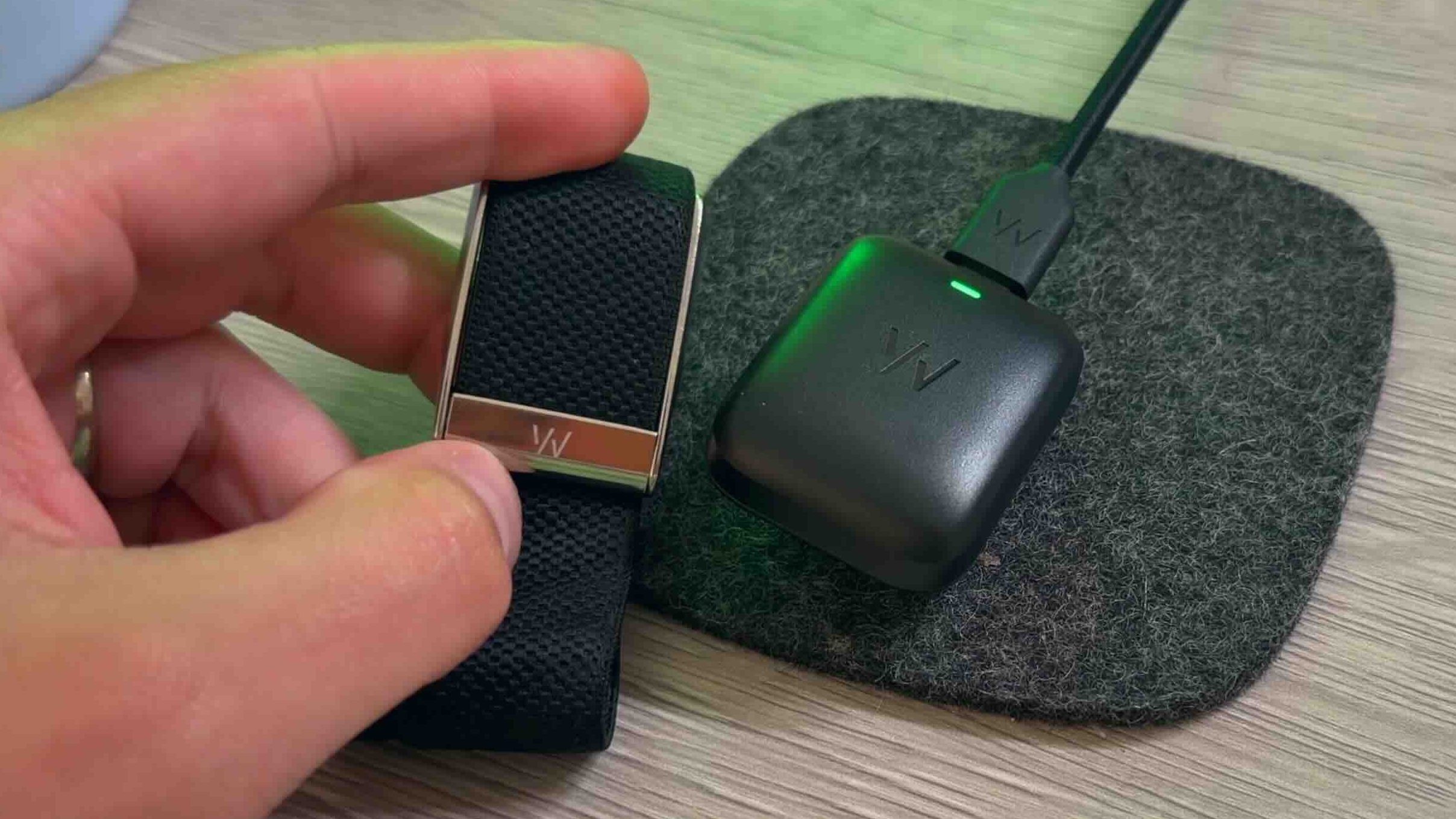
WHOOP offers incredible battery life due to its distraction-free nature. Battery life is claimed to be around 14 days, and with the WHOOP MG it consistently lasted around 10-12 days before needing a charge. The charging system is also very clever, because in a perfect world, WHOOP wouldn’t want users to disconnect their devices at all. So the charger is actually a battery pack that can be charged while attached to the WHOOP. I personally didn’t do that. I preferred to disconnect it while charging, which is a good thing about the charging system. But that ongoing data collection is a big part of WHOOP’s philosophy.
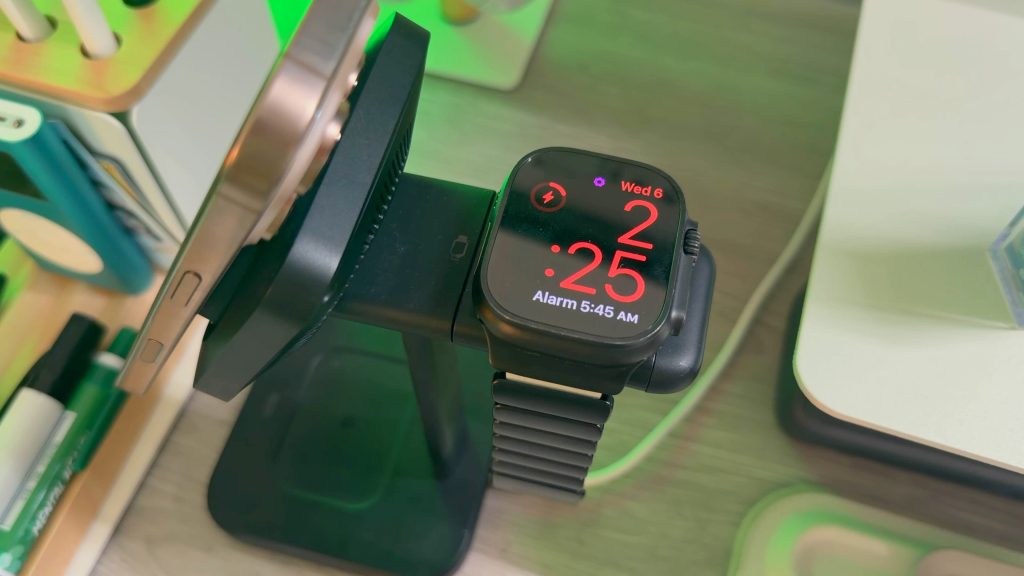
Then came the Apple Watch. Again, I have a 2 year old Apple Watch Ultra 2. Apple Watch has a maximum usage time of 36 hours and a low power mode that extends that to 60 hours. However, since it’s 2 years old, the battery life is about 30-32 hours before needing a charge. I usually charge it every day when I’m showering or cooking. When using your Apple Watch, you’re constantly thinking about the battery. And if you work out multiple times a day for hours at a time, you’ll wear out even faster. It’s safe to assume that you can easily get through a day on a single charge, but you’ll need to charge it on the second day.
If 24/7 uninterrupted tracking is your top priority, WHOOP is a clear winner in this regard.
Health sensor status
This actually surprised me. To begin this comparison, I assumed that WHOOP would have every advanced health sensor imaginable. But the Apple Watch actually has more sensors than the WHOOP MG.
Apple Watch sensors:
- optical heart rate sensor
- Electric heart sensor for ECG
- blood oxygen sensor
- skin temperature sensor
- accelerometer
- gyroscope
- Dual frequency GPS (or regular Apple Watch single band)
- altimeter
- compass
- ambient light sensor
- depth gauge
- water temperature sensor
Meanwhile, WHOOP MG has the following features:
- PPG heart rate sensor
- Heart rate variability tracking
- skin temperature tracking
- Accelerometer for movement and sleep
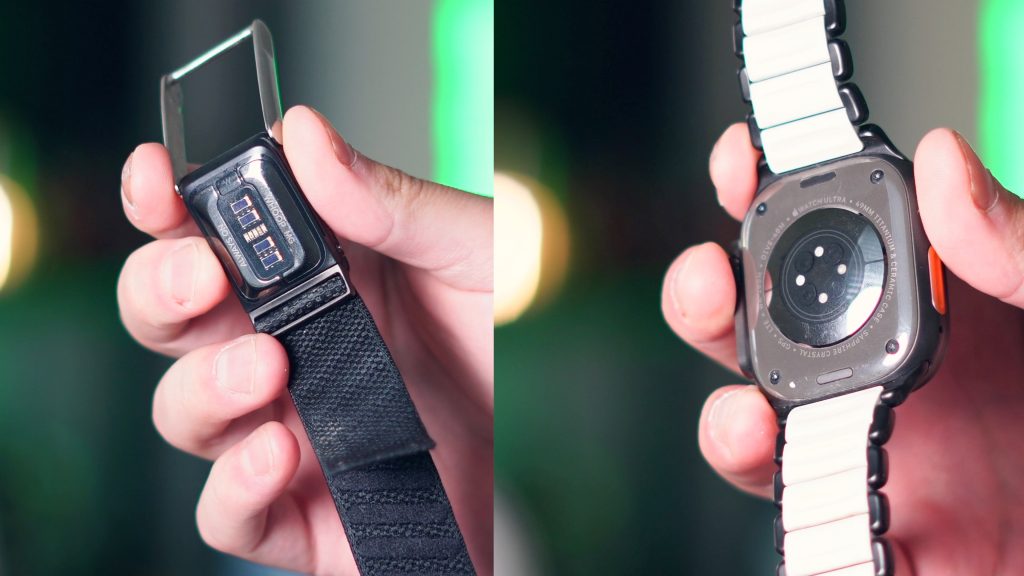
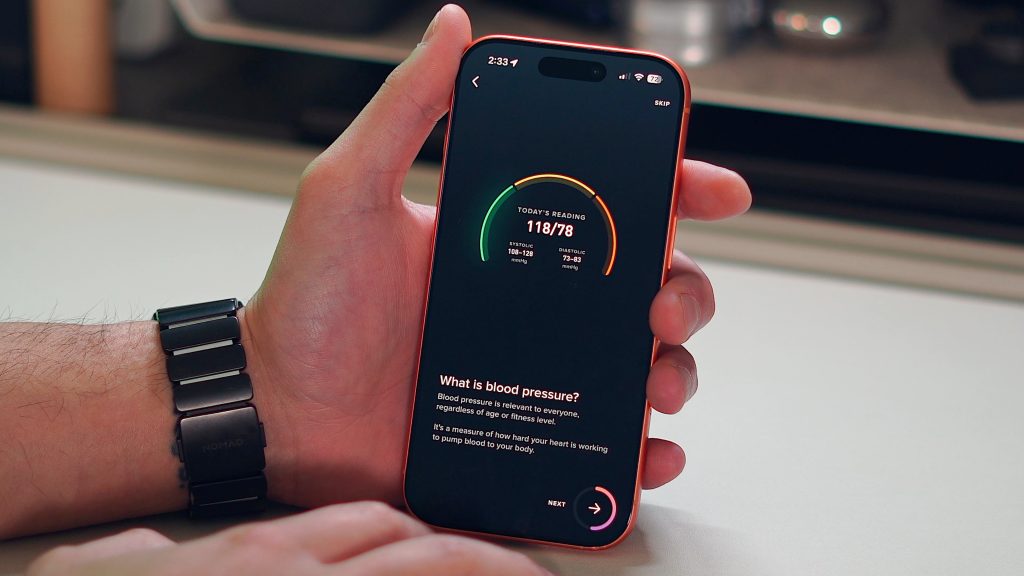
Technically, WHOOP MG also advertises blood pressure tracking, but it takes a lot of effort to set it up and the functionality feels half-baked.
What’s interesting is that even though the Apple Watch is better overall, their core fitness and recovery data are very comparable. Heart rate tracking, sleep tracking, and recovery metrics all display roughly the same values. The difference is determined by how the data is presented to us.
App experience
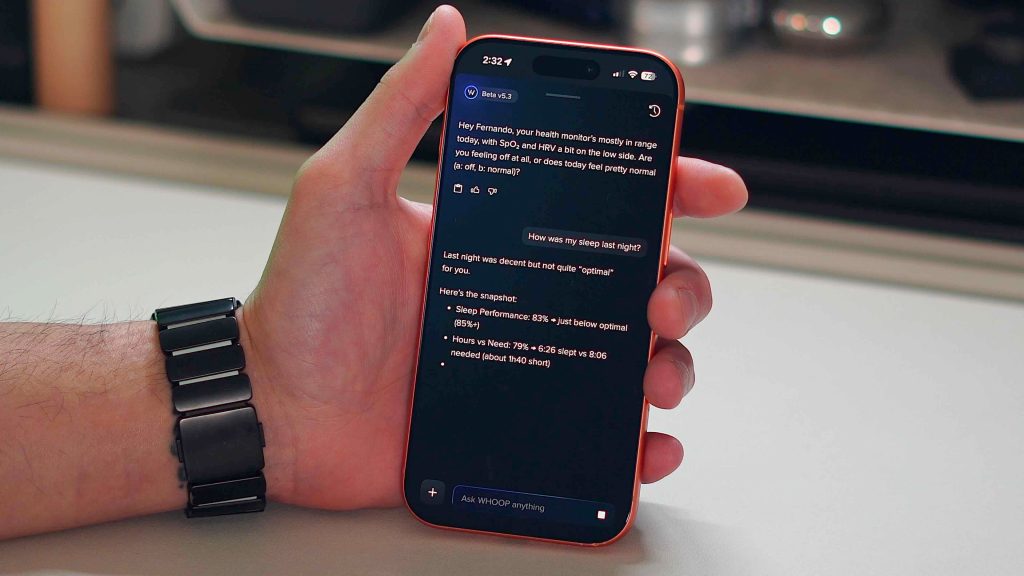
This is WHOOP’s bread and butter. The WHOOP app experience is actually great. You get recovery scores, target loads, sleep coaching, and an overall experience focused on active activity. So rather than just displaying data, we aim to guide you in interpreting that data and help you take action to improve your health. The latest update also added an AI assistant. I really like this. All you have to do is ask questions like:
- Should I exercise today?
- Have you recovered enough to run?
- Why was I a light sleeper?
- Should I focus on recovery today?
Then, based on your WHOOP health data, guide you to the best plan of action for that moment or day.
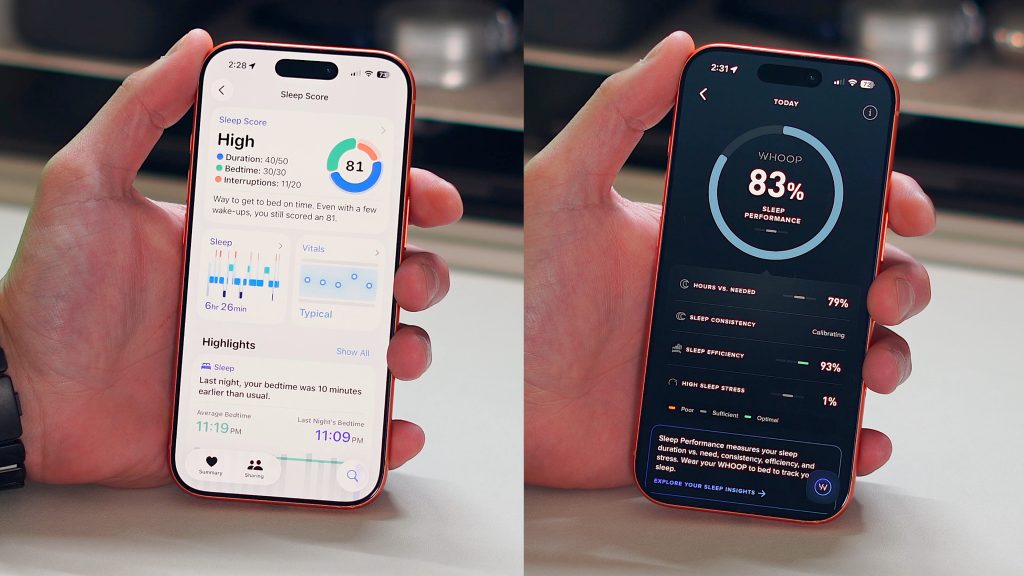
The Apple Health app is the opposite. Apple provides all the raw data, but it’s mostly up to you to interpret what it means. You can see many of the same metrics like HRV, VO2 Max, resting heart rate, and more, but Apple won’t help you develop an action plan for improvement. There are some explanations and blurbs that explain what HRV is and what it means to be high or low, but they don’t tell you how to take your HRV data and improve it.
Personally, I think when it comes to tracking all of your health and fitness metrics, most people are looking for guidance on what to do with this data. For that reason, I would give the WHOOP app an edge. While Apple Watch takes a more “fix it yourself” approach, it’s clean, easy to navigate, and helps you proactively make tangible improvements to your health.
WHOOP problem
After this experience, I realized that what sets WHOOP apart from other products is the hardware. But we quickly learned that the Apple Watch has far more sensors and health-related hardware. Then I started trying out the WHOOP app and it seemed like it was a real differentiator for them. I thought the software layer on top of WHOOP was what made it stand out.
Then I found an app called Bevel. This app basically turns your latest Apple Watch into a WHOOP. Bevel has all the features of WHOOP, including recovery scores, sleep analysis, tension tracking, and AI-based insights. It also has a similar conversational AI layer to help interpret data in the same way as WHOOP. When I discovered the Bevel app, something clicked for me. I realized that I didn’t need any WHOOP hardware.
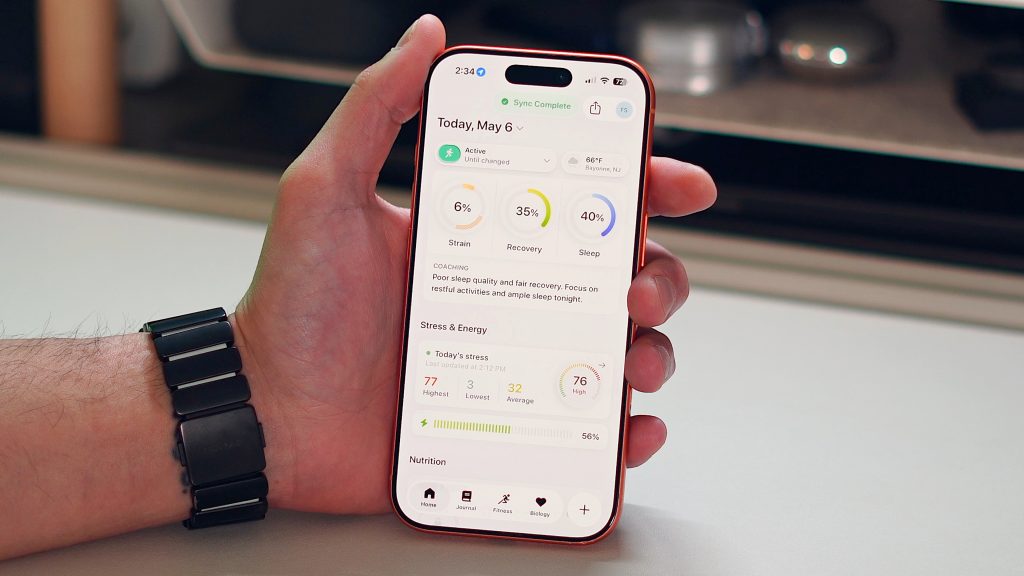
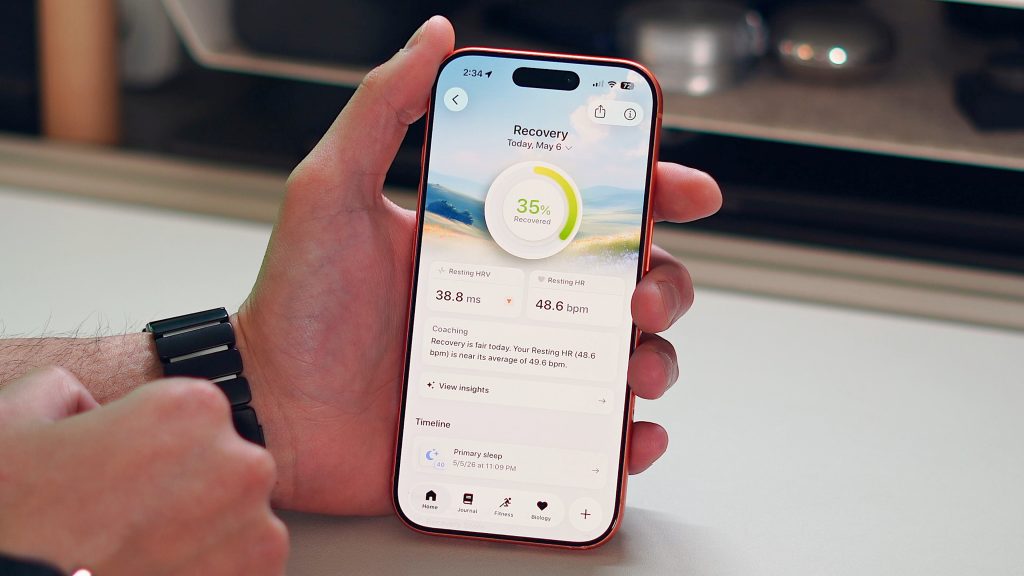
What WHOOP really opened my eyes to was the ecosystem of third-party health apps on the Apple Watch. For more than a decade, I relied on Apple’s default fitness and health apps, but there are hundreds (maybe thousands) of apps built on Apple Watch data in interesting ways. Bevel was the person I felt was closest to WHOOP. Therefore, this new awareness, combined with WHOOP’s price point and subscription model, significantly changes the way WHOOP is viewed and justified. Especially if you already own an Apple Watch.
Pricing and subscription status
Here’s where it gets interesting for my comparison. WHOOP MG costs $359. There are two cheaper options, ONE starting at $199 and PEAK starting at $239. But I wanted to test the best version, so I chose the $359 WHOOP MG LIFE. For that price, you get a WHOOP, a fabric band, and a battery pack that doubles as a charger. But what baffled me is the price: $359/year. You can literally get a brand new Apple Watch Series 11 from Amazon for $299. So, in theory, you could buy a new watch every year for less than the WHOOP MG subscription price.
And as I mentioned above, I realized that what you’re paying for is the app experience. The WHOOP hardware itself is nothing special and does not have any unique features. On the other hand, apps like Bevel cost significantly less. So if you already own an Apple Watch, the long-term cost of WHOOP will be very difficult to justify.
What makes WHOOP special?
But even considering everything mentioned above, I still see the appeal of WHOOP. There was something refreshing about wearing a device without a screen. There were no notifications, no distractions, and no phantom buzzers. It was created purely for health and recovery. I 100% understand that more and more people are tired of having different smart devices connected all day long. People want to track their data, but they also wear regular watches without flashing screens. So the intentionality of WHOOP is actually refreshing.
There also seems to be an aura around WHOOP. They have a great marketing team and great branding. Athletes wear it, tech founders and tech buddies love it, and high performers are drawn to it. WHOOP has a special feel that harks back to the early days of the Apple Watch. However, after living together for over 2 months, the experience didn’t really live up to its aura for me.
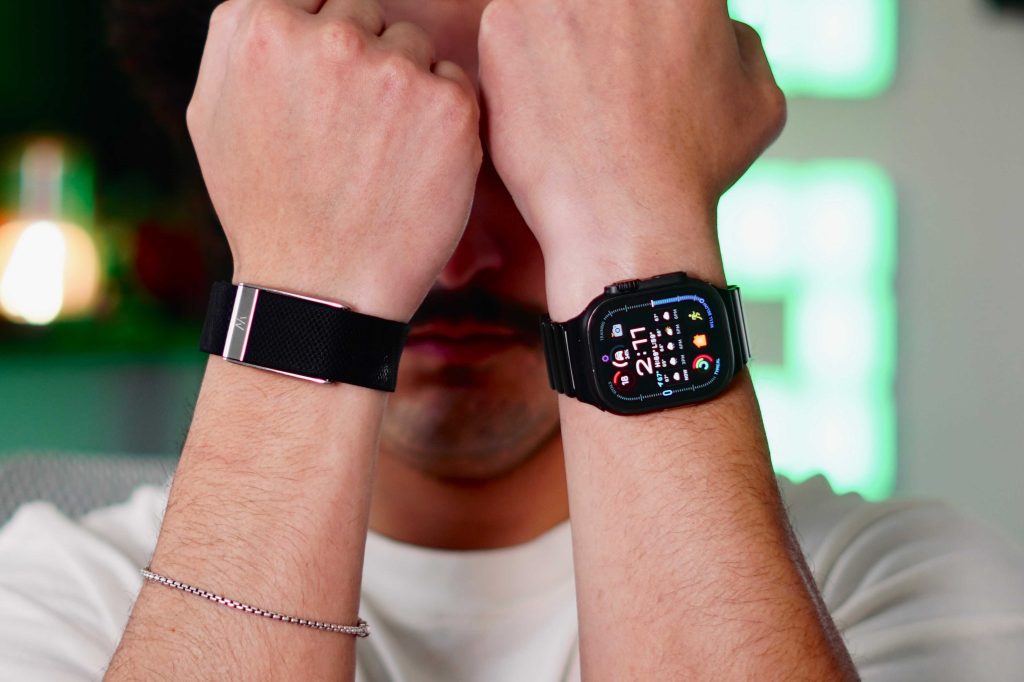
There were some annoying nuances that shouldn’t be there in a product priced at $359. For example, I rely heavily on my Apple Watch’s haptic engine to slowly wake me up. I love it. WHOOP also has a vibration motor, which is terrible. This feels like something that should be in a $20 device, not a nearly $400 device. The way to turn off the vibration alarm is also clumsy. I have to double tap my device and it literally doesn’t work at all. You need to tap your wrist 10 times to stop the vibration. And the cloth bands literally stink. Since it’s made of fabric, sweat and moisture will adhere to it, and it will quickly get worse over time. I should have had a rubber band as the default option.
For products that must be worn 24/7 and are marketed as premium and high quality, these little things add up over time.
final thoughts
After this comparison period, I learned who WHOOP is for. If you want great battery life, no distractions, passive health tracking, and a more guided health experience, I understand the appeal. But it still doesn’t feel premium and I’m baffled that it doesn’t have GPS. I think everyone is obsessed with running these days, so the fact that you can’t track your runs with GPS is insane to me.
But for me personally, it’s not enough to move me away from the Apple Watch. In particular, I noticed that the Apple Watch can essentially enjoy all the benefits of WHOOP through third-party apps like Bevel, and the Apple Watch Series 11 is cheaper than the WHOOP MG and has even more features. And those who want a distraction-free experience can do so on their Apple Watch by turning off a few settings. For these reasons, I would recommend the Apple Watch to 9 out of 10 people.
Because at the end of the day, an Apple Watch can be a WHOOP, but a WHOOP can never be an Apple Watch.
Apple’s best deals


FTC: We use automated affiliate links that generate income. more.



