I spent hours crafting the perfect prompt. I tweaked every word, adjusted every parameter, and clicked “Generate” with great anticipation. The AI provides stunning visuals, but the camera movement feels strange. Drifting aimlessly, zooming awkwardly, or completely ignoring the cinematic angle you had in mind. Sound familiar?
There’s a frustrating truth. Most AI video tools treat camera control as an afterthought. You need to explain complex camera movements in text, and you want the algorithm to interpret “a slow dolly push with a slight upward tilt” the same way a cinematographer would. Spoiler alert – it rarely happens.
But what if you could? show Tools like AI guessing exactly how the camera should move instead of expecting it to guess correctly? 3D camera control changes this dynamic, providing a visual interface that allows you to precisely map trajectories, zooms, and pans, and exporting those parameters directly into your production workflow.
Why traditional AI video generation feels like directing blindfolded
translation issues
When I first started experimenting with AI video generation, I felt like a director yelling instructions through a thick wall. I created elaborate prompts to explain trajectory shots and sweep pans, only to see the AI generate something vaguely related but radically different than what I had imagined.
The problem isn’t AI’s rendering ability. Modern diffusion models can create breathtaking images. The disconnection occurs when translation– Convert your mental image of camera movement into something the algorithm can understand. Text prompts are inherently ambiguous. “Going around the subject” can mean creating a tight trajectory at eye level, or using a crane to photograph a wide area from above.
Reality before and after parametric camera control
Consider the difference between humming a melody to a musician and showing them sheet music. Both convey the same song, but one leaves room for interpretation and the other ensures accuracy.
In my testing, using structured camera parameters reduced the number of “failed” productions (outputs that are quickly discarded) by about 60-70%. It’s not just a time saver. The creative momentum is maintained.
How parametric camera systems actually work
three basic axes
At its core, parametric camera controls break down cinematic movement into three basic axes.
Orbit: orbit around the subject
orbit Defines a circular path for the camera around the subject. Imagine drawing a circle in 3D space around your subject. Specify radius, angle, and direction. In my experience, a subtle orbit (30-45 degrees) feels more natural than a full 360 degree rotation. This can lead to spatial mismatches that the AI has a hard time maintaining.
Pan: Lateral movement and display
bread It handles lateral movement, where the camera slides left, right, up and down while maintaining its distance from the subject. This creates the classic “reveal” effect as the new element enters the frame. I’ve found that combining slow pans with static subjects creates a sense of anticipation.
Zoom: change the focal point of view
zoom Control focal length changes to move closer or further away from the action without physically moving the camera position. Combined with forward motion (the “dolly zoom”), it creates the famous Hitchcock vertigo effect.
The magic happens when: combine These movements. The combination of slow trajectory and gradual zoom-in creates intimacy. A quick pan with a zoom out establishes context. These aren’t just technical specs, they’re the grammar of visual storytelling.
From visualization to generation: a practical workflow
Step 1: Visualize first, then generate
Use visual controls to plan camera movements before creating your prompt. By adjusting sliders and seeing your trajectory in real time, you can understand whether the shot you envision will actually work spatially. What sounds dramatic in your head can actually seem disorienting. Better find out before you spend GPU credits.
Step 2: Export parameters, not just wishes
Once you have adjusted the movement, export the configuration. These numbers become part of my generation workflow and ensure that the AI receives clear instructions. It’s the difference between saying, “Let’s make it cinematic,” and providing a detailed shot list.
Step 3: Iterate over the content, not the camera
Fixed camera movement allows you to iterate and focus on other elements, such as lighting, subject movement, and environmental details. This separation of concerns dramatically speeds up the refinement process.
Real-world applications beyond the obvious
E-commerce and product visualization
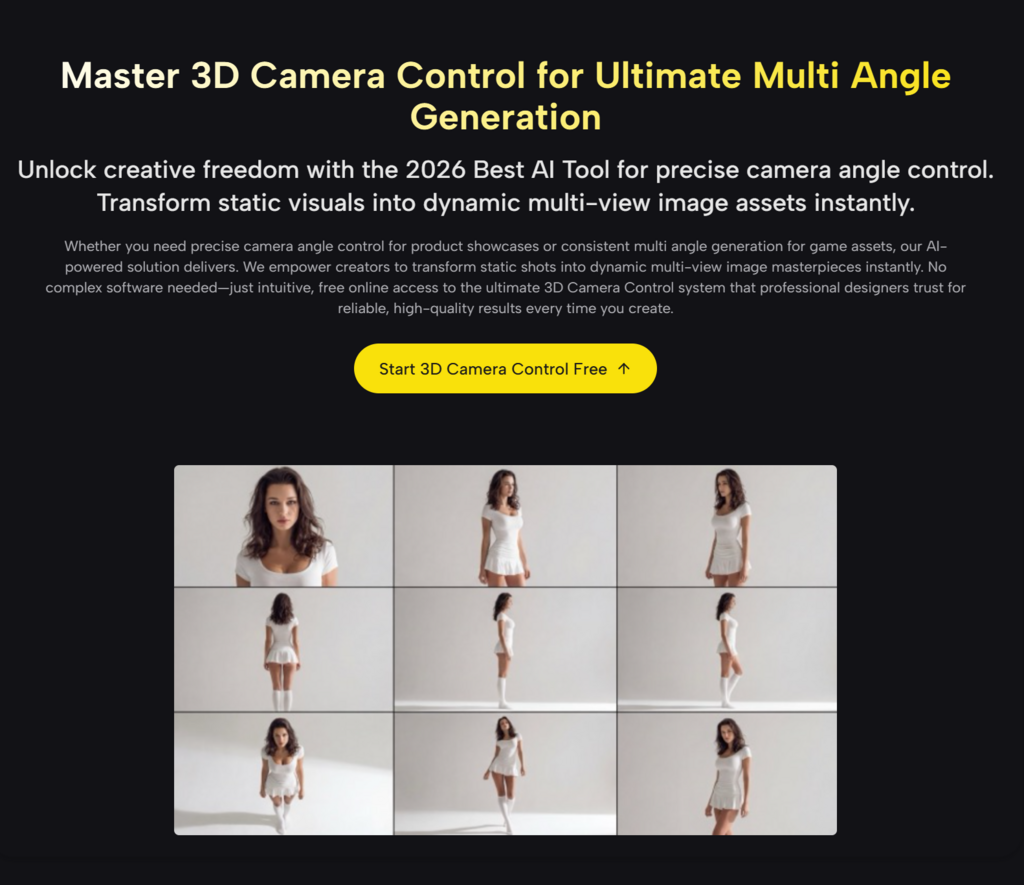
E-commerce authors use preset angle groups to generate consistent 360-degree product views. Maintain visual consistency across your catalog by applying the same camera path to different products. One furniture company I consulted used this approach to reduce product photography time by 40%.
architecture and real estate
Designers preview building concepts using controlled camera paths to simulate how visitors will experience the space, such as entrance approaches, internal circulation, and focal points. Being able to “walk through” a building before construction begins has transformed client presentations.
Movie and story content
Filmmakers maintain visual consistency by saving camera settings. If scene A ends at a certain angle, scene B can start from a complementary position, creating a visual flow that feels intentional rather than random.
Honest Limits You Should Know
Pushing a Button Doesn’t Mean Perfection
To be clear, this isn’t a push-a-button perfect. In my experience, it still takes 2-3 generations to complete complex shots, especially when combining multiple camera movements and complex subject actions. AI may prioritize subject consistency over camera accuracy. This is a reasonable trade-off, but it can also be frustrating.
Subtle is often better than dramatic.
Here’s what I learned the hard way: Subtle movements often work better than dramatic ones. The epic 180-degree trajectory you envisioned can create spatial inconsistencies that the AI will struggle to maintain. Start modestly and push the limits as you learn your system’s sweet spots. The best results were obtained with movements completed within 3 to 5 seconds of video time.
Why this is important to the creative process
From happy accidents to intentional designs
The real value is not just improved output; creative confidence. Once you know you can reliably execute a particular shot, you start thinking more broadly. Rather than hoping for happy accidents, plan the sequence. Develop a visual vocabulary that can be consistently translated from imagination to screen.
My projects now feel more intentional. The camerawork is consistent, and although the viewer may not consciously notice it, they definitely feel it. That is the difference between “videos generated by AI” and “movies made with AI tools.”
Introduction: Practical first steps
Start simple and build complexity
If you’re interested in parametric camera control, start simple. Select one subject and try one movement type at a time. Master trajectory before combining it with zoom. The learning curve is slower than you might expect, especially if you have some photography experience. I have coached complete beginners to create stunning camera movements in less than an hour.
Build a movement library
Save the successful camera configuration. Over time, you’ll be able to build a personal library of moves that work in a variety of scenarios, including product announcements, character introductions, and shots that establish environments. This library becomes your creative shorthand.
The future of creative control in AI video
future of AI video generator agent It’s not just about making pixels more realistic, it’s about giving creators precise and expressive control over every aspect of the frame. Camera movement is just the beginning, but it’s the key foundation for everything that follows.
We are moving from an era of “prompts and prayers” to an era of true creative direction. AI handles the heavy lifting of rendering and physics, while you maintain artistic control over composition, movement, and pacing.
Your vision is worth more than guesswork. You deserve the precision of a cinematographer combined with the speed of AI. That combination? It’s already here and waiting for you to explore.