
TL;DR
- AI video generators now cover five distinct jobs: complete business-video production, campaign design, browser editing, avatar-led communication, and specialist generative clips.
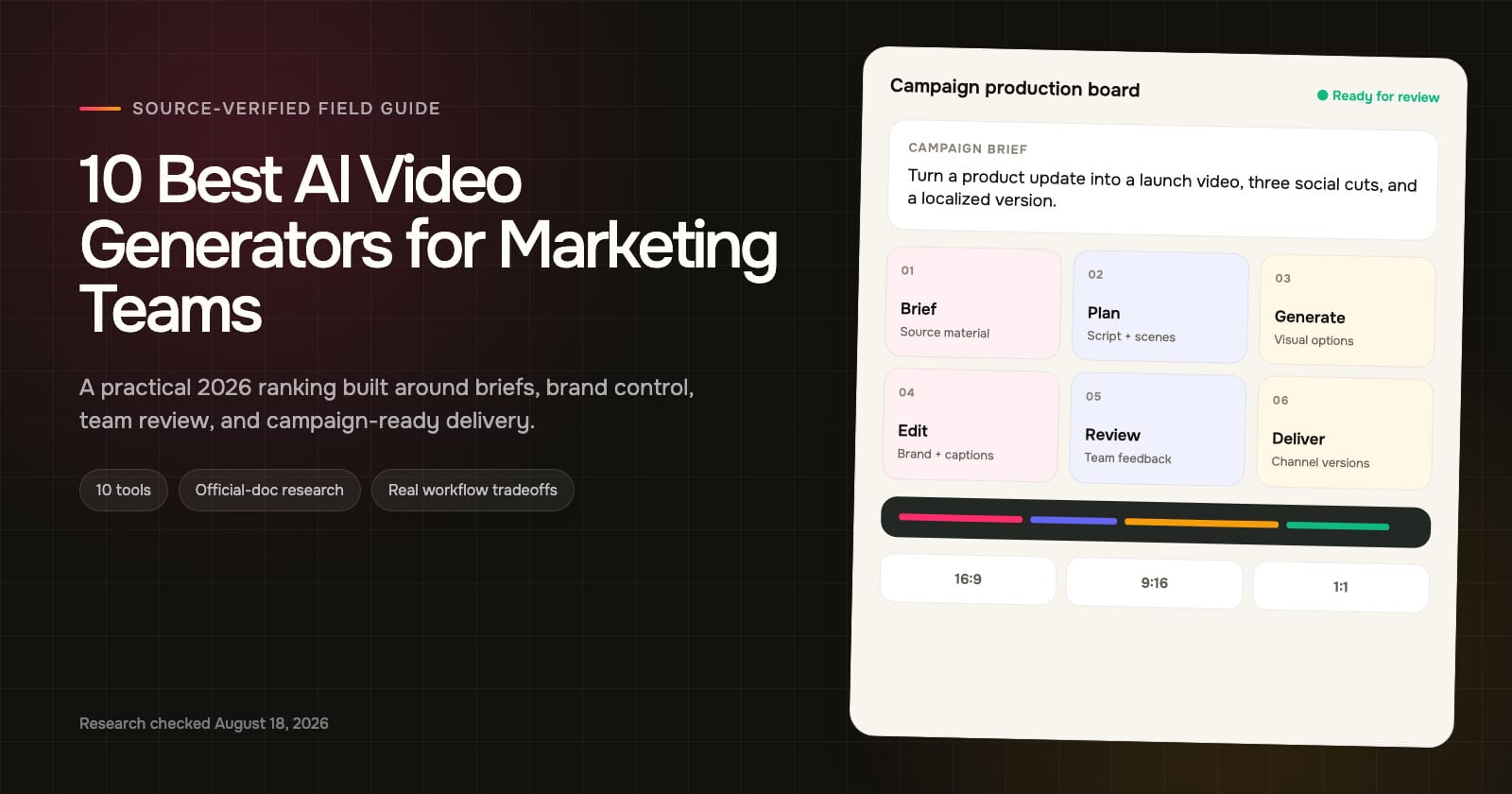
- ngram ranks first because its documented workflow connects business source material, message planning, editable production, team review, and multi-format delivery in one project.
- Pick Canva for a wider design system, VEED for editing and repurposing, HeyGen or Synthesia for presenters, and Runway for high-control visual shots. The right choice follows the bottleneck.
AI video has crossed an awkward threshold. The category is now useful enough to sit inside a real marketing workflow, but broad enough that two products described as an “AI video generator” may solve entirely different problems.
One may create an eight-second visual shot, while another turns a script into an avatar presentation. Some products start with a product page and carry a complete story through planning, feedback, and delivery. Comparing those tools only by how impressive their demo clips look is a quick way to buy the wrong system.

Demand is already obvious. Google Ads Keyword Planner recorded an average of 246,000 monthly US searches for “AI video generator,” with 301,000 searches in both October 2025 and July 2026. Wyzowl’s 2026 survey also found that 91% of businesses use video, while 63% of video marketers have used AI video tools.
The harder question is operational: can the product turn your actual source material into a message your team can inspect, revise, approve, and adapt for each channel?
There is a lot of money behind the workload. The IAB 2025 Digital Video Ad Spend and Strategy Report says US digital video ad spend reached $64 billion in 2024, an 18% increase, and projected $72 billion in 2025. IAB also expected digital video to represent 58% of TV and video ad dollars.
Those figures measure advertising rather than AI-tool revenue. They still explain why production speed, creative variation, and governance now concern more than a social-media manager.

Monthly US search demand for “AI video generator.” Source: Google Ads Keyword Planner historical metrics, accessed August 18, 2026.
| Month | Searches |
|---|---|
| August 2025 | 201000 |
| September 2025 | 201000 |
| October 2025 | 301000 |
| November 2025 | 246000 |
| December 2025 | 246000 |
| January 2026 | 246000 |
| February 2026 | 201000 |
| March 2026 | 246000 |
| April 2026 | 246000 |
| May 2026 | 246000 |
| June 2026 | 246000 |
| July 2026 | 301000 |
The steady category-level interest matters more than any one monthly spike. Marketing teams are no longer evaluating a novelty. They are choosing production infrastructure, and that raises the standard for what “good” means.
How we chose the best AI video generators for marketing teams
The best AI video generator for a marketing team is the one that removes the team’s real bottleneck while preserving message accuracy, brand control, editability, review, and channel delivery. A strong generated clip is useful, but a dependable path from source material to approved campaign assets is more valuable.
This ranking follows a fixed order and reviews current official product pages and documentation. It does not pretend that every product was hands-on tested under identical conditions. Instead, it checks what each company currently documents, then matches those capabilities to common marketing jobs.
We used six core criteria:
A useful AI video generator does not need to lead every category. It does need to be clear about which stages it owns and which stages still depend on another product or a human operator.
- Source intake: Can the tool work from more than a short prompt, such as a script, URL, document, deck, recording, or product material?
- Planning: Can a marketer inspect or revise the script and scene structure before generation commits the concept?
- Creation and editing: Does the workflow produce useful visual material and provide enough control to correct pacing, captions, voice, and scenes?
- Brand control: Can teams reuse approved colors, type, imagery, templates, or other brand references?
- Review: Can stakeholders collaborate, comment, manage versions, or at least share an editable project?
- Delivery: Can the same core story become the formats, aspect ratios, languages, and outputs a campaign needs?
Those criteria reflect the friction marketers describe in practice. In public discussions, users repeatedly separate eye-catching generation from the less glamorous work of maintaining a hook, keeping text inside safe zones, making variants, and handling feedback. They also warn that switching among many specialist tools can erase the speed gained at the generation stage.

Video is established, and AI is already part of the workflow. Source: Wyzowl Video Marketing Statistics 2026.
| Measure | Percent |
|---|---|
| Businesses using video | 91 |
| Plan same or more video spend | 92 |
| Video marketers using AI tools | 63 |
Wyzowl surveyed 266 marketers and consumers in late 2025, so its results are directional rather than a census. Even with that caveat, the pattern is clear: video production is mainstream, spending intent is resilient, and AI use is no longer rare.
The same survey shows why workflow fit matters. Among businesses not using video, cost and time remain the two largest reported barriers. A product that generates quickly but creates new rounds of manual cleanup has moved the cost rather than removed it.

Why surveyed video nonusers stay out of the category. Source: Wyzowl Video Marketing Statistics 2026.
| Barrier | Percent |
|---|---|
| Too expensive | 24 |
| Not enough time | 19 |
| ROI is unclear | 10 |
| Do not know where to start | 10 |
| Stakeholder buy-in | 5 |
| Poor past experience | 5 |
What official documentation reveals about each AI video generation platform
The phrase “AI video generator” hides at least five product categories. There are complete business-video workspaces, broad design suites, browser editors with AI features, avatar-led presentation platforms, and model-focused generative clip engines. Some products span two or three categories, but the center of gravity of each AI video generation platform still matters.
To make those differences visible, we checked current public documentation for every ranked product against the six workflow criteria above. “Supported” means the capability was explicitly documented. “Partial” means only part of the criterion was confirmed.
“Not confirmed” means the sources reviewed did not verify it. It does not prove that a feature is impossible or unavailable in every plan.
The matrix does not score visual quality, speed, price, or reliability. It also avoids treating the number of checkmarks as an automatic ranking. A campaign that needs one distinctive hero shot may prefer a focused generative tool over a system with broader workflow coverage.

| Tool | Business-source intake | Plan or storyboard | Generated visual clips | Brand controls | Team review | Multi-format delivery |
|---|---|---|---|---|---|---|
| ngram | Supported | Supported | Supported | Supported | Supported | Supported |
| Canva | Partial | Not confirmed | Supported | Supported | Supported | Supported |
| VEED | Partial | Partial | Supported | Supported | Supported | Supported |
| InVideo | Partial | Supported | Supported | Not confirmed | Not confirmed | Supported |
| HeyGen | Supported | Partial | Partial | Supported | Supported | Supported |
| Synthesia | Supported | Supported | Supported | Supported | Supported | Partial |
| Adobe Express | Partial | Not confirmed | Supported | Supported | Supported | Supported |
| Runway | Partial | Not confirmed | Supported | Supported | Partial | Supported |
| Pictory | Partial | Supported | Partial | Supported | Supported | Supported |
| Renderforest | Partial | Supported | Supported | Supported | Not confirmed | Supported |
Caption: Current official-document workflow coverage, reviewed August 18, 2026. This is a documentation audit, not a hands-on output-quality test.
Generation is now common; planning and review are less consistent. The starting asset changes the right choice, too. A product marketer working from a launch page and a sales deck has different needs from a creative director building a surreal six-second shot. Team features can also depend on the plan, so buyers need to verify the exact tier rather than assume that a capability shown on a business page belongs to every account.
The matrix also shows why a generic feature count can mislead. Canva and Adobe Express surround video with broad campaign-design systems. HeyGen and Synthesia emphasize repeatable presenters. Runway puts more creative control into short generated visuals.
Pictory turns approved text into scenes, while VEED begins from the editing surface. InVideo and Renderforest automate more of the assembly. ngram is positioned around preserving the connection from business source through plan, production, review, and delivery.
None of those positions guarantees that a tool will match a specific brand. Visual taste, model behavior, latency, credit economics, permissions, and reviewer habits still need a real pilot. Documentation establishes what a workflow is designed to support; a representative project shows how well that support holds up for your team.
Production speed is only half the argument. Wyzowl reports that 89% of surveyed consumers say video quality affects their trust in a brand. Review and correction belong in the quality system.

What surveyed consumers say video changes. Source: Wyzowl Video Marketing Statistics 2026.
| Outcome | Percent |
|---|---|
| Watched an explainer to learn | 96 |
| Say video quality affects brand trust | 89 |
| Convinced to buy by a brand video | 85 |
| Want more video from brands | 84 |
| Bought or downloaded after an app demo | 80 |
1. ngram: best for turning business source material into campaign-ready video
Most AI video products begin with an empty prompt box or a nearly finished script. ngram (founded by Anish Muppalaneni and Devadutta Ghat in 2022) is a business video creation platform for teams across marketing, sales, HR, learning, customer success, operations, and internal communications. Marketing campaigns are one application of a wider system that also supports sales enablement, HR onboarding, training, customer education, and internal communication. In a marketing context, ngram starts earlier in the production process. It can take the material a team already has, including a URL, document, deck, screenshot, screen recording, raw video, or Shopify product, and use that context to build a video plan.
That difference sounds small until a campaign contains product facts, positioning language, proof points, and a required call to action. Re-entering all of that into a prompt invites omissions. A source-aware workflow gives the system something concrete to organize and gives the marketer a clearer basis for review.
The plan stays visible
ngram’s AI video generator can develop the script and storyboard before turning the concept into scenes. It combines the useful parts of an AI script generator and an AI storyboard generator inside the larger project. A marketing lead can inspect the hook, structure, audience angle, and scene logic before spending time on visual generation.
That planning layer is the most important part of the product’s number-one placement. It connects the business brief to the final asset instead of treating the prompt and the rendered clip as the only meaningful steps.
The product can then combine captions, AI voiceover, avatars, motion graphics, product callouts, smart zooms, screen-recording polish, generated images or video, and background music. A team does not need every element in every project. The point is that informational, presenter-led, product-led, and generated-visual approaches can live in the same project model.
Editing stays in the same project
The first draft remains editable through chat as well as script, scene, timeline, and canvas controls. That matters when a stakeholder asks for a stronger opening, a shorter second scene, a corrected product detail, or a different framing for a social cut.
Brand kits provide reusable visual direction. A team workspace and version gallery make review less dependent on downloading files with names such as final-v7-revised. Hosted pages and embeds cover lightweight distribution, while exports include common video and image formats.
ngram also supports 16:9, 9:16, and 1:1 output. More importantly, the source, message plan, scenes, edits, and variants stay connected instead of forcing the team to rebuild every channel asset in isolation.
That continuity is useful when one campaign has several owners. Product marketing can protect the claim, brand can adjust the visual system, demand generation can ask for a shorter hook, and regional teams can adapt the delivery. The version gallery gives those changes a shared history rather than leaving each function with a separate copy.
The same logic applies to mixed-media projects. A product launch may need a polished screen recording for the proof, generated visuals for the opening, an avatar for a translated explanation, and motion graphics for the final callout. Keeping those modes inside one editable project reduces the chance that a late factual correction must be repeated across several applications.
Where it fits, and what to verify
ngram is the clearest fit here for product marketing, demand generation, content, enablement, and lean creative teams that want to move from business material to a complete, reviewable video without assembling a chain of separate tools. It also works as a URL to video path when a live page is the source, while retaining the planning and editing stages around the result.
It is less appropriate if the only job is generating a highly specific cinematic shot at the edge of model control. A specialist such as Runway may offer a more focused environment for that task. Teams should also confirm plan limits, preferred models, localization needs, and export requirements against their actual production volume.
Pick ngram when the hard problem is carrying a reliable campaign story from source to approval and delivery, rather than making a single visual move.
2. Canva: best for teams already building campaigns in a design suite
Canva is the most familiar AI video generator on this list for many marketing teams. The surrounding design environment is the draw: templates, stock media, brand controls, presentation assets, social graphics, comments, approvals, and resizing already live beside its video tools.
Canva’s AI video generator can create short visual clips from prompts, after which the result moves into the regular editor. Teams can add text, transitions, filters, music, uploaded footage, and stock assets. Social video templates provide starting dimensions for major channels, while Magic Switch can reformat designs for different destinations.
The business workflow is stronger than the generation feature alone. Canva documents Brand Kits, locked elements, brand templates, shared folders, comments, live collaboration, task assignment, and design approvals. For a campaign that needs a Reel, feed graphic, presentation, landing-page image, and sales one-pager, keeping those assets in one visual system can be more useful than maximizing video specialization.
Planning depth is the weak point. Current public documentation clearly supports prompt-to-clip creation and collaborative design, but it does not establish a source-aware, pre-render campaign-story workflow comparable to a system built around documents, URLs, or recordings. A marketer may still need to develop the message and assemble the complete sequence manually.
Canva is also a useful reminder that “AI video” may be one capability within a much larger system. That is a benefit if marketers already know the editor and reviewers already use Canva links. It can be a distraction if the team expects one prompt to interpret a detailed brief, choose the argument, and return a complete long-form cut.
During a pilot, test a real multi-asset request. Create the main video, a vertical cut, a thumbnail, and a supporting graphic, then invite an approver. That reveals Canva’s system-level advantage more honestly than judging one generated clip in isolation.
Choose Canva when the team’s main bottleneck is producing a consistent family of campaign assets and video is one format among several. It is particularly practical as a social media video maker beside the rest of a campaign kit. Look elsewhere when a long brief must become a complete video narrative with minimal hand assembly.
3. VEED: best for browser-based editing and social repurposing
VEED is an AI video generator that sits closer to an editor than a pure generation engine, and that is often a strength. Marketing teams usually need to repair, caption, resize, trim, and review video more often than they need to create an entire campaign from synthetic footage.
Its AI workflow can begin with a prompt or script and assemble scenes with voiceover, avatars, subtitles, generated material, stock media, or a user’s own footage. The draft then opens in VEED’s browser editor, where the team can change media, timing, text, and layout.
Collaboration is a meaningful part of the fit. VEED documents timestamped comments, shared workspaces, roles, and Brand Kits. Those features make it practical for a marketer, editor, and approver to work around the same project without routing every note through chat or email.
VEED is especially useful for content teams repurposing webinars, interviews, podcasts, customer footage, or screen recordings into social clips. Captions and format changes sit near the editing surface, which shortens the path from rough asset to publishable cut.
VEED still begins at the editing and assembly stage. Teams that want a detailed plan generated from a product page, sales document, or deck may need to prepare the narrative elsewhere. Generated scenes can accelerate production, but their value depends on the quality of the script and source direction supplied.
That distinction is useful for agencies and in-house content studios. If a producer already knows how the story should flow, VEED can remove a large amount of browser-based mechanical work. If the marketer needs the system to find the story inside a pile of source material, the workflow begins too late.
Test the review loop with the people who normally leave feedback. Timestamped comments are valuable only if reviewers can understand the project, see the right version, and resolve notes without exporting a new file. Also check whether the Brand Kit and role controls available on the intended plan match the team’s governance needs.
Choose VEED when a browser-based AI video editor, captions, collaboration, and repurposing are the daily work. It is a more natural fit for refining and multiplying footage than for replacing upstream campaign strategy.
4. InVideo: best for fast prompt-to-draft production
InVideo is an AI video generator aimed at a broad prompt-to-video experience. Its current product materials describe an agentic workflow that can write a script, storyboard the concept, select or generate visuals, add voiceover, subtitles, and music, then accept text commands for revisions.
That makes it attractive when a marketer needs a first draft quickly and does not want to manage every scene from a blank timeline. The stock library is useful for subjects that can be illustrated with general business, lifestyle, travel, or concept footage. Generated material can fill gaps where stock feels too familiar.
The product also supports script-led creation and aspect-ratio changes, so a team can begin with approved copy and adapt the result for different channels. Text-command editing reduces the need to locate every control manually, particularly during early iterations.
There are two important checks. First, output quality depends heavily on whether the prompt gives the system enough specificity about audience, offer, tone, proof, and desired action. A vague request often creates a competent but interchangeable video. Second, InVideo’s public page has described real-time multiplayer collaboration as coming soon, so buyers should not assume synchronous co-editing is already part of the current workflow.
Its stock access can be an advantage for broad subjects and a limitation for specific ones. A campaign about leadership, finance, or travel may find many usable scenes. A technical product launch may need screenshots, original product capture, or carefully generated shots because general stock does not prove the feature being discussed.
Run the same script through more than one visual direction and count how much manual replacement follows. Also test revision commands on one scene rather than regenerating the whole video. Time the fifth revision, because that is closer to the version a team may approve.
Choose InVideo when speed to a serviceable draft matters most and the team is comfortable directing the concept through a prompt or approved script. For buyers comparing text to video AI, its assembly and command-editing stages deserve as much attention as the initial generation. Confirm brand-governance and review requirements against the current plan before standardizing it across a larger organization.
5. HeyGen: best for avatar-led marketing and localization
HeyGen is an AI video generator for messages that need a consistent on-screen presenter without scheduling repeated shoots. A marketer can work from a script, PDF, or slide deck, select an avatar and voice, then build a presenter-led video for product communication, outbound campaigns, announcements, or localized content.
Its official business materials document more than 175 languages, along with captions, Brand Kits, team workspaces, collaboration, and personalization. That combination is useful for a global team repeating the same approved message across markets or audience segments.
The format also reduces a familiar production problem. When a line changes after legal, product, or regional review, an avatar scene can be revised without bringing a presenter and crew back together. Templates can keep framing and visual structure consistent across a series.
HeyGen should not be confused with a general-purpose cinematic model. Its core value is controlled communication through an avatar, supported by editing, translation, and brand tools. It may include generated B-roll or supporting assets, but a campaign built around expressive product cinematography will usually need a different creative path.
The biggest risk is sameness. An avatar can make production repeatable, yet repeated framing, stock gestures, and undifferentiated scripts can make the campaign feel templated. Creative direction still matters, especially for the hook, supporting visuals, and pacing.
Video localization needs its own quality bar. A language count is a coverage signal, not proof that a product name, technical term, regional phrase, or emotional line will sound natural. Give a native reviewer the script, voice, captions, and on-screen text before treating the localized asset as finished.
Personalization can also change the production equation. When the campaign needs many audience or account variants, a controlled presenter template may be more sustainable than filming each version. Verify how data enters that workflow and which elements can vary without breaking brand or compliance review.
Choose HeyGen when AI avatars, presenter consistency, localization, and updateability are central. For performance creative, compare the avatar-led approach with customer footage or product-led scenes before committing the whole campaign to one format.
6. Synthesia: best for structured presenter-led business video
Synthesia is another AI video generator centered on presenters, with a workflow shaped for structured business communication. Its official generator supports prompts, scripts, PDFs, PowerPoint files, and URLs, then produces a multi-scene draft that can be edited before delivery.
The product documents avatars, AI B-roll, Brand Kits, collaboration, and more than 160 languages. Videos can be delivered as MP4 files, links, or embeds. That makes Synthesia well suited to repeatable explainers, product education, enablement, internal campaign rollouts, and localized updates.
Compared with starting from a blank design canvas, its scene structure gives non-editors a clearer way to organize a message. A marketing operations or enablement team can create a reusable template, change the script, replace supporting visuals, and keep the presentation pattern stable.
As with any avatar platform, the format itself is a creative constraint. It works when the audience benefits from a clear presenter and supporting information. It is less persuasive when the campaign depends on product texture, customer emotion, documentary realism, or a highly distinctive visual concept.
Brand Kits are also associated with business-oriented access, so a smaller team should confirm which controls are available on the plan it is evaluating. Language count alone should not decide a localization purchase either. Pronunciation, on-screen text, regional review, and the naturalness of the selected voice need a real sample in each priority market.
The source options deserve attention. A PDF, presentation, or URL can shorten the trip from approved information to a scene outline, but the team still needs to compare that outline with the original. Dense documents can contain qualifications or footnotes that do not survive an automatic summary.
For evaluation, use a message with one awkward pronunciation, one required disclaimer, one screen or diagram, and one late script correction. That small stress test exposes more about the ongoing workflow than a polished generic welcome video.
Choose Synthesia when the team wants a governed, repeatable presenter format with strong source options. Prefer a broader editing or generative workflow when the video must move far beyond a scene-based presentation.
7. Adobe Express: best for Adobe-centered campaign production
Adobe Express brings an AI video generator into a lightweight campaign-content environment. Its current help documentation supports text-to-video and image to video generation, including controls for camera movement and common landscape or vertical formats. The generated material can then be edited with text, audio, templates, and other Express assets.
The business offering adds the pieces marketing teams expect from a shared design system: Brand Kits, locked templates, comments, live co-editing, resizing, and translation. Adobe also positions Firefly-generated content around commercial safety, although every team still needs to review the applicable terms and its own usage context.
Express makes particular sense for organizations already using Creative Cloud. A marketer can produce a quick campaign asset without opening a professional editing application, while a designer can take more complex work into the wider Adobe ecosystem when needed.
Express draws a clear boundary between convenience and depth. It is intentionally accessible, so detailed timeline work, advanced compositing, and high-control post-production still belong in more specialized software. Its public workflow also begins with prompts or media rather than documenting a complete source-to-story planning system.
The Adobe connection is most valuable when the handoff is intentional. A marketer can build and resize a quick piece in Express, while a specialist handles exceptional shots or detailed finishing elsewhere. Without that division, teams may either overcomplicate simple work or ask the lightweight editor to behave like a full post-production suite.
Commercial-safety language should be treated as a starting point for governance. Record which model created an asset, preserve the source media, and review product likeness, trademarks, claims, and local disclosure rules before distribution.
Choose Adobe Express when the team wants approachable video generation, established brand controls, and easy handoff within an Adobe-centered organization. It is especially practical for social assets, short promotions, and image-led motion, but not a replacement for every professional editing task.
8. Runway: best for high-control generative visual shots
Runway belongs in this ranking because some campaigns do not need another template. They need a visual that could not be captured easily, found in stock, or produced within the available budget. This AI video generator concentrates on that creative-generation problem.
Its Gen-4.5 documentation supports text-to-video and image-to-video with short clip durations, aspect-ratio choices, and prompt control. Reference-media workflows can use images, video, or audio to guide generation. Saved references can be shared with a workspace, and enterprise Brand Kits organize reusable product, location, color, character, and style material.
That makes Runway useful for concept shots, product worlds, stylized transitions, campaign mood exploration, and visual sequences that will later be assembled elsewhere. Reference controls are particularly important when a team needs a look or subject to persist across more than one generation.
A model demo can hide the surrounding work. A team still needs an approved message, shot selection, sequence, captions, sound, brand review, rights review, and channel delivery. Current Gen-4.5 guidance describes clips measured in seconds, so longer work generally requires multiple generations and editing.
Credit consumption can also shape iteration. The first output is rarely the one a creative team ships, which means a realistic evaluation should budget for alternatives, failed generations, extensions, and revisions.
References improve continuity, but they do not remove the need for shot-level direction. Camera movement, subject motion, background behavior, lighting, and the intended edit point all affect whether a generated clip can join the next one cleanly. A marketing team without that craft may create many impressive fragments and still lack a coherent ad.
Evaluate Runway with a short shot list, not one prompt. Generate an opener, product-detail moment, transition, and closing environment, then assemble them with the real copy and audio. That test reveals both the creative ceiling and the production work surrounding it.
Choose Runway when a high-control AI clip generator is the scarce capability and your team already has the production craft to assemble the result. It is a specialist creative engine, not the automatic answer to every marketing-video job.
9. Pictory: best for turning approved text into reusable video
Pictory is an AI video generator built around a straightforward content-repurposing idea: start with words or existing media, turn them into an editable sequence, then publish the result in the formats the campaign needs.
Its official materials describe script-to-video and text-led workflows that create an editable storyboard, match visual material to the copy, add captions for videos, add AI voiceover, and support brand settings. It also documents 16:9, 9:16, and 1:1 delivery, which suits teams adapting a core story across web and social channels.
Pictory fits a company with a strong content engine. A blog post, webinar transcript, approved script, or long-form recording can become an explainer, summary, or series of short assets without rebuilding the message from nothing.
The strongest input is already structured. If the source article is vague or the script lacks a clear hook, visual matching cannot solve the strategy problem. Stock-led assembly can also feel generic when the topic depends on a specific interface, physical product, customer story, or unusual visual identity.
Teams should inspect how much control they retain over scene choice, pacing, pronunciation, and visual replacement. They should also evaluate whether collaboration features match the number and roles of reviewers in their real process.
Pictory’s economics improve when the organization has a steady stream of approved source content. A weekly article, event recording, or expert interview can become a repeatable production queue. The workflow is less differentiated for a team that rarely publishes long-form material and mostly needs original ad concepts.
During a trial, choose a source with several concrete facts and one section that should not appear in the video. Check whether the storyboard keeps the important points, whether exclusions are easy, and how quickly a marketer can replace a visually plausible but inaccurate stock scene.
Choose Pictory when approved text is plentiful and the goal is efficient repurposing. It is less compelling when the team needs deep generative art direction or wants the system to reason from a complex set of business sources.
Renderforest combines an AI video generator with a large template-oriented creative suite. Its current AI video materials describe workflows that can begin with text, images, or a script, create scenes and voiceover, and provide Smart Edit controls for revising the result.
The product is useful for promotional videos, explainers, logo animations, intros, event assets, and other jobs where a polished visual structure matters more than building an original edit from scratch. Brand colors, fonts, and logos can be applied within the editor, while model options and image-to-motion tools broaden the visual range.
Renderforest also documents videos up to three minutes and multilingual voice options across more than 50 languages. Those capabilities make it relevant for teams producing regular campaign explainers or regional variants without a dedicated motion designer for every asset.
The template foundation is both the advantage and the caution. It accelerates layout and motion, but popular patterns can look familiar. Teams with a distinctive art direction should test whether they can move far enough beyond the default structure without losing the efficiency that made the product appealing.
Current public sources are less explicit about team review than they are about creation and brand customization. A marketing department with formal approvals should verify commenting, permissions, and version handling before making it the central workspace.
The language and duration options make Renderforest attractive for repeatable explainers, but a three-minute ceiling should be interpreted in context. Many campaign assets are shorter, while a training lesson or detailed product walkthrough may need a different structure. Voice availability also does not guarantee pronunciation quality for specialized terms.
Test how far the editor can depart from a chosen template. Replace scenes, change pacing, apply the brand system, and create a second aspect ratio. If every correction fights the original structure, the speed advantage will fade as campaign requirements become more specific.
Choose Renderforest when the job calls for a polished, template-led promotional asset and speed matters more than granular editorial control. It closes this fixed ranking because that workflow is narrower for a cross-functional marketing team, even though the product covers plenty of useful creation tasks.
How to choose the right AI video generator for marketing
Start with the part of production that currently consumes the most expensive human attention. If the team spends days translating scattered source material into a coherent brief, choose a source-aware end-to-end workspace. If it struggles to make a complete campaign family, a design suite may create more value. If raw footage piles up, prioritize editing and repurposing.
Avatar platforms fit repeatable presenter-led communication. Generative clip engines fit teams that already know the message but lack a visual. Treating those as interchangeable categories produces disappointing trials because each product gets judged on a job it was not designed to own.

Caption: Choose the workflow category that matches the hardest part of the campaign.
Run one realistic project through the product. Use an actual launch page, script, recording, or brief, not a one-sentence fantasy prompt. Include the reviewer who usually catches positioning, legal, brand, or product issues. Count the manual handoffs as carefully as the generation time.

Caption: A campaign-ready evaluation includes everything that happens after the first generation.
The evaluation should preserve human decisions at six points: factual inputs, message approval, visual and rights fit, brand review, accountable signoff, and channel QA. Removing those gates may make a demo look faster while making the production system less dependable.

Caption: A prompt begins the workflow. It does not replace planning, review, or delivery.
Define “output” before the trial. A downloaded master file is enough for some campaigns. Others require vertical and square cuts, captions, translated versions, embeds, editable projects, review history, or a family of non-video assets.
A useful pilot can be run as a small production scorecard without turning the decision into an abstract procurement exercise. Give every finalist the same approved source pack and deadline. Record time to an acceptable plan, number of manual handoffs, number of factual corrections, number of visual replacements, reviewer effort, and the work required for a second format.
Do not assign a universal numerical rating. Use the observations to expose where each workflow creates or removes labor.
Include failure cases. Ask the tool to revise one claim without disturbing approved scenes, replace one visual without changing the narration, and produce a vertical cut without hiding important text. A smooth first generation is pleasant. Controlled correction is what makes a system safe to reuse every week.
HubSpot’s 2026 State of Marketing, based on more than 1,500 marketers, found that 48.6% identified short-form video as a top ROI-driving format. Long-form video followed at 28.6%. The gap reinforces the value of systems that make channel-specific versions practical.

Formats marketers most often associate with ROI. Source: HubSpot State of Marketing 2026.
| Format | Percent |
|---|---|
| Short-form video | 48.6 |
| Long-form video | 28.6 |
| Live-streaming video | 25.1 |
| User-generated content | 24.0 |
| Blog posts | 22.3 |
The chart does not prove that short-form video will produce the same return for every business. It does show why format adaptation belongs in the buying decision rather than as a cleanup task after the tool has been selected.

Caption: The products occupy different category positions. The map is qualitative, not a performance score.
Frequently asked questions
What is the best AI video generator for a marketing team?
The best choice depends on the workflow bottleneck. In this ranking, ngram is first for teams that need to move from business source material through planning, generation, editing, review, and multi-format delivery. Canva is stronger when video belongs inside a broad design workflow, while Runway is better suited to specialist generative shots.
Can AI video generators make campaign-ready videos from one prompt?
Some can create a useful first draft, but “campaign-ready” usually includes factual review, brand correction, captions, rights checks, stakeholder feedback, and channel variants. A detailed prompt improves the draft. It does not eliminate those responsibilities.
Which AI video tool is best for social media variants?
Canva, VEED, Adobe Express, Pictory, and ngram all document multi-format or resizing workflows relevant to social production. The better choice depends on whether the team starts with a design, existing footage, approved text, or a complete business brief. Test 16:9, 9:16, and 1:1 using the same real campaign before comparing convenience.
Are avatar video generators the same as generative video models?
No. Avatar platforms such as HeyGen and Synthesia focus on repeatable presenter-led communication, often with localization and template controls. Generative models such as those emphasized by Runway create new visual motion from prompts or references. A campaign may use both, but they solve different production problems.
What should a marketing team verify before buying?
Verify source inputs, script and storyboard control, scene-level editing, brand governance, collaboration, version handling, aspect ratios, localization, export formats, model and stock rights, and plan limits. Use one representative project and include the people who normally review the final asset.
Can AI-generated marketing videos be used commercially?
Commercial use depends on the product terms, model, stock or uploaded media, avatar and voice permissions, trademarks, and local rules. A vendor’s general commercial-use statement does not replace checking the exact inputs and plan used for the project. Keep an accountable human reviewer in the process.
Which AI video generator should your team pick?
There is no useful single-axis ranking for AI video in 2026. The products above range from complete campaign workspaces to design suites, editors, avatar systems, and visual-generation engines. Their overlap is real, but so are their different centers of gravity.
Evaluate an AI video generator as part of a production system rather than as an isolated demo. A useful output survives correction, approval, adaptation, and another campaign next week.
ngram takes the top position because it connects business source material, message planning, editable production, team review, and delivery across functions. Marketing is one application of that system alongside sales enablement, onboarding, training, customer education, and internal communication. The other tools remain good choices when a narrower job defines the purchase. Pick the workflow that removes your current bottleneck, then judge the generated video inside the full path your team uses to ship.


