We have survived an era of over-hyped and under-supplied AI hardware.
In 2024, devices like the Humane AI Pin and Rabbit R1 were selling the idea that AI could navigate apps and services for you. They failed primarily because they tried to reinvent the wheel.
Well, the March 2026 Pixel Drop actually delivers on that promise, and you don’t have to carry a weird orange box in your pocket.
With Gemini now using visual reasoning to control third-party software on your screen, Google is rethinking the way you interact with your devices, and it’s one of the most spectacular and strange features I’ve ever seen.

How to disable AI features on Android smartphones
Eliminate annoying AI features in seconds
How Gemini screen automation works on Android

The old Assistant worked within strict API limits and controlled integrations. Gemini will do something completely different this time.
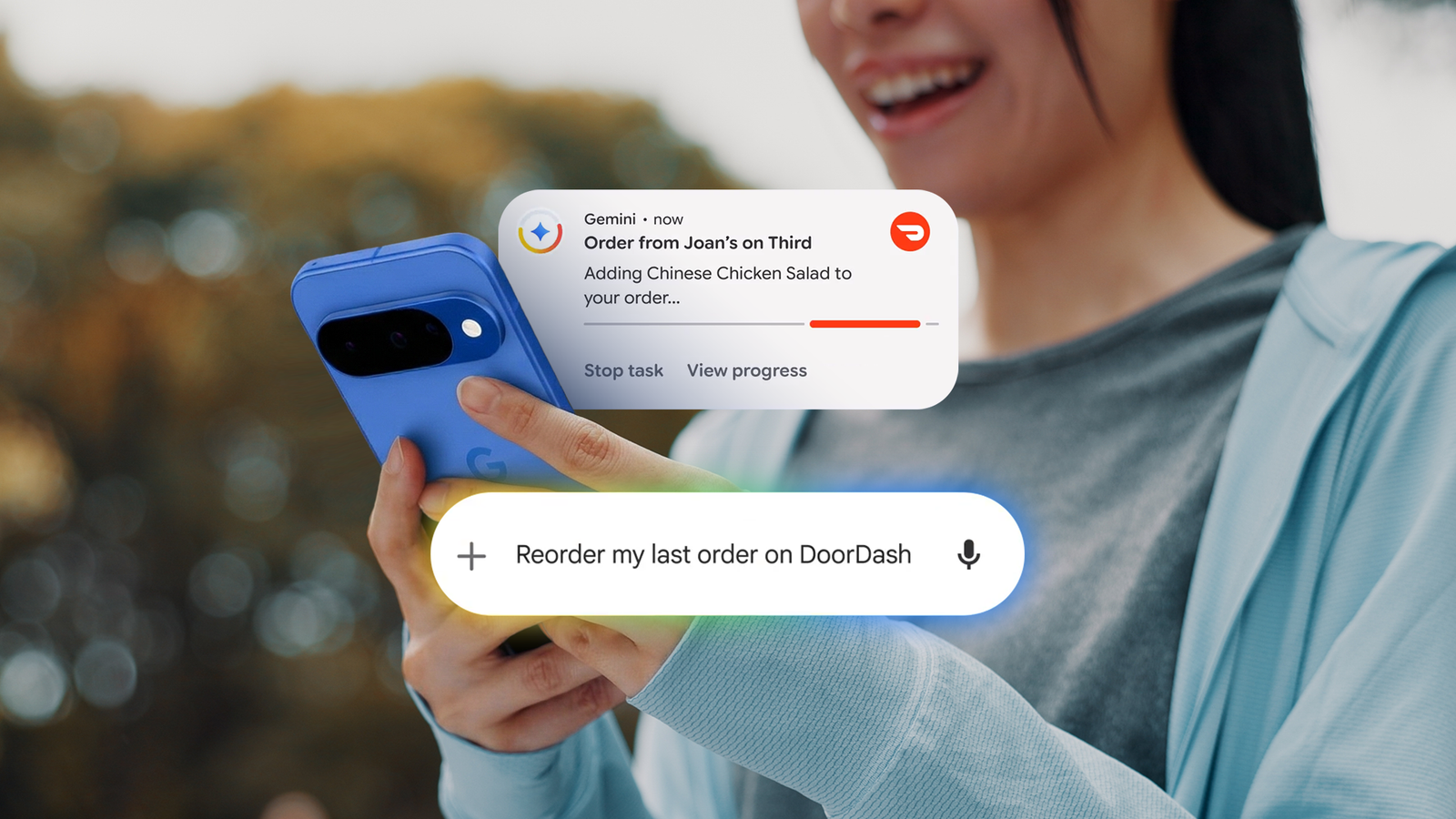
With screen automation, Gemini reads what’s on your screen, selects text fields, menus, search bars, and more, and interacts with it in real-time just as you would.
You can say things like “Order your usual Friday night pizza from DoorDash” or “Book an Uber to the airport,” and Gemini will take care of the rest, from adding items to checking out.
More importantly, Gemini does all this without hijacking your device. Everything runs in a sandbox in the background.

When automation saves time and when it creates new problems

While there is no doubt that this technology is future-proof, there are some built-in issues.
My first thought was how changing the UI could break the way this system works.
Modern applications are not static. Developers constantly drive A/B testing and redesign layouts.
Humans adapt when the button moves from the bottom left corner to the top right corner. If your app updates its UI overnight, will the AI agent adapt?
What if the agent AI needs to navigate pop-ups, banners, and consent prompts? We hardly notice them, but the AI needs to interpret and act on them.
If something goes wrong, you can use the live view system to fix it. You can quickly resolve the issue and get the AI back up and running. It works, but it ruins the entire hands-off experience.
At this stage, it’s still faster than Gemini. Knowing where everything is will give you an advantage. So what does it mean? It’s accessibility and multitasking.
Asking your phone to reorder last night’s dinner while you’re writing an email is a small but meaningful quality of life improvement.
Additionally, the ability to control complex UI interactions with voice is a huge step forward in making technology more accessible for people with mobility accessibility challenges.
What happens to ads when AI does the browsing?

There’s an elephant in the room that Google hasn’t really talked about yet. Because apps are built to keep users interested, and that’s how they generate revenue.
Whether it’s sponsored products on DoorDash or recommended products on Amazon, this system only works if you stick around long enough to see what’s being pushed.
When Gemini performs operations in a background window, the entire model begins to fall apart. The AI agent doesn’t stop to notice sponsored listings.
This is where things get complicated. Google is building this future, and it’s making money from advertising.
Will developers start designing against AI agents? Will there be AI-resistant UIs and aggressive CAPTCHAs that put humans back in the loop? Time will tell.
How much privacy is protected when Gemini controls my apps?

To use Agentic Gemini, you must allow deep access to your device. Google’s response to privacy concerns is to fragment its agents.
Because the AI runs inside a virtual window, it is theoretically isolated from the rest of the device, and the agent only sees what’s happening within that particular session.
However, the data generated during that session (what you ordered, where you went, how much you spent) is still processed by Google’s servers.
So if Google wants to, it can create a more detailed profile of your daily life.
Access varies depending on your phone, region, and subscription

For now, this beta feature is only available on high-end hardware like the Google Pixel 10 series and Samsung Galaxy S26 series, and is limited to users in the US and South Korea.
The company also introduced a tiered usage model where the number of agent requests per day varies depending on Gemini subscription level.
I recently mentioned that Samsung’s Galaxy AI might start charging for more advanced features, and this looks like a step in that direction.
|
plan |
Screen automation requests (per day) |
|
Gemini Basic (no Google AI plan) |
5 |
|
Google AI Plus |
12 |
|
Google AI Pro |
20 |
|
Google AI Ultra |
120 |
It’s not perfect yet, but it’s hard to ignore
At the moment, agent Gemini is still in an intermediate stage of confusion. We are essentially forcing AI to use interfaces built for human fingers, human eyes, and human attention spans.
You may run into problems, see confusing prompts, or have other situations where it’s better to do it yourself. However, it would be a mistake to dismiss this as just a gimmick.
This is the origin of something much bigger. Eventually, your app might remove the visual layer entirely and instead communicate with an agent.
While it’s awkward to watch Gemini work with existing software until things mature, it’s interesting to get a glimpse of what’s to come.