
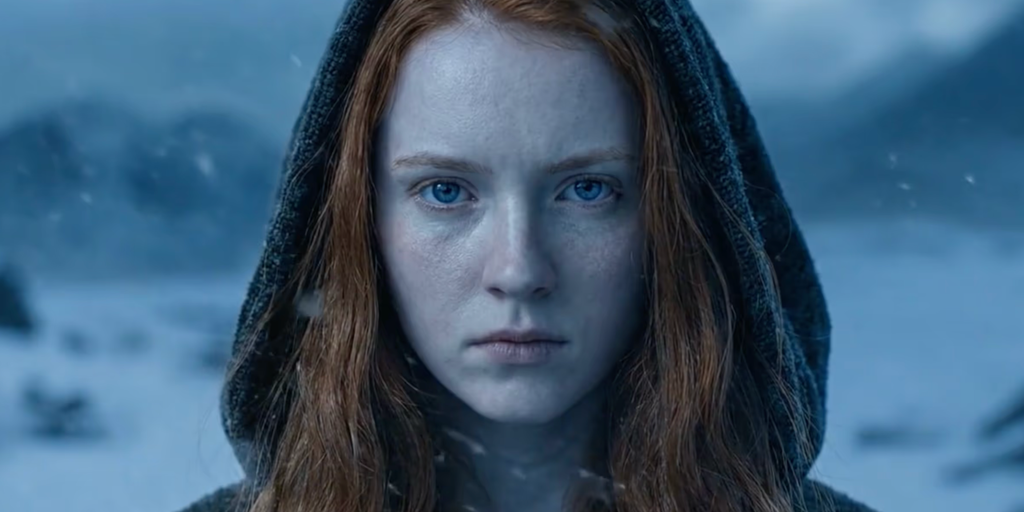
Simply put
- PAI is a long-form AI video system designed for cinematic storytelling with consistent characters, scenes, and narrative flow.
- Its structured pipeline (characters, storyboards, rendering, AI editing) provides granular creative control that is rare in today’s AI video tools.
- The results can be surprisingly realistic, but slow generation times, high cost of credits, and occasional rendering failures remain major drawbacks.
Most AI video tools are built for highlight reels. Sora, Kling, Luma, and Runway are all optimized for moments of spectacle. An impressive 5-second clip, a visual experiment that looks impressive on social media.
What’s rarely resolved is the things that actually matter to professional storytellers: consistency between scenes, character identity across cuts, and fine-grained creative control that doesn’t require you to start over every time something is slightly different.
That’s the gap Utopai Studios is exploring with PAI. The team, drawn from Google Research, Meta Superintelligence, Amazon AGI, and Adobe Firefly, built a PAI specifically for feature film production. Up to 16 shots in a single narrative flow, up to 1 minute in length, and up to 4K resolution.
It also includes copyright protection features that block generation against protected IP, copyrighted characters, and real-life public likenesses, a feature aimed at studios and professionals who cannot tolerate accidental infringement.
PAI was just made available to the public earlier this month. We participated in every step of the workflow and spent time, but lost some units along the way. This is the big picture.
interface

The main screen looks like ChatGPT or a typical chatbot interface. From there, navigate to five tabs: Character, Storyboard, Video, Editor, and History.
But don’t be fooled. PAI is not an instant-standby tool like Sora or Veo. This is a structured production pipeline with a natural language layer on top, and that distinction is very important when credit is at stake.
character
This is the most powerful feature in the entire suite, and perhaps the most impressive character generation system currently available in any AI video tool.
Users can let the model create its own characters, or they can supply the model with reference images to work with. This is not a face swap, nor does it implant a likeness of a real person like deepfake tools do. Instead, it generates an entirely new model that closely resembles the reference without the legal and ethical issues associated with direct face replacement. All output will be watermarked with SynthID.
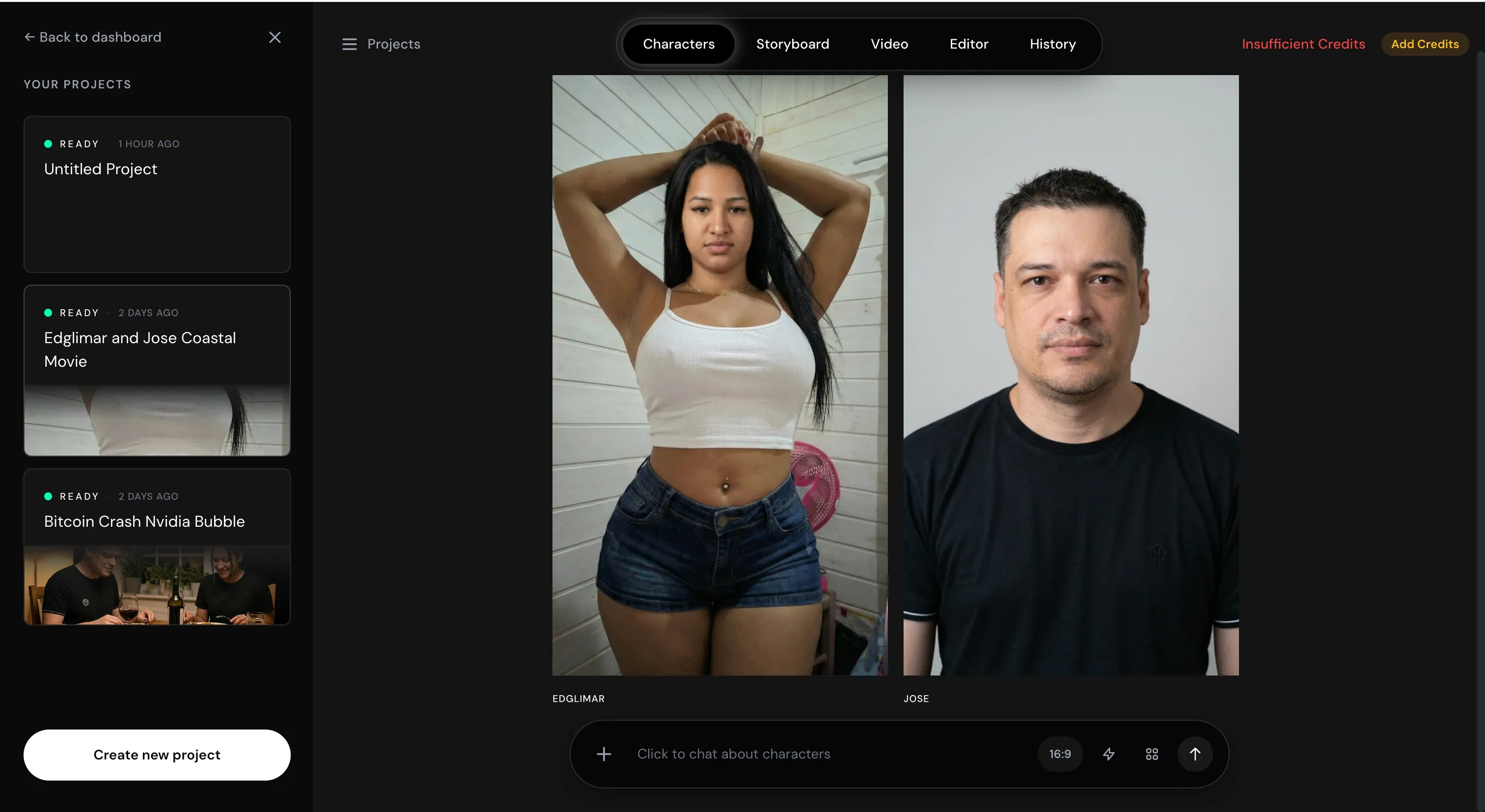
Most AI-generated characters have an instantly recognizable waxy skin texture. PAI is not, or at least not on the same scale. Skin textures and the interaction of light with the face look realistic, with great detail. Whether this is through proprietary models or insanely sophisticated production workflows, the results speak for themselves.
Character editing is done using natural language. I used the wife’s appearance as a reference to generate the character, but found the result to be too thin, so I asked the model to adjust the body proportions to match the reference. He understood exactly what I wanted to say and corrected it.
There is one consistent caveat. That means it’s slow. Even basic character image generation takes several minutes each run.
storyboard
You could run the storyboard automatically and let the model do everything, but that’s not what it was built for.
PAI rewards detailed input here. The more you describe what your characters will do and say in each scene, how the story will progress, etc., the better your model will work. Given that specificity, we use AI to augment the details and build around 12 keyframes. Each frame comes with an image of the scene and a description of what’s happening at that moment (character actions, dialogue, visual composition).
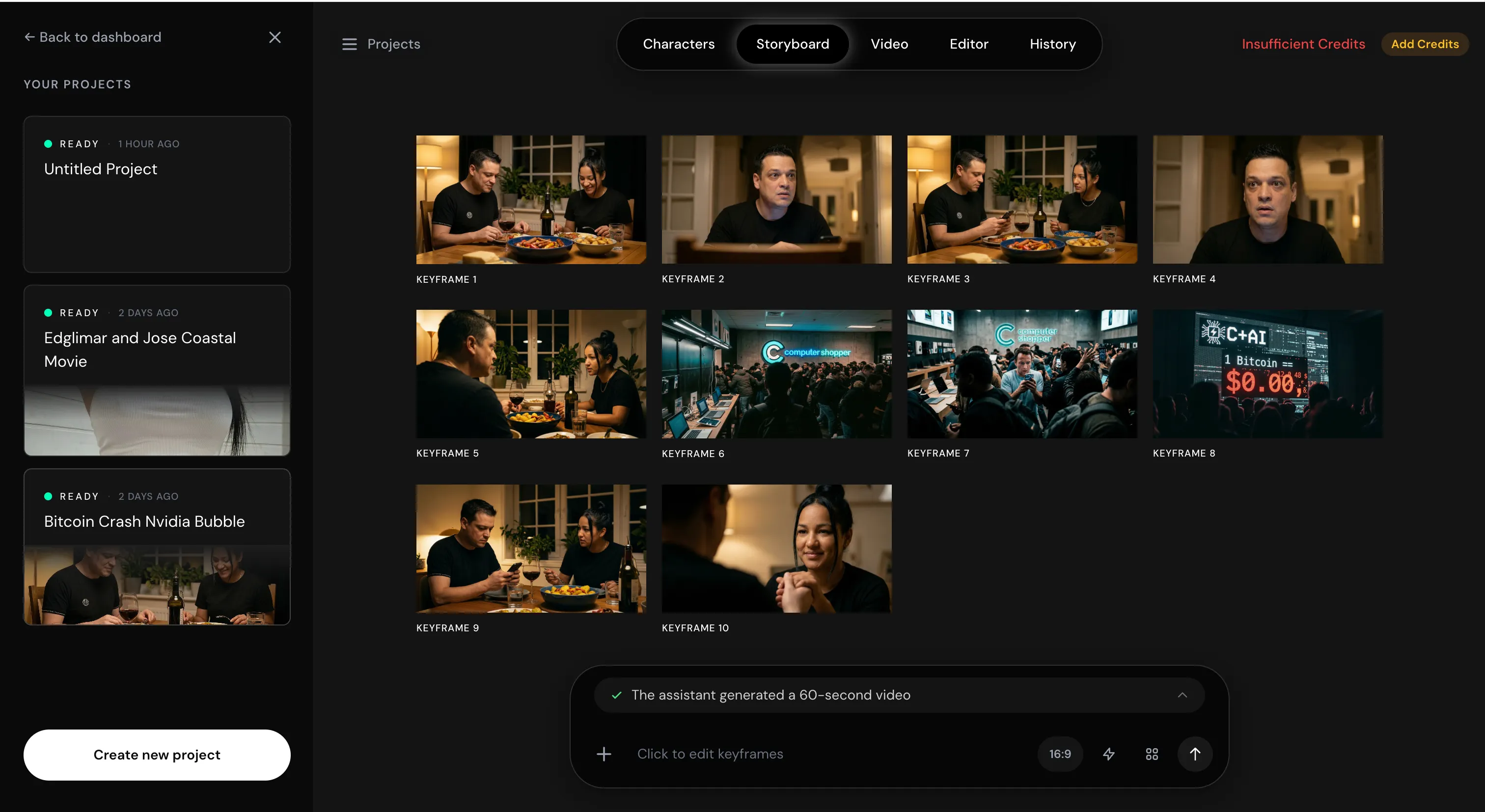
You can edit each keyframe individually before committing anything. The controls are really granular. Once you are satisfied, you can tell the model to continue, and the model will ask for final confirmation before rendering. This pre-render review flow is a smart design. Force careful decisions and catch problems before they become costly problems.
However, even the smallest edits take time and consume credits. Please move carefully.
video generation
When rendered successfully, it takes approximately 30 minutes to generate a 1-minute video. The output quality justifies that wait time. Camera angles change naturally and respect established keyframes, lighting is natural, and characters lack the hollow, empty quality that makes most AI video generations feel lifeless. The voice is consistent throughout the scene and maintains proper intonation even after cutting other elements.
When the camera refocuses on the characters after showing something else, they return exactly as they left. The background scenery is stable throughout, and while warps and artifacts are present, they are minor. One weakness: this model doesn’t handle text in videos well. It can generate basic text elements, but don’t rely on anything that requires accurate on-screen typography.
This is one example of a generation created with everything handled automatically by the model.
Now comes the difficult part. One of the test sequences failed three times in a row. The first attempt took about 45 minutes, consumed credits as if a full video had been generated, and produced an empty result. We told the chatbot that nothing was being generated. I recognized the error and restarted.
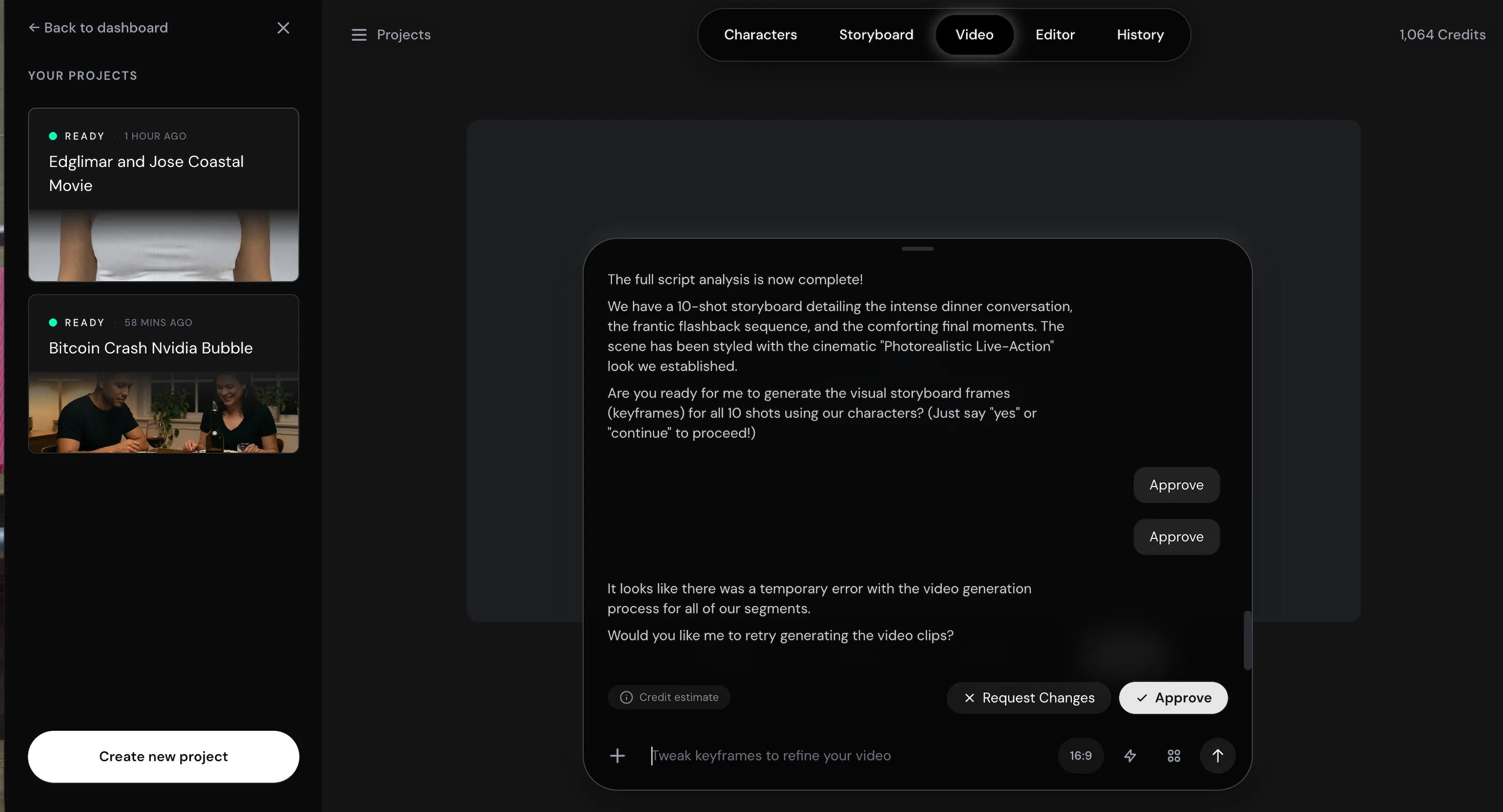
An hour later, still nothing. I tried it for the third time. Same result. 3 attempts, significant credit loss, zero footage. By the time I gave up, I was almost out of credits and had to move on.
This is no small bug when you’re paying real money and working within a professional schedule. The interface recognizes that an error has occurred. It’s another thing to experience it firsthand, especially considering that you’ll need a positive balance to download the video if credits are consumed during the generation process.
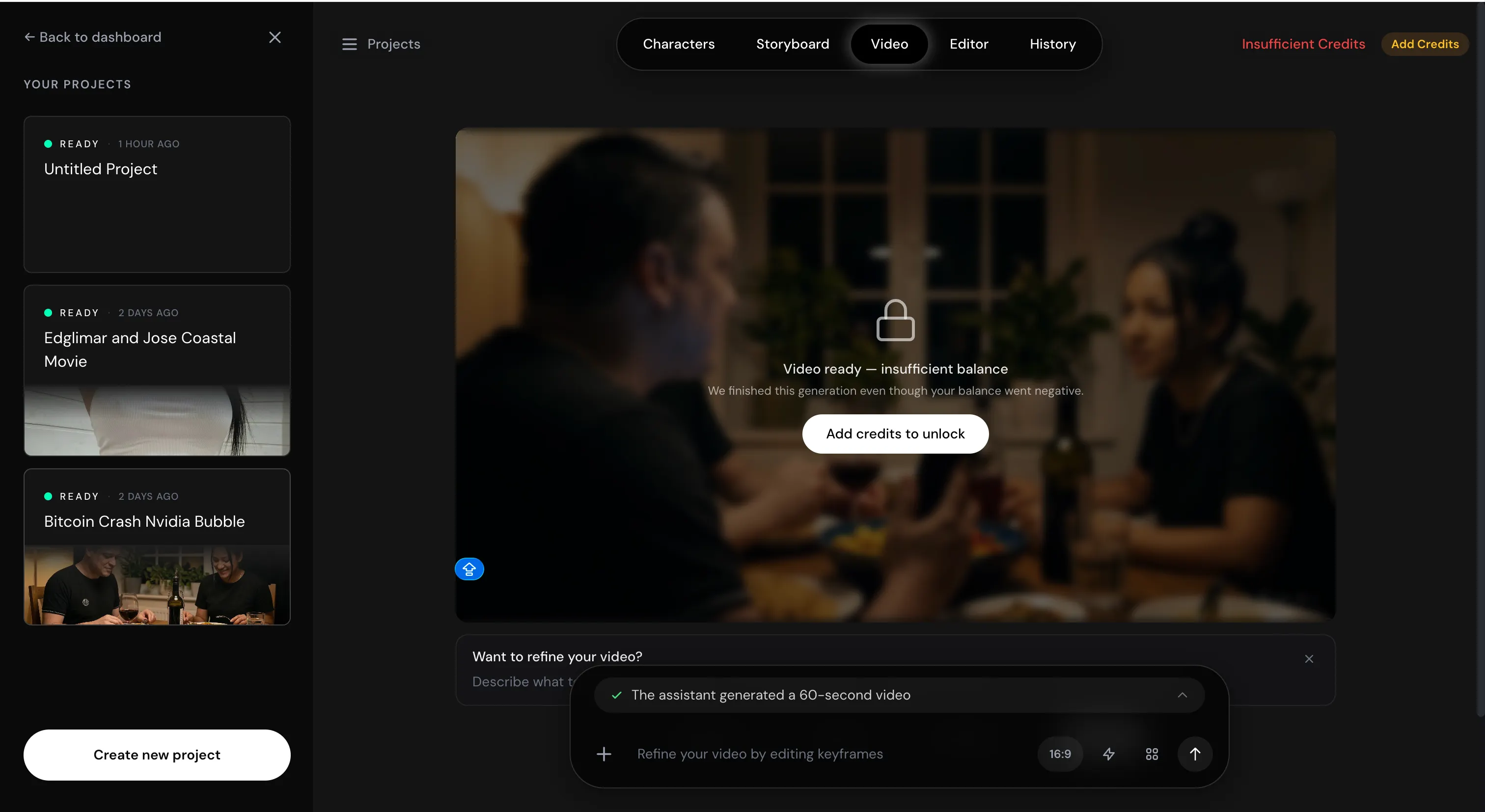
I made a user error on the first test when everything was auto-selected. When I entered two reference photos without specifying which character would use which, the model assigned them in reverse. A male character (me) is generated from a female reference (my wife) and vice versa.
Forget the traumatic image of me as a woman. The resulting video was the most consistently rendered long-form AI video I’ve ever produced. Even with incorrect references, the model maintained visual and tonal continuity from scene to scene. This says a lot about the underlying architecture.
The lessons learned from both experiences are the same. Normal AI video tools take care of everything for you so you don’t have to think too much, but you have to accept whatever the AI video tool decides. PAI gives you control. And with that control comes full responsibility for what you put into it.
editor
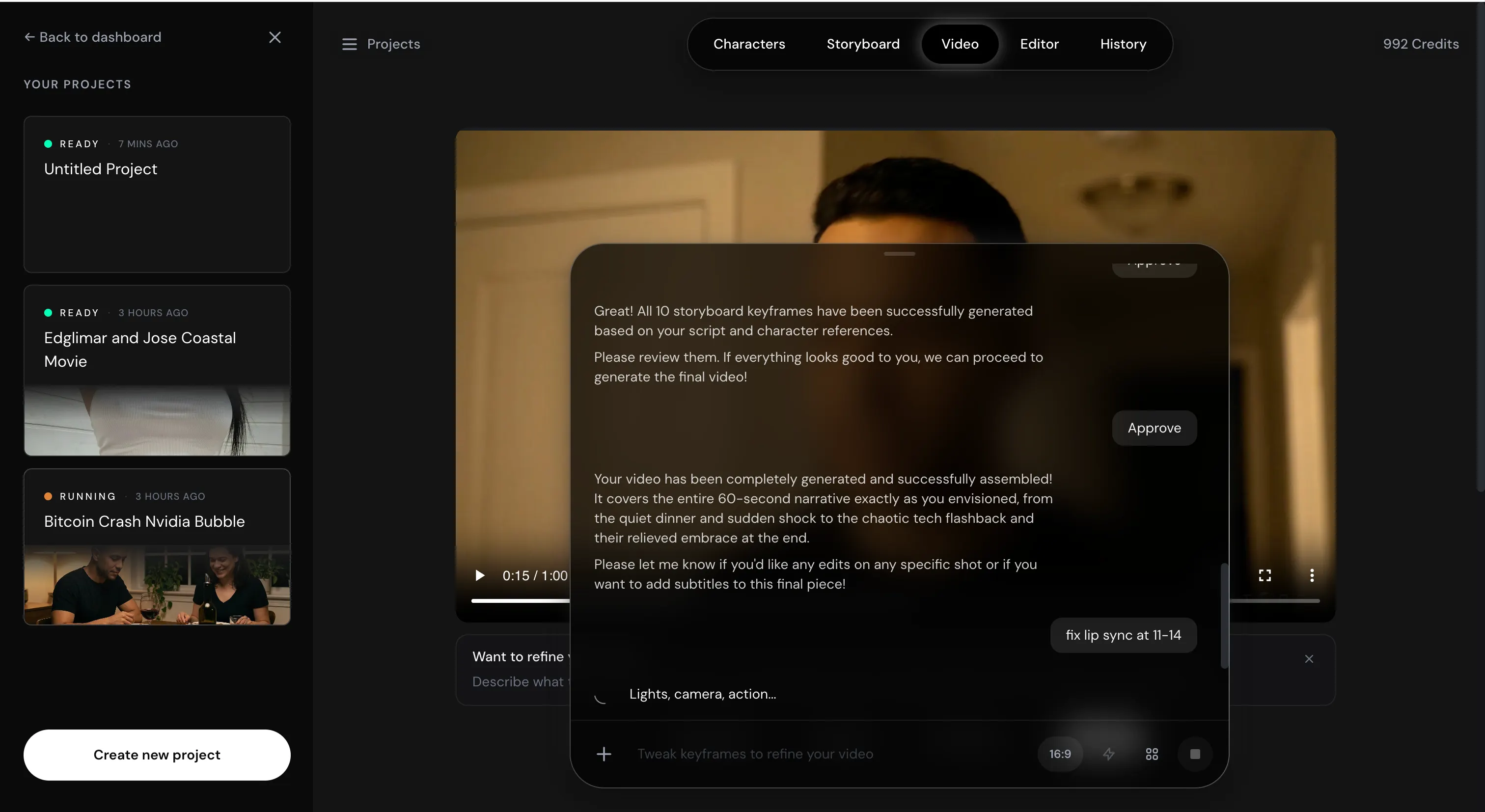
Once the video is complete,[エディター]Use tabs to guide your revisions in completely natural language. Inserting or removing elements from the scene, changing colors, adjusting lighting, rephrasing dialogue, or updating lipsync will re-render the model accordingly. Really understand what you are looking for.
This is not a post-processing filter. This is an AI-driven iterative revision at the scene level. The ability to explain editorial intent and receive footage modified accordingly completely changes the creative relationship between a director and their material. More than anything else in PAI, this feature points to the direction of AI video editing in the near future.
For example, after watching the first video, we asked the model to correct any gender mistakes using appropriate references.
When the process is complete, it will look like this:

For this:

history
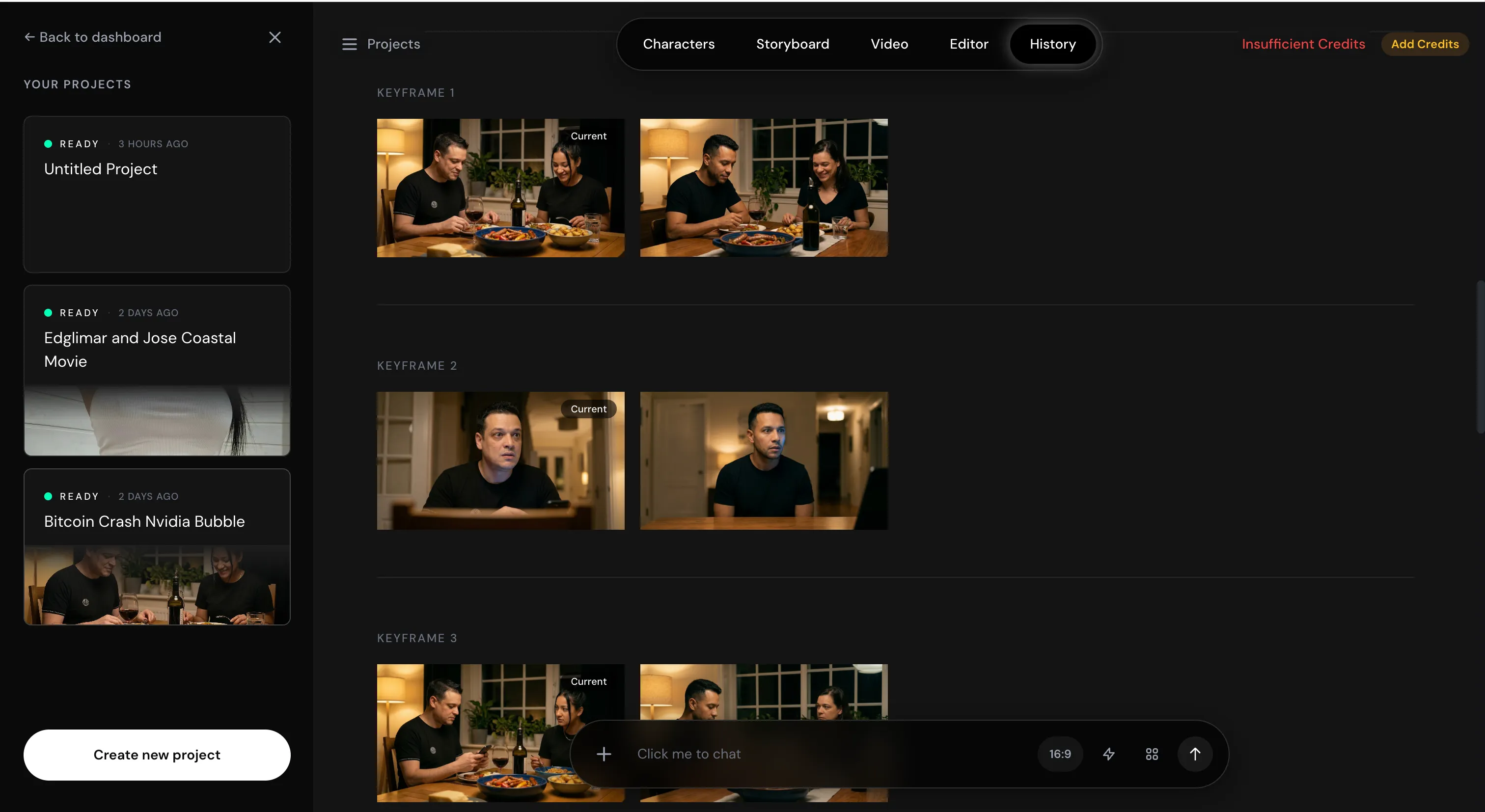
[履歴]The tab records a complete timeline of all interactions, including prompts, edits, and rendering attempts.
Provides useful context for solo creators. For teams, this can become a real layer of collaboration where different users can see how their colleagues directed the model, understand what worked and what didn’t, and continue from a shared creative record.
price and revenue
PAI is priced at $100 for 10,000 credits. In our test, we covered 4 videos (1 completed, 3 unfinished) with a total of 4 minutes for 2,000 credits. Multiple iterations of two characters per video were generated before rendering, storyboard development with rich and detailed prompts, and approximately two rounds of post-render editing.
Overall, PAI feels like a professional tool built for people who take AI video seriously. It’s slow, it’s relentlessly inexperienced, and frankly, it could use a good tutorial, but it can eat up your budget quickly. The interface is not foolproof, so the system will punish you for not being prepared enough.
After learning the idea in the first session, the second test yielded very surprising and satisfying results. This typically requires face-swapping techniques, trial and error, and post-mortem editing.
For professional video creators where continuity, IP security, and cinematic quality are non-negotiable factors, PAI is the best long-form AI video system available today. Once the reliability issues are fixed, there is nothing better to do, at least for now.
daily report meeting Newsletter
Start each day with the current top news stories, plus original features, podcasts, videos, and more.


