Generative AI has opened up many new use cases, from media generation to seamless image transformation. AI tools can now easily swap faces between images while keeping the entire image intact. This allows users to create interesting and engaging content. So if you're looking for the best face swap AI, here are five tools I've tested that are worth using.
| Face swap AI tool | Best use | Restrictions | Pricing |
|---|---|---|---|
| Higgsfield AI | High quality face replacement for free | Limited free use | Paid plan available for up to 5 photos per day |
| Pixlr AI Face Swap | Casual users who want to quickly swap faces | Not very realistic results | Free with limitations, paid plans available |
| deep live camera | Video real-time face exchange | Requires powerful GPU | free |
| Reface | Mobile users create fun face-swap videos | Free version watermark | Free, with ads, paid plans available |
| Fotor AI Face Swap | Easy face swap using editing tools | inconsistent realism | Free with limitations, paid plans available |
1. Higgsfield AI
If you are looking for the best face swap AI, we highly recommend Higgsfield AI. It is an all-in-one platform that can generate AI images, videos, and more. It provides a realistic AI face swap tool and allows you to upload your image and target image. Higgsfield AI blends new faces into any image within seconds.

The best part is that you can get 5 free face swaps every day. Maintain lighting, environment, and everything consistent while producing high-resolution images. Easily swap faces between images, paintings, and 3D models. So, for seamless face swapping, check out Higgsfield AI.
| Strong Points | Cons |
|---|---|
| Fast and easy web-based AI face swap | Free output quality limits |
| 5 free swaps per day | |
| Export as animation or video |
Pricing: Free up to 5 images, paid plans start at $9/month
2.Pixlr AI face swap
Pixlr, the popular AI photo editor, also lets you swap faces using AI. This is one of the best face swap AI tools to instantly change faces between images. In fact, there are several templates to choose from and you can be a superhero, athlete, or anything else you like. Just upload your image and target image and you're ready to go.
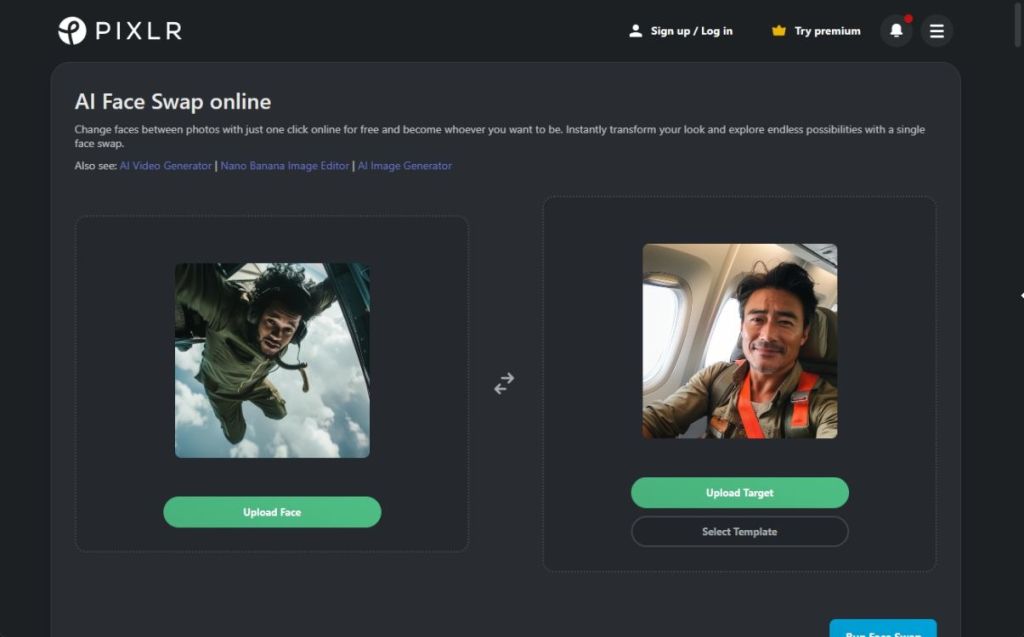
Blend the face from the source photo into the target image with a realistic look. If you don't have the image you want, you can also try different looks from templates. Basically, when it comes to image conversion, Pixlr AI Face Swap is a great solution.
| Strong Points | Cons |
|---|---|
| Built into Pixlr's web editor | Output realism is not top notch |
| Quick and easy AI face swap | |
| Perfect for quick social edits |
Pricing: Free, paid plans start from $1.49 per month
3. Deep live camera
While the AI tools mentioned above are for swapping faces in images, Deep Live Cam swaps faces in real-time video. Accurately swap faces in live video with just one image. That's a good thing because it has built-in content restrictions to prevent inappropriate media handling. You can download the software to Windows and Mac and run it on your local hardware.
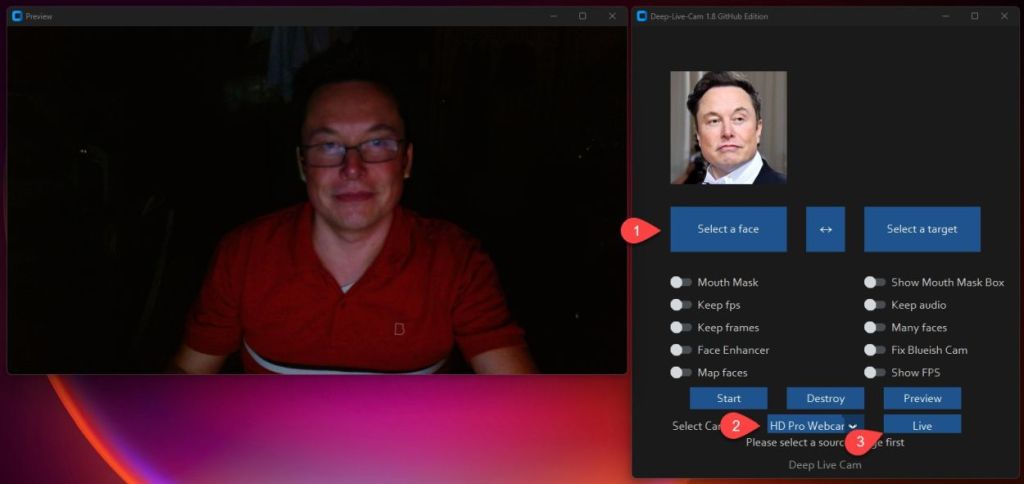
Deep Live Cam accurately preserves mouth movements and can even use different faces of multiple subjects at the same time. If you are a professional user, you can install the software manually to access more features. We recommend using AI tools responsibly for face swaps in videos.
| Strong Points | Cons |
|---|---|
| live video face swap | Risk of abuse |
| Designed for live streaming/real-time use | |
| local processing |
Pricing: free
4. Reface
Reface is another great AI app for Android and iOS that lets you swap faces in images and videos. This is one of the top rated face swap AI tools as it uses advanced AI to convert your selfies into AI face swap videos. You can use AI figures, generate new hairstyles, haircuts, and more. There are various viral AI filters and you can animate your face with your favorite songs or lip sync.
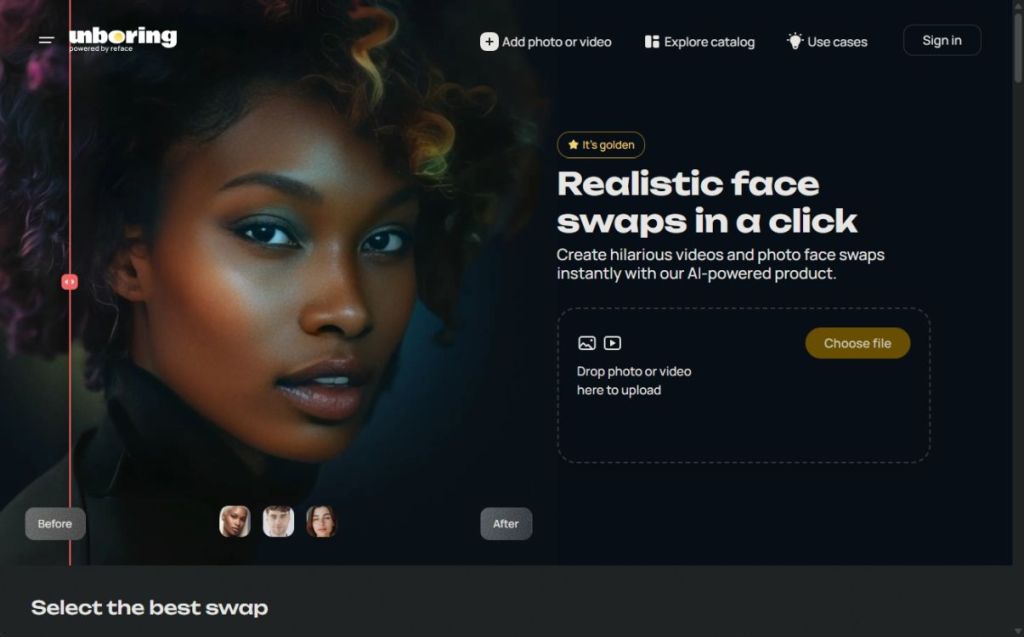
Reface also allows you to experiment with gender swapping and facial transformations to create amazing images. This app is available for both Android and iOS, so it can be used on all mobile platforms. Some features are free within the app, but you need to get a premium subscription to access advanced AI features for face swapping.
| Strong Points | Cons |
|---|---|
| User-friendly mobile app for AI face swapping | Requires premium subscription to access more features |
| Large library of templates | |
| real images |
Pricing:Free, paid plans start from $2.49 per month
5. Fotor AI Face Swap
Finally, the best face-swapping AI available for free is provided by Fotor. After swapping faces from the original image, you can create ultra-realistic images. And all of this is available for free. Fotor's face morphing technology is very advanced and can even handle multiple faces. You can also replace faces and edit the final result with one click.

This allows you to swap AI faces with friends, family, movie stars, and even celebrities. You can also create funny memes by swapping faces from popular memes. And yes, you can transform faces in videos and GIFs too. Overall, as a free solution, Fotor's AI face swapper is quite capable.
| Strong Points | Cons |
|---|---|
| Web-based AI tool for face swapping | The quality of the results may not be the best |
| Built-in AI editor for tuning | |
| Perfect for casual users |
Pricing: Free, paid plans start at $8.99 per month
These are the best face swap AI tools for images and videos. We have also introduced some free and paid tools, so you can choose according to your requirements. If you are considering image editing using AI, we have a list just for you. Finally, if you have any questions, please let us know in the comments section below.