Avatars have become an important aspect of making digital narratives come true. They can help with marketing and personal branding to provide clear, charismatic content. CapCut Web is taking it a step further. It is a one-stop creative tool that integrates artificial intelligence to allow you to create videos featuring lifelike avatar humans. It simplifies video production and is quick and effective for everyone. CapCut Web is an efficient online video editing platform that allows you to leverage the power of an AI video editor to create engaging content without any advanced editing knowledge. Continue reading to uncover fascinating facts!
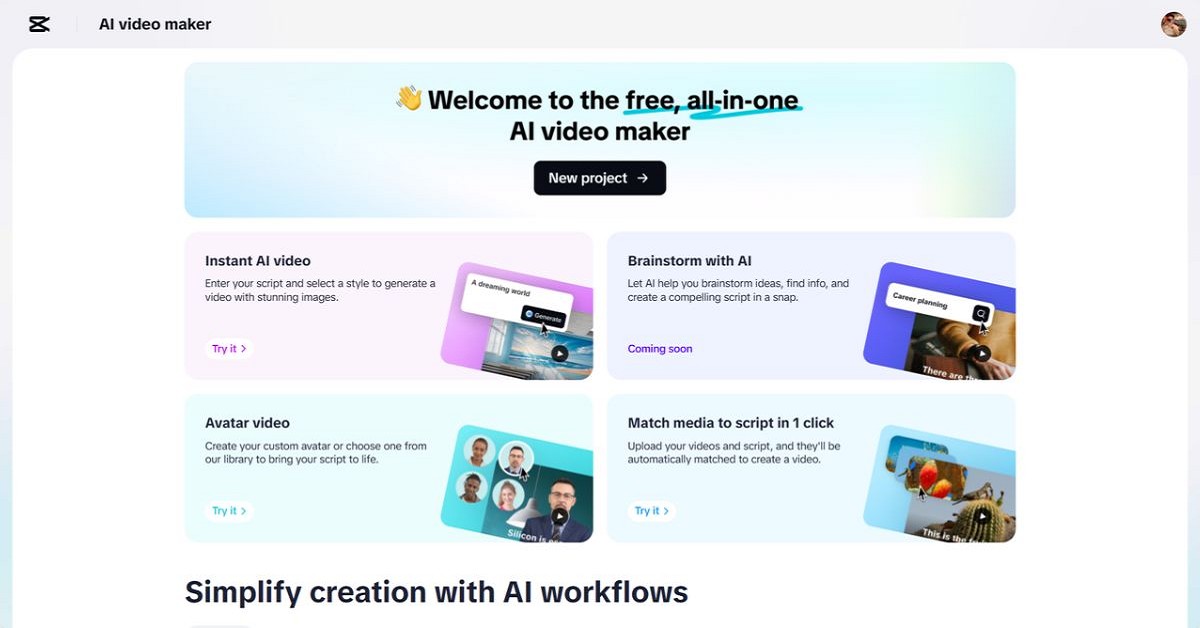
What are AI Avatars and why they are important
An artificial intelligence avatar is a computer-generated persona. These avatars are voice-enabled, mobile and can communicate just like real people. It is freely applicable to training materials, social communications, business presentations, or personal stories. They promote the simplification of complex problems and the humanization of online communication. Avatars attract attention and boost audience confidence in marketing. They will raise interest in online education lessons. For creators, these avatars provide regular camera exposure without requiring them to appear in person.
Face: CapCut Web Avatar Library
CapCut Web features over 100 avatars of diverse occupations, appearances and tones. Looking for a friendly host, business presenter or creative narrator? There are some matches. All avatars have narration that is easy to understand with a human voice and move naturally. You can choose the one that suits your brand tone and audience. When creating a tutorial, choose a professional tone and an official avatar. For social videos, choose a relaxed and casual style. This tailoring allows you to create a compelling message.
Professional and creative use cases for avatars
Avatars can be used to describe business processes and understanding technical terms is not a problem. An avatar in an instructional video helps brands interact with their audience while maintaining a professional image. Avatars can play scenes, tell stories, and speak emotionally and reasonably well. To maintain consistency across different platforms, influencers create digital versions of themselves. Avatars combine with text and audio-free tools to add personality and voice to flat content. This makes the video more catchy and engaging.
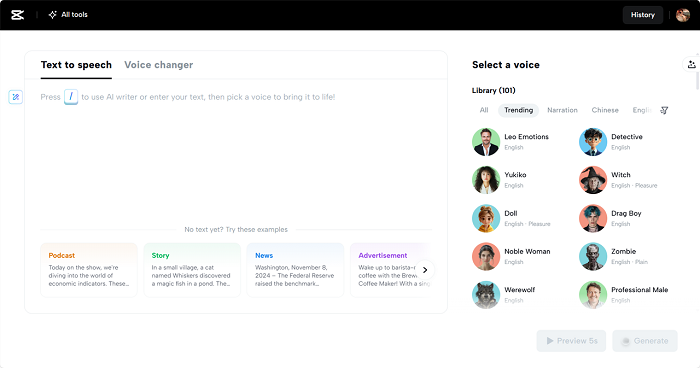
Clone yourself: Create your own digital avatar
CapCut Web allows you to import your own videos and create an avatar. This online version replicates your voice, face and speaking style. Avatars allow you to create a brand identity in each video. There is no need to record after recording. Use clones to maintain audio and visual consistency between projects. Perfect for trainers, content creators and businessmen when they want to look familiar to the screen.
Avatars as new content creation
Digital avatars are now in the mainstream of content production. Avatars save time and increase their involvement in business training, media production and online education. They can be combined with tools such as voice changers to change the way you tone and present your presentation without any additional effort. Brands use them to maintain consistency and brand identity across different channels. These AI-powered characters save more production time in addition to maximizing audience attachments. People connect more deeply with their faces and voices than with words or photographs.
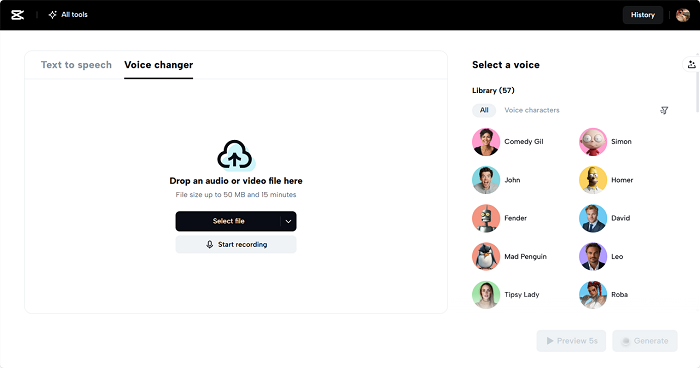
Use your avatar to tell your story
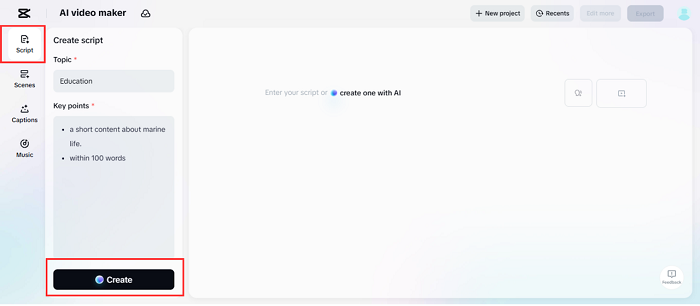
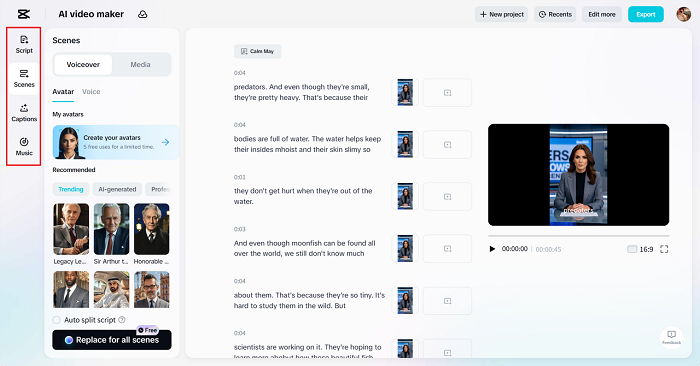
Step 1: Generate the script Start by heading to the Scripts section. Enter a “Topic” and highlight the main “keypoint” you want your avatar to talk to. AI creates scripts that match the direction and tone. If you're satisfied with the reading, select the “Create” button to continue.
Step 2: Create a video Go to the Scenes tab and match your voice and script. Choose from over 100 AI avatars to visually realize your message. If you would like a narrator-only format, switch to the Audio tab instead. Select your audio and click Apply to All Scenes to maintain a stable audio feel. Next, use the “Caption” option to enhance your understanding with an animated subtitle style. To add depth, select a track from the Music section to back up the visual.
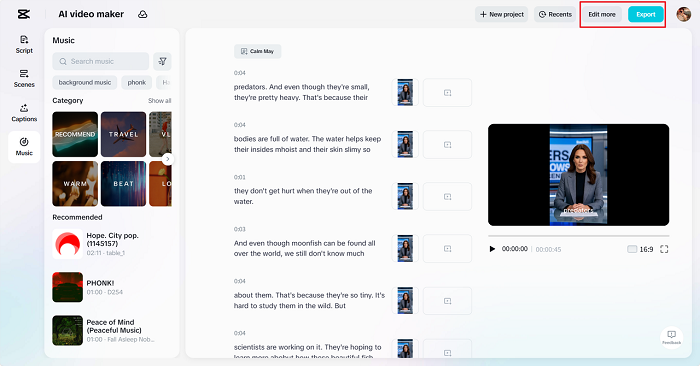
Step 3: Export or edit details Check out the avatar-driven video in full. If everything works fine, press “Export” and select your preferred file settings. Want to make it more eye-catching? Tap Edit to fine-tune using filters, overlays and additional design tools available for cup cuts.
Conclusion
CapCut Web opens the door to efficient, professional and engaging video creation. Over 100 avatars and custom options provide creative freedom and visual consistency. Whether you're a business owner, educator, or content creator, avatars simplify storytelling and enhance your brand. CapCut Web not only enables avatar-equipped communication, but also makes it practical for everyone.