Perhaps no other word is more talked about than AI. The rise of generative AI trained on large language models has some people excited, while others worry about how it will change their lives.
While Apple has remained quiet about its next-generation AI plans, other kinds of AI have played a key role in the iPhone for years. In fact, long before ChatGPT first garnered global attention in 2022, AI was powering core iPhone functionality in popular apps like Camera, Photos, and Siri.
Look at this: Apple has big AI plans for Mac and iPhone
But Apple CEO Tim Cook has been more vocal about the emerging technology in recent months. In February, Cook acknowledged that the company is investing heavily in generative AI. Earlier this month, he suggested that the iPhone maker will have an advantage in the AI race, despite it being widely seen as lagging behind.
“We believe in the transformative power and potential of AI and believe we have distinct advantages in this new era, including Apple's unique combination of seamless hardware, software and services integration,” Cook said during Apple's May earnings call.
Read now: Apple's iOS 18 Rumors: Potential for a Big Leap into AI
Apple's Worldwide Developers Conference, where the company typically announces new software updates for iPhones and other products, kicks off on June 10. We'll likely find out then what Apple has planned in terms of bringing more AI features to the iPhone.
Only Apple knows what's next for the iPhone and other products, but in the meantime, here are some of our favorite AI-based features currently available in new iPhones.
Digitally replicate your voice
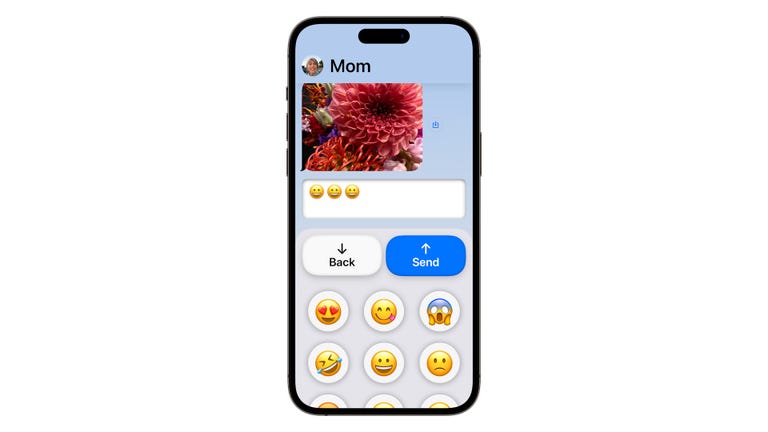
Apple may not have a chatbot, but it's already using AI in a feature that debuted in iOS 17 last year. Personal Voice is an accessibility setting that uses on-device machine learning to replicate your own voice so people at risk of speech disorders can communicate more easily with their loved ones. Your iPhone will ask you to speak aloud 150 phrases to learn your voice. It then uses AI to analyze your voice and generate a synthetic version.
To communicate using this new synthetic voice, use your iPhone's Type and Speak tool to convert text to speech in FaceTime or a compatible third-party app. If you want to know how to replicate and save your own voice on your iPhone, here's a step-by-step guide.
Easily copy text from images on your iPhone
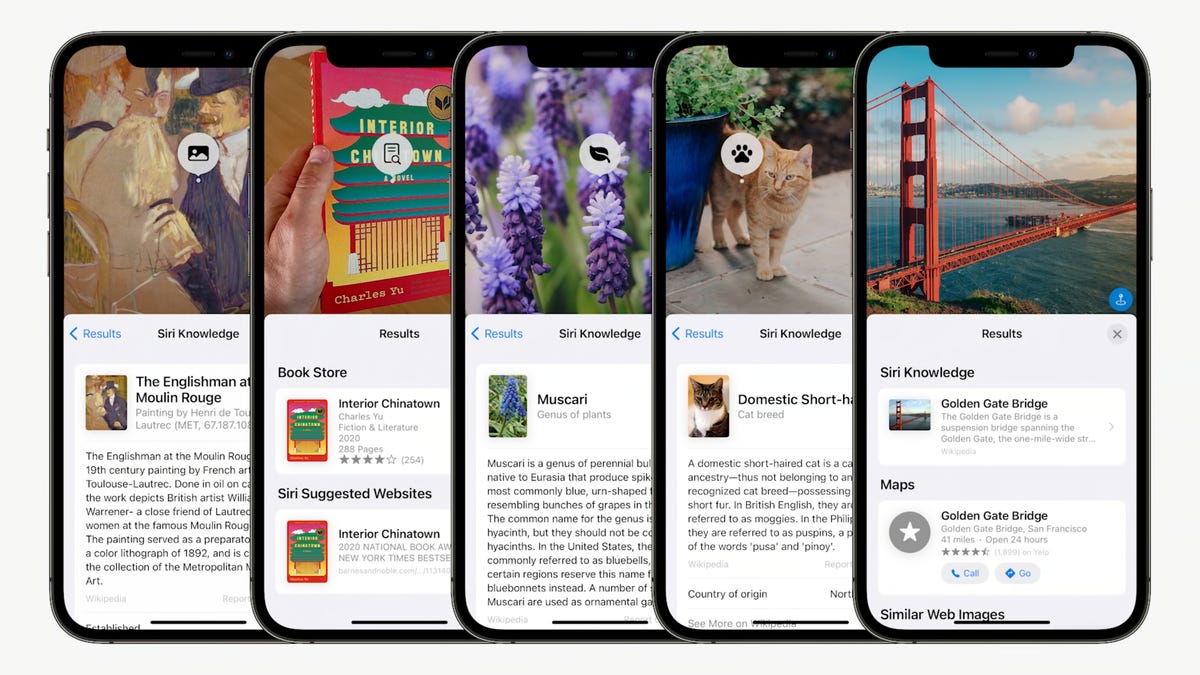
Live Text is a front-end AI feature already available on iPhones with iOS 15 software or later in 2021. It's a computer vision tool that recognizes handwritten or typed text in photos, much like Google Lens. You can easily copy and paste text in images with just a few taps.
Live Text is often useful in everyday life. For example, say you have a handwritten recipe and you want to digitize it. You can take a photo of the recipe with your iPhone, then copy and paste the text into a Word document or similar and save it as a digital backup. If you're interested, I'll show you step by step how to do it.
Rival phone makers are also joining the trend, with Honor's Magic 6 Pro and Magic V2 running the company's Magic OS 8 software introducing a similarly functional Magic Text feature.
read more: iPhone AI Tip: Easily copy text from photos with this trick
Improved AutoCorrect feature
In its latest software update, Apple has also fixed one of the biggest frustrations with its autocorrect feature: You can now use swear words without Apple changing your chosen expletive to something more innocuous like “shut up” or “shut up.”
Beyond just making it easier to use swear words, the autocorrect feature has been improved on a broader level. The autocorrect feature is now more accurate at correcting mistakes and provides more customized inline predictive text. Much of this improvement comes from iOS 17's new Transformer language model, which Apple says uses machine learning for word prediction. The model is trained on large amounts of data, learning context and patterns to provide better results — in this case, the ability to replicate human pronunciation.
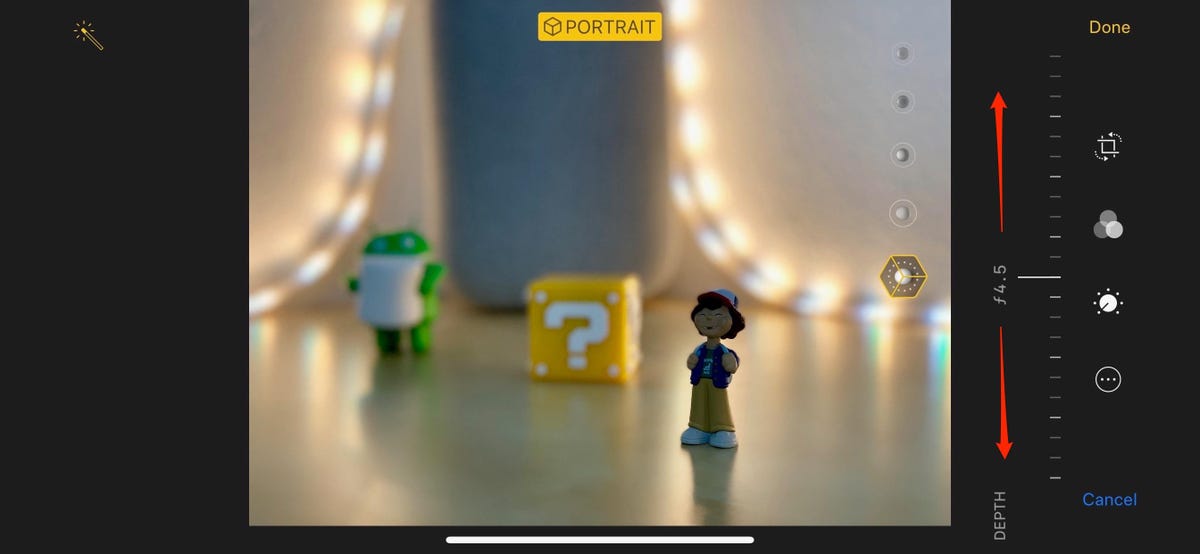
Portrait mode was a turning point for the iPhone because it could recognize a subject, understand depth, and produce bokeh effects at the speed we needed for a smartphone.
Photography knowledge
It's no secret that a large part of the iPhone's camera capabilities rely on advanced algorithms and computational photography techniques. Portrait mode, which uses AI to identify subjects and create a bokeh effect, is one example. Another is Cinematic mode, which uses AI to simulate a desired aperture and dynamically adjusts focus to keep moving subjects sharp.
One of the new AI-powered features added in iOS 17 is the ability for the Photos app to identify pets in photos and help you better organize them.
The future of iPhone AI: Will Siri get smarter?
Siri has been around since 2011, but despite being first on the market, it has yet to catch up with rival virtual assistants. But Apple's voice-activated assistant could soon get a lot smarter: A September report from The Information said Apple plans to power Siri with large-scale language models, a key part of generative AI.
An example detailed in the article describes how Siri could respond to a simple voice command to perform more complex tasks, like turning a series of photos into a GIF and sending it to one of your contacts. If the example is accurate, it would be a big step forward for Apple's digital helper. Apple already uses AI to help Siri understand language and deliver human-like responses for a variety of purposes, but it has struggled with handling context.
Stay tuned for new iPhone software features that Apple will announce at its Worldwide Developers Conference.
read more: Best iPhones of 2024
Look at this: Apple uses AI to improve accessibility
Editor's note: CNET has used its AI engine to create and label dozens of articles accordingly. The notes you're reading are attached to articles that substantively address AI topics, but are all written by our expert editors and writers. For more information, see the CNET AI Blog. AI Policy.