
Smart Answers AI-generated summary
In summary:
- Macworld reports that the completely revamped Siri in iOS 27 introduces on-screen recognition, app-wide context understanding, and the ability to seamlessly switch from voice to text.
- This update transforms Siri into a modern AI assistant that remembers the context of conversations, understands the content you see, and allows for natural follow-up questions.
- Apple’s AI enhancements have finally delivered on previous promises, making Siri truly useful and competitive with other AI assistants.
Apple just announced the next major update for the iPhone, iOS 27, at WWDC 2026. There’s not much to be excited about this year in terms of new features, nor is there a new interface following last year’s major update that introduced liquid glass. Many improvements, AI, and optimizations are needed to make your iPhone feel faster.
At the same time, Apple announced a long-awaited change: a complete overhaul of Siri. Apple is reimagining the Assistant experience around context, conversation, and recognition. And for the first time in a very long time, Siri actually feels useful again.
Apple has been lagging behind competitors in the AI race for years. While companies like OpenAI and Google have turned the Assistant into a truly useful tool, Siri has often felt stuck in the past. But the main purpose of iOS 27 is to make Siri useful again. And it looks like it has been delivered.
iOS 27 introduces Siri AI
The biggest news here is that Siri is no longer just a voice assistant that responds to individual commands. You can now understand the context of the entire app, and even the ongoing conversations. Honestly, this is the first Apple Intelligence feature that instantly made me reconsider how I use my iPhone every day.
Apple’s Siri experience, redesigned in iOS 27, is centered around natural interactions. You can now seamlessly switch between voice and text conversations, continue previous requests, and access your Siri history across devices through iCloud sync.
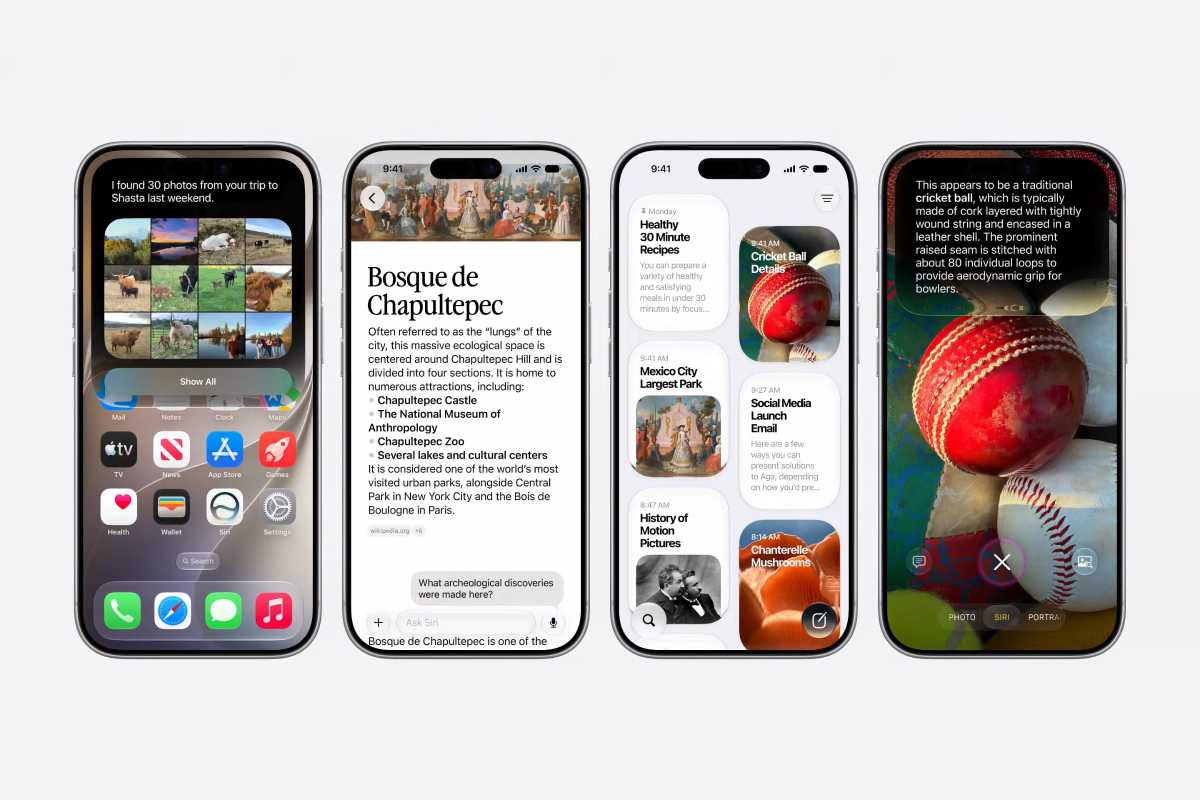
Apple has introduced a number of new features to the new Siri in iOS 27, including new apps and Dynamic Island integration.
apple
Before iOS 27, Siri felt very outdated. Only a few commands could be asked and were often misunderstood. And the exchange was over. There was no natural conversation.
Now, Siri behaves more like a modern AI assistant. You can ask follow-up questions naturally without repeating yourself. You can start typing your request on your iPhone and continue later on your iPad or Mac. Remember the context of a conversation instead of forgetting everything with each new interaction.
Siri also got its own app in iOS 27, which is a great addition for people who don’t want to talk to their phone all the time. You can now interact with Siri just like any other popular AI chatbot.
But the biggest improvement to Siri in iOS 27 is undoubtedly the on-screen recognition feature.
recognize and be wary
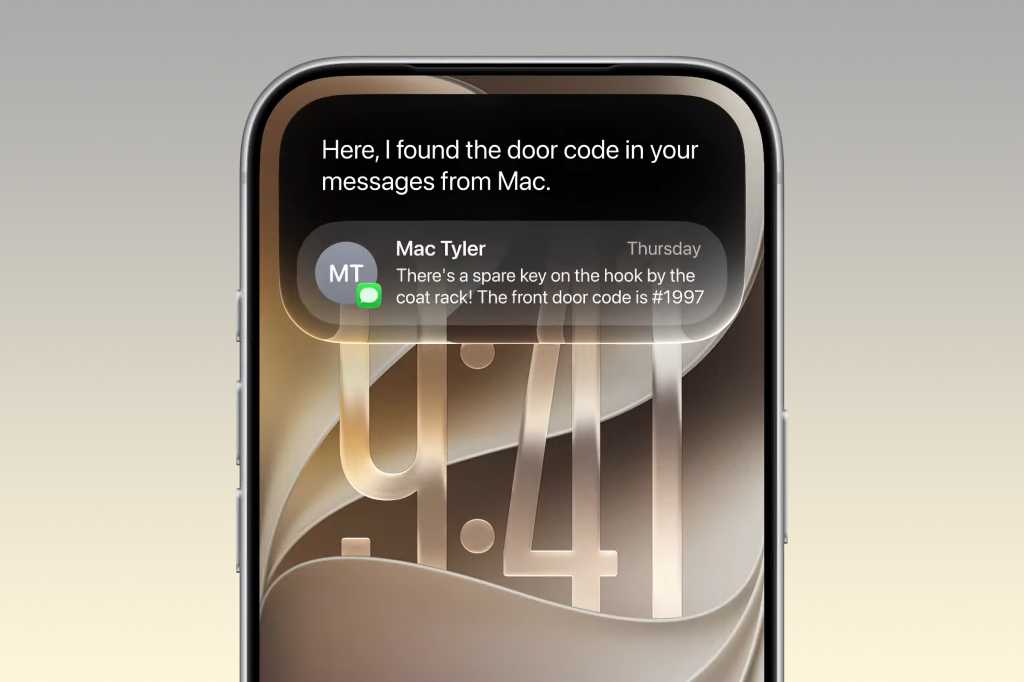
Apple also introduced Siri’s on-screen recognition capabilities. This is a feature that feels truly transformative. According to Apple, Siri can now understand what’s currently on your screen and respond accordingly. If someone texts you an address, you can ask Siri to save it to your Contacts. If you’re watching an event, you can ask Siri to add it to your calendar. If you’re reading an article, you can ask follow-up questions about what you see.
Many of these were announced by Apple two years ago but never delivered. Now, with Siri AI, the company appears to have finally delivered on that promise.
And unlike some of the AI demos we’ve seen over the past year, Apple’s implementation actually feels grounded in real-world usage. In many ways, the new Siri AI feels like the beginning of a new interface layer for iPhone.
Once again, the new Siri aims to make using your device a more personal and natural experience. Instead of searching for lost files in old emails or folders, just ask Siri. When you can’t speak, just swipe down from the dynamic island to type into Siri.
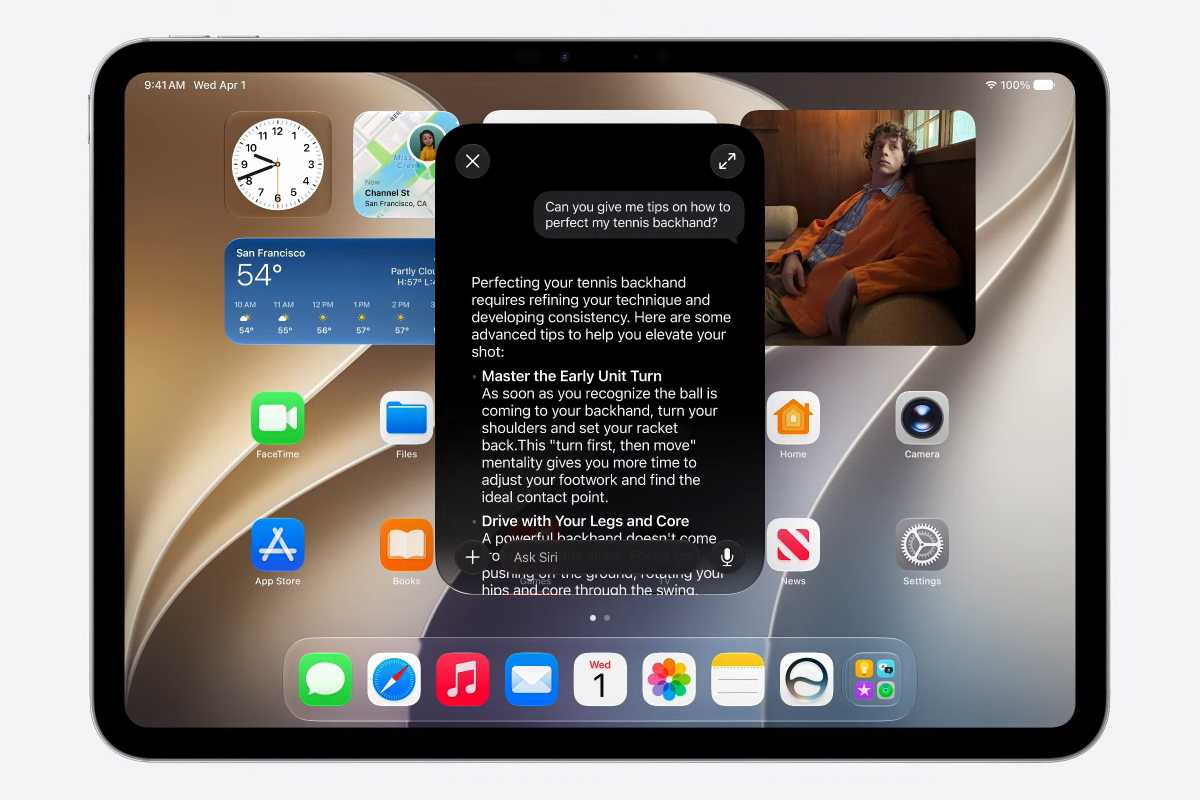
The new Siri app lets you chat with Siri, see previous conversations, and more.
apple
More new features coming to iOS 27
Of course, iOS 27 isn’t just about Siri. For example, this update includes many other new Apple Intelligence features.
The Photos app will allow users to: You can also enlarge or reframe the photo Using AI. When writing, Enhanced writing tools Suggestions for paraphrasing will automatically appear. You can also take pictures of your food and check its calories.
image playground It has also been completely revamped with a better language model that can produce more natural-looking images. Thanks to this, users can also create their own wallpapers using Image Playground in iOS 27.
Apple also spent a lot of time talking about: performance. The company is focused on making iOS 27 faster and more reliable, especially on older devices. And to those who have complained liquid glassNot only has the interface been improved, but we’ve also added a slider to adjust the strength of the effect.
Overall, iOS 27 doesn’t feel like a major update. But the lack of innovative features hides the fact that Apple has finally released a new version of Siri that actually works and feels modern. And I can’t wait to get my hands on it.
iOS 27 is currently only available as a developer beta for the next few weeks. A public beta will be available next month, with an official release expected this fall.


