Meta description: See how Vidnoz AI can reduce your video conference preparation time by up to 92%. Create polished, high-quality videos in minutes. No photography equipment or editing experience is required.
Spending hours preparing for a video conference (writing a script, rehearsing lines, adjusting the setup) can be highly inefficient. Vidnoz AI provides a smarter alternative, allowing users to deliver professional and engaging video content in just minutes while significantly reducing preparation time by 92%. Powered by advanced artificial intelligence, Vidnoz AI eliminates the need for cameras, studios, and repetitive recordings.
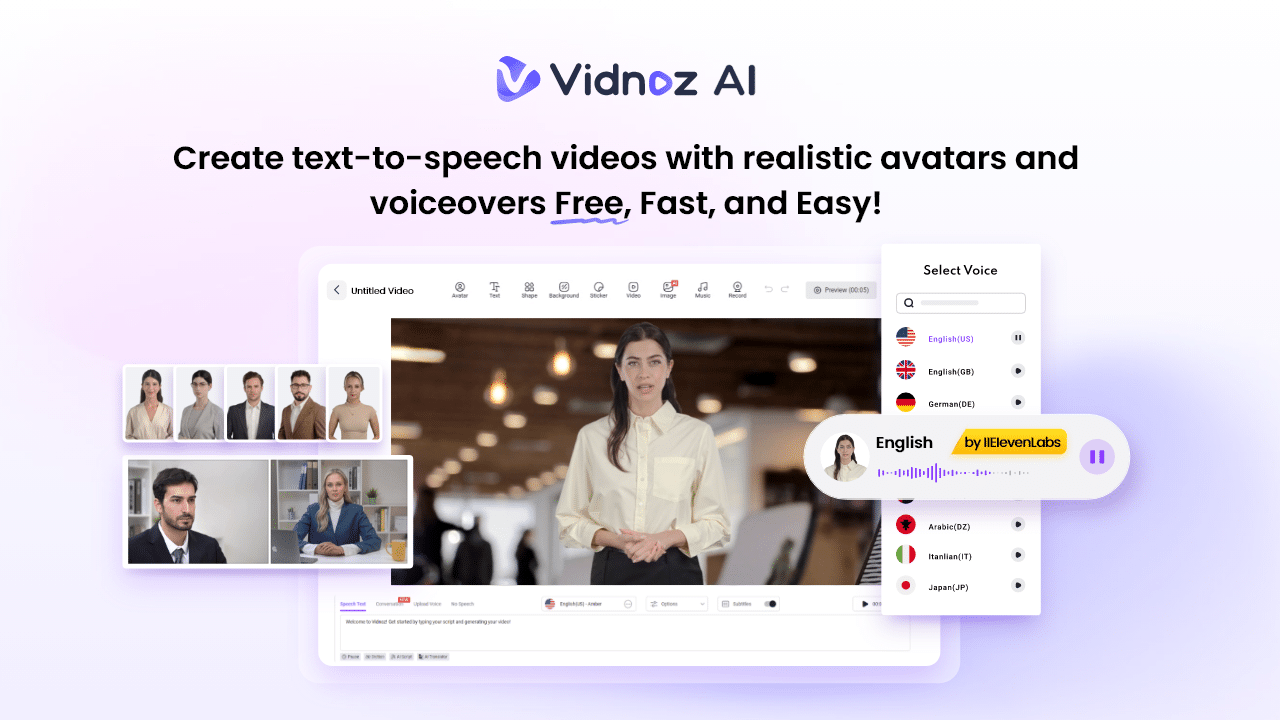
This guide provides a comprehensive introduction to Vidnoz AI, covering its core features, benefits, limitations, and overall performance. Ultimately, you'll be able to decide if Vidnoz AI is the right tool to streamline your meeting preparation process without sacrificing video quality.
Part 1: What is Vidnoz AI?
Vidnoz AI is an intelligent video generation platform built to help users quickly create professional-grade videos with minimal effort. Leveraging cutting-edge AI technology, you can create realistic videos with lifelike digital avatars, natural narration, and ready-to-use templates, so you don't need actors, filming equipment, or advanced editing skills.
The main highlight of Vidnoz AI is that it has ISO/IEC 27001:2022 certification for information security management, ensuring robust data protection and security standards. In addition to AI video creation, Vidnoz AI also offers a suite of AI-powered tools, including an AI voice changer, text to video converter, online video editor, image upscaler, background remover, and more.
Part 2: Key features of Vidnoz AI
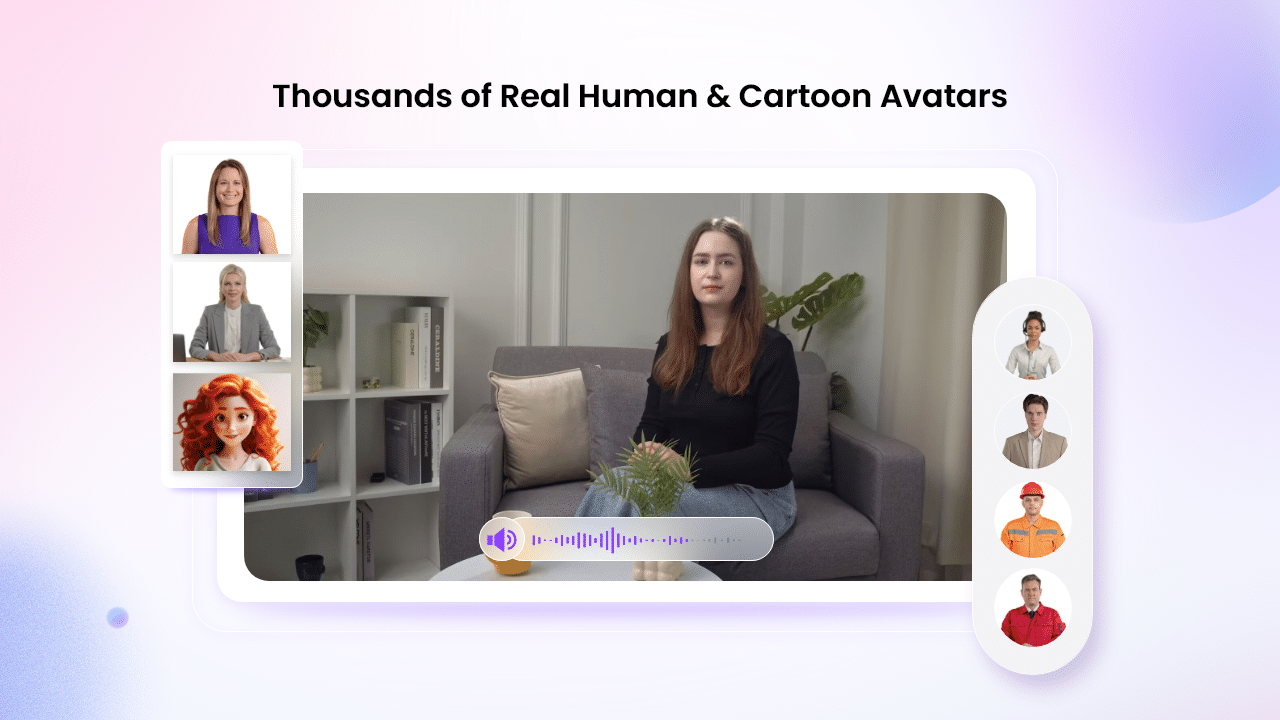
Vidnoz AI stands out as a powerful solution for creating meeting preparation videos thanks to its rich feature set. Below are the main features that make it your first choice.
Rich video templates: Vidnoz AI offers over 2,800 customizable templates suitable for presentations, tutorials, marketing ads, news updates, sales demos, and other business-related content. Users can also create branded templates to speed up repetitive video production.
Highly realistic AI avatar:
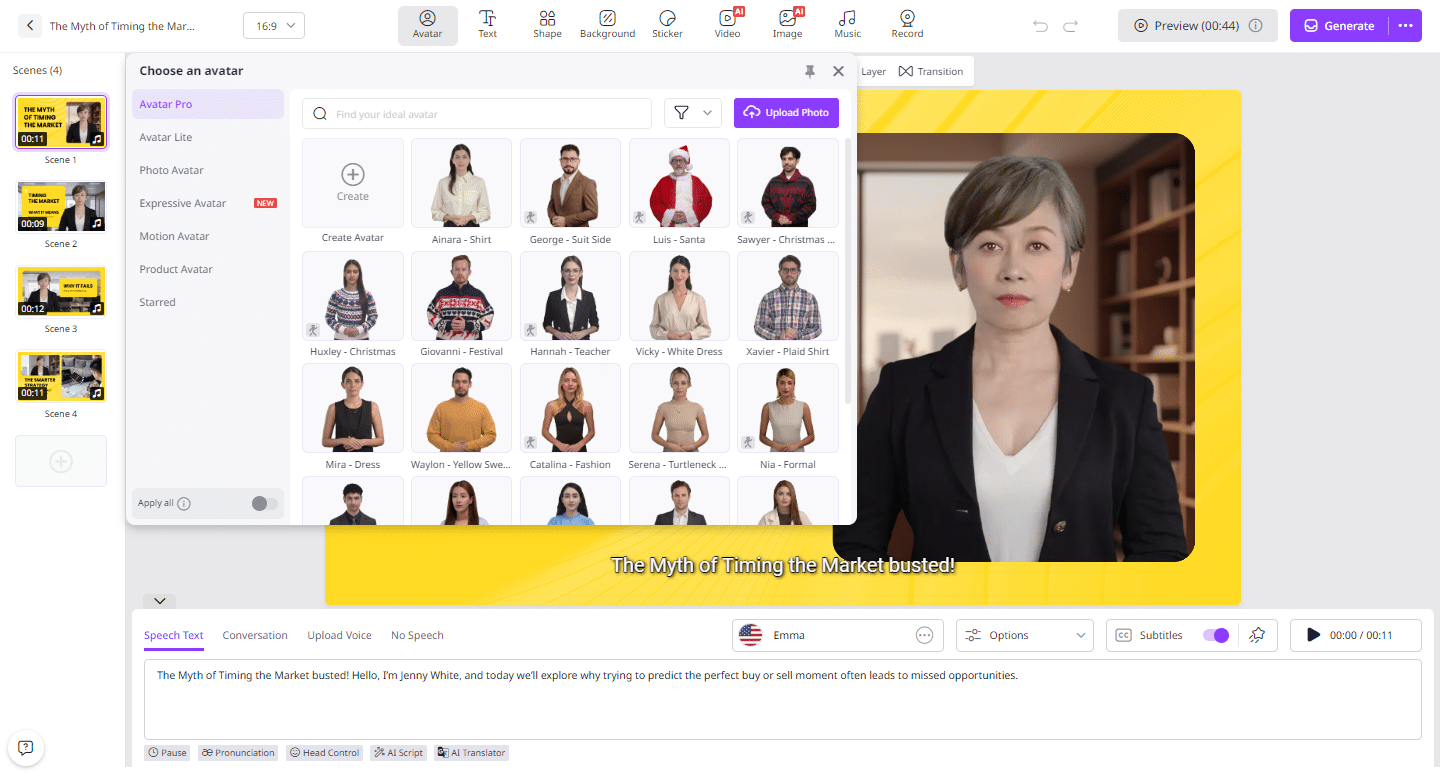
The platform includes over 1,900 realistic avatars representing a variety of professions and roles, including educators, customer support agents, presenters, executives, and students. To speed up setup, users can create digital versions of themselves using Avatar Lite, while Avatar Pro allows for greater customization.
Natural and expressive AI voice:
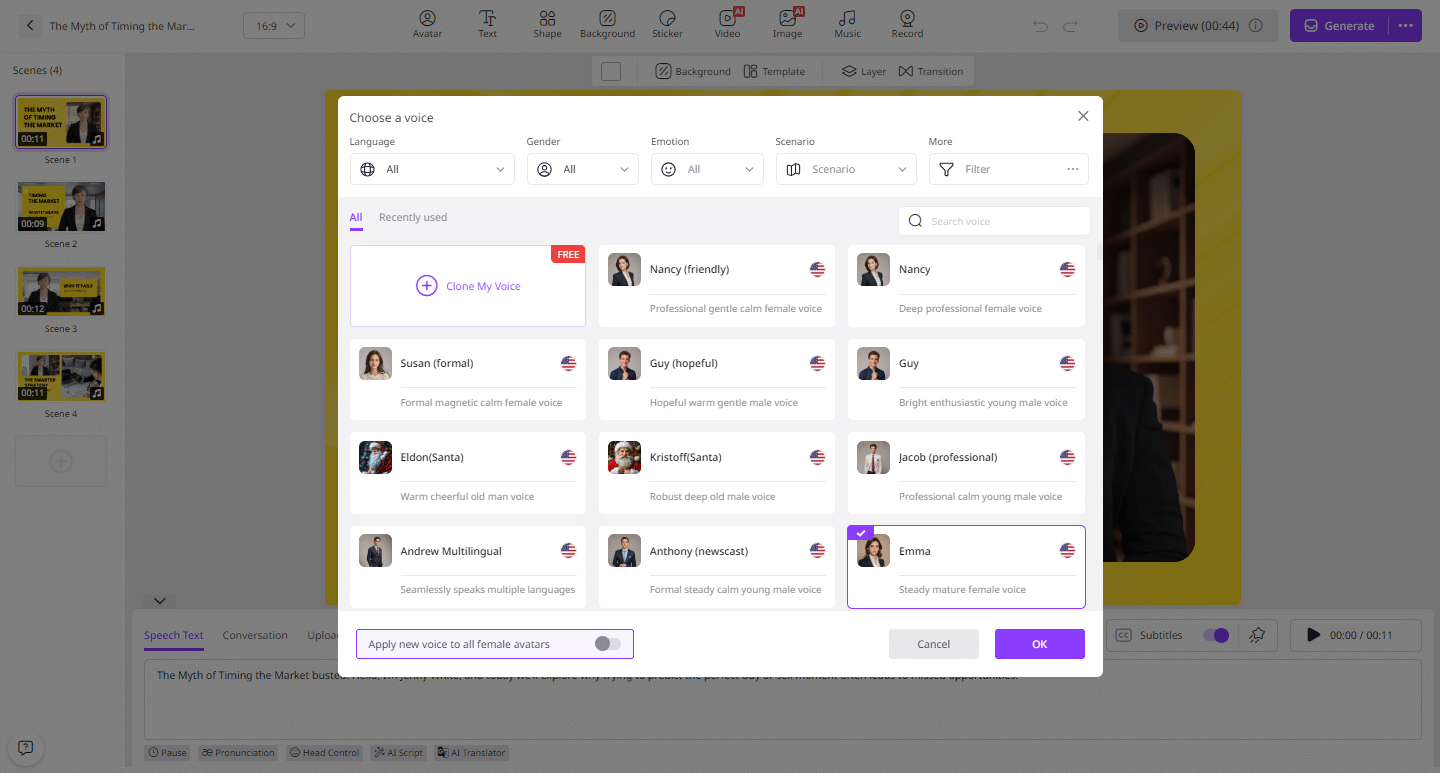
Vidnoz AI integrates voice technologies from Celebrities, Google, and Microsoft to deliver over 2,000 AI-generated voices across over 140 languages. Users can choose voices to suit different styles and characters, including animated, professional voices, and voices inspired by celebrities.
Free access options:
One of the notable benefits of Vidnoz AI is its free plan that allows users to create high-quality presentation videos for free. The free version includes 60 credits and includes access to features such as Avatar Lite, Avatar Pro, Text-to-Speech, and AI Voice Changer.
AI video wizard:
Quickly create engaging videos by entering simple text prompts or uploading your source material, even without any editing experience. The AI video wizard takes care of the rest. No technical knowledge or expert assistance is required.
Part 3: Advantages and limitations of Vidnoz AI
Like any software, Vidnoz AI has both strengths and limitations. Below is a balanced overview of its pros and cons.
Strong Points
- Significantly reduce video production and meeting preparation time by automating scripting, narration, and other manual tasks.
- It features a clean and intuitive interface suitable for beginners and non-technical users.
- Supports over 140 languages including English, Chinese, Spanish, German, French, Japanese, and more.
- It includes a built-in video editor that allows users to trim clips, adjust backgrounds, add animations, and apply effects.
- Easily enhance your videos by providing access to a free media library that includes images, music, icons, and text elements.
Cons
- As a browser-based platform, Vidnoz AI requires a stable internet connection to function smoothly and produce high-quality videos.
Part 4: How to create AI videos using Vidnoz AI (step-by-step)
Creating videos with Vidnoz AI is quick and easy. To get started, follow these steps:
- Open Vidnoz AI in your web browser and click Create Free Video Now. Choose your preferred template and AI avatar.
- Enter your script and select your AI voice. It supports over 140 options and you can also change the video language.
- Customize your video by changing the background, inserting text, applying animations, tweaking details, and more using our online video editor.
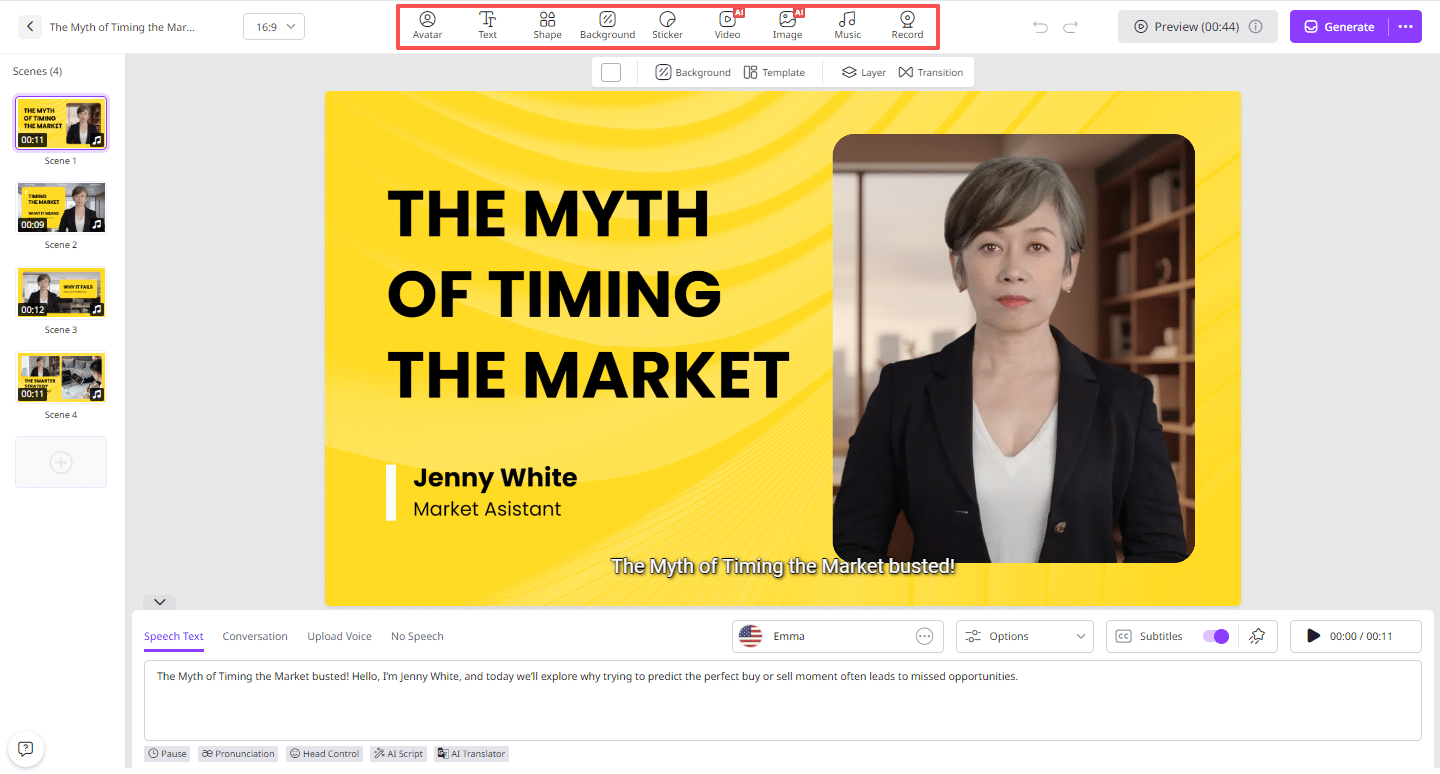
- When everything is ready, click Generate. Your video will be created within seconds. Preview and download the final file in MP4 format.
final thoughts
Vidnoz AI is a highly effective tool for individuals and businesses looking to save time while simplifying video creation. The combination of advanced AI capabilities and ease of use delivers results quickly without compromising quality, making it ideal for meetings, training sessions, and professional communications.