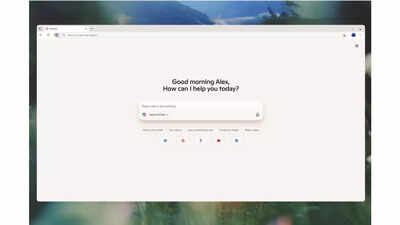
Microsoft has introduced a new Copilot mode in the Edge web browser. This feature uses artificial intelligence (AI) to enhance your browsing experience. Announcing the new AI mode, the software giant said, “As AI begins to reconstruct almost every aspect of its digital life, we are witnessing a turning point in how we interact with the web.” “This is why I'm excited to launch Copilot Mode, a new experimental mode in Microsoft Edge today. It's the next step to building a more powerful way to pilot the web,” he added.
Edge Browser Copilot Mode: How to Use
Microsoft has announced that Copilot Mode will be available for free for a limited period of time in all Copilot-supported markets. This feature is accessible only by both Windows and Mac users in Microsoft Edge.The company added that Copilot Mode is optional and must be turned on manually. To get started, users can access the alias/Copilot-Mode and enable Copilot mode today.
Copilot Mode appears in Edge browser: What does it mean to users?
As the company announced, Copilot Mode aims to make web browsing more convenient and efficient, keeping users focused, saving time and achieving more results with less effort.Copilot Mode allows users to view all open tabs if AI gives permission. This allows you to understand the complete context of what you are researching online. This allows Copilot to offer better suggestions and quicker comparisons. For example, if someone checks different vacation rentals on multiple websites, you can ask Copilot what's closest to the beach and includes a full kitchen, and fewer tab switching will help you make faster and more informed decisions.This feature also supports voice navigation. Users can talk directly to Copilot and ask for tasks like finding specific information on a page, or opening tabs for side-by-side comparisons. This reduces the need for constant clicks and typing, and speeds up daily browsing tasks.Microsoft is also working on additional features that allow Copilot to access more browser contexts, such as search history and saved logins, if the user agrees. This allows Copilot to take actions on your behalf, such as creating appointments, checking the weather, and suggesting related items such as sunscreen and how-to videos.Copilot is displayed in the side pane, allowing users to interact with the current web page without losing their place. It helps you with quick actions such as text translation and recipe measurement conversion while viewing the main content.Soon, Copilot will be able to guide users with ongoing tasks by organizing their browsing history into a topic-based journey. For example, if someone is reading about starting an online business, Copilot may suggest useful next steps, such as looking at the website building tutorial.Edge Browser's Copilot mode works only with user permission and provides a clear on-screen indicator when active. Users can turn Copilot mode on or off at any time, and data is protected by Microsoft privacy standards.