Paying a monthly subscription fee to edit your personal videos and family memories is a huge waste of money. Adobe Premiere Pro is an industry standard, but renting a basic tool you only use a few times a year can end up costing you hundreds of dollars. There is a free, open source alternative to Adobe that avoids these predatory traps, and it’s not DaVinci.

There’s no need to pirate your software: Here’s how to find affordable alternatives
Software piracy is never the solution.
Subscription video editors are too expensive
I spent hundreds of dollars renting tools I rarely use.

Adobe Premiere Pro is the default choice for many people, and at one point I thought it was worth every penny. If you just want to preserve family memories, share vacation footage, or create personal videos, paying for an Adobe Creative Cloud subscription seems like the only way to go.
It didn’t take long for an Adobe subscription to cost more than a computer. I didn’t really use it for anything other than small projects and home movies. I also had the most expensive tier, but it only seemed to go up over time. Fortunately, I canceled before the AI features were added, which increased the price even more for everyone else.
It’s not hard to imagine many people paying such high prices for basic tasks like trimming clips, adding simple transitions, and inserting background music. I couldn’t believe that free software could handle these same tasks perfectly. If you only edit a few videos a year, it’s hard to justify that monthly fee.
Adobe also imposes a 50% early termination fee on contracts if you try to cancel mid-year. This is a terrible tactic that serves no purpose today. You’re essentially renting your creative work, and the moment you stop paying, you lose access to your past project files.
I think this is why this subscription model is completely wrong for creators in general. Many people who use free mobile or desktop programs to escape harmful subscriptions find that the market has its own annoying limitations.
Applications like CapCut and InShot let you make major edits for free, but high-resolution exports and professional assets can suddenly prompt you to upgrade or add branding to your content. These programs hold the final product hostage, locking high-quality rendering behind premium levels or stamping watermarks all over your family’s videos.
Shotcut is a great choice that respects its users unlike other options. It’s also a great way to make your first film.
Video editing UI is almost universal
No need to relearn how to edit
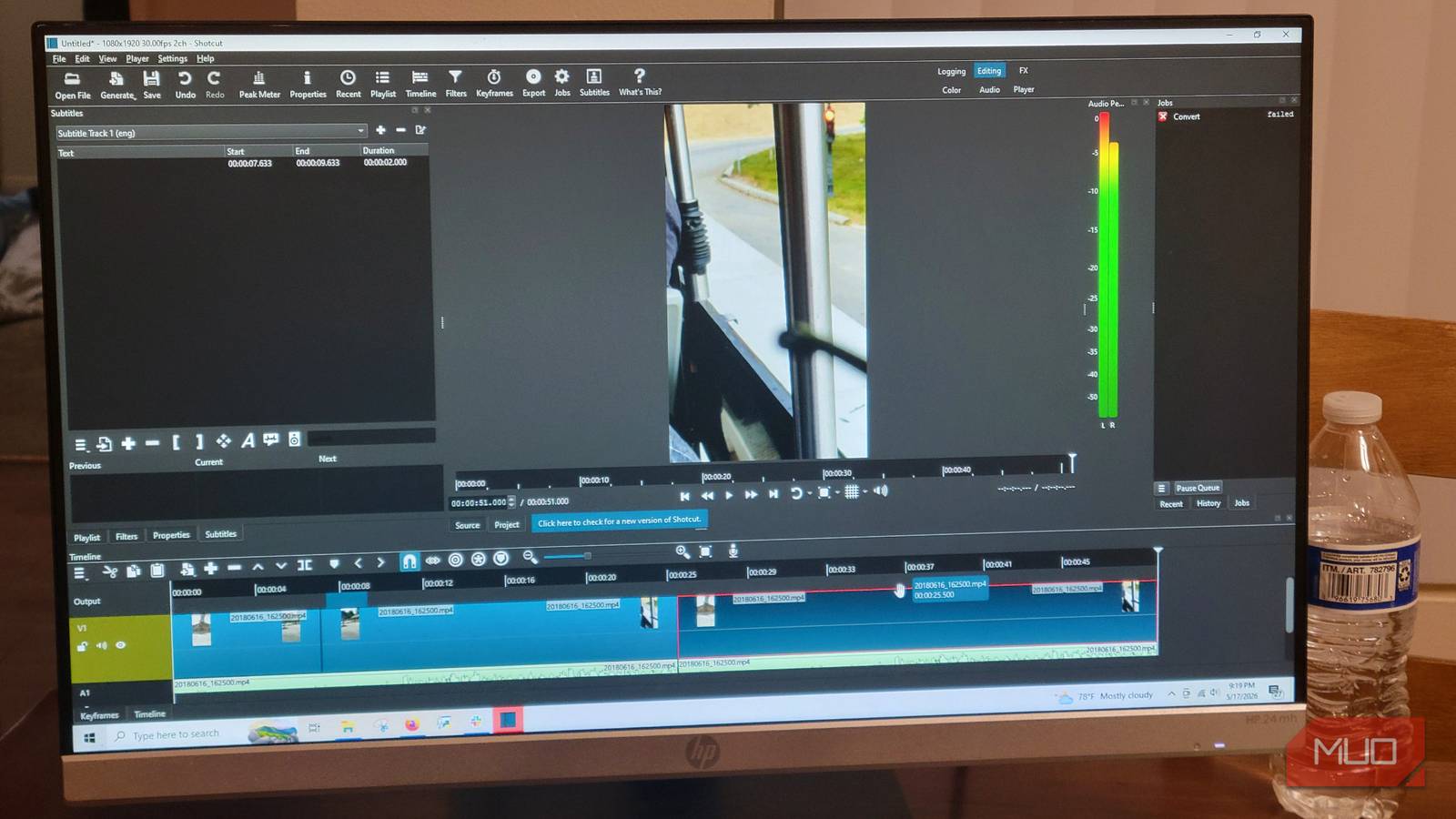
Open source programs often seem intimidating at first, so it can be difficult to break away from familiar subscriptions. However, moving to Shotcut doesn’t mean you have to abandon your old workflow habits. Shotcut comes with dockable and undockable panels that can provide the same layout as Premiere Pro.
You’ll see a player window in the center, a playlist panel for asset management, and a multitrack timeline at the bottom of the screen. I’ve noticed this is very common everywhere. I’ve seen this in Windows Movie Maker, DaVinci, Unreal Engine, and just about every other video editor I’ve used. So you don’t really need to worry about this.
What’s interesting is that Shotcut employs this layout without the bloat of extra panels you see in Adobe. Premiere Pro adds this dense interface filled with overlapping panels, including effect controls, a separate effects browser, a Lumetri color panel, an essential graphics panel, and more.
I’ve been using it for years, and most of the panels were pretty much unnecessary, so I didn’t bother learning them. In Shotcut,[フィルター]panel and[プロパティ]You can adjust settings through the panel. Shotcut isn’t burdened with legacy code for enterprise teams, so the interface remains clean and modular. This allows you to pin or unpin panels depending on your task without having to move your entire workspace.
The most important part, the timeline, works as well. Allows for multiple video and audio tracks, precise trimming, ripple removal, and overwriting. One thing I like is that Shotcut allows you to do crossfades and visual transitions using the overlap method of dragging one clip on top of another on the same track, without having to go through separate menus to drag effects into cuts.
The app also automatically creates low-resolution proxy files so you can edit heavy 4K projects without delay before rendering the original full-quality file.
Never sacrifice quality
Open source tools can handle 4K well
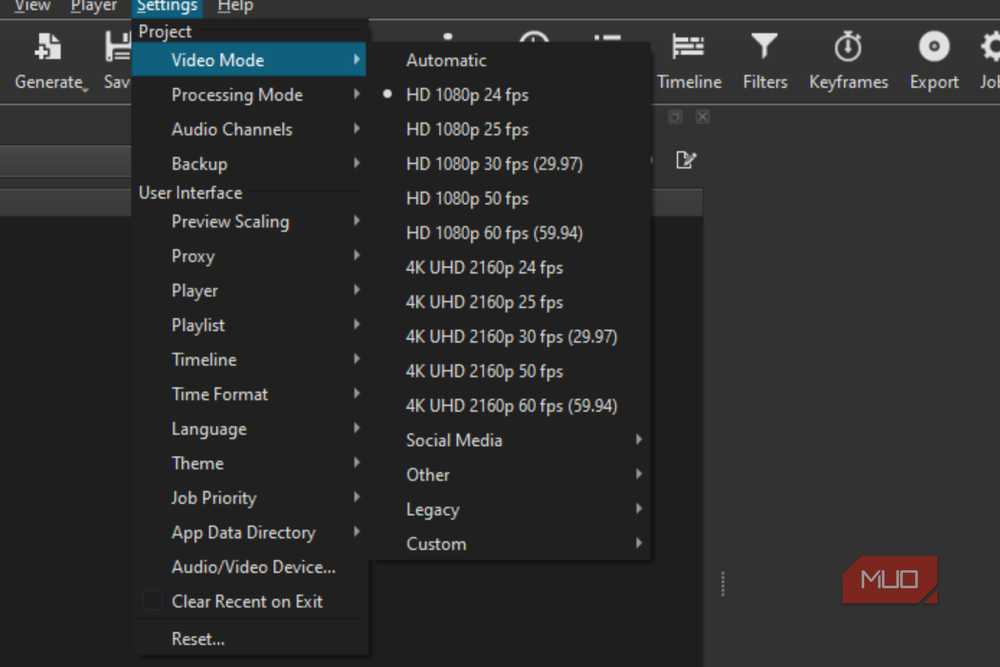
Many people believe that open source software cannot handle high-volume video production. Shotcut is a great example of why this isn’t true. Shotcut is built on the Media Lovin’ Toolkit framework and connects directly to FFmpeg.
This means native support for hundreds of video formats and codecs without time-consuming ingest or transcoding phases. When it comes to the heavy lifting of 4K video editing, Shotcut uses hardware-accelerated decoding and encoding such as NVIDIA’s NVENC, Linux’s VAAPI, and Intel’s QSV. This reduces export time and reduces processor load.
Thanks to these hardware encoders, if you don’t have a budget PC, rendering 4K 60fps footage takes seconds instead of minutes. Even if your computer is old or unstable, Shotcut has a great proxy system. Automatically create lightweight 540p files to keep your timeline smooth and restore the original 4K clip for final export.
I’ve been using it to make home movies and had a lot of problems with Premiere Pro, but I can say I don’t have any more problems now.
You don’t need features like Premiere Pro’s automatic reframing. These AI tools may be useful for professional marketing agencies that manage large amounts of content every day, but they are of no use to the average user. These expensive features are just an excuse to make the software more expensive.
By cramming this extra bloat into the main software, Adobe locks users into a mandatory Creative Cloud subscription that is way too expensive.
Stop renting from Adobe and start owning with Shotcut
Shotcut is not a complete replacement for all Hollywood movies. However, if you don’t need AI or bloatware, Shotcut handles the heavy lifting just fine. It matches industry standard layouts, supports hardware acceleration for fast 4K export, and gives you complete control over your work.

- developer
-
shot cut
- price model
-
free
Shotcut is a free, open-source video editing program that lets you create and edit videos without paid upgrades or watermarks. Works with Windows, Mac, and Linux computers.