E-commerce brands face a growing challenge: produce more video ad content, test more creative variations, and do it faster — all while keeping customer acquisition costs manageable. Short-form platforms like TikTok, Instagram Reels, and YouTube Shorts have become primary discovery channels for online shoppers, making video advertising essential rather than optional.
Traditional video production workflows — hiring videographers, scripting, filming, editing — simply cannot keep pace with the volume and speed modern performance marketing demands. This has driven increased adoption of AI-powered marketing video tools that can generate, iterate, and optimize ad creatives at scale.
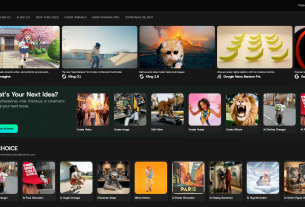
One such platform is Topview AI’s Marketing Studio, which combines multiple AI video generation models, talking avatars, product visuals, and voice synthesis into a single workspace designed for marketing teams and e-commerce sellers.
What Is Topview Marketing Studio and How Does It Work?
Topview Marketing Studio is an AI-powered creative platform that helps businesses produce short-form marketing videos from product information, images, or URLs — without requiring traditional production resources. Rather than working with separate tools for scripting, filming, editing, and voiceover, users can generate complete ad creatives within one collaborative workspace.
What distinguishes Topview from single-purpose AI video generators is its multi-model architecture. The platform provides access to over 10 state-of-the-art video generation models — including Seedance 2.5, Sora 2, Kling 3, Veo 3.1, and Vidu Q3 — alongside image generation, AI talking avatars, voice cloning, and text-to-speech capabilities. This means marketers can produce different types of content (product demos, UGC-style videos, animated ads, talking head explainers) from a single platform rather than cobbling together multiple point solutions.
For e-commerce sellers specifically, Topview offers a URL to video workflow: paste a product link, and the AI analyzes trending video insights from over 430 million TikTok videos to generate scripts, select clips, and produce platform-ready advertisements automatically.
How to Use Topview Marketing Studio for Better E-Commerce Ad Performance
Step 1: Define Your Campaign Objective
Before generating any creative, identify the primary purpose of the advertisement. The objective shapes everything from video structure to messaging tone and call-to-action placement.
Common e-commerce objectives include:
- Direct conversion — driving immediate purchases through urgency, pricing, and social proof
- Product awareness — introducing a new product to cold audiences through storytelling
- Retargeting — re-engaging visitors who browsed but did not purchase
- UGC-style trust building — creating authentic-looking testimonial content that builds credibility
A direct-response ad emphasizing a limited-time discount requires different creative treatment than an awareness campaign focused on product benefits and lifestyle positioning. Defining this upfront ensures the AI generates content aligned with your marketing goals.
Step 2: Provide Product Context and Assets
Topview allows users to start from a product URL, uploaded images, or a combination of text descriptions and visual assets. The more context provided, the more relevant the generated content becomes.
Effective inputs include:
- Product name and category
- Key features and specifications
- Target customer pain points
- Primary benefits and differentiators
- High-quality product images from multiple angles
- Existing brand guidelines or tone preferences
For example, rather than inputting:
“Make a video about a fitness tracker.”
A more detailed brief would be:
“Create a 15-second TikTok ad for a waterproof fitness tracker targeting busy professionals aged 25-40. Emphasize sleep tracking accuracy, 7-day battery life, and slim design. End with a limited-time 30% off CTA.”
The platform’s AI uses this context to generate scripts informed by trending video structures that perform well for similar product categories.
Step 3: Choose Your Creative Format
Topview supports multiple ad creative formats, each suited to different objectives and audiences:
AI Talking Avatar — Upload a photo and script to generate realistic presenter-style videos with lip-sync. Ideal for UGC-style ads, product reviews, and explainer content without hiring on-camera talent.
Product Video (URL-to-Video) — Paste your product link and let the AI analyze your product page, generate scripts based on viral video insights, and automatically assemble clips with music and transitions.
Image-to-Video — Animate static product images into dynamic video clips with motion, camera movement, and visual effects.
Text-to-Video — Generate video content purely from text descriptions when no product footage exists.
Reference-Based Generation — Use competitor ads or inspiration videos as style references for the AI to generate original content with similar visual approaches.
Step 4: Craft an Effective Hook
The first 1-3 seconds of any short-form ad determine whether viewers watch or scroll past. Topview’s AI generates hooks informed by patterns identified across hundreds of millions of trending videos, but understanding what makes hooks work helps you guide the output.
Effective hook structures include:
- Problem statement — “Tired of charging your watch every single day?”
- Surprising statistic — “93% of people track sleep wrong.”
- Before/after contrast — Show the transformation your product enables
- Direct question — “What if your watch could actually last all week?”
- Pattern interrupt — Unexpected visuals or statements that break scrolling behavior
With Topview, you can generate multiple hook variations for the same product video without rebuilding the entire creative — enabling rapid A/B testing of opening angles.
Step 5: Generate Multiple Creative Variations at Scale
This is where AI-powered marketing studios provide their greatest advantage over traditional production. Instead of investing in a single “hero” video and hoping it resonates, marketers can generate dozens of variations testing different:
- Hook angles and opening statements
- Messaging frameworks (benefit-led vs. problem-led vs. social proof)
- Visual styles and pacing
- Calls-to-action (urgency vs. value vs. scarcity)
- Avatar presenters and voice tones
- Video lengths (7s, 15s, 30s, 60s)
Topview’s multi-model access means you can also test different visual generation approaches — a Seedance 2.0 cinematic style versus a Kling 3 product-focused look — to identify which aesthetic performs best with your target audience.
This volume-based testing approach, sometimes called “creative velocity,” has become standard practice among top-performing e-commerce advertisers. The brands scaling fastest on TikTok and Meta typically test 50-100+ creative variations per month.
Step 6: Localize and Adapt for Multiple Markets
For e-commerce brands selling internationally, Topview’s multilingual capabilities can significantly reduce localization costs. The platform supports:
- Auto-dubbing across 30+ languages with natural-sounding AI voices
- Voice cloning — maintain a consistent brand voice across markets using a single audio sample
- Text-to-speech with 100+ voice options for different demographics and tones
- Avatar lip-sync that adjusts to different languages automatically
Rather than producing separate videos for each market, sellers can create a master creative and generate localized versions in minutes — adapting not just language but also pacing and cultural tone for different audiences.
Step 7: Optimize for Each Platform’s Requirements
After generation, video content should be adapted for the specific platform where it will run. User behavior and algorithm preferences vary significantly:
- TikTok — fastest pacing, hook within first second, trending audio styles, native-feeling content outperforms polished ads
- Instagram Reels — slightly more polished aesthetic, strong visual storytelling, lifestyle positioning
- YouTube Shorts — can accommodate slightly longer setups, informational content performs well
- Meta Feed/Stories — text overlays important (many viewers watch without sound), clear product visibility
Topview generates content in platform-specific aspect ratios and formats, reducing the manual adaptation work typically required when repurposing creatives across channels.
Key Features of Topview Marketing Studio for E-Commerce
URL-to-Video Workflow
Paste a product page URL and Topview’s AI extracts product information, generates multiple script options informed by viral video trends, and assembles complete video ads automatically. This is particularly valuable for e-commerce sellers managing large product catalogs who need fresh creatives at scale.
Multi-Model Video Generation
Rather than being locked into a single AI model’s capabilities and aesthetic, Topview aggregates access to the leading video generation models (Seedance 2.0, Sora 2, Kling 3, Veo 3.1, Vidu Q3, and others). Different models excel at different content types — cinematic product shots, realistic human motion, text rendering — giving marketers more creative range.
AI Talking Avatars for UGC-Style Content
User-generated content consistently outperforms polished brand ads on social platforms. Topview’s avatar system creates realistic talking-head videos from any photo, enabling brands to produce UGC-style testimonial and review content without coordinating with creators. Custom captions, multiple languages, and scripts up to 120 seconds are supported.
Collaborative Board Workspace
All generated assets — videos, images, voiceovers — live on a shared board canvas. Marketing teams can organize creatives by campaign, review and compare variations side-by-side, and iterate without switching between tools or downloading and re-uploading files.
Trending Video Intelligence
Topview’s AI draws on insights from over 430 million TikTok videos to inform script structure, hook patterns, pacing, and content strategies. Rather than guessing what might work, the platform’s recommendations are grounded in actual performance data from the platforms where ads will run.
Product Avatar and Model Shots
Generate professional product-on-model images without photography — useful for fashion, accessories, and lifestyle products that benefit from contextual presentation. Combined with background removal, sellers can transform basic product photos into marketing-ready lifestyle visuals.
What Other Use Cases Fit Topview Marketing Studio?
While e-commerce ad creative production is a primary application, the platform’s capabilities extend to several adjacent marketing scenarios:
Affiliate Marketing Content
Affiliates promoting multiple products can generate unique video creatives for each offer without maintaining their own production setup. The URL-to-video workflow is particularly efficient for affiliates who need to quickly produce content for new product launches.
Agency Creative Production
Marketing agencies managing multiple client accounts can use Topview to scale creative output without proportionally scaling their production teams. Generate initial concepts rapidly, iterate based on client feedback, and produce final variations for testing — all within a single workspace.
DTC Brand Social Content
Direct-to-consumer brands that need to maintain consistent posting schedules across multiple platforms can batch-produce social content. Generate a week’s worth of short-form videos in a single session, each with platform-specific optimization.
Product Launch Campaigns
When launching new products, speed and testing volume matter most. Generate dozens of creative angles before launch to identify winning messaging, then scale the best performers with larger ad budgets.
Multilingual Market Expansion
Brands entering new markets can localize their proven ad creatives across languages and cultural contexts without rebuilding from scratch — testing international expansion with minimal incremental creative cost.
Conclusion
As video continues to dominate e-commerce discovery and conversion, the brands that scale most efficiently are those that can produce, test, and iterate on ad creatives fastest. Manual production workflows create bottlenecks that limit testing velocity and slow the feedback loop between creative and performance data.
Topview AI’s Marketing Studio addresses this by combining multi-model video generation, AI talking avatars, product visual tools, voice synthesis, and trend intelligence into a single collaborative platform purpose-built for marketing teams. For e-commerce sellers seeking to scale video advertising without proportionally scaling production costs, it offers a practical approach to maintaining creative velocity across platforms and markets.
Whether you are testing your first video ads or managing hundreds of creative variations across multiple markets, the platform’s URL-to-video workflow and multi-format generation capabilities can help streamline the path from product page to performing ad creative.