Meta Description: AI video generation helps companies reduce production barriers, scale content faster, and create more agile marketing workflows without the constraints of traditional filming.
Video has become one of the most important forms of modern business communication. Businesses use it to explain their products, train their teams, support customer education, build visibility on social media, and strengthen brand trust. However, for many organizations, video production has remained expensive, time-consuming, and difficult to scale.
That gap is now narrowing. As artificial intelligence becomes more practical in creative workflows, companies are starting to treat video not just as a campaign asset, but as an everyday communication tool. Platforms like insMind have made AI-assisted visual creation more accessible to teams who need faster content output without building a full production department.
This doesn’t mean all business videos need to be automated. This means businesses now have more flexible options to match production quality, speed and cost to each content objective.
The business case for faster video production
For many years, the biggest challenge with video wasn’t demand. It was the capacity. Marketing teams needed more product descriptions, short ads, training clips, announcement videos, and social media creative, but traditional production workflows often required planning, filming, editing, revision, and approval across multiple teams.
This process remains important for high-budget brand campaigns. However, that’s not always practical for everyday content needs. Startups may need a product demo by the end of the week. Ecommerce teams may need multiple versions of promotional videos for different audiences. Your sales team may need a briefer to support a new offer.
AI video tools can help reduce this operational complexity. Instead of waiting for a full production cycle, teams can quickly test ideas, create drafts for approval, and produce short-form content at a pace that approaches the speed of digital marketing. AI video generators allow teams to transform prompts, scripts, or product images into usable video content with far less reliance on cameras, large production staff, or complex editing software.
From static assets to dynamic brand communication
Many companies already have large libraries of static assets such as product photos, landing page copy, blog content, social posts, customer FAQs, and presentation materials. The challenge is converting these assets into a format that works well across today’s digital channels.
AI-powered video creation allows businesses to repurpose existing materials into motion-based content. Product images can be short showcases. A written script can become a social media clip. Campaign concepts can be tested in several visual directions before the final version is selected.
This is especially useful for small businesses that don’t have an in-house video team. Text-to-video generators give marketers, founders, and content teams a way to turn written ideas into video drafts without starting with a blank editing timeline.
The result is not only faster production; This is a more experimental approach to business communication. Teams can create more variations, learn from audience reactions, and refine their messages with greater agility.
How to turn written ideas into business videos
For teams already working from briefs, campaign notes, and product descriptions, the workflow is simple enough to fit into their regular content planning cycle. The goal is to go from a clearly written concept to a usable video draft and then refine the result for the appropriate channel.
Step 1: Start in the right authoring mode
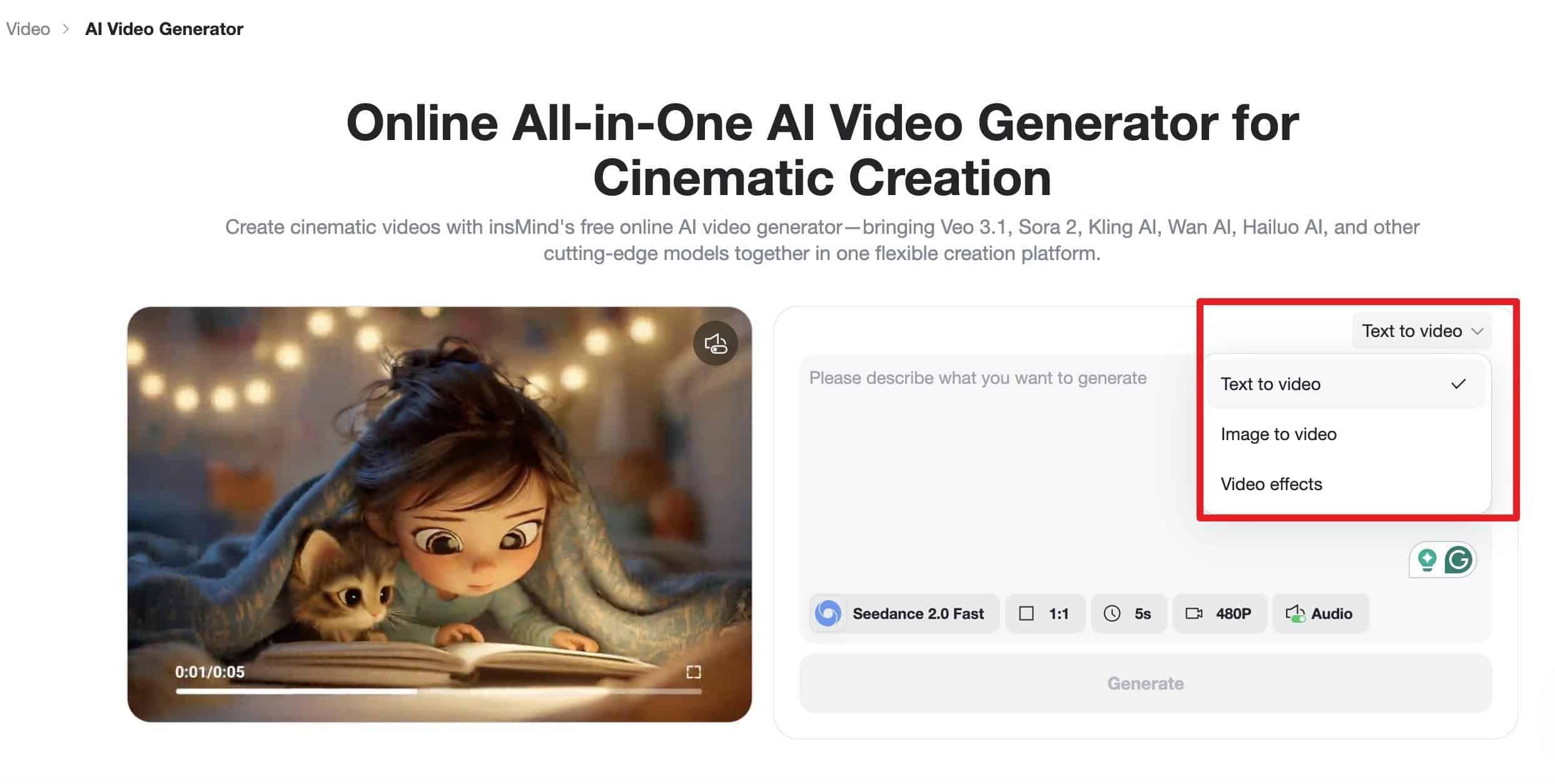
Open the video creation workspace and select Text to Video as the input mode. This tells the platform that the written prompt, not the uploaded image, controls the scene, style, camera direction, and output.
Step 2: Choose your model and basic output settings
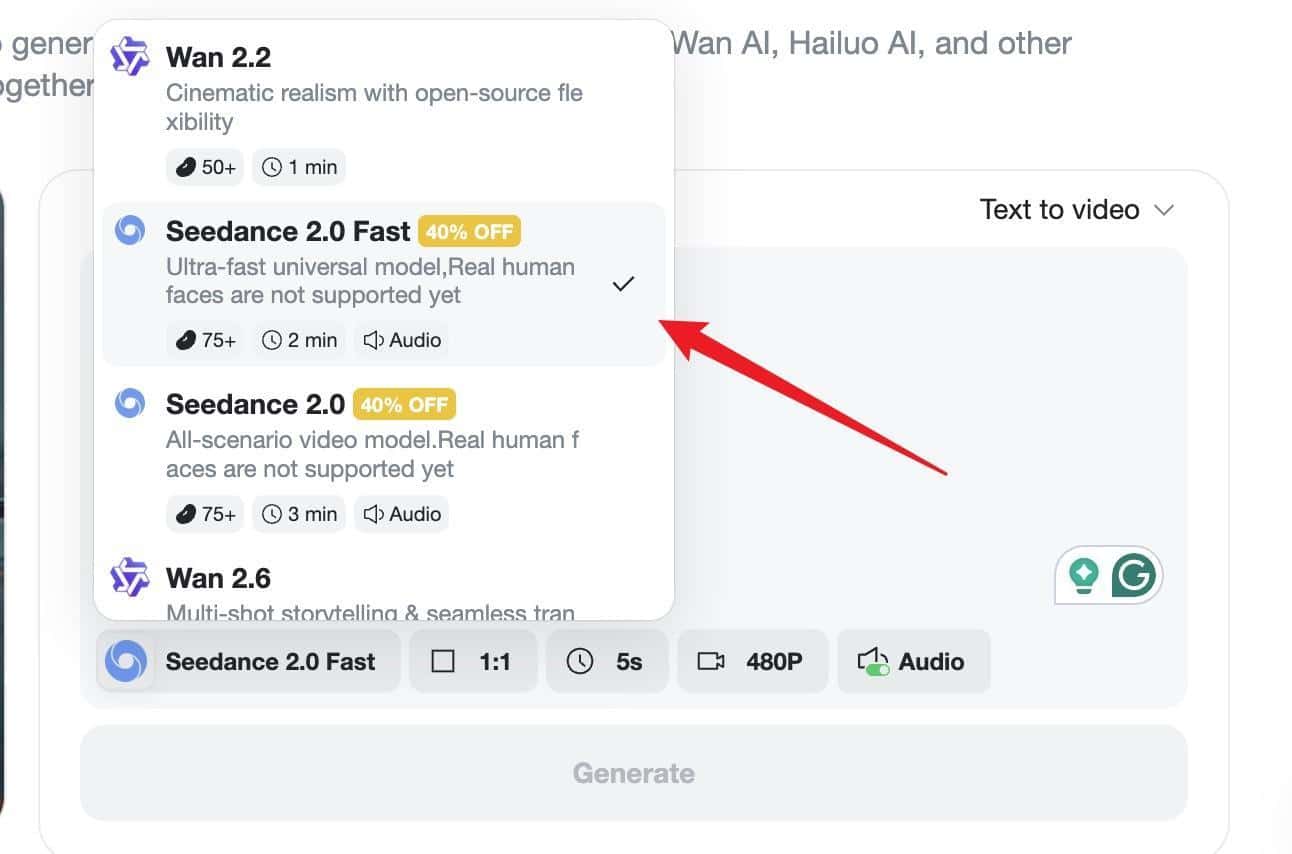
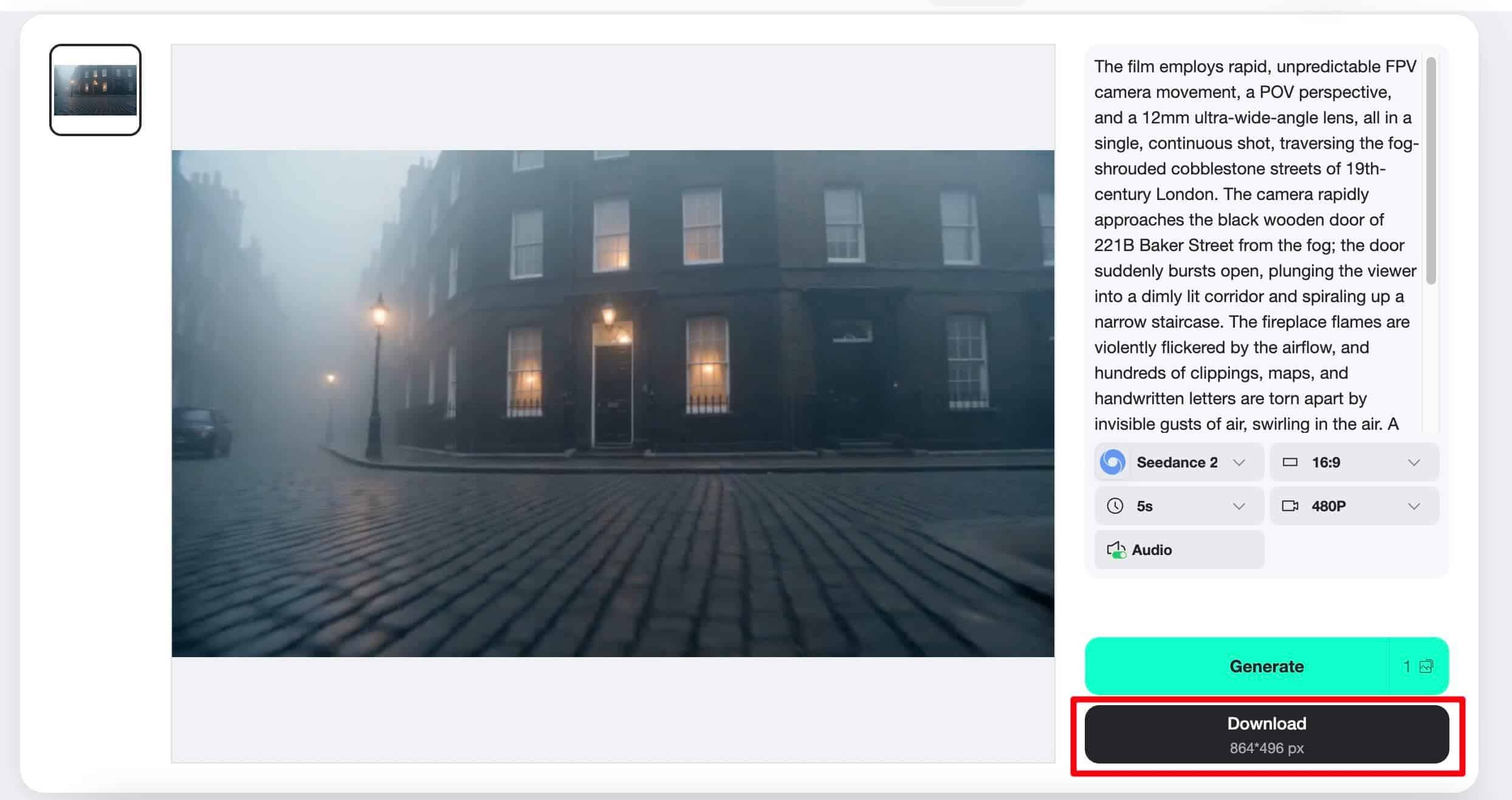
Choose the AI model that suits your business. Fast models are useful for quick creative testing, while more advanced models may be better suited for sophisticated campaign assets. Teams can also set practical details such as aspect ratio, length, resolution, and audio support before production.
Step 3: Create specific prompts and generate previews
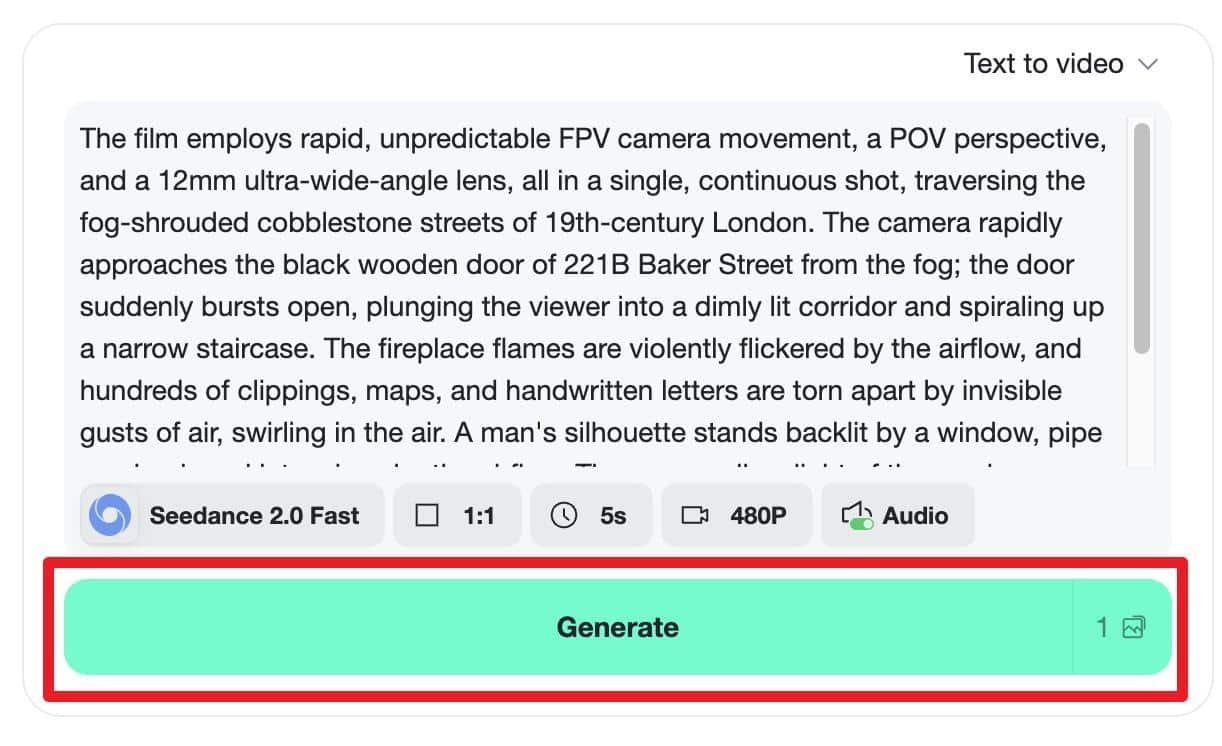
Add scene, subject matter, movement, mood, and business purpose to your prompt. For example, a product announcement clip should include what appears on screen, camera movements, tone of the video, and target platform. Once your prompt is ready, generate a preview and see if the results match your creative outline.
Step 4: Download the video and prepare it for distribution
Once the preview is approved, download the finished MP4 and prepare a platform-specific version if needed. The wide format is suitable for websites and YouTube, while the shorter vertical version can support Reels, TikTok, Shorts, paid social, or product pages.
Why AI video is important for marketing efficiency
Digital marketing is often about speed and relevance as much as polish. If your highly produced video arrives too late, you may miss your market timing. Simple but timely videos can support product launches, trends, seasonal campaigns, or customer questions while staying relevant.
AI video generation supports efficiency in several ways. This means reducing the cost of creating multiple creative variations, helping your team adapt your message to different platforms, allowing non-designers to participate in video creation, and making it easier to test different hooks before committing to a larger campaign.
This flexibility is a huge advantage for companies operating in competitive markets. By creating more relevant content in less time, your team can respond to changes in customer behavior rather than relying solely on long production calendars.
Practical use cases across business functions
AI video generation is not limited to marketing departments. That value can spread across multiple areas within the company.
Sales teams can create short product descriptions to support outreach and presentations. Your customer success team can create tutorial clips that answer common questions. HR departments can create onboarding videos and internal announcements. E-commerce teams can turn product images into ads and promotional clips for in-store displays.
For brands that rely heavily on digital storytelling, an AI business video generator can help create more consistent visual communications across departments. This is especially useful when companies need to maintain a brand presence across multiple channels without overtaxing their creative teams.
Human creativity determines results
AI can speed up production, but it cannot replace strategic thinking. Businesses still need clear messaging, audience understanding, brand guidelines, and creative decisions. If the prompts are weak or the script is unclear, the output will usually be weak, no matter how sophisticated the tool is.
The best results are achieved when AI video tools are used as part of a thoughtful workflow. Teams need to start with a clear purpose. This means explaining features, introducing products, promoting offers, educating customers, and increasing awareness. From there, AI can help generate visual instructions, draft clips, and speed up revisions.
In this model, the human remains the director. AI becomes a production assistant that helps turn ideas into usable assets faster.
conclusion
As AI video tools continue to improve, businesses may move to more agile content operations. Rather than treating video as a resource-heavy project, teams use it as a flexible format for everyday communication.
This change does not mean that traditional production will disappear. Premium brand films, executive interviews, event coverage and high-stakes campaigns will continue to benefit from professional staff and creative specialists. But as businesses increasingly require short, actionable, platform-specific videos, AI generation will become an important part of the content stack.
The companies that will benefit most will be those that combine speed and strategy. AI is used not just to create more content, but to create more useful content, including clearer product education, faster campaign testing, better customer communication, and more consistent brand awareness.
AI video generation is changing the economics of business content creation by lowering the barrier between ideas and finished visual assets. For modern businesses, this means faster execution, broader creativity, and a more responsive approach to digital growth.