
The hype surrounding Claude has skyrocketed in recent months, and for good reason. Claude, an AI tool developed by startup Anthropic, has become one of the world’s leading platforms since the rise of generative AI. He’s always been strong, but he’s shown some really surprising abilities in recent weeks.
6 View gallery

Today I’d like to introduce our readers to the free version of Claude and provide the basics for those who have never used it before, or who have tried it once or twice without fully understanding how it works. In future articles, we’ll be covering some of the most talked about tools today, including Claude Code and Claude Co-Work. For now, take a deep breath, drink some coffee, and get ready to study.
As the name suggests, this feature is designed to manage work in progress. This allows users to maintain a persistent context with the system. Instead of reintroducing yourself and your needs every time you chat, define them once and Claude will remember them.
For example, someone working on a writing project can open a new conversation and continue exactly where they left off without repeating background details. This makes it especially useful for regular use rather than just one-time questions.
structure:
Log in to the cloud and click Projects on the left. Name your project, upload documents, and define custom instructions. After that, all conversations in your project will include all the context you entered beforehand. Without this, every conversation starts from scratch.
6 View gallery
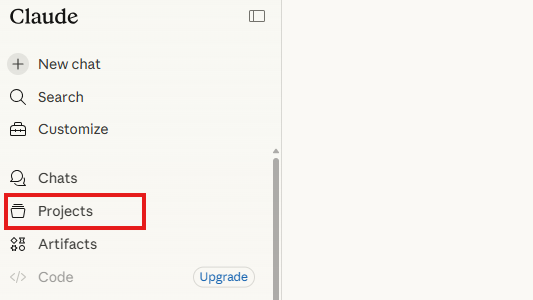
Project about Claude
(Photo: Screenshot)
Despite the awkward name, this is one of Claude’s most powerful features. Artifacts are output that Claude produces and displays in a separate panel rather than within the chat itself.
Whether it’s a document, table, code, or even a web page, the results appear in a dedicated window where you can view, edit, and download them. Simply put, a chat is a conversation, and a deliverable is an output.
structure: When you’re talking to Claude, try asking questions like “Show me a comprehensive analysis using the Excel graphs you uploaded” or “Make a computer game about dinosaurs running away from aliens” and see what comes up.
Claude can analyze images. Users upload photos, screenshots, scanned documents and graphs, and the system interprets, transcribes and explains them.
It can also be used to analyze screenshots of software and websites. For example, uploading your grocery receipts will generate a categorized summary of your spending. This is a surprisingly powerful everyday use case.
structure: Click the paperclip icon in the chat, upload a photo or PDF file, and continue asking Claude your questions as usual. Yes, it’s very easy. For example, I almost regularly upload my supermarket receipts and receive a nice graphical summary of my purchases from Claude, including the breakdown into categories. An almost spiritual experience.
Claude learns from past interactions and remembers future conversation preferences and writing styles.
Unlike projects, which are user-defined contexts for specific tasks, memories are automatically constructed from everyday interactions such as names, occupations, and preferences, and apply to entire conversations.
structure: Go to Settings and click Features. There you will see the memory feature (it is important to make sure this is active). By the way, you can also ask Claude to say, “Remember that I started learning about you through Ynet’s AI Academy.” That way he will remember it. You can also have your memories deleted.
6 View gallery
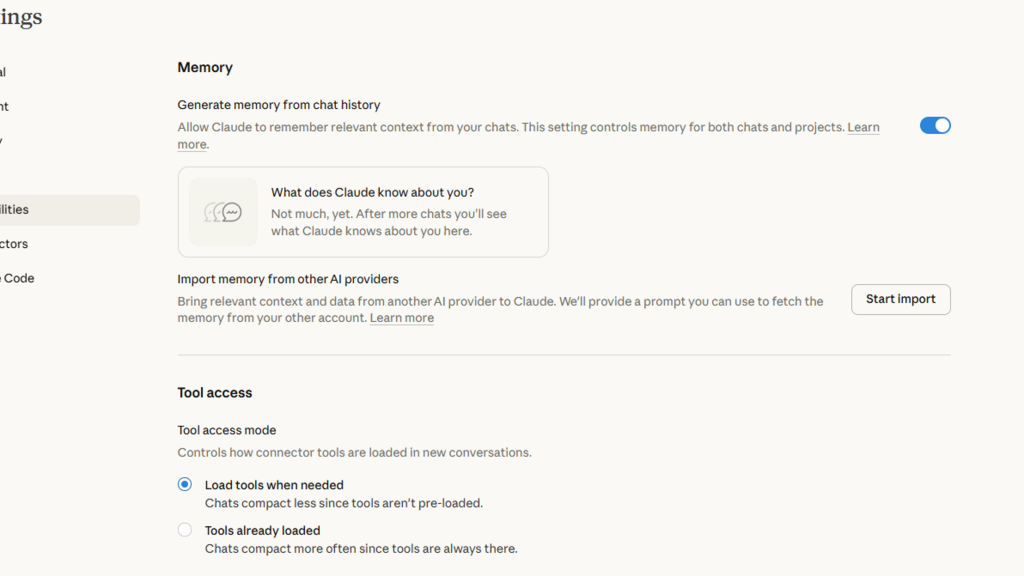
Claude’s memory function
(Photo: Screenshot)
Like other chatbots, Claude allows users to define their preferred writing style. For example, you can give instructions such as “Always write in concise, business-style English,” and “Use detailed examples and a formal tone.”
Setting a style automatically applies it to subsequent responses.
structure: In the conversation window, click the plus sign in the bottom left corner and select the last option[スタイルを使用]Select. You can choose from pre-written response styles (formal, concise, descriptive) or define your own. Set it up once and every conversation will automatically have the right tone.
6 View gallery
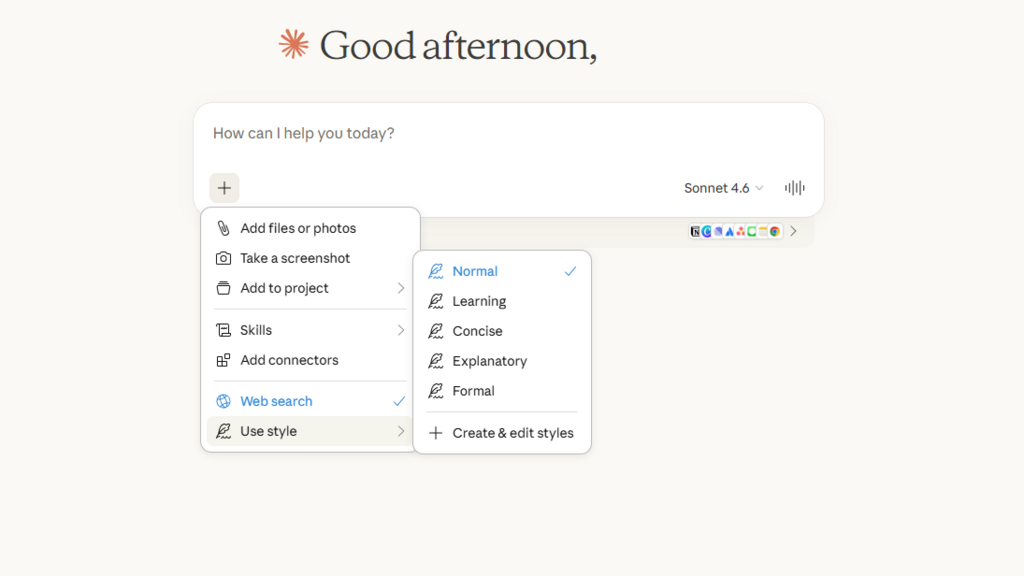
Claude’s style features
(Photo: Screenshot)
Claude can connect directly to platforms like Google Drive and other apps. Instead of manually uploading files, users can instruct Claude to access documents directly.
Dozens of integrations are available, including tools like Figma and various Google services, greatly streamlining your workflow.
structure: Below the conversation window is a small panel that gives you the option to connect the app to the cloud. Click on it and follow the instructions depending on the app you want to connect. If this panel does not appear automatically, click the plus in the lower left corner,[コネクタの追加]Select.
6 View gallery
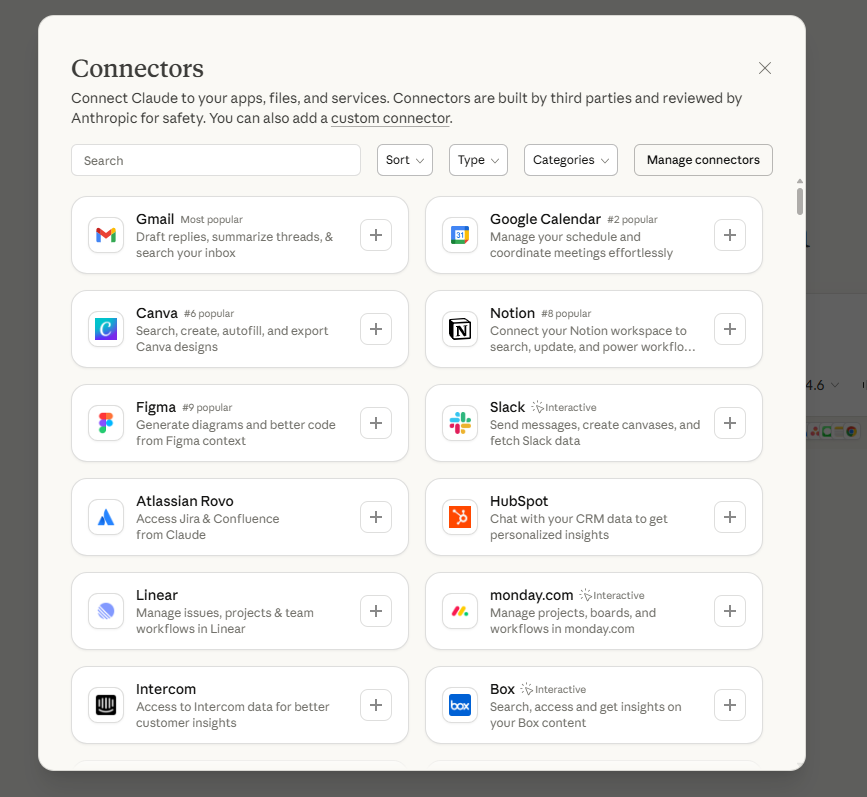
Connect your app to the cloud
(Photo: Screenshot)
Claude can search the Internet in real time. Users can request up-to-date information and receive detailed answers with verifiable sources.
This is especially useful for tasks like finding flights and current data, but full functionality may require some permissions.
structure: Click the plus sign in the bottom left corner of the conversation bubble,[Web 検索]Select. Note that you may need to enable Claude to connect to another website for effective results, such as when you want someone to search for cheap flights. Otherwise, we simply suggest recommended websites for purchase.
6 View gallery
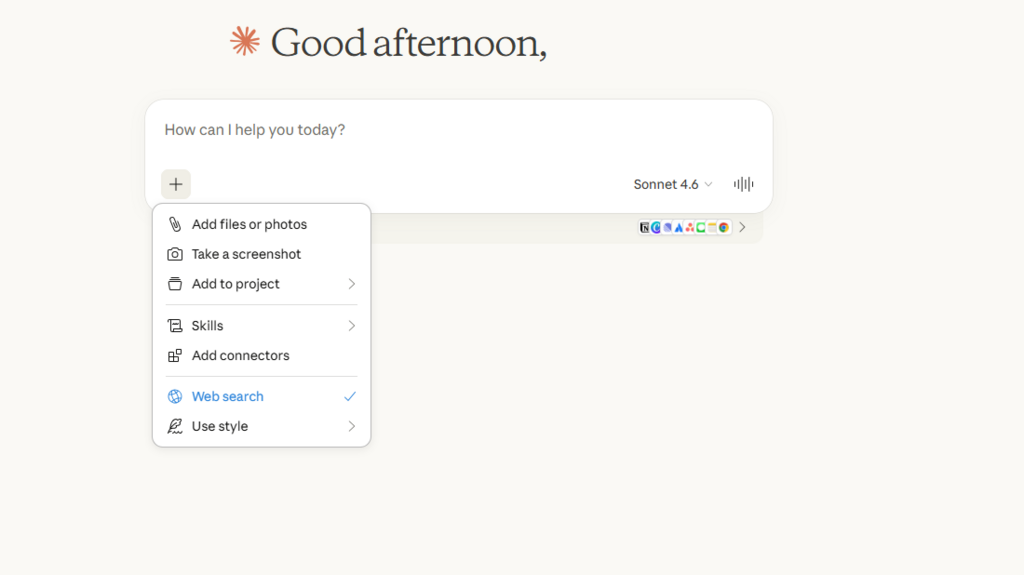
Claude’s internet search
(Photo: Screenshot)
By combining projects and styles, you can transform Claude from a generic chatbot to a highly customized assistant.
Giving negative instructions, or “what not to do,” often improves results.
Setting a clear length limit, such as 3 sentences or 1 paragraph, will help you focus your answer.
These seven features transform Claude from a basic chatbot into a powerful and practical working tool, even in its free version. Users who rely on AI only for emails and occasional questions are missing out on much of AI’s potential.