Google has introduced new AI capabilities in its Photos app, allowing users to convert static images into animated videos and artwork.
Create tab
A new Create tab is now available in Google Photos. In this section, we bring together your app's creative tools in one convenient place.
Users will find both normal features and new AI options for faster and easier content creation.
Anyone can create short videos, digital art and more with just a few taps.
Video from photo
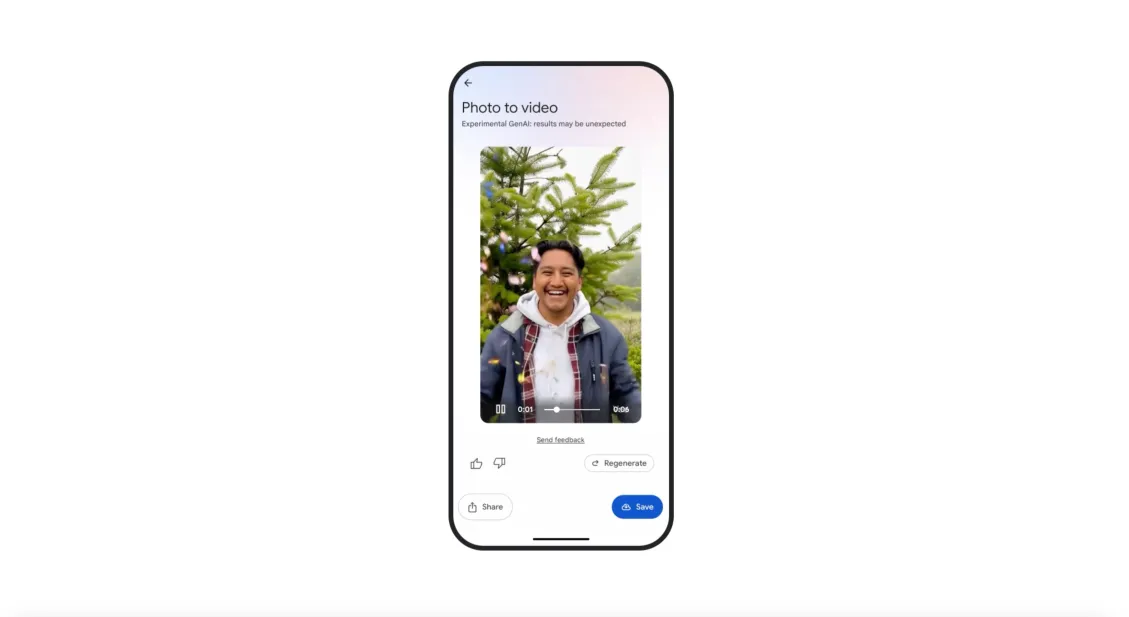
Photo-to-Video functionality allows users to turn still images into short video clips. Each clip lasts approximately 6 seconds.
To use it, select the photo and select the prompt. There are two options. There is a “subtle move” of realistic animation and a “I feel lucky” option for more unexpected results
This feature uses Google features VEO 2 The same AI engine found in video models, YouTube and Gemini tools.
Currently available in the US on both Android and iOS, the Photo Tool tool helps users create vibrant content without editing skills.
Read again: YouTube gives an overview of AI
Remix
The remix feature allows users to rethink their photos in a variety of visual styles (anime, comic books, pencil sketches, 3D effects).
This feature is available on Google's Imagen model. To try it, the user must open the photo and select a style.
The conversion takes only a few seconds and requires no filters or design experience.
This feature will begin rolling out in the US in the coming weeks. Available on both Android and iOS devices.
watermark
Google adds digital watermarks to all AI-generated content. These watermarks are invisible to the eye, but they can help you identify images as AI creations.
The company uses SynthID technology for this purpose. Additionally, the video generated by AI will contain visible watermarks.
This allows the user to understand the origins of each creation. This system supports responsible use of AI and builds user trust.
Creative tools
Google Photos serves more than 1.5 billion users worldwide, many of whom are not familiar with advanced editing tools.
However, these new features lower barriers to creativity. With just a few steps, anyone can animate memory or turn their snapshots into digital artwork.
Google also wants to provide feedback to its users. After using the AI tool, you can tap the thumb or thumb down icon.
This input will help improve your system and improve future updates.
More AI experiments
The Create tab will officially launch in the US in August. Google plans to update regularly, and promises that new features and creative experiments will be displayed over time.
This release also coincides with the YouTube shorts update. There, users will be presented with similar photo to video options with VEO 2.
But this is not the last thing to come. Google plans to launch VEO 3 later this summer.