

AI employees are great, but they are still “dangerous” at this stage.
author: Zhang Yongyi
Over the course of last weekend (48 hours), you may have accidentally missed Clawdbot, a viral AI agent product. If you were still hooked on Claude Code’s various “skills” features, you probably missed it completely. Countless AI influencers and bloggers from overseas have praised:
“The best AI application ever.”
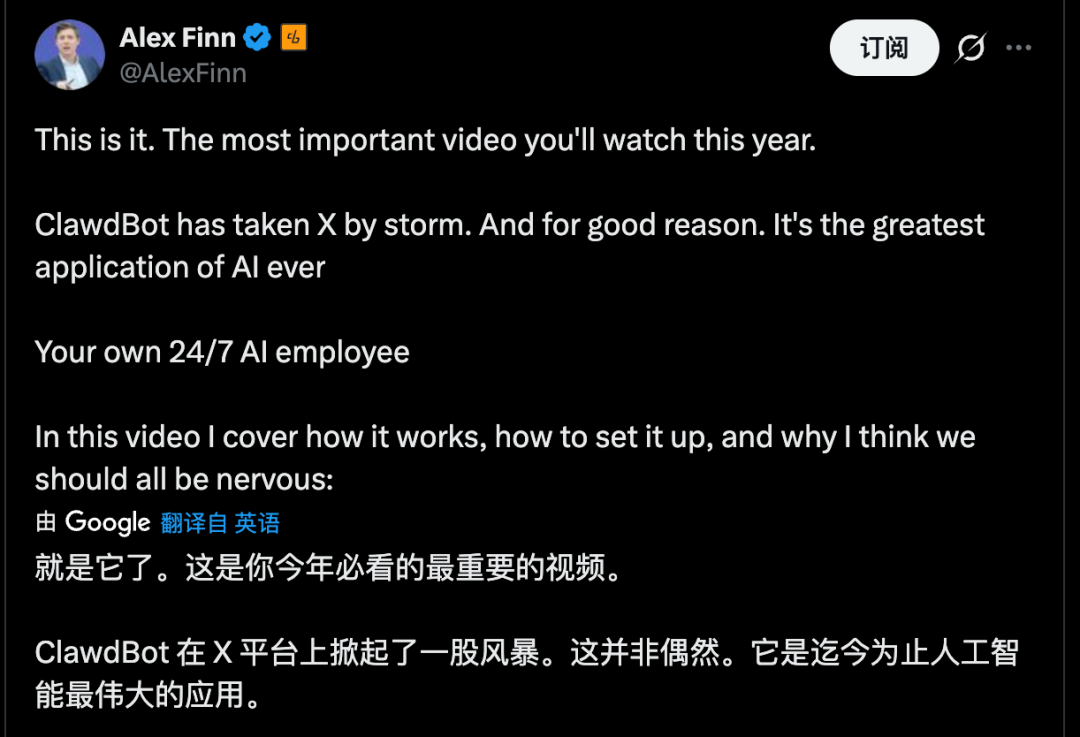
Clawdbot is truly a phenomenon. Numerous peers and technology leaders, including the Google AI Studio product lead, enthusiastically recommended the product, even purchasing dedicated Mac mini units. Since its explosive rise, Clawdbot has been closely tied to Mac mini hardware to form an iconic, breakthrough combo.

The fact that Google AI Studio’s product lead is such a vocal supporter of Apple hardware speaks volumes about Clawdbot’s appeal. |Image source: X
But don’t get me wrong. This article is not here to promote any product. Quite the opposite, the purpose is to relieve anxiety. Don’t miss anything important—Because at this point, Clawdbot is just a “nerd’s toy.”
01 What is Clawbot?
Clawdbot is an open source, locally running AI agent project built by Peter Steinberger and the community. That mascot? lobster.
Compared to previous local open source AI projects, Clawdbot performs two important functions.
First, it provides a set of “hands-on” tools.— browser control, shell execution, file read/write, scheduled tasks, canvas drawing, etc. — so the model’s output is directly translated into actions.
Second, implement the gateway.Integrates with messaging platforms such as , WhatsApp, Slack, Discord, Signal, iMessage, and Microsoft Teams. Run commands remotely on your computer from a familiar chat interface.
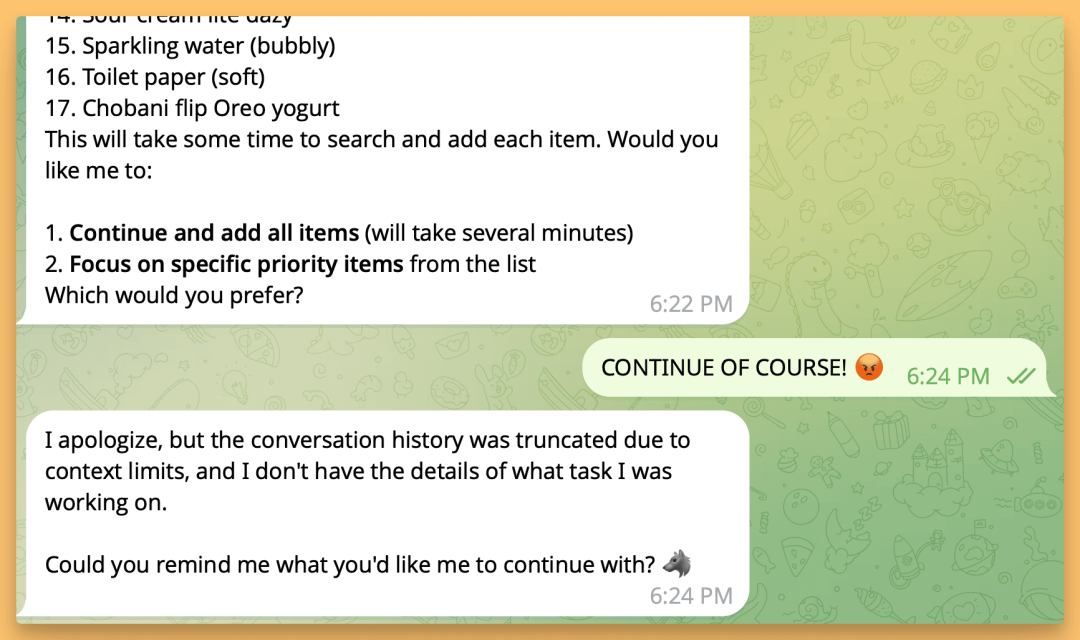
Highly privileged device control through natural conversation – enabling near-total task automation – is Clawdbot’s core selling point. |Image source: X
Clawdbot’s concept is not complex, but the real bottleneck is the hardware requirements. Requires a machine that runs 24/7 and is compatible with macOS, Linux, or Windows (via WSL2). The core idea is simple. All configuration and memory resides on local disk. Model inference occurs only when necessary.
In a nutshell, this is “an AI agent that resides on your PC + a centralized chat-based control hub.” This explains its sudden popularity. Jarvis’ long-held fantasy is now something you can download, run, and play around with.
02 What can you do?
I personally tested Clawdbot over the weekend. While installation was relatively easy, the real complexity came in configuring Clawdbot to tailor it to your specific workflow. It also requires very high system privileges. This completely prevents its use on personal devices containing sensitive data.
But with the right permissions, the experience starts to feel like true science fiction. For example, automating the reconfiguration of your home router, implementing a synchronization service, setting up a URL shortener, or even handing over your desktop folder to rebuild your entire website are all done via chat. It’s like assigning tasks to a remote online “AI employee.”
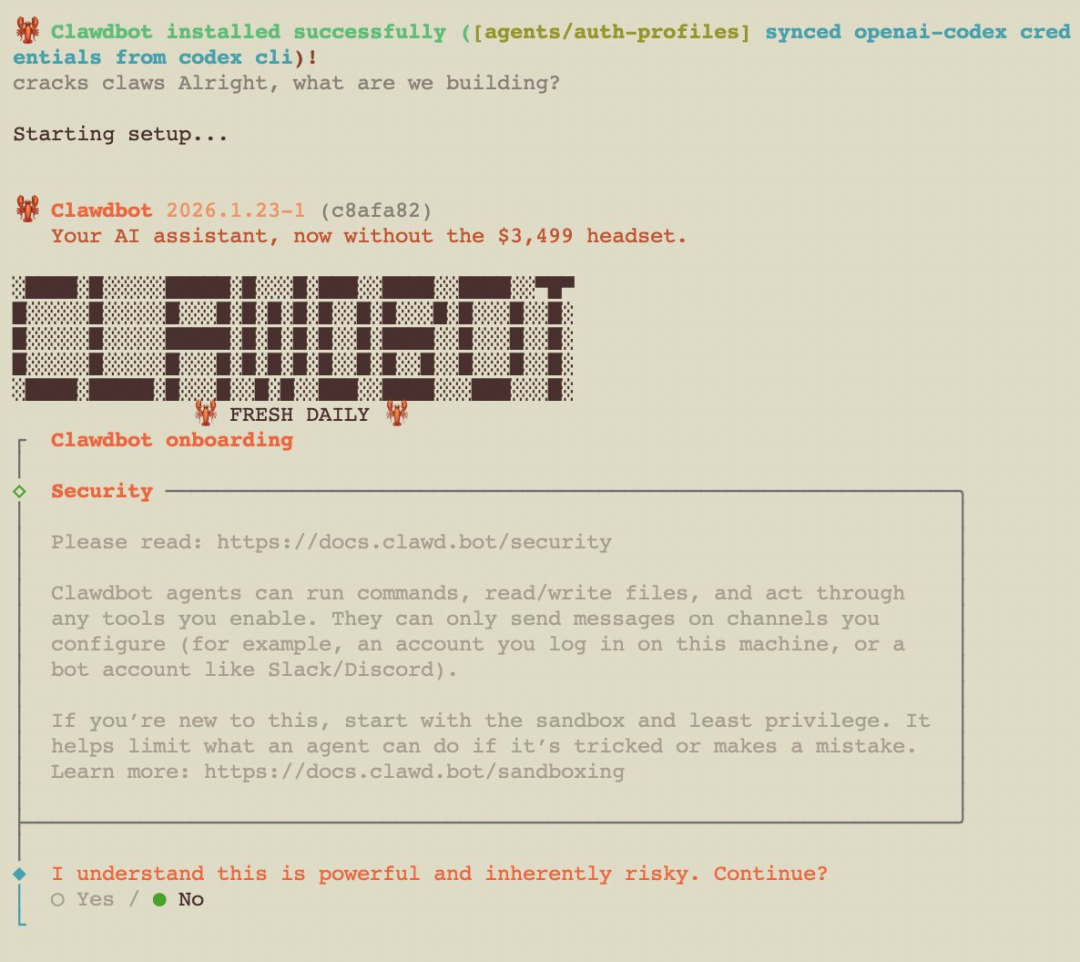
“Higher delegation” means that users must delegate more personal information and device authority. |Image source: X
Its fundamentally different user experience compared to previous AI agents stems from one fundamental difference. That is, most AI tools answer questions. Clawdbot actually works, even if it’s imperfect.
Clawdbot comes with built-in tools such as browser controls, canvas drawing, and scheduled tasks. Browse web pages, fill out forms, read/write files, and run shell commands. Importantly, it supports multichannel integration such as WhatsApp, Slack, Discord, Signal, iMessage, and Teams, and you can control your computer remotely through these apps.
When these “hands-on” features are seamlessly integrated, creative use cases increase. For example:
Send: “Extract all dates from that agreement and format it into a table.” Search the file, parse the content, structure the data, and provide the results.
Send “Run a test with this code. If you encounter any errors, please fix them.” Get your code, open VS Code, run your tests, edit your code, and rerun your tests.
Send: “Draft and send this week’s report, creating a new ‘reflection’ project in Todoist.” ” auto-generate scripts, configure cron jobs, and fully execute workflows.
None of these steps are mysterious in themselves. But what’s notable is how it stitches together the command line interface, browser, folders, and chat window into a single pipeline. Your efforts will change from “manipulation” to “description.”
Give instructions via chat. Clawdbot reads/writes files, launches browsers, executes commands, and automates workflows on your machine. When you type on your phone, the task is completed remotely, like a virtual desktop, but with a thought model built into it.
03 Why does everyone buy a Mac mini?
In many cases, Clawdbot is deployed on a dedicated Mac mini and treated as an “always-on AI assistant.”
Clawdbot’s GUI operations currently only work on macOS, so a Mac mini is recommended.
One user explained that Clawdbot monitors Clawd’s coding sessions and automatically pulls code, launches VS Code, runs tests, generates fixes, and commits changes. Another company claimed to “rebuild your entire website while lying in bed and watching TV,” all using conversational commands.
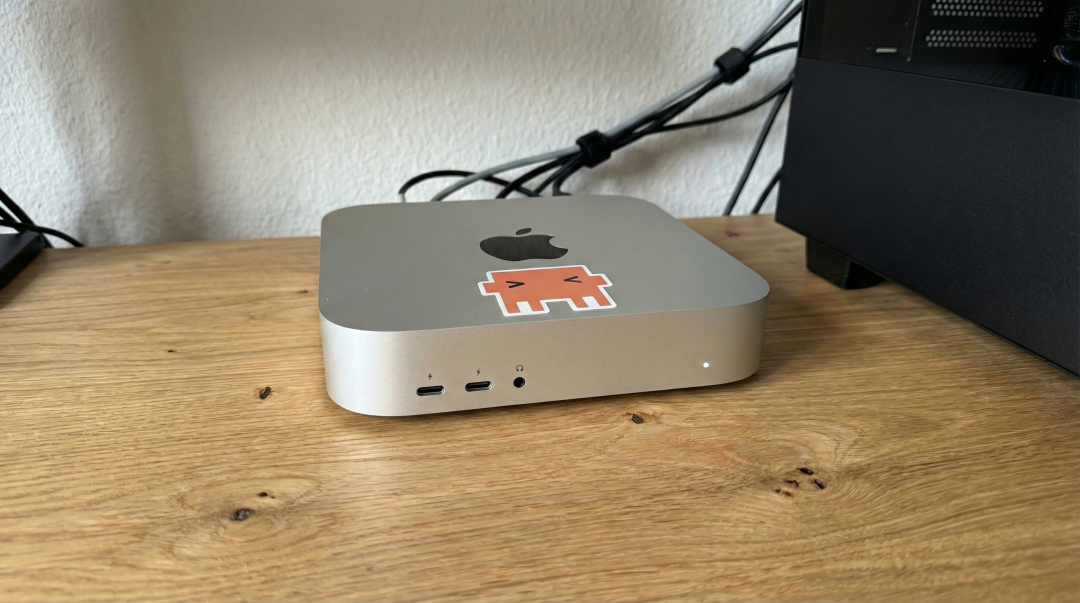
Clawdbot has turned the Mac mini into the latest fashion statement in the AI agent space. |Image source: X
The logic behind this is simple. Clawdbot requires sustained uptime. Mac mini is affordable, quiet, and energy-efficient, making it the perfect home server.
Additionally, very high privileges are required. Using this together with everyday personal data poses a significant security risk. Therefore, many professionals opt for specialized machines that effectively isolate risks within a controlled and contained environment.
Almost everything you do on your computer can be automated. The more powerful it becomes, the more essential the isolation becomes.
Of course, some people go overboard by stacking multiple Mac minis on a desk, wiring up Raspberry Pis, and building makeshift data centers. More sober community advice recommends starting with an idle PC or a $5/month VPS.
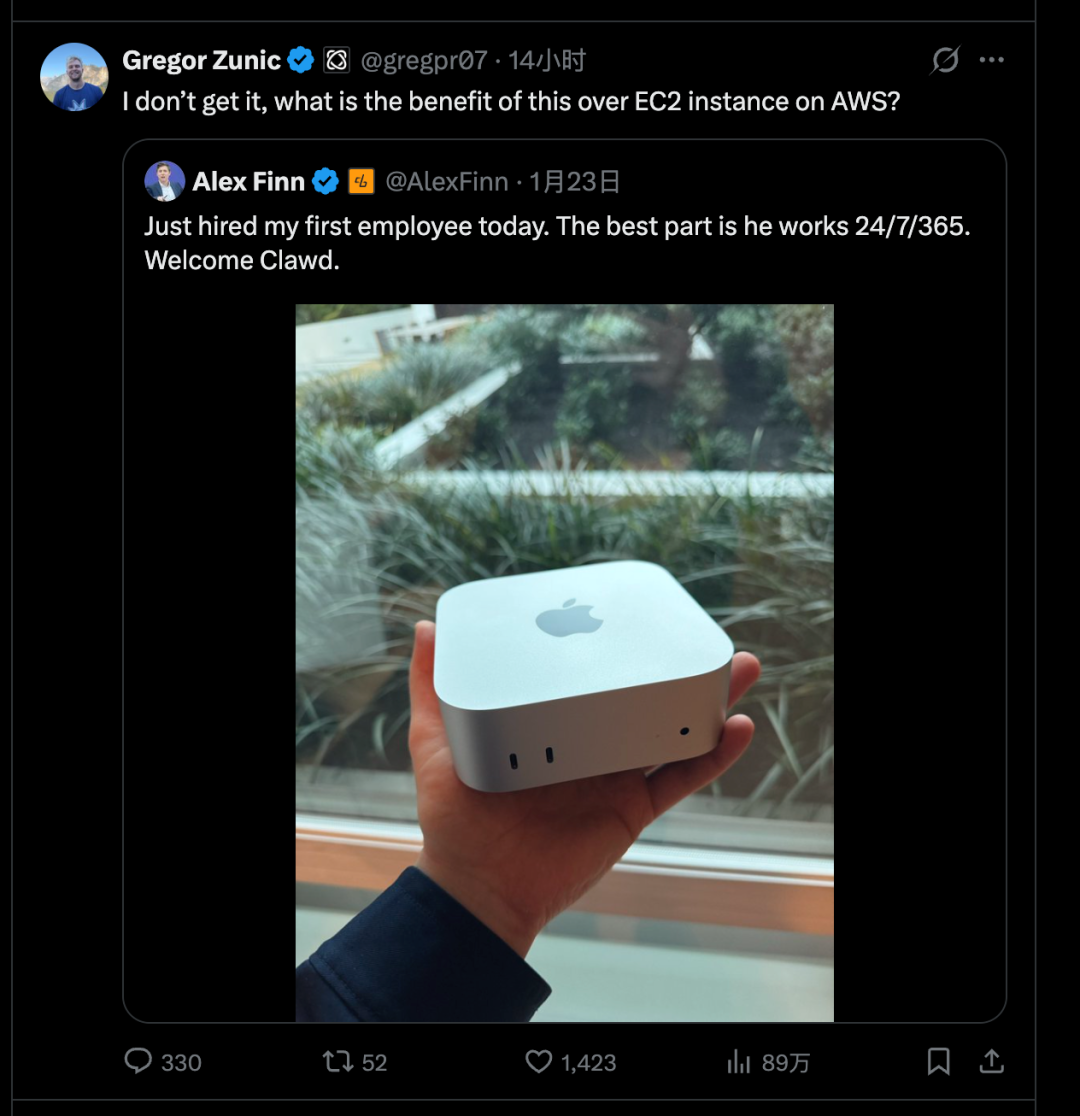
Since then, many users have realized that cloud server rentals may be the best home for Clawdbot. |Image source: X
So Mac mini is not a prerequisite. Whether you buy hardware or not depends on where you want to give “maximum power.”
After all, the Mac mini is just the community’s default choice among enthusiasts. Officially, Clawdbot highly recommends pairing Claude Opus 4.5 with an Anthropic Pro or Max subscription for superior long context handling and quick injection protection. However, Anthropic recently restricted Claude Code OAuth tokens to internal use only and disabled external API access. Users now require a separate Anthropic API key to function properly.
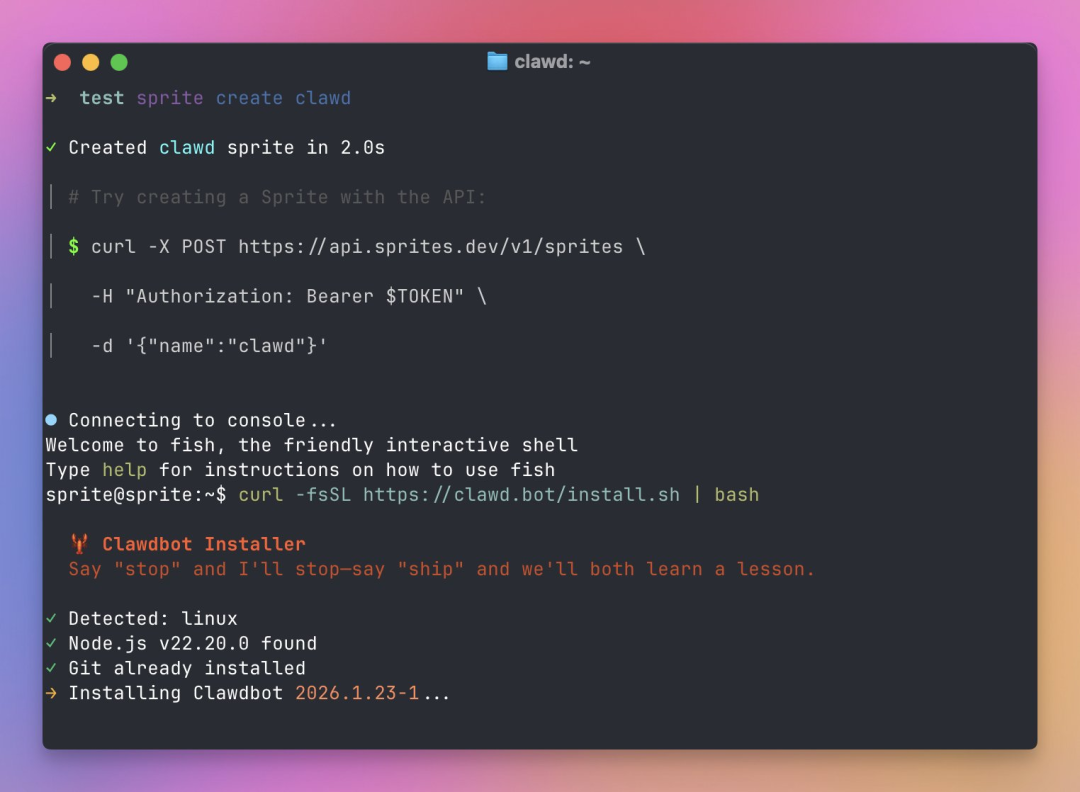
Conversational interaction, the primary UX, is both its greatest strength and its hidden vulnerability. |Image source: X
04 Greater power, greater risk
But the most important “caveat” is built into the product’s architecture.
Clawdbot’s functionality depends entirely on granting permissions. You can send emails, change settings, run scripts, and more. This means that if you misunderstand instructions, fall victim to prompt injection, or are misled by the content of a web page, the consequences extend far beyond incorrect answers and lead to actual operational errors. Mere “taking care” cannot meaningfully reduce these risks, as the root cause lies in the system design itself.
Context awareness is required to operate intelligently, but the more context you incorporate, the more sensitive information you expose. Some users have already reported that Clawdbot accidentally deleted important photos from their computers.
Tools need to be executed to provide utility, and the more powerful those tools, the more extensive the potential damage from failure. Risks include password compromise and other serious security breaches. On the other hand, an internet connection is required to close the workflow loop. More connections means more entry points for insertion and manipulation.
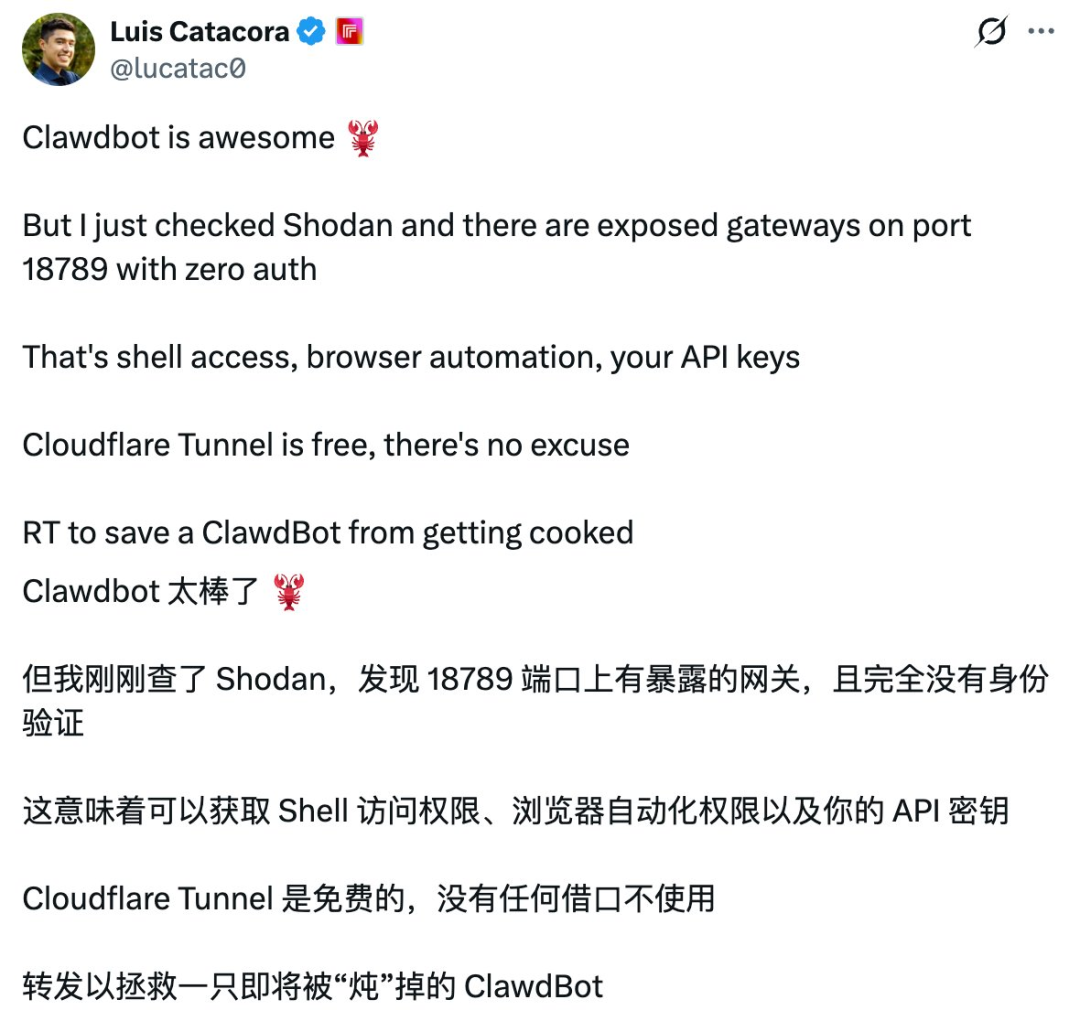
Clawdbot vulnerabilities continue to surface as more users dig deeper. |Image source: X
This is why recommendations like “deploy dedicated hardware,” “least privilege access,” “double-check sensitive actions,” and “use one-time credentials for accounts/passwords” are constantly appearing throughout the Clawdbot community, even in the early stages of deployment.
So if you’ve been seeing a lot of talk about it lately, my advice is: Do not rush to install. Don’t stress about not installing it. The reason is simple. Yes, it’s impressive. Yes, it exposes risks.
Most people’s actual needs have not yet reached the point where they are ready to hand over their entire computer to a model.
This is definitely cool. So cool that it forces us to reevaluate what “automation” means. But it’s also really dangerous, so dangerous that it’s never recommended to deploy it on production devices.
In theory, integrating Feishu wouldn’t be far-fetched either. Once the system can connect to iMessage, Slack, and Teams, it’s only a matter of time before we integrate domestic platforms like Feishu. The real question is not “Can we integrate?” but rather “If we do, who will be responsible?” Organizational privileges, compliance, audits, and data boundaries quickly elevate this personal toy to the complexity of an enterprise system.
This surge may feel sudden, but its rhythm feels familiar.
Last year, around the same time, Manus experienced explosive growth as well. The demo video went viral, stories of “giving your job to AI” swept social feeds, and tutorials and group chats proliferated overnight.
difference? Clawdbot moves the battlefield from cloud-hosted product pages to your computer.
Memory is no longer just account-specific chat history, but is often local files, Markdown logs, and portable configurations.
Execution no longer relies on “platform-provided actions” and leverages local toolchains.
Access is not limited to the web interface, chat apps also become universal remotes.
Success is not defined by a one-time demo. This is achieved by gradually incorporating daily life and work routines into that framework.
This is precisely why Clawdbot proves more intoxicating than Manas. It’s close to the OS, close to the data, close to permissions, maybe too close.
After 48 hours of hands-on experience, if you treat Clawdbot as a consumer-grade product that promises instant productivity gains, you’ll likely be disappointed. Initial enthusiasm can quickly be eroded by high configuration barriers, permission-related concerns, model subscription costs, and error-related overhead.
Rather, when viewed as a trend indicator, the value of Clawdbot is undeniable. Personal AI is evolving from answering questions to performing tasks, from occasional use to always-on, and from applications to systems.
The personal computing devices of the future may increasingly resemble “home servers” that are instantly activated by messages, and the primary interface may be the very chat windows you use every day.
You can certainly wait. Wait until simpler installation flows, more mature permission models, security middleware become the norm, and community best practices are codified into clear manual documentation. Only then will Clawdbot move from a geek toy to a mainstream tool.
Until then, think of this as a highly capable but sometimes reckless lobster. They are capable of getting the job done and their potential is amazing, but it is best to keep them safely locked away in a box where they are ready to accept the consequences.


