Businesses face growing challenges. Customers need answers quickly, but support teams are overwhelmed. Support documents such as product manuals and knowledge base articles typically require users to search hundreds of pages, and support agents often perform 20 to 30 customer queries a day to find specific information.
In this post, we show you how to solve this challenge by building an AI-powered website assistant using Amazon Bedrock and Amazon Bedrock Knowledge Bases. This solution is designed to benefit both internal teams and external customers and can provide the following benefits:
- Provide customers with relevant answers instantly and reduce the need to search for documents.
- Reduce resolution time with a powerful knowledge search system for support agents
- 24/7 automated support
Solution overview
This solution uses Search Augmented Generation (RAG) to retrieve relevant information from a knowledge base and return it to users based on access. It consists of the following main components:
- Amazon Bedrock Knowledge Base – Content from your company's website is crawled and stored in a knowledge base. Documentation in your Amazon Simple Storage Service (Amazon S3) bucket, such as manuals and troubleshooting guides, is also indexed and stored in your knowledge base. Amazon Bedrock Knowledge Bases allows you to configure multiple data sources and use filter settings to differentiate between internal and external information. This helps protect internal data through advanced security controls.
- LLM managed by Amazon Bedrock – Amazon Bedrock's large-scale language models (LLMs) generate AI-powered responses to user questions.
- Scalable serverless architecture – This solution uses Amazon Elastic Container Service (Amazon ECS) to host the UI and uses AWS Lambda functions to process user requests.
- Automated CI/CD deployment – This solution uses the AWS Cloud Development Kit (AWS CDK) to handle continuous integration and delivery (CI/CD) deployments.
The following diagram shows the architecture of this solution.
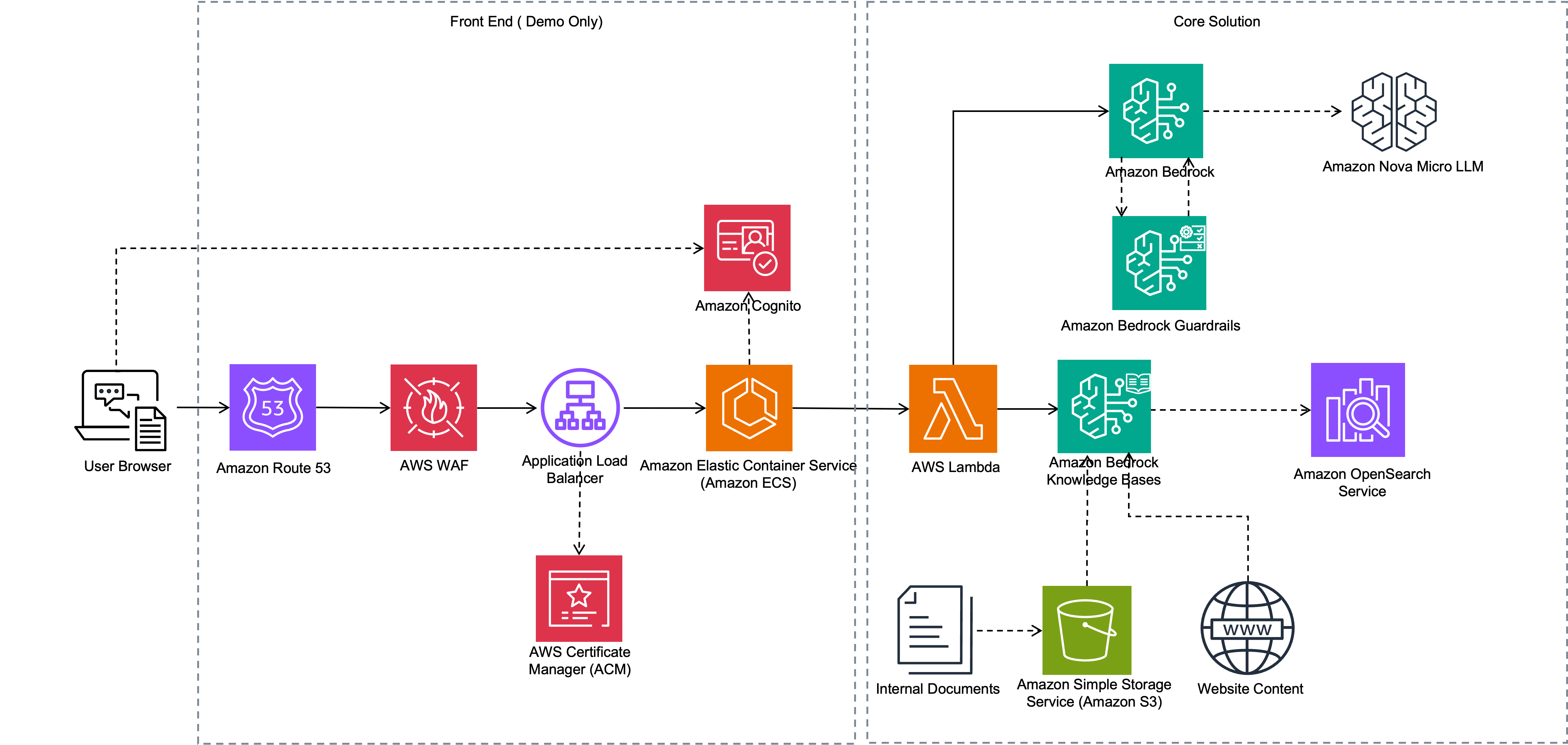
The workflow consists of the following steps:
- Amazon Bedrock Knowledge Bases processes documents uploaded to Amazon S3 by chunking them and generating embeddings. Additionally, the Amazon Bedrock web crawler accesses selected websites to extract and ingest their content.
- Web applications run as ECS applications. Internal and external users use browsers to access your application through Elastic Load Balancing (ELB). Users log in to your application using login credentials registered in your Amazon Cognito user pool.
- When a user submits a question, the application calls a Lambda function. This function uses the Amazon Bedrock API to retrieve relevant information from your knowledge base. You also provide Amazon Bedrock with relevant data source IDs based on user type (external or internal), so your knowledge base retrieves only the information available for that user type.
- The Lambda function then calls Amazon Nova Lite LLM to generate a response. LLM augments information from the knowledge base to generate responses to user queries. This response is returned from the Lambda function and displayed to the user.
The next section shows you how to crawl an external website, configure it as a knowledge base, and upload internal documentation.
Prerequisites
To deploy the solution in this post you will need:
Create a knowledge base and populate your website with data
The first step is to build a knowledge base to ingest data from your website and operational documentation from your S3 bucket. To create a knowledge base, follow these steps:
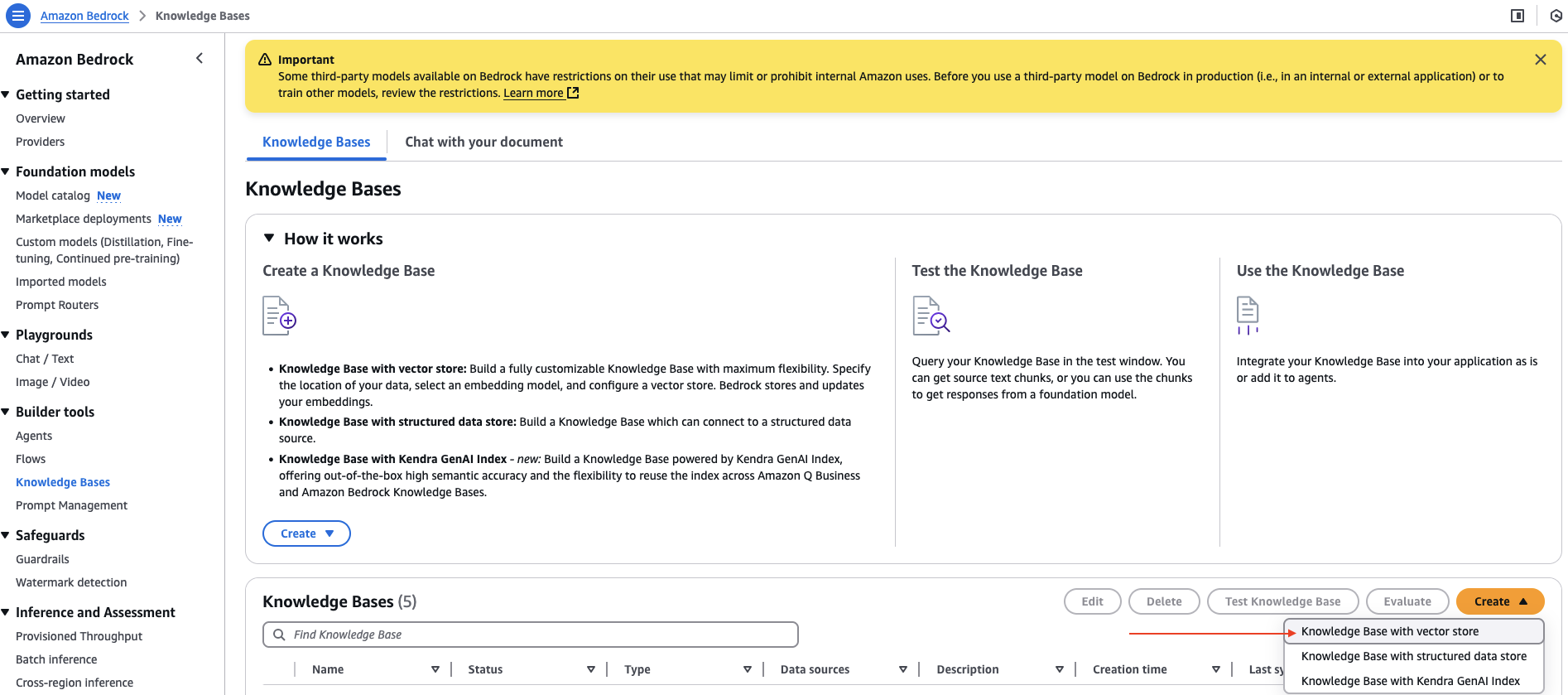
- In the Amazon Bedrock console, knowledge base under builder tools in the navigation pane.
- in create Select from drop-down menu Knowledge base with vector store.
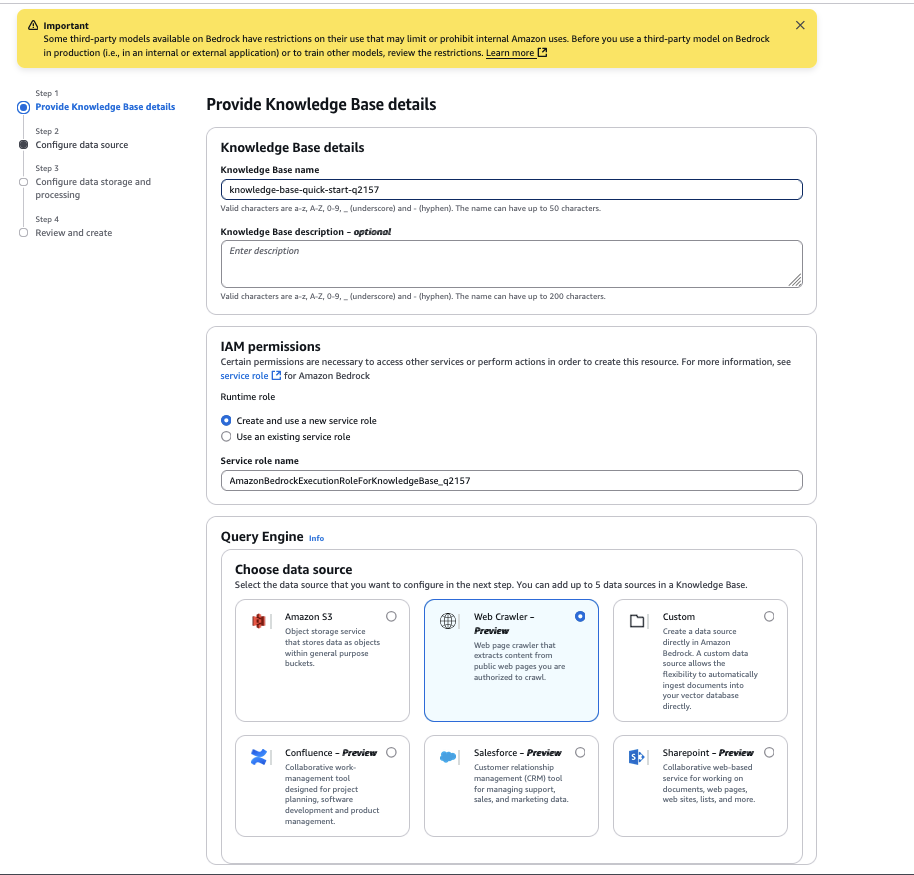
- for Knowledge base nameenter your name.
- for Please select a data sourceselect web crawler.
- choose Next.
- for data source nameenter the name of your data source.
- for source URLenter the HTML page of the target website you want to crawl. for example,
https://docs.aws.amazon.com/AmazonS3/latest/userguide/GetStartedWithS3.html. - for Website domain rangeselect default as a crawl scope. If you want to limit crawling to specific domains or subdomains, you can also configure it to host only domains or subdomains.
- for URL regular expression filterallows you to configure URL patterns to include or exclude specific URLs. For this example, leave this setting blank.
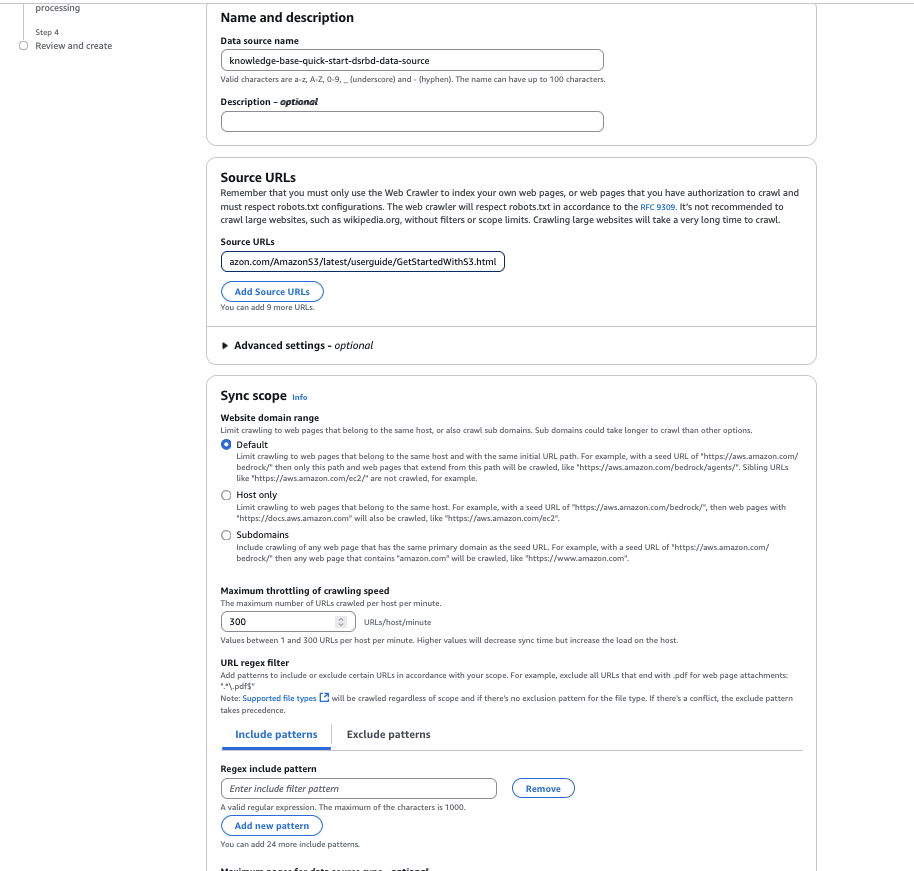
- for chunk strategyallows you to customize your data chunking strategy by configuring content analysis options. In this example: Default chunking.
- choose Next.
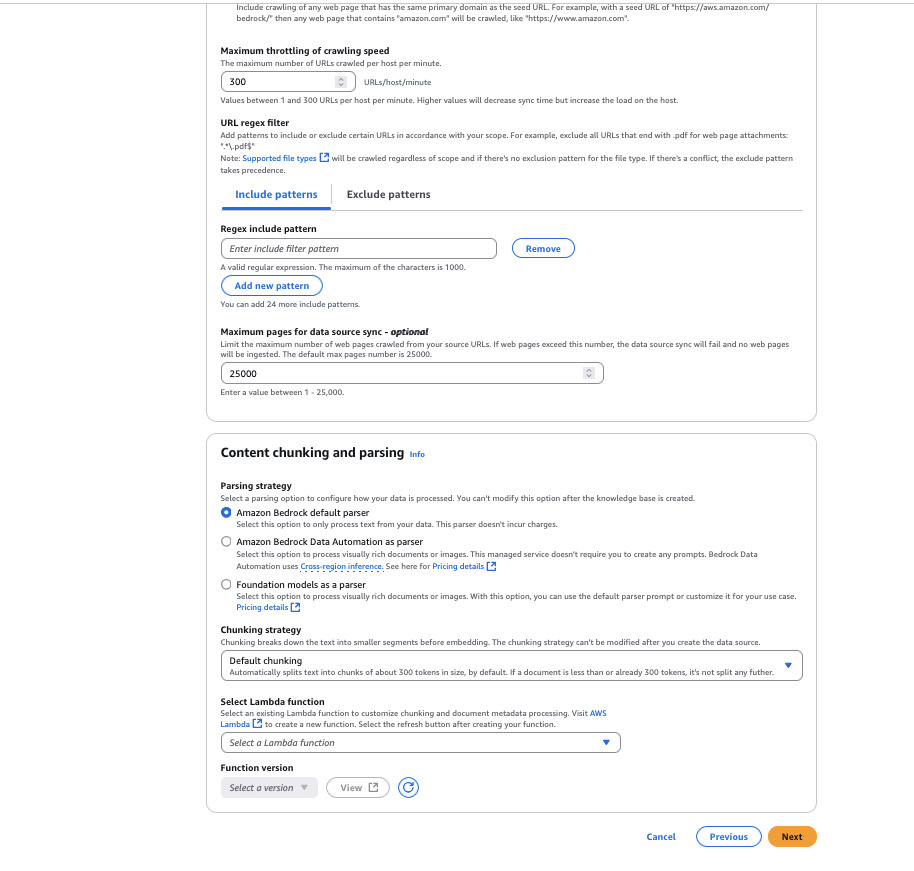
- Select the Amazon Titan Text Embeddings V2 model, apply.
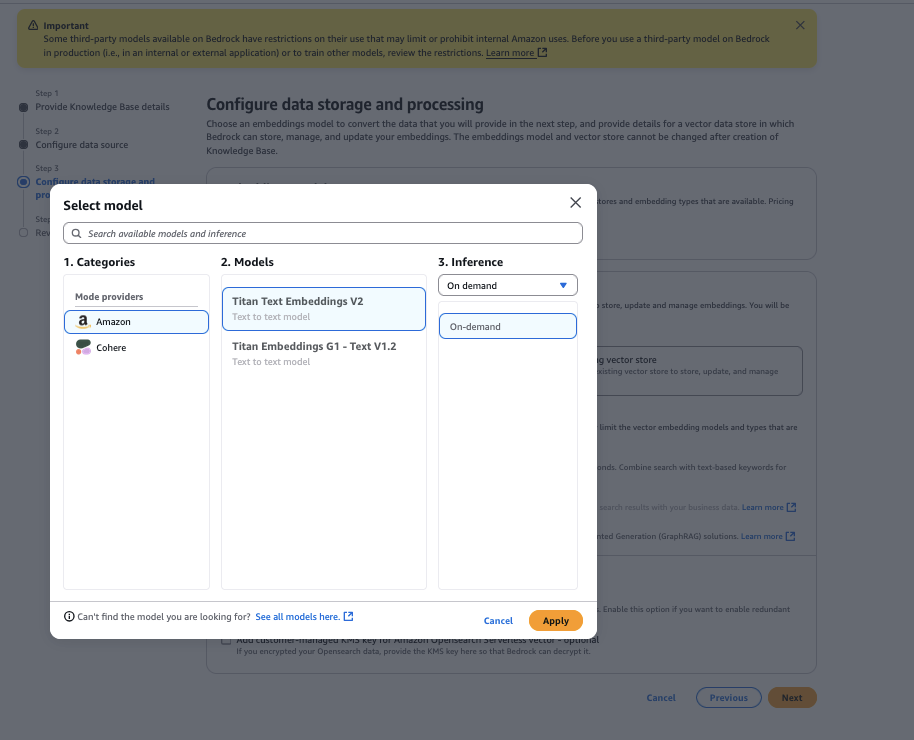
- for vector store typeselect Amazon OpenSearch Serverlessthen select Next.
- Review and select your configuration Creating a knowledge base.
Your knowledge base is now created using a data source configured as a link to the specified website.
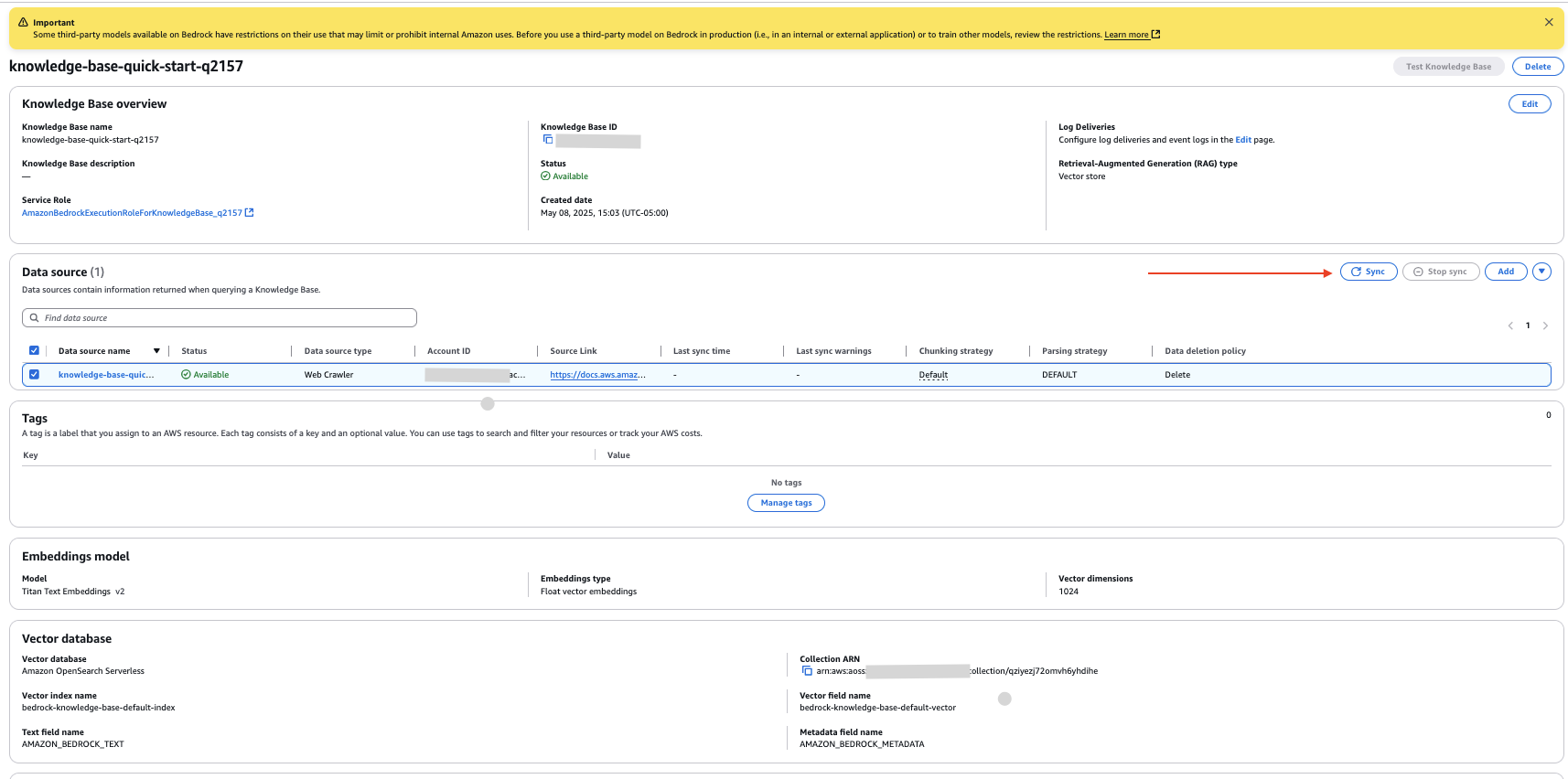
- On the knowledge base details page, select the new data source and synchronization Crawl your website and ingest data.
Configure an Amazon S3 data source
To set up documents from an S3 bucket as an internal data source, follow these steps:
- On the knowledge base details page, addition in data source section.
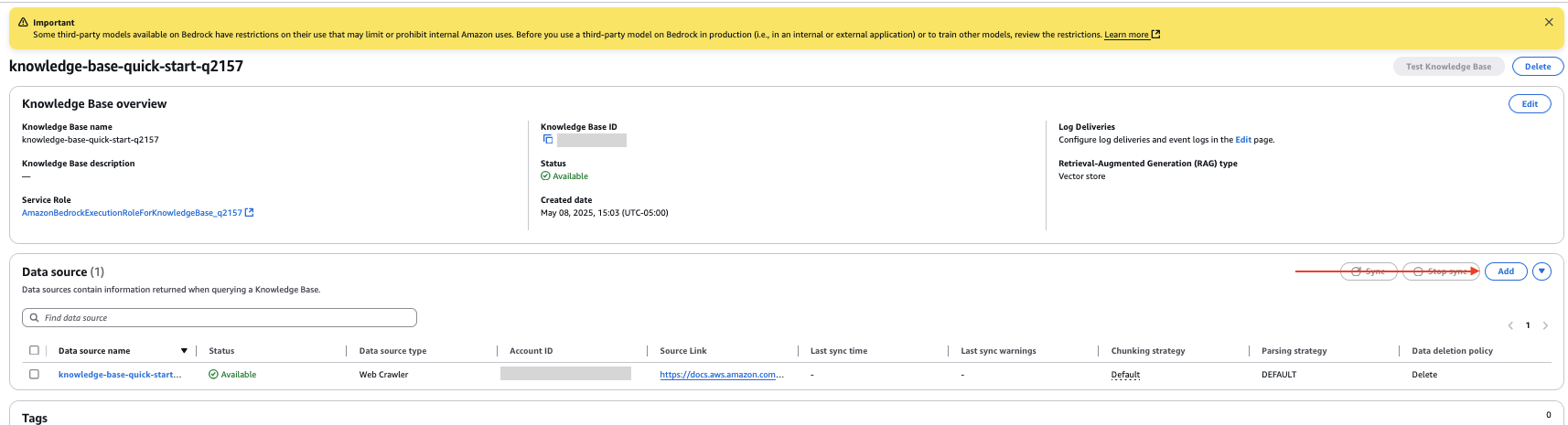
- Specify the data source as Amazon S3.
- Select your S3 bucket.
- Leave the analysis strategy at its default settings.
- choose Next.
- Review and select your configuration Add data source.
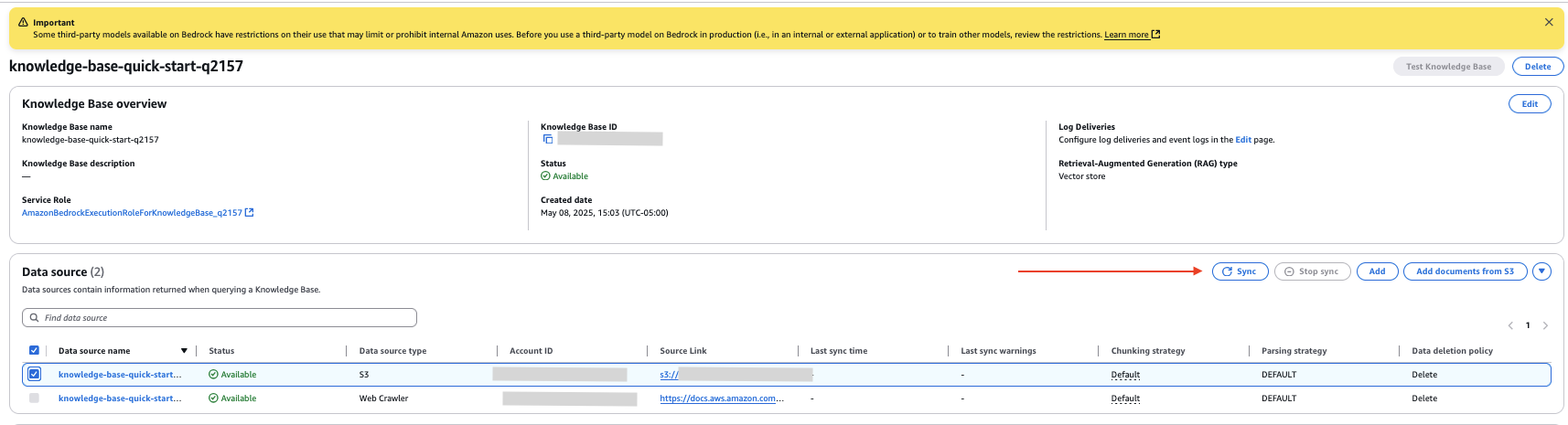
- in data source In the section on the knowledge base details page, select the new data source and synchronization Index data from documents in your S3 bucket.
Upload internal documents
This example uploads documents to a new S3 bucket data source. The following screenshot shows an example document.

To upload a document, follow these steps:
- In the Amazon S3 console, choose: bucket in the navigation pane.
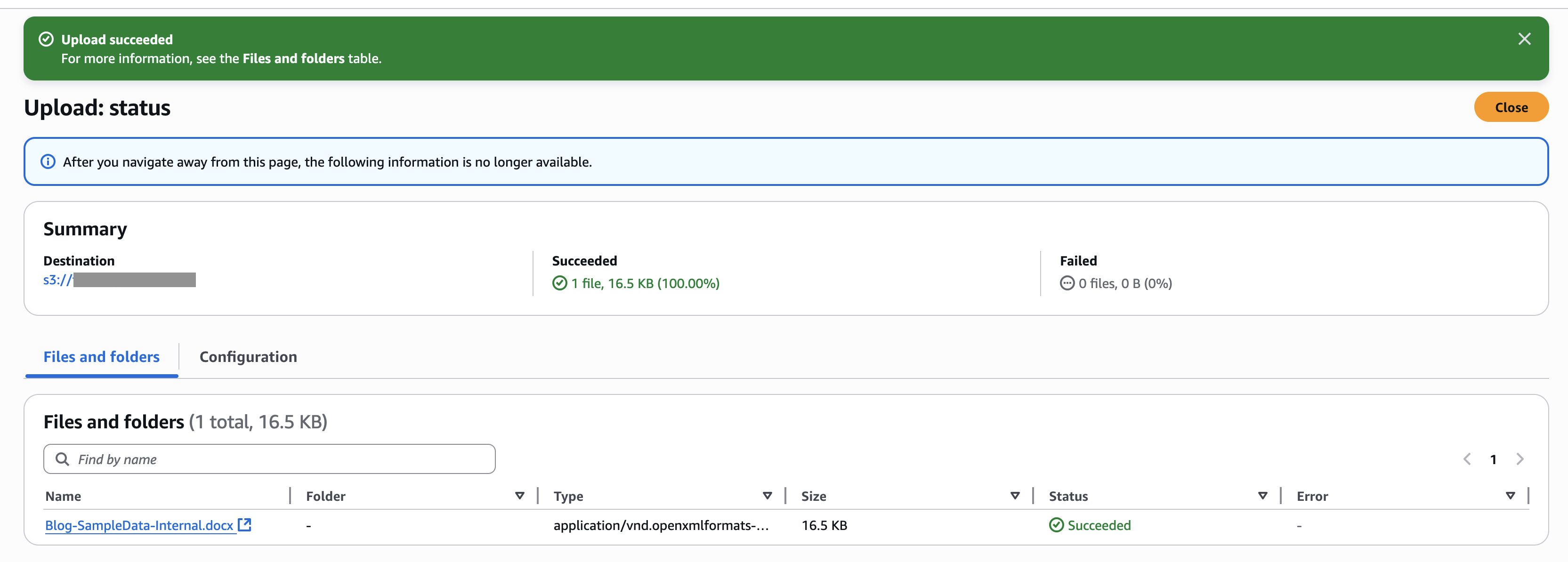
- Select the bucket you created, upload Upload your document.
- In the Amazon Bedrock console, navigate to the knowledge base you created.
- Select the internal data source you created, synchronization Synchronize uploaded documents with the vector store.
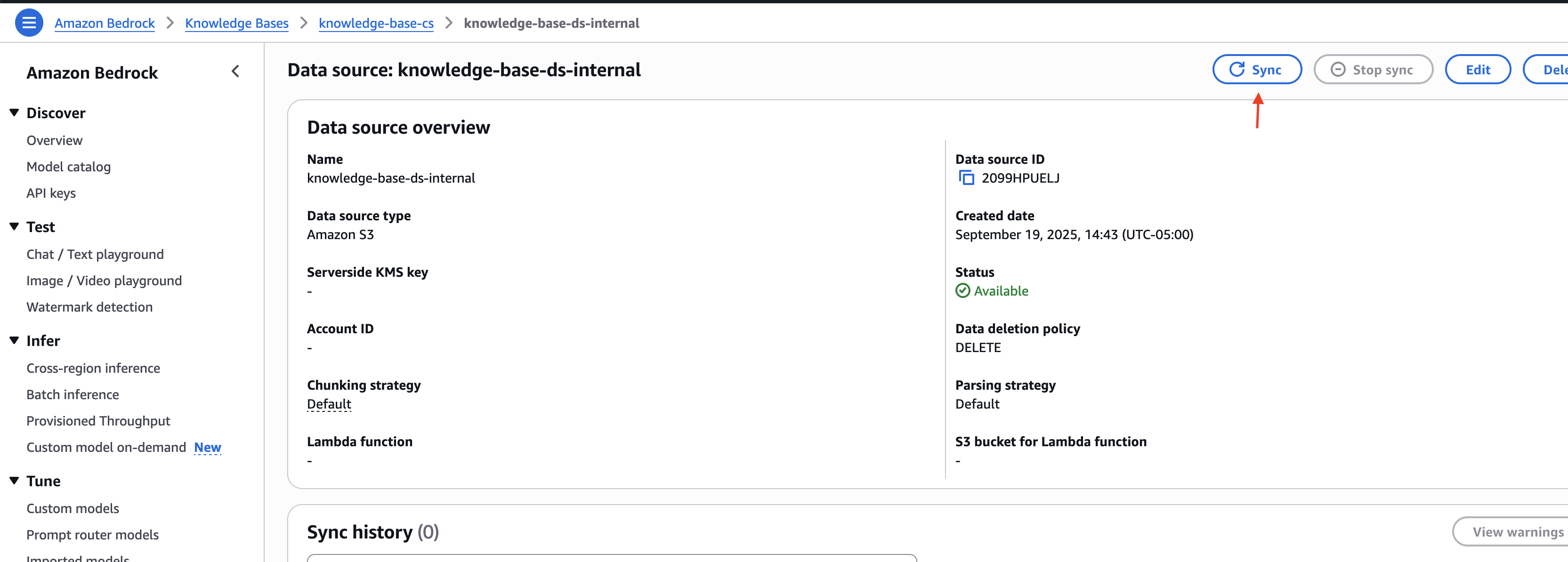
Note the knowledge base ID and data source ID for external and internal data sources. You will use this information in the next step of deploying your solution infrastructure.
Deploying solution infrastructure
To deploy your solution infrastructure using AWS CDK, follow these steps:
- Download the code from the code repository.
- Navigate to the iac directory within the downloaded project.
cd ./customer-support-ai/iac
- Open the parameters.json file and update the knowledge base and data source IDs with the values obtained in the previous section.
- Set up your solution infrastructure by following the deployment instructions defined in the customer-support-ai/README.md file.
Once the deployment is complete, you can see the Application Load Balancer (ALB) URL and demo user details in the script execution output.
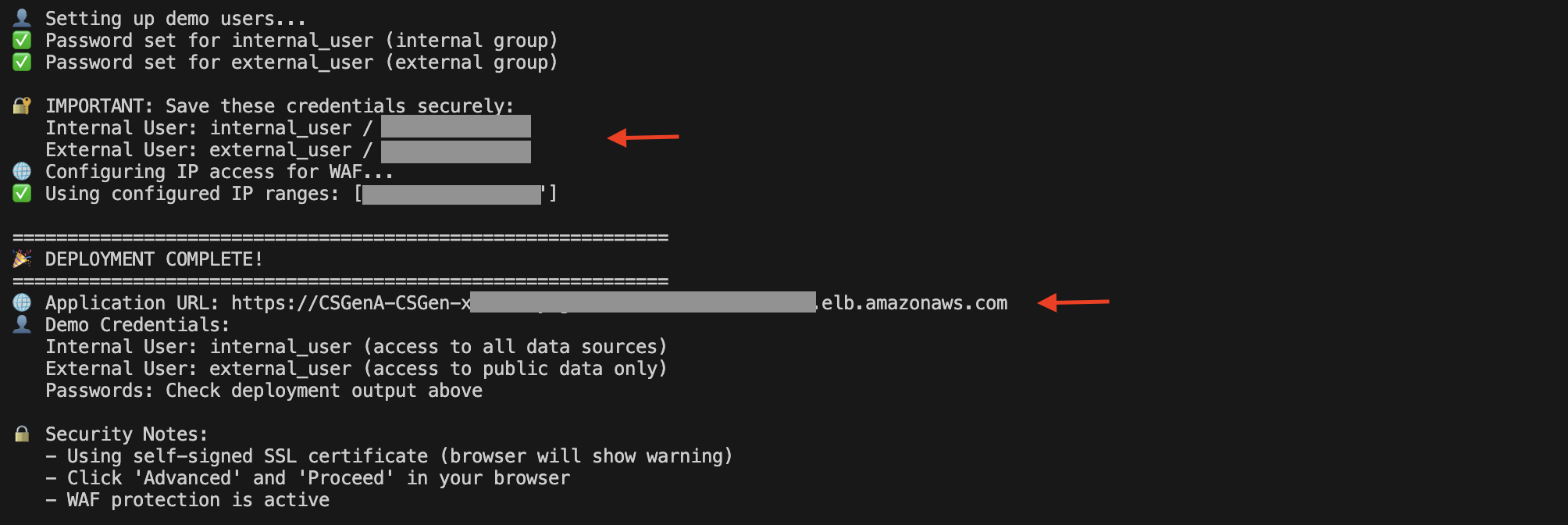
You can also open the Amazon EC2 console and select it. load balancer Display the ALB in the navigation pane.

On the ALB details page, copy the DNS name. You can use this to access the UI and try out solutions.

Submit a question
Let's take an example of supporting Amazon S3 services. The solution supports different classes of users who use the Amazon Bedrock knowledge base to help resolve their queries, and manages specific data sources (such as website content, documents, and support tickets) with built-in filtering controls that separate internal operational documents from publicly accessible information. For example, internal users can access both company-specific how-to guides and public documentation, while external users are restricted to public content only.
Open the DNS URL in your browser. Enter the external user credentials and select Login.

After successful authentication, you will be redirected to the home page.
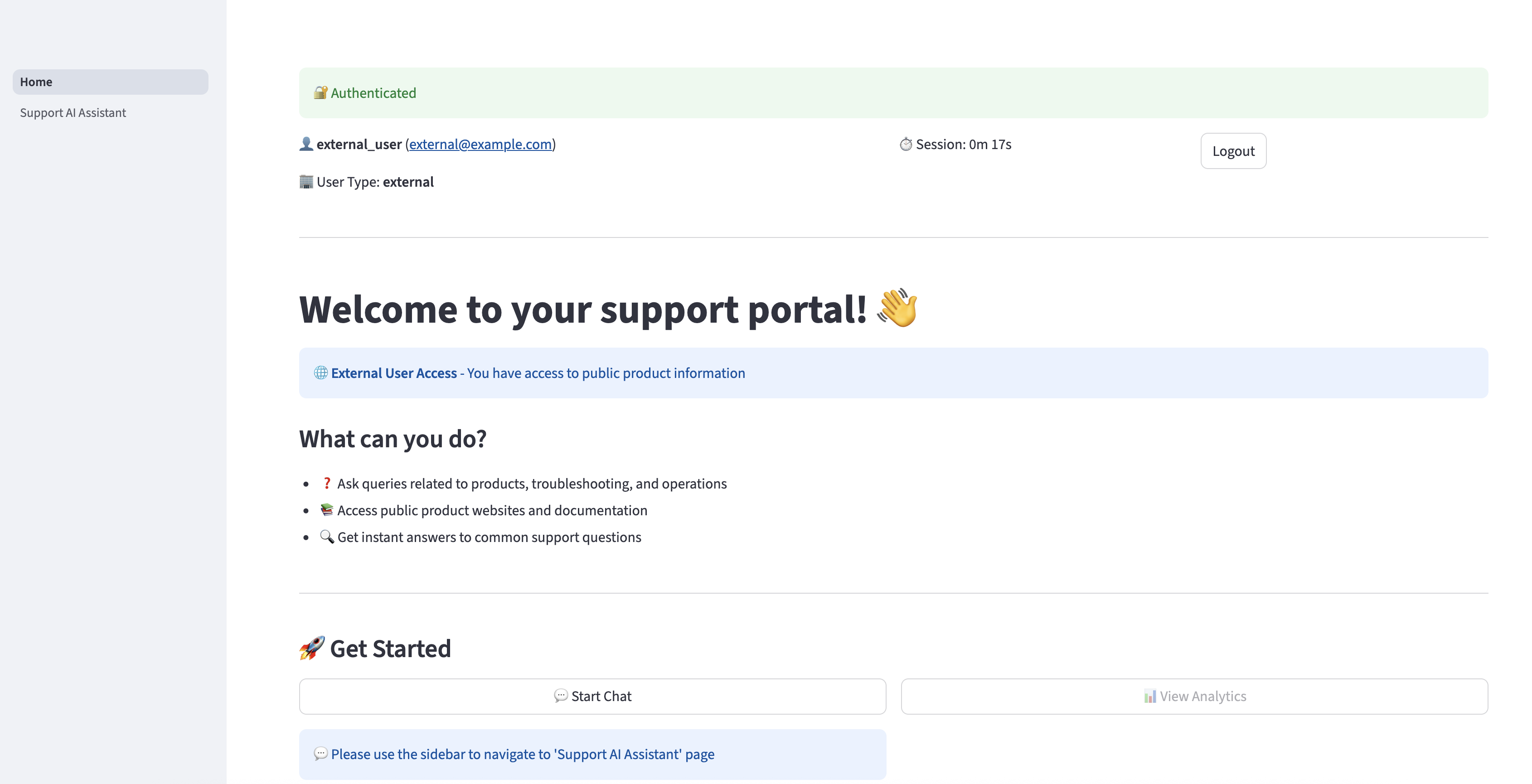
choose Supports AI assistant You can ask questions related to Amazon S3 in the navigation pane. The assistant can provide relevant responses based on the information provided in the Amazon S3 Getting Started Guide. However, if an external user asks a question related to information that is only available to internal users, the AI assistant will not provide internal information to the user and will only respond with information that is available to external users.
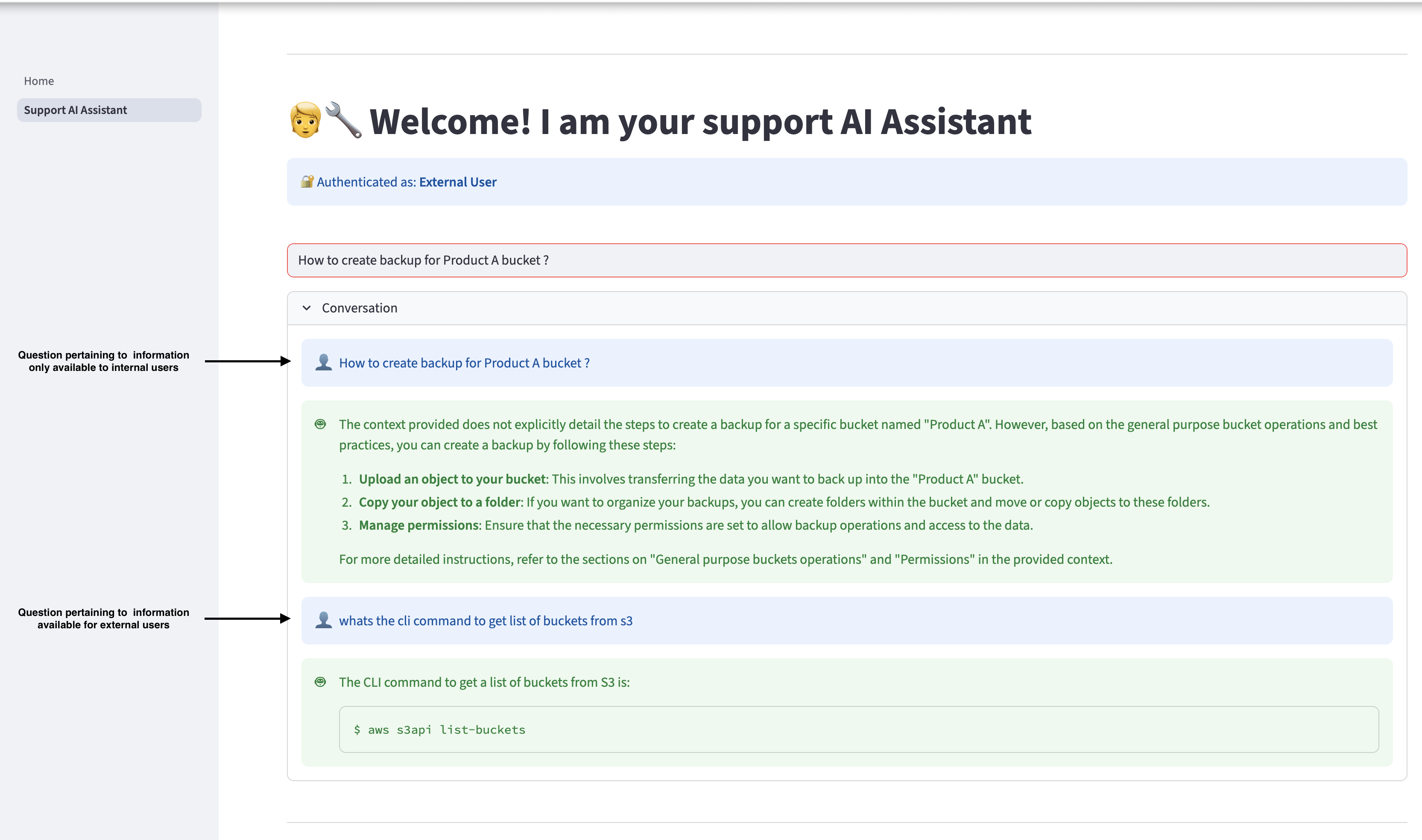
Log out, log back in as an internal user, and run the same query. Internal users can access relevant information in internal documents.

cleaning
If you want to stop using this solution, remove the associated resources by performing the following steps:
- Navigate to the iac directory within your project code and run the following command from your terminal:
- To run the cleanup script, use the following command:
- To perform this operation manually, use the following command:
- In the Amazon Bedrock console, knowledge base under builder tools in the navigation pane.
- Select the knowledge base you created, erase.
- Type “Delete” and select erase To confirm.
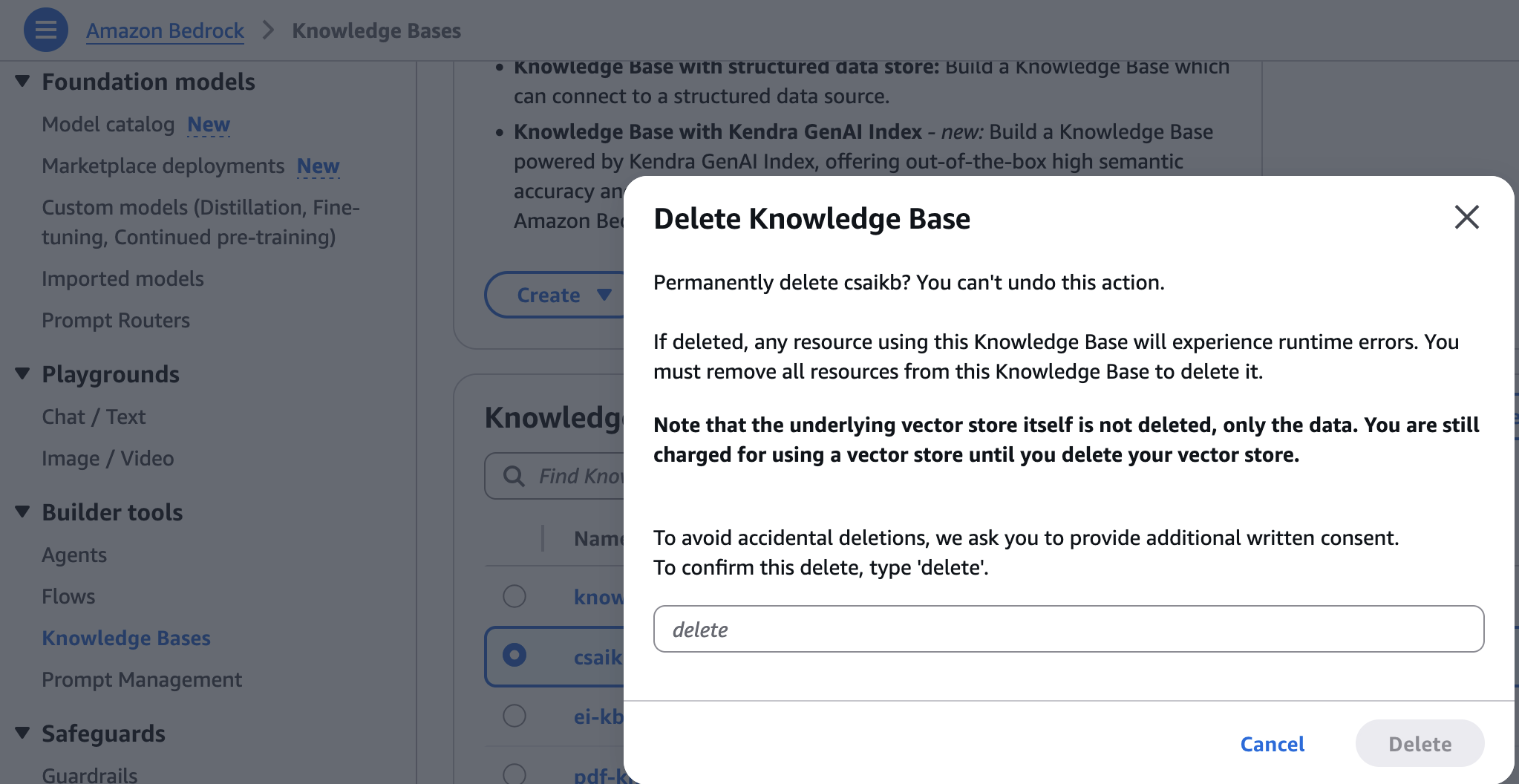
- In the OpenSearch service console, select: collection under serverless in the navigation pane.
- Select the collection created during infrastructure provisioning, erase.
- Enter confirmation and select erase To confirm.
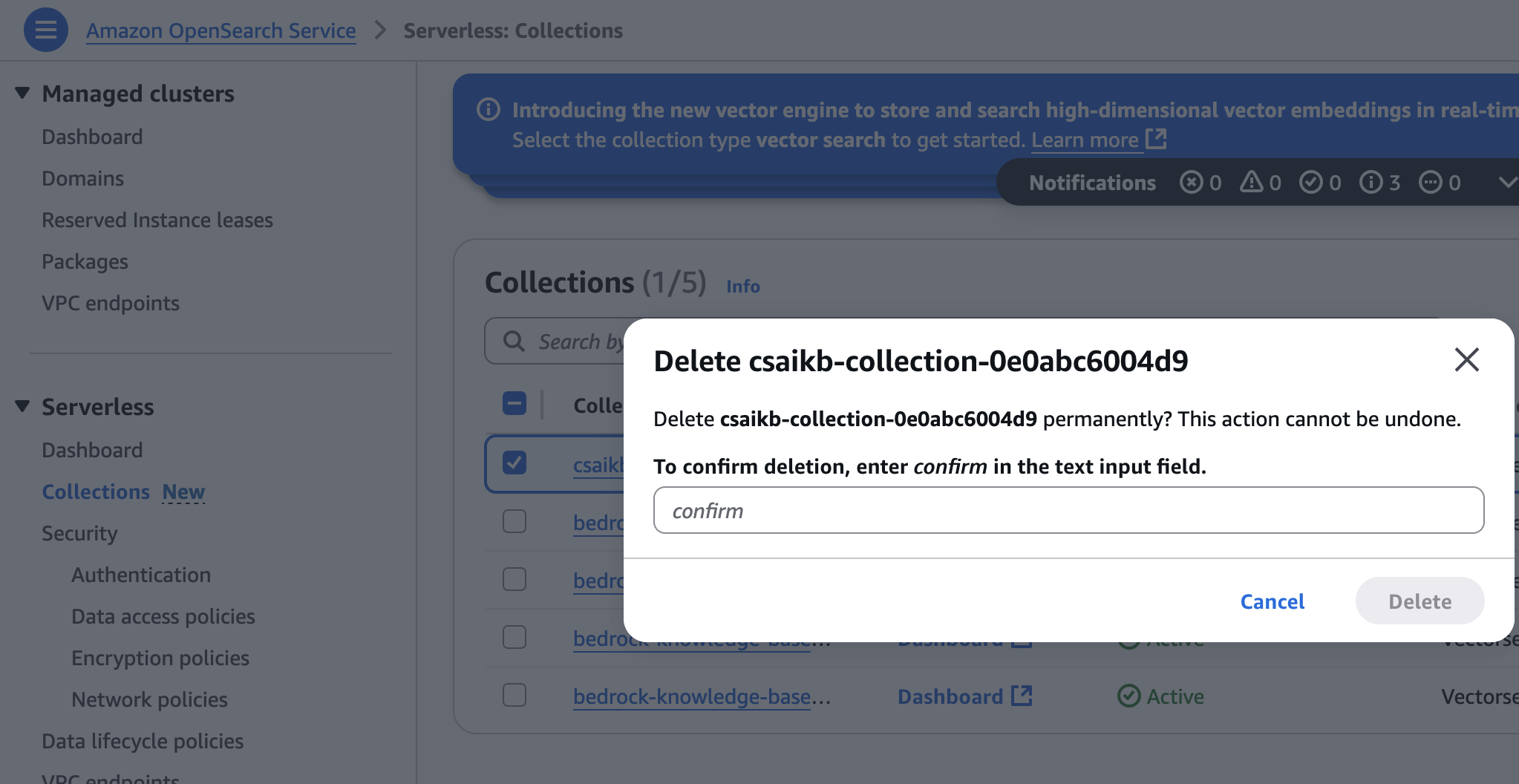
conclusion
In this post, you learned how to build an AI-powered website assistant that quickly retrieves information by building a knowledge base through web crawling and document uploads. You can use the same approach to develop other generative AI prototypes and applications.
If you're interested in learning the basics of generative AI and how to work with FM, including advanced prompting techniques, check out the Practical Generative AI with LLM course. This on-demand, 3-week course is aimed at data scientists and engineers who want to learn how to build generative AI applications using the LLM. This is a great foundation to start building with Amazon Bedrock. Sign up to learn more about Amazon Bedrock.
About the author
 Shashank Jain He is a Cloud Application Architect at Amazon Web Services (AWS), specializing in generative AI solutions, cloud-native application architecture, and sustainability. He works with customers to design and implement secure, scalable, AI-powered applications using serverless technologies, modern DevSecOps practices, infrastructure-as-code, and event-driven architectures that deliver measurable business value.
 jeff lee I'm a Senior Cloud Application Architect on the Professional Services team at AWS. He has a passion for deeply engaging with customers to create solutions and modernize applications that support business innovation. In my free time, I enjoy playing tennis, listening to music, and reading.
 Ranjith Kurumbar Kandiyil I'm a Data and AI/ML Architect at Amazon Web Services (AWS) based in Toronto. He specializes in working with customers to design and implement cutting-edge AI/ML solutions. His current focus is on leveraging cutting-edge artificial intelligence technology to solve complex business challenges.