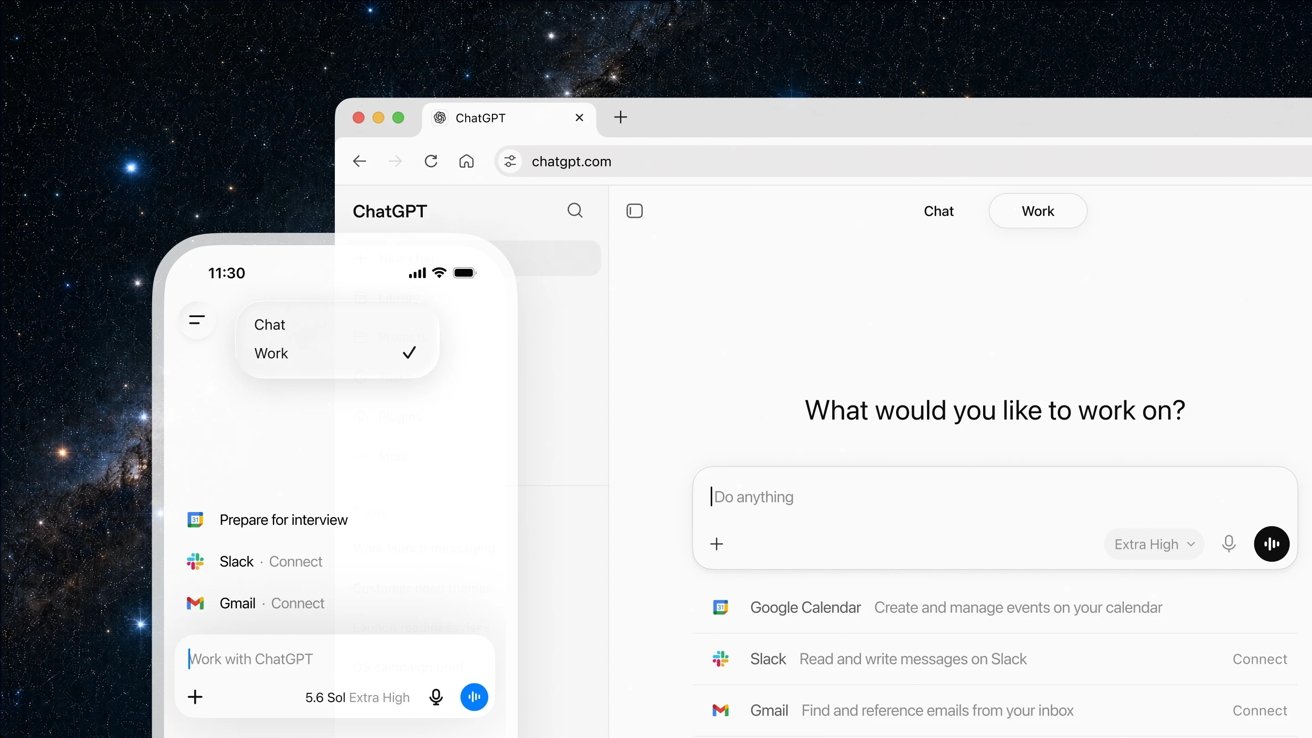
ChatGPT Work turns ChatGPT into an AI agent that lets you complete multi-step projects across connected apps and desktop tools using GPT-5.6, which powers new experiences.
ChatGPT Work is designed for long-term assignments rather than one-time prompts. Gather information from connected apps and workflows, create spreadsheets, presentations, documents, and web apps, and break large projects into smaller steps to keep you working for hours.
The new experience runs on GPT-5.6 and includes built-in Codex functionality to reason about complex tasks, work with templates and referenced files, and convey context across multiple stages of a project.
According to OpenAI, more than 5 million people use Codex every week, and more than 1 million of them use it for purposes other than software development. The growing use of Codex outside of software development aligns with OpenAI’s push to bring AI agents into sales, finance, marketing, and other business workflows.
Users can connect ChatGPT Work to Slack, Microsoft Teams, Google Drive, SharePoint, email, calendars, CRM platforms, and project management tools. ChatGPT can pull in information from these services, create and analyze documentation, and continue to refine your work while you review progress and approve important actions.
OpenAI is also bringing the site to ChatGPT in public beta. Sites allows users to transform projects into interactive websites or web apps, such as dashboards, launch calendars, project trackers, internal portals, and reports.
Scheduled tasks allow users to automate repetitive tasks, trigger actions when specific events occur, and monitor changes over time. With this feature, you can update your meeting agenda from a Slack conversation or update your presentation when you receive feedback via email.
 Users can connect ChatGPT Work to Slack, Microsoft Teams, Google Drive, SharePoint, email, calendars, CRM platforms, and project management tools. Image credit: OpenAI
The ChatGPT desktop app for Mac and Windows also has some new features. ChatGPT lets you work with local files and desktop apps, browse the web with the built-in browser, and use your computer to click, type, and navigate files while completing tasks in the background.
ChatGPT’s new features can handle repetitive tasks for your users, but you may want to think twice about giving independent agents access to more files.
In March 2026, OpenAI outlined its vision for a unified desktop app that unifies AI tools into a single workspace.
Codex becomes part of the main ChatGPT app
OpenAI will integrate its standalone Codex app into the new ChatGPT desktop app starting July 9th. Developers retain the coding features of Codex, such as inline editing in diffs, review of pull requests, support for multiple repositories, and faster computer usage with GPT-5.6.
The existing ChatGPT desktop app will be renamed to ChatGPT Classic. OpenAI also plans to extend its ChatGPT Chrome extension to allow users to work directly from Chrome’s sidebar while deprecating its standalone browser, Atlas.
Integrating these features reduces the need to switch between separate AI products for coding, research, and general productivity. Instead, OpenAI positions ChatGPT as the primary interface for these tasks.
ChatGPT Work adds enterprise controls
ChatGPT Work will begin rolling out on July 9th for Pro, Enterprise, and Edu users on web and mobile. OpenAI says Plus and Business users will gain access in the coming days.
 Starting July 9, OpenAI will integrate its standalone Codex app into the new ChatGPT desktop app. Image courtesy: OpenAI
The updated ChatGPT desktop app is available globally on Mac and Windows. Chat, Work, and Codex are available in the desktop app on all plans, including Free, but ChatGPT Work will first be rolled out to Pro, Enterprise, and Edu subscribers before expanding to Plus and Business plans.
Recent issues with the ChatGPT Mac app highlight why security becomes more important as OpenAI gives desktop apps more access to local files and tools. ChatGPT Work follows the same usage model as Codex, with more complex projects consuming more user-included usage.
Enterprise and Edu admins can manage access to connected tools, corporate data, and available actions through a single pane of glass. Compliance APIs give organizations visibility into ChatGPT Work conversations and actions, and automated review systems check sensitive actions before they occur.
OpenAI said internal adversarial testing showed the system blocked attempts to extract protected data, but the company has not publicly disclosed independent testing or verification of its results.
ChatGPT Work extends ChatGPT from a conversational assistant to an AI agent, extending your workflow. Whether companies trust AI agents in day-to-day operations across internal apps could prove to be as important as the technology itself.