

Are you looking for a review of Based Labs AI to decide if it's worth a try? Its main purpose is to convert images to videos.
Before you say anything, check out the sample below to see for yourself.
Input image (This is also generated by Based Labs AI):
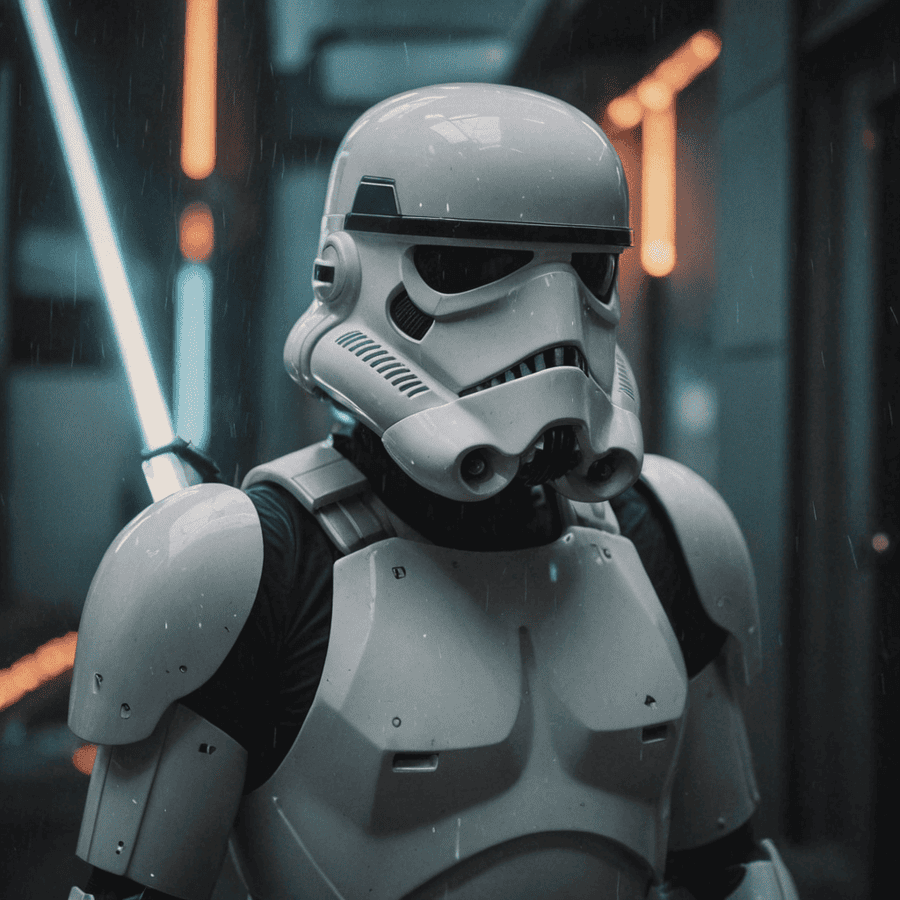
Output video:
These were created with default prompts. Continue reading to see the output using custom prompts.
What is Based Labs AI?
Based Labs AI A platform for generating images and videos. It accepts text and images as input and can also upscale images.
It also has a wealth of community features, so you can explore and interact with other users' works. This is especially useful if you're new to AI-generated content, as you can replicate prompts created by others.
Features
We break down Based Labs AI into its most notable features and provide relevant samples so you can see what it can do. let's start!
text to image
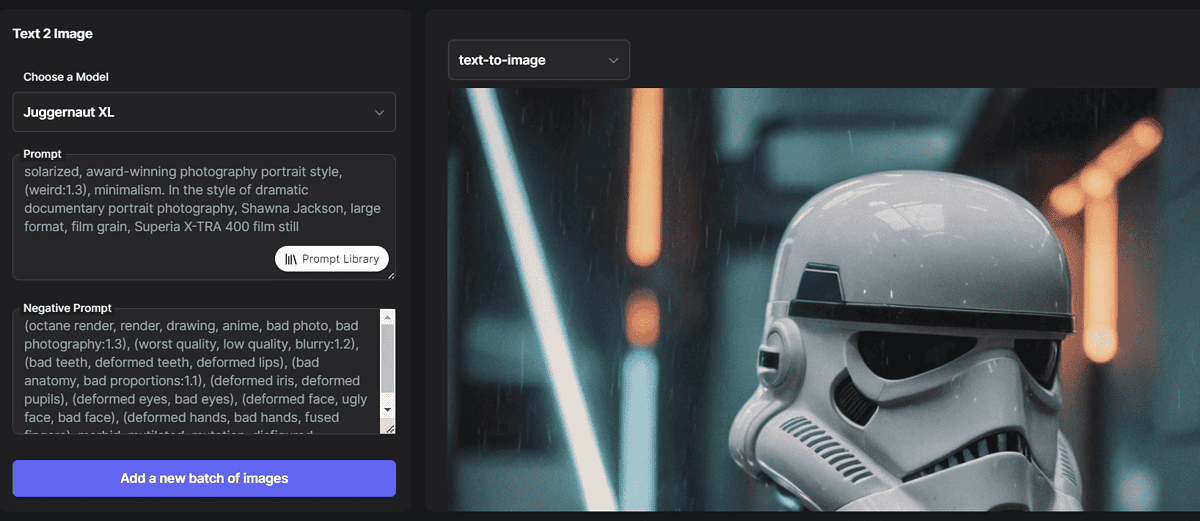
Like other AI image generators, its performance is AI model. Based Labs currently has the following selections: 9 models available:
- Dream Shaper XL
- RealVisXL V4.0
- Juggernaut XL
- pixel art XL
- night vision XL
- Zabby Chroma XL
- albedo base XL
- Counterfeit – V3.0
- epic realism.
I will not explain the details of each (They are all explained on the platform). I would like to mention that it covers the most common use cases such as: Photorealism, pixel art, animation, general purpose use.
The interface is crisp and clean. In addition to model selection, users must provide the following information: Positive and negative prompts. This is another way to indicate what you want to see in the output and what you don't want to see.
Brownie points are as follows seed options. This allows you to test the exact prompt multiple times (using different seeds) or restyle the output using the same seed as another prompt.
For more technical users, it may be interesting to be able to adjust the following:
- Diagram
- step
- noise removal
- scheduler
- sampler.
Additionally, you can: Download or publish selected output. Published output is visible to other users, and they can react to and recreate the output.
I used the default settings for the following prompts.
city street, neon, fog, volumetric, closeup portrait photo of a dog
This is the output I got:
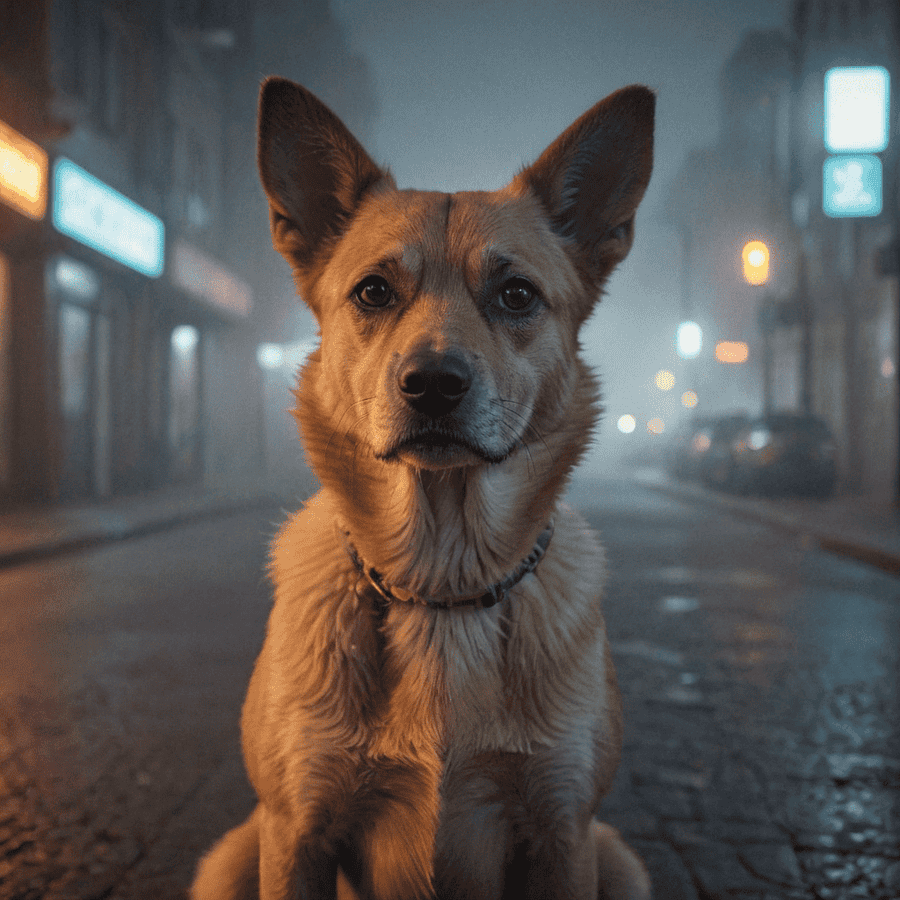
Realistic and colorful, matches my prompt. What else could you ask for?
image to video
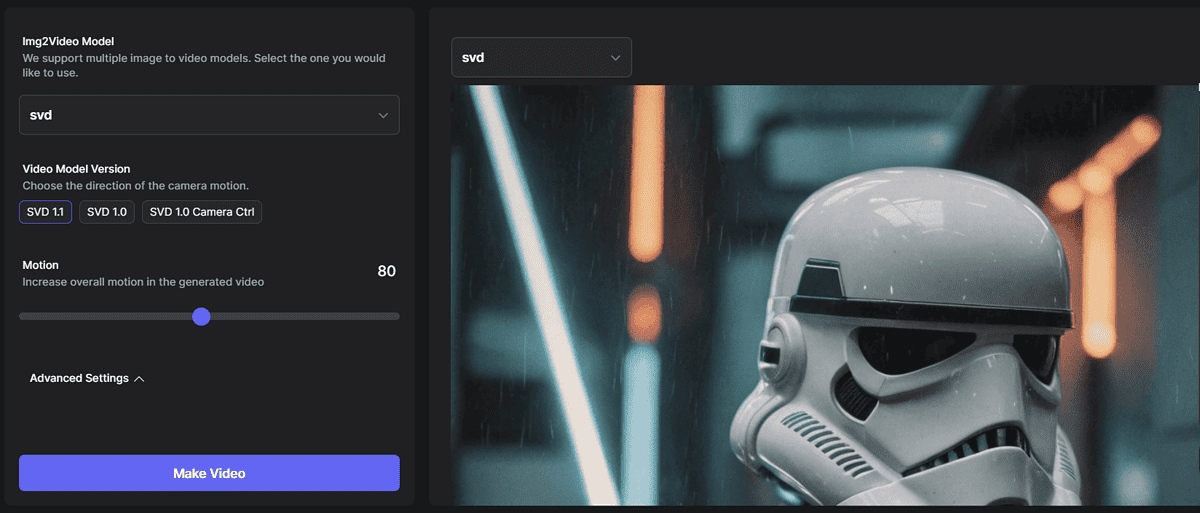
You are probably reading this review for this feature. Based Labs AI is touting its system Convert images to videos.
It supports two basic video models: S.V.D. and i2vgen. They also have their own submodels, but if you're not sure about them, it's best to use the default submodels.
Additionally, you can change level of movement On a scale from 25 to 140.
Seeds are also supported, ideal for video creation. Additional settings are similar to the previous feature, but include: Enhancement level.
Technical details aside, let's take a look at the video generated by the system.
(At this time, It took a little while to create the output, but it still took less than a few minutes.)
Again, that's so cool!
image to image
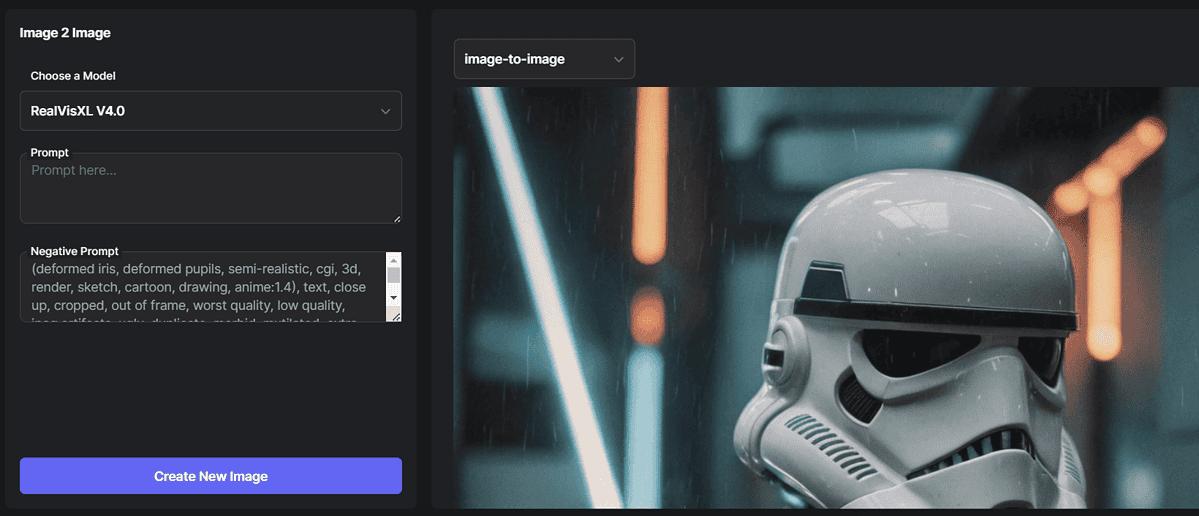
Next on the list is the ability to generate and edit new images based on existing images.
of Models available It is the same as the text-to-image functionality that we have already discussed.
Can be used again in addition to image input positive or negative prompt Describe the changes required. If you leave these fields empty, you can expect randomized results.
I decided to change the style of the input image (By changing the model), And it didn't work! I think this will work, but the system is not cross-model compatible.
By the way, if you're building from scratch, you can always use pre-built prompts. prompt library. If the input is another image generated by the AI, it might be safer to generate it from scratch. At least that's my experience.
magic upscaler
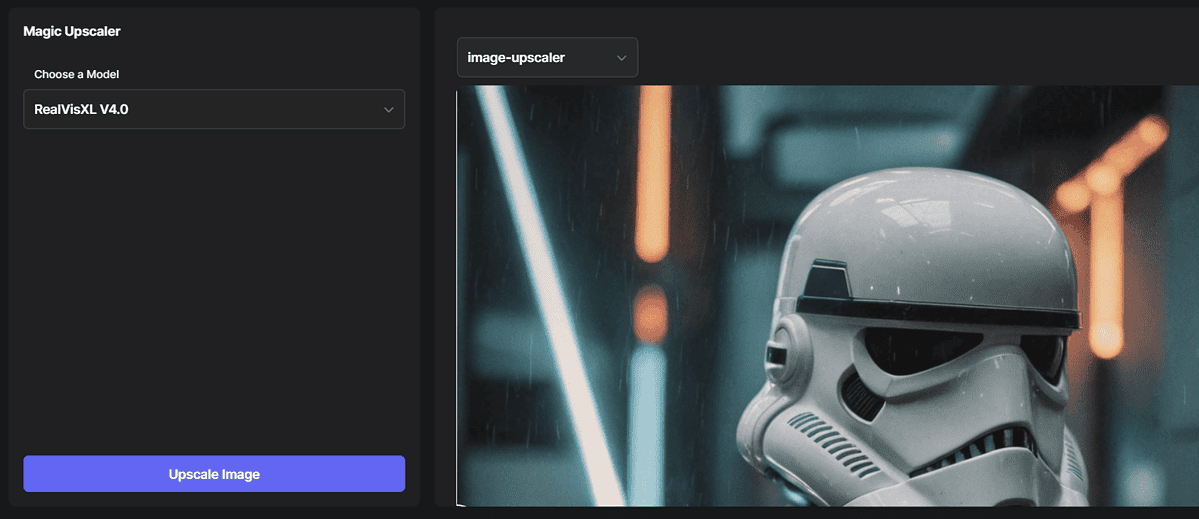
This feature is currently under development and could not be tested.You should be able to upload Select an image, select a model, and generate a new model with better resolution based on your input.
Based lab app
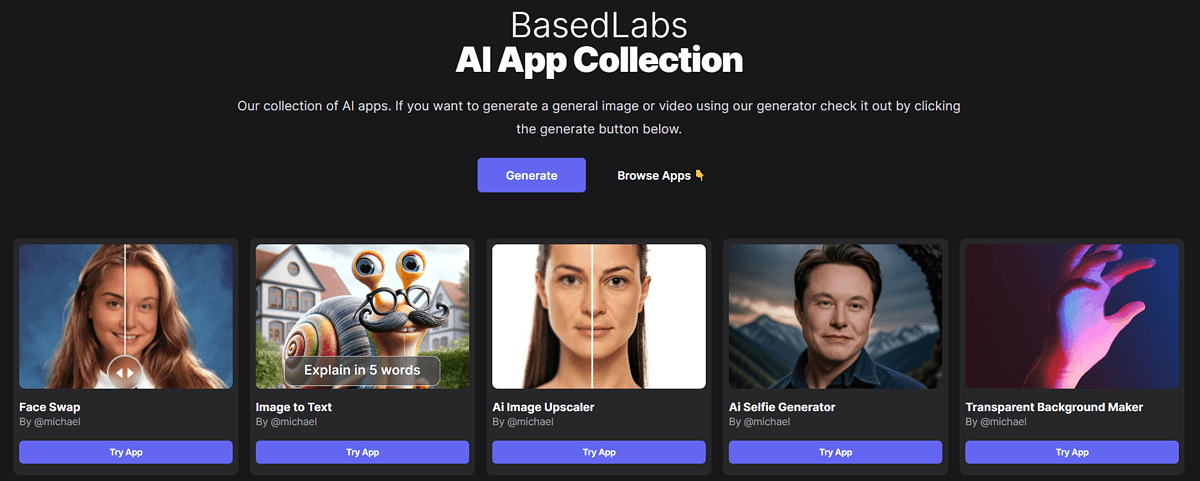
Similar to OpenAI's Custom GPT, Based Labs AI provides a section where you can find different apps based on that model.Still, the choices are quite limited 12 types of apps.
These include face swaps, tattoo and costume generators, and more.
The most interesting thing for me was converting the image to text, so I put the previously generated image.
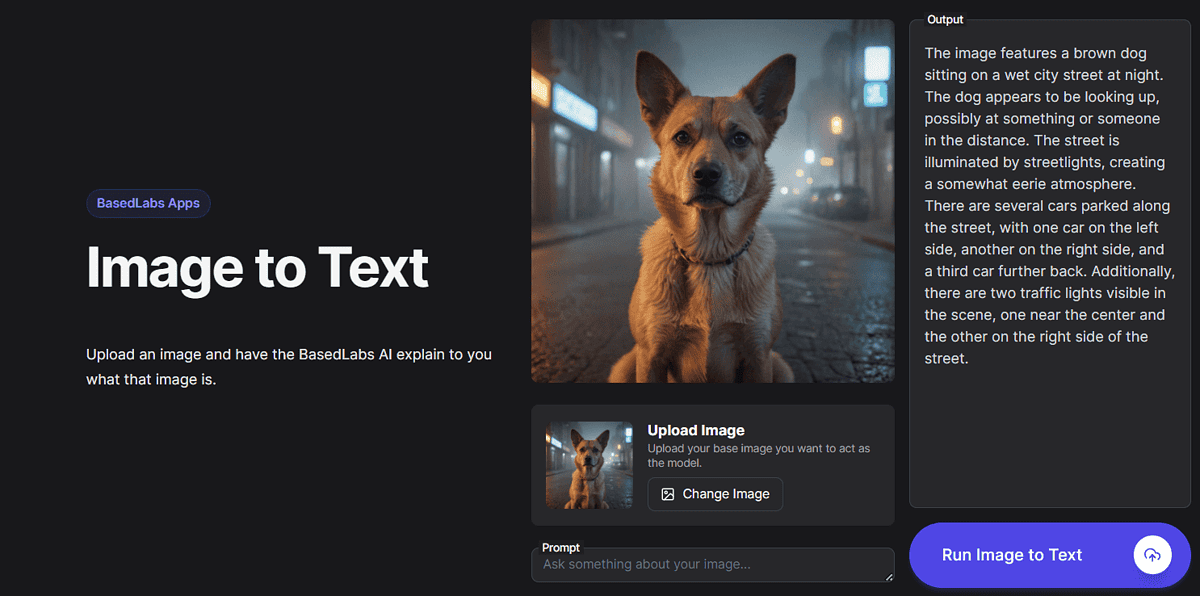
I noticed it right away, The explanation longer than originally promised. This can be a deal breaker if you want a genuine few word explanation.
Additionally, some of the released apps are a bit buggy.For example, if you want to use a background remover, the action button is Upscale instantlyand after pressing it no output came.
Overall, it seems like there's still a lot of work to be done in this space to compete with the major platforms.
API integration
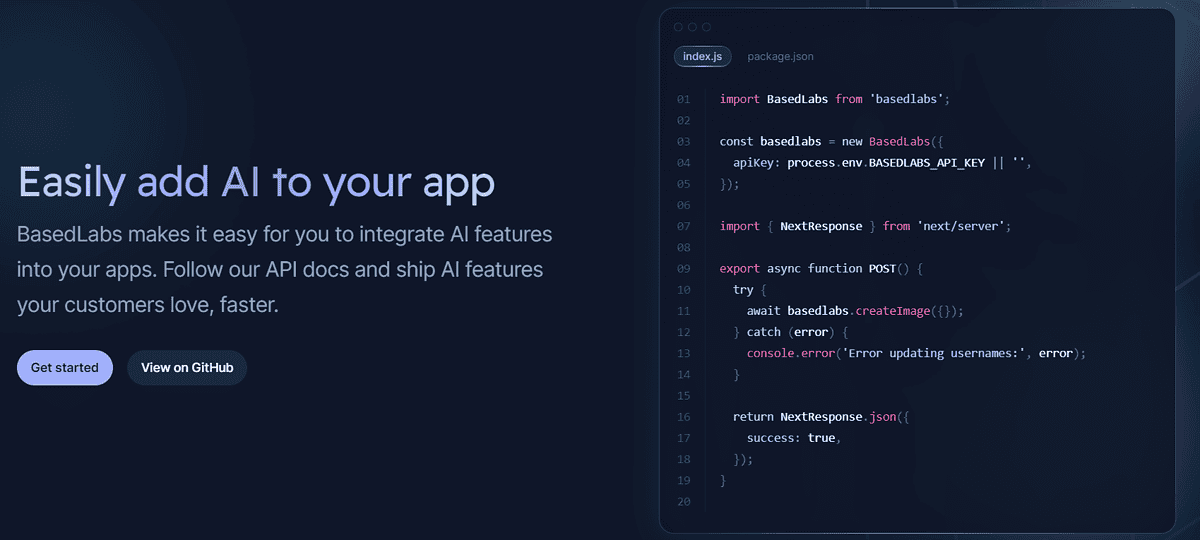
Very interesting AI-powered image and video integration (or other functions) in your software? Based Labs AI provides the appropriate documentation.
There's also a GitHub page. One example featured is a Telegram bot that can respond to generated images or videos.
If you're a developer, you'll love this useful API, especially the highlighted image-to-video conversion feature. In theory, you could even start your own AI platform based on this.
How to use Based Labs AI?
We created this tutorial to help you get started with this service.
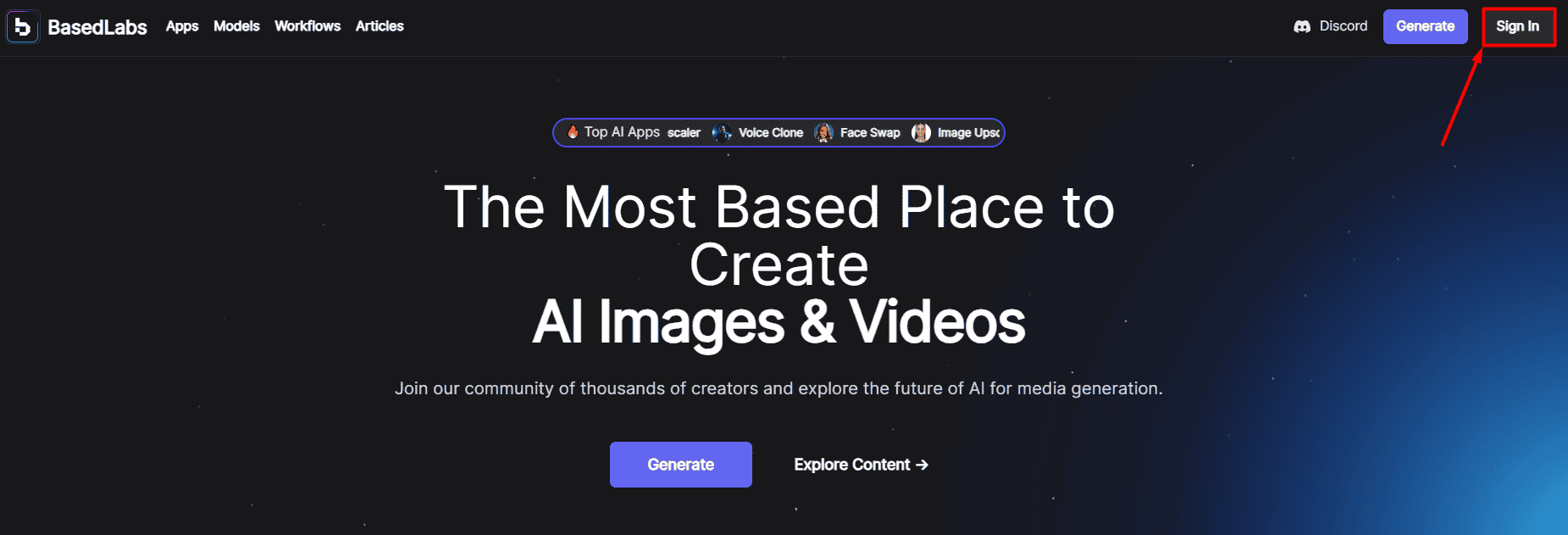
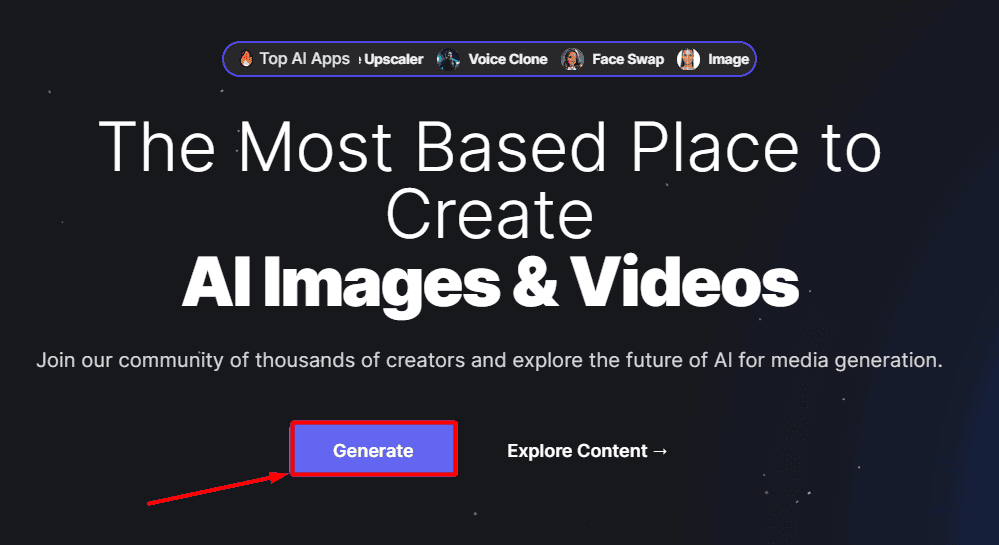
- heading to Based Labs AI Home Page and, Sign in button.
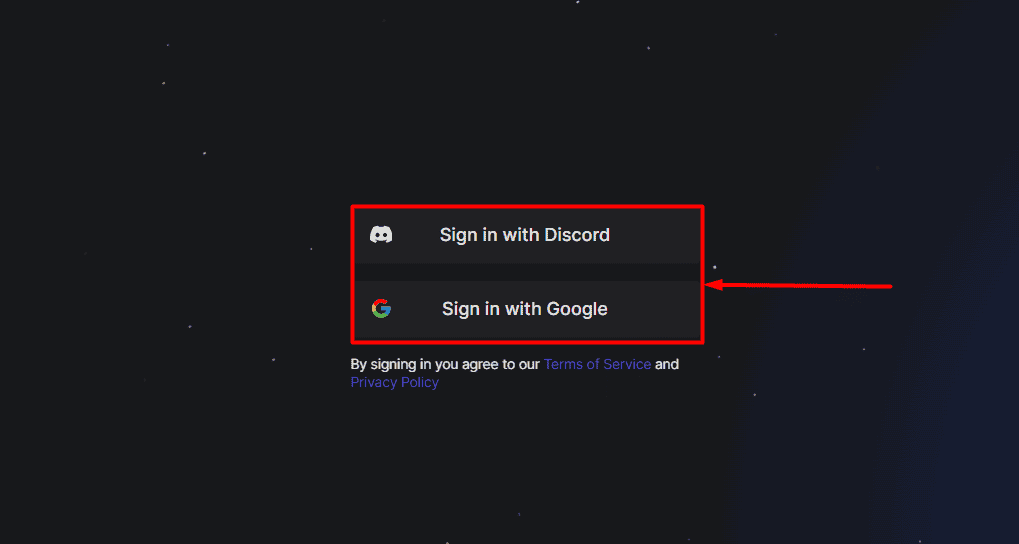
- Please use discord or Google account.
- After registering, generate button.
- choose suitable model For your creation.
Each one has an explanation. If you're not sure, use a multi-purpose one.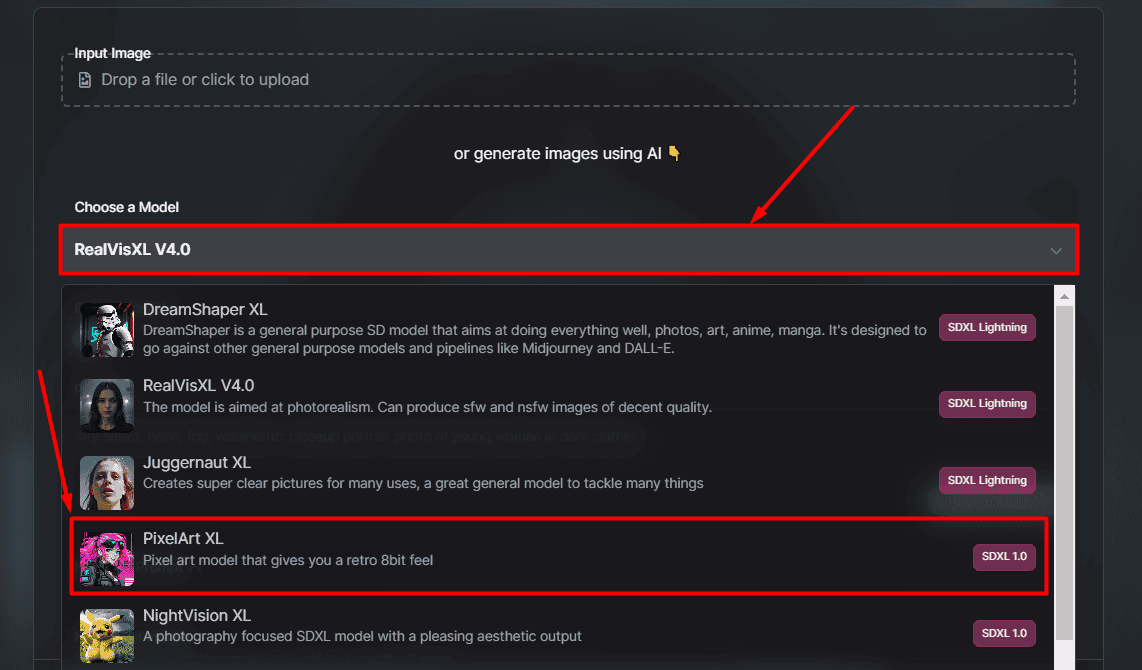
- (option) Based on the model, Additional settings It might appear. Please choose according to your preference.
- Please enter your name prompt Or choose one prompt library If you are unsure.
You can also add negative prompts to define what you don't want to appear in the output.
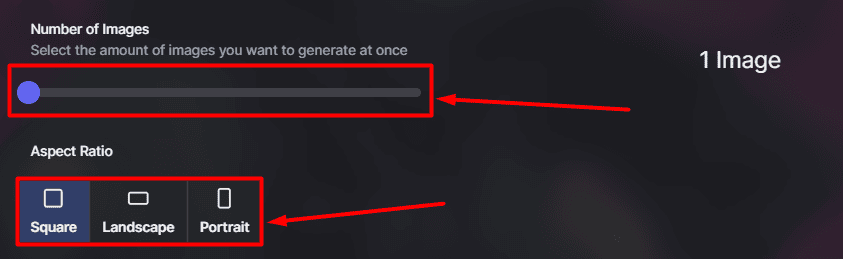
- You can choose from number of images (1-4) and hope aspect ratio (square, landscape, portrait).
- hit Image generation button.
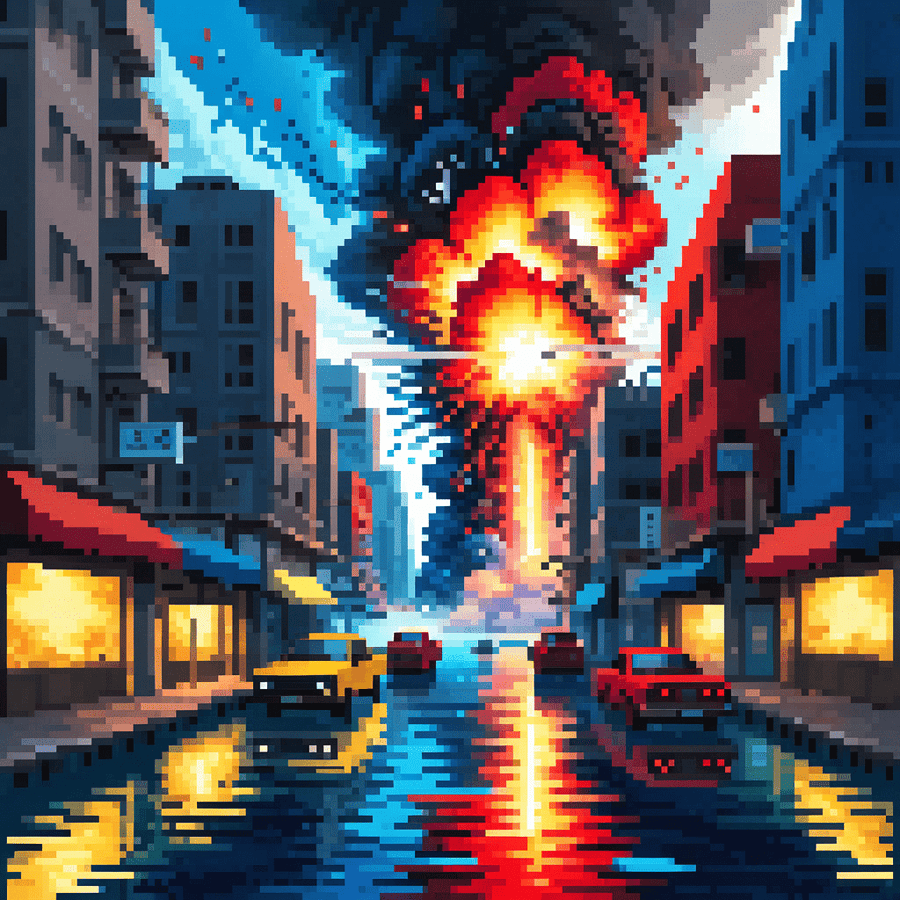
This is how we obtained AI-generated images from Based Labs AI. My results are:
- To create a video from it, open in editor button.
- Change the functionality to: image to video.
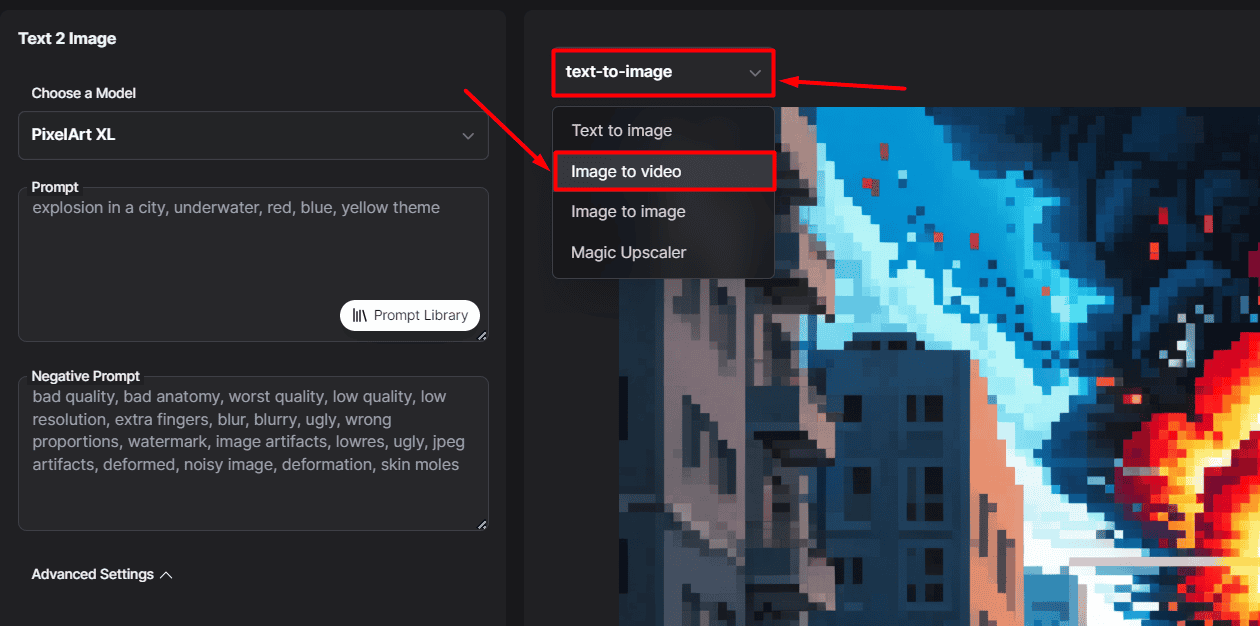
- hit create a video button.
The process of converting Convert still images to short videos is easy. My pixel art output is not worth mentioning, as it is best suited for realistic images.
Pricing
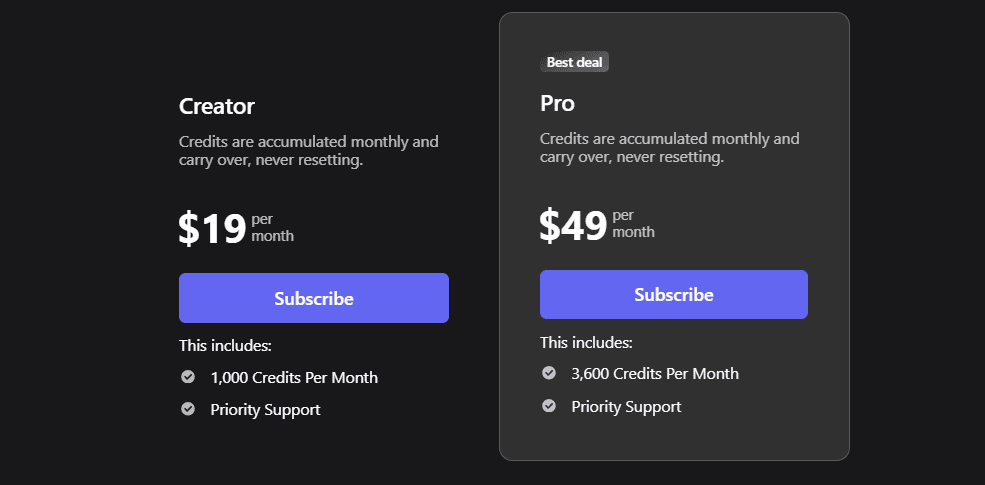
Based Labs AI is a subscription-based platform with two different paid plans.
- Creator ($19/1000 credits/month)
- Pro ($49/3600 credits/month)
a Free plan is also available. As mentioned in the tutorial, when you sign up for free with your Discord or Google account, 15 free credits.
But be careful with your credits. Although it is stated thatAverage creation costs 1-5 credits', It must be noted that some image-to-video outputs cost more than 15 credits.
the only Differences in paid plans This is a monthly allowance. Also, unused credits roll over to the next month (They don't reset!) It is very good because it can be loaded quickly.
In addition, You can cancel your account at any time. However, it is effectively canceled when your current subscription ends. (No refunds for unused days/credits. )
Overall, other than the unclear credit usage, pricing is simple and fair, with a free plan to try out all features.
Based Labs AI Review – Verdict
Based Labs AI is a great platform for creating short videos from existing images. The ability to generate images based on prompts is also nice. The rest of the features are average at best.
Bespoke apps are still in the early stages of development, but some have been released. Usage is credit-based, but the cost of each action is unknown.
To conclude our Based Labs AI review, we'll answer the first question. Can you convert images to videos? Yes, the results are incredible when it comes to that.
If you're looking for something better than Based Labs AI for face swapping, consider Face Swapper AI, another beginner-friendly solution.


