After setting the record for the fastest growing user base, ChatGPT now exceeds 25 million daily per the latest data. However, despite such extraordinary popularity, the AI chatbot does not have an official app and is best accessed through the OpenAI website. That’s not to say there aren’t any unofficial apps in the app stores. There are actually a lot of unofficial apps out there, but not all of them are trustworthy.
In this article, we’ll look at the fastest ways to access ChatGPT on your smartphone so you can maximize your productivity.
Hey GPT replaces Siri with ChatGPT
Hey GPT, released late last month, is one of the best ways to interact with ChatGPT on your iPhone. This tool is basically a shortcut to “replace” Siri with ChatGPT on iPhone and iPad. Once enabled, bots can write emails, suggest recipes, and explain complex topics. A basic prompt is just a few words.
And unlike other ChatGPT tools, Hey GPT responds with Siri’s voice. Sure, it’s not as fast as Apple’s voice assistant, but it can do a lot more.
To enable it, first install the extension from this link, enter your OpenAI API key after retrieving it from here, and add the shortcut to your home. Then you can start using it right away.
BuddyGPT Adds ChatGPT to WhatsApp
If you’re a WhatsApp user, you likely use it more often than any other app on your phone. To add ChatGPT to WhatsApp, visit this link. BuddyGPT is a service that allows you to use ChatGPT with Whatsapp and Telegram.
Opening the link will take you to the chat interface of the Messages app. Here you will be asked to select a language. Select English and start chatting with ChatGPT just like your WhatsApp friends.
Please note that BuddyGPT only allows 15 free messages per month before asking you to join the premium tier.
Microsoft Start is a real ChatGPT app
Microsoft Start is an all-in-one search app that offers tons of utilities. It also features the new Bing AI based on GPT-4. This app is the closest thing to officially having ChatGPT as an app.
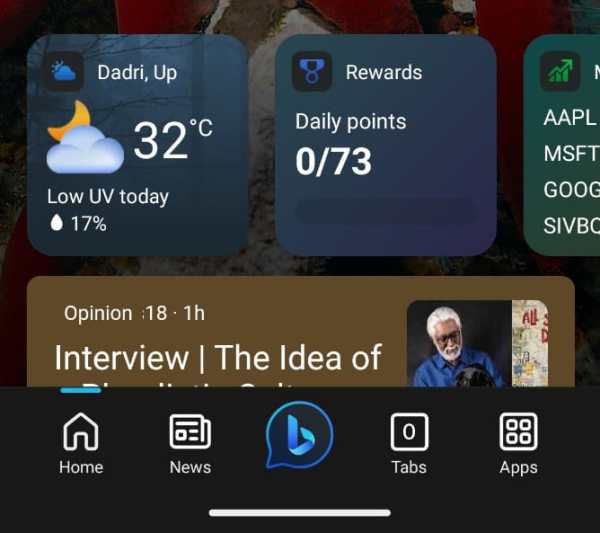

Once downloaded to your Android or Apple device, click the Bing logo in the middle of the bottom toolbar to start chatting with GPT-4. If you prefer, you can also choose one of three conversation styles here (Creative, Balanced, Accurate). As an added bonus, unlike ChatGPT, Bing has access to the Internet, so it can provide information on current affairs.
SwiftKey Brings ChatGPT to Every App
SwiftKey Keyboard continues to be the most accessible way to ChatGPT (GPT-4) on your smartphone, allowing any app to summon an AI chatbot. You can download it from Play Store and App Store.
Once downloaded, open the app and set SwiftKey as your input method. Then open any chat, notes, or email app and launch the keyboard. In the upper right corner of your keyboard, you will see the Bing logo. Tap it to switch to chat mode and start talking to GPT-4.
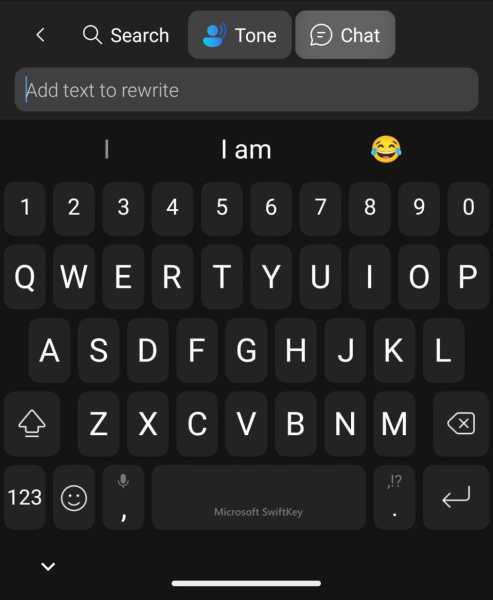

According to Microsoft, the integration of Bing AI in SwiftKey will help “if everyone is joking in chat and you need a clever pun, or you’re new to the area and want to text a new friend to find a good local restaurant. Also helpful if you have suggestions.
© IE Online Media Service Pvt Ltd
First published date: April 15, 2023 12:47 IST