You can’t escape from it. AI is infiltrating every aspect of our lives, and nowhere is this more evident than in the world of the best video editing software. Up until now, I’ve had a pretty suspicious attitude towards most AI-centric software, but as 2026 approaches, I thought it was about time to try it out first hand.
So we turned to one of the most established options: Wondershare’s Filmora. Now in version 15, the video editing package offers a wide range of features, from AI-generated videos to AI enhancements, from background cutouts to traditional cuts and layering. With support for OpenAI Sora 2, Google Veo 3.1, and Normal Mode 2.0 models, Filmora provides access to the latest AI technologies for video generation.

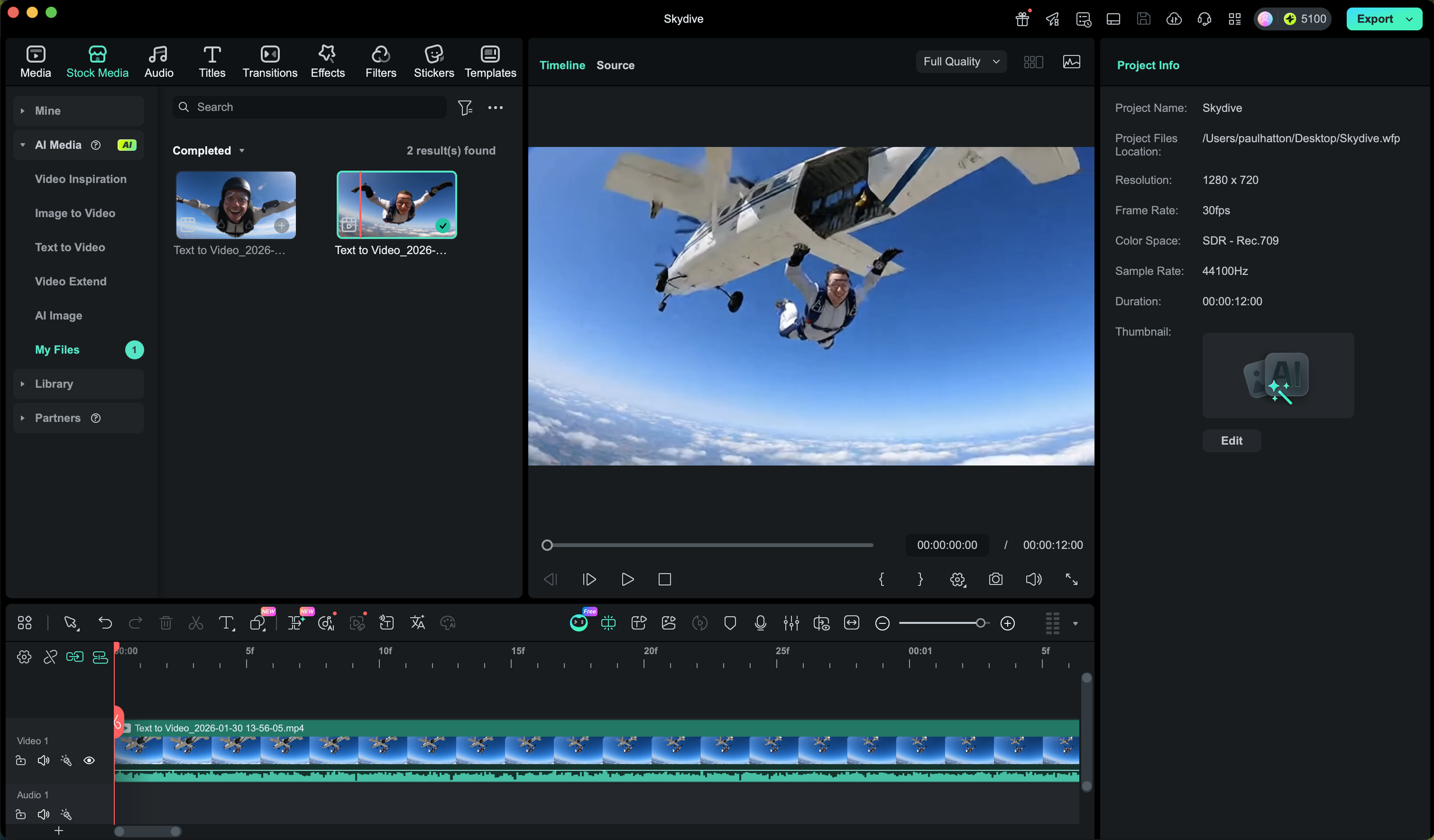
He started by uploading a profile photo, followed by a simple prompt: “This man is skydiving out of a plane.” Filmora quickly told us that this wasn’t enough, so we used built-in tweaking tools to expand the prompts to be more detailed. I then clicked “Generate” and waited 10-15 minutes for the software to create a 12-second clip.
While I was waiting, I did a little research on how much it would cost to use Filmora on a regular basis. I wasn’t very comfortable having to part with hundreds of credits every time I did something, and I never wanted it to be prohibitively expensive either. I realized that it takes about 50,000 credits to create an AI-heavy video and costs about $50. It’s not a huge amount, but the impact on your bottom line is worth considering.
Back to the skydiving video. To be honest, I wasn’t expecting anything useful. I thought it might produce something interesting and a skydiver with my face on it would be a little funny, but I was pleasantly surprised by what it produced. I exported the footage and sent it to a few people, but no one could find any glaring issues. It really looked like we were skydiving.
I’m not an AI expert or particularly confident in writing quickly, but I was still able to get Filmora to do what I wanted without too much trouble. I’m not sure if I’ll ever go so far as to create AI clips to insert into my projects, but it’s good to know that that option is there if I ever need it. The learning curve was also very shallow, but the process involved a lot of trial and error and required a little patience.

I think it’s more often used as an AI editing tool than to generate videos. These can be applied to video clips created with AI or shot with a real camera. Options include removing objects, relighting the scene, and blurring faces. I’ve been playing with these for a while, and while there were a few moments where I struggled with the AI’s detection, they were generally good at applying the adjustments and effects I needed. Exactly.
Maybe you’ve been wondering about AI’s place in your creative workflow, but you’ve been keeping it at a distance. Filmora is a very easy way to dip your toe into AI video editing, although it can be quite expensive. This is also one of the best options for creating AI-generated videos within a video editing package.
For those who have spent the past few years holding back on AI, Filmora’s presence is finally a compelling reason to let down your guard. It’s not perfect, and has credit-based costs, so “generation” has to be intentional, but the barrier to entry is satisfyingly low. Whether you want to automate a boring task or use AI to generate videos, Filmora could be the app to do it.