Artificial intelligence video lab Haiper has released version 1.5 of its generative model, delivering an eight-second initial clip and improved visual quality.
This is the latest update from a growing number of AI video platforms that are chasing the realism, natural movement and clip duration capacity of OpenAI's yet to be released Sora model.
I tested Haiper 1.5 using a series of prompts, and it felt more like an upgrade to the first-gen model, rather than a major change like we saw between Runway Gen-2 and Gen-3 or with the release of the Luma Labs Dream Machine.
This is not to say that Haiper isn't an amazing model – in fact, it offers the best value of all the AI video platforms – it just hasn't yet reached the motion quality of Runway Gen-3, nor has it managed to solve the morphing and distortion issues found in Haiper 1.0.
What's different in Haiper 1.5?

View
Haiper is the brainchild of former Google Deepmind researchers Yishu Miao and Ziyu Wang. The London-based company focuses on building foundational AI models and realizing artificial general intelligence.
The video model is specifically designed to be good at understanding movement, so the tool isn't built with motion controls like Runway or Pika Labs because the AI predicts what you need. I found it better to omit specific motion instructions from the prompts.
The startup came out of stealth just four months ago with an out-of-the-box model and already has 1.5 million users. Previously, the maximum video length was four seconds, but for most users it was only two seconds, which was basically a GIF. With the new model, you can start with an eight-second clip.
It's one of the easiest to use AI models out there, with a strong community built around creation, providing a wide range of examples and prompt ideas that can be used to animate text and videos.
Creating a prompt to test Haiper 1.5
8 second videos, video extensions and upscalers!? Thanks to Haiper v1.5, we were able to achieve #glowup in just one month 😊 pic.twitter.com/E2f5nGNqAMJuly 16, 2024
Haiper 1.5 allows clips to be up to eight seconds long, but I found that sometimes this slowed down the footage rather than adding more movement.
Additionally, whereas previously high resolution was limited to very short 2 second shots, you can now produce clips up to 8 seconds long in high resolution.
Like Pika Labs, you can use Haiper to expand or enhance the generated videos, with each generation adding 4 seconds to the original video.
1. Koi pond
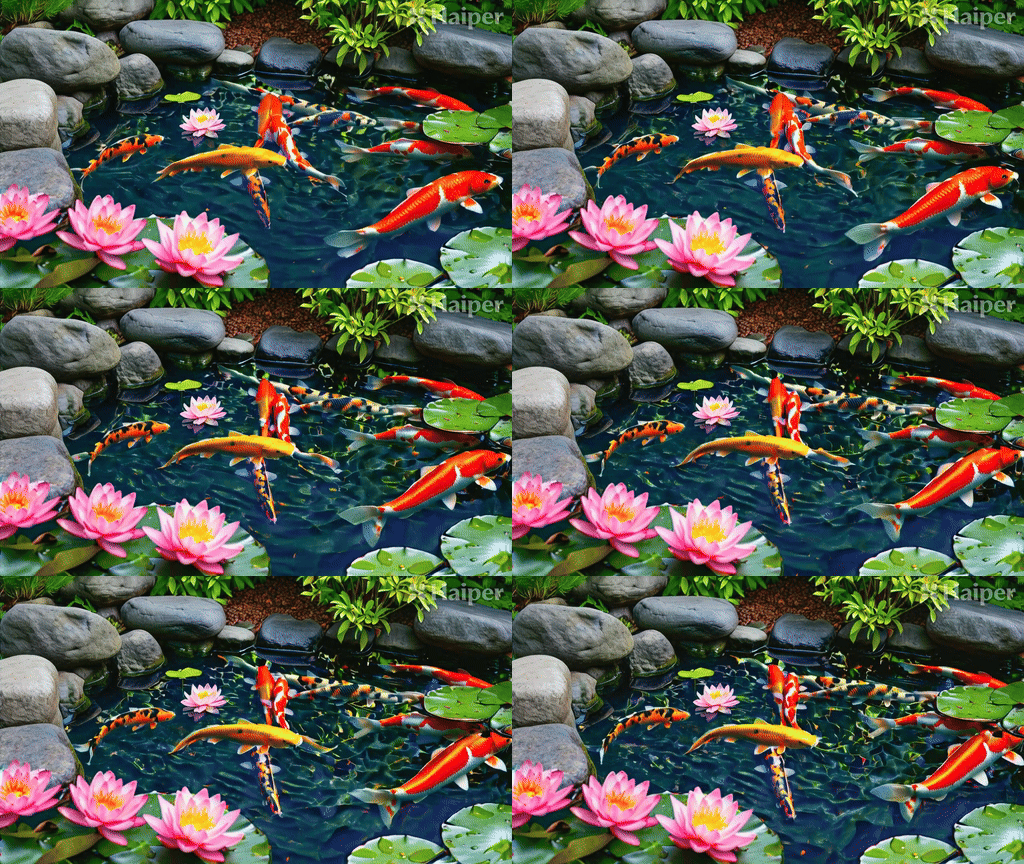
The first test is to see how well it handles the movement of multiple objects, and I'd say it handles it surprisingly well – there's not much distortion or blending of fish, although one does appear to be swimming across the pond.
Prompt: “A tranquil koi pond in a Japanese garden. Colorful fish swim beneath floating lotus flowers.”
2. Night Street

Next up was a test of a complex visual environment, in this case a busy city with bright lights and lots of people, and the degree of animation: the GIFs would reflect how slowly people moved in the final video; they needed to be twice as fast.
This was a simple prompt: “A busy city street at night, neon signs flashing, people rushing past in the rain.”
3. Make sushi
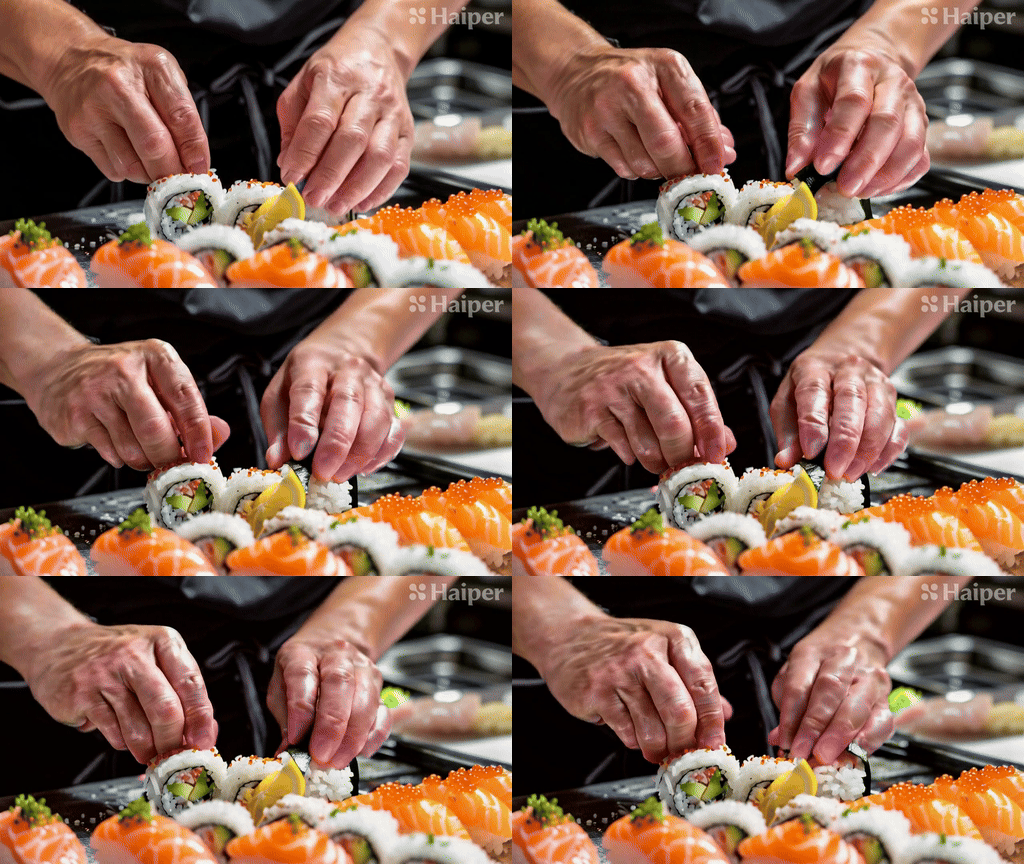
Hands are a nightmare for AI models, and unfortunately Haiper is no exception. What initially looks like a cracked hand turns into a weird, nightmarish mess over the next five seconds, as shown in the GIF. You can watch the full video on the Haiper website.
“Close-up of a chef's hands preparing sushi, carefully cutting the fish and rolling the rice.”
4. Blooming Flowers

This was the only complete failure of our test prompts, and we wonder if it needed more specific instructions to capture the movement, or even simpler ones — it's hard to say because every AI video model works slightly differently.
The prompt I used was “Time lapse of a flower blooming and petals opening in vibrant colors.” I tried the same prompt with Luma Labs and although the results were more realistic, it didn't show the time lapse.
5. Astronaut

I like using the space prompt because it often confuses the model when it comes to movement, generating multiple Earths, etc. Haiper did a good job here, even showing the astronauts slowly moving around. The whole video is worth watching.
I used this prompt: “An astronaut floating in space with Earth in the background and stars twinkling.”
6. Steampunk City (Image)
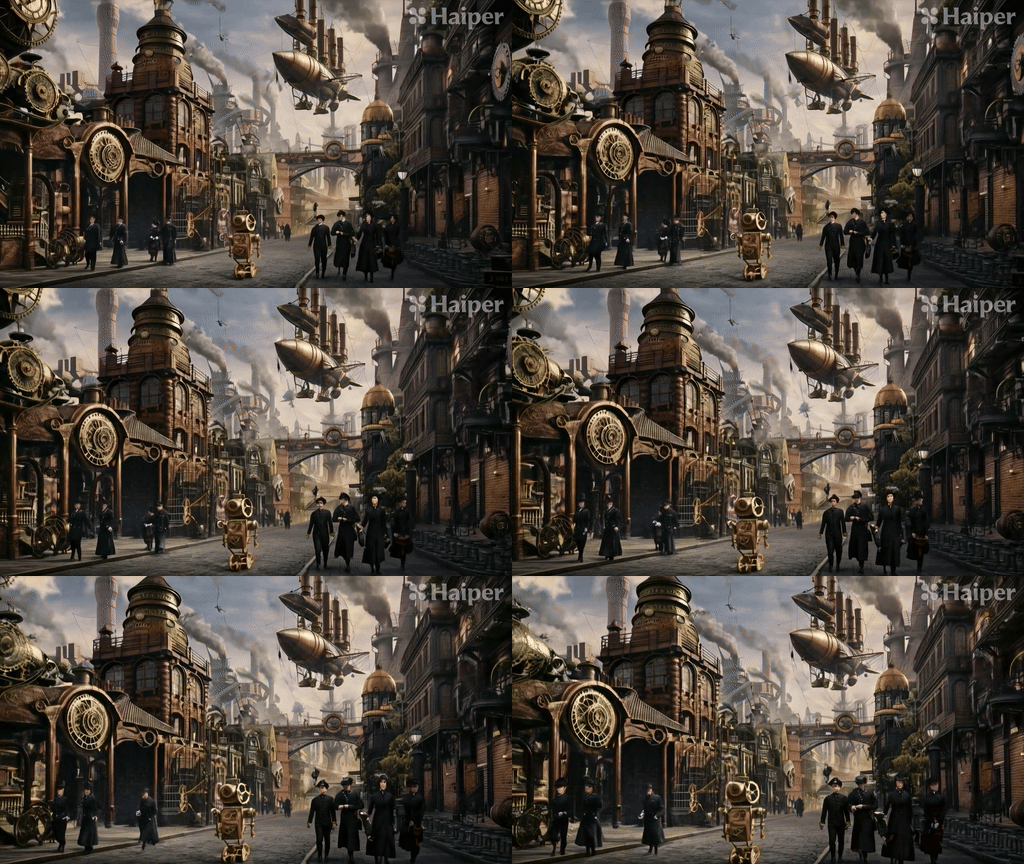
The next test was to use Haiper's image-to-video model rather than just text. First, we generated an image of a steampunk city and provided it to Haiper along with some motion prompts. It did a good job of showing the unusual scene.
A prompt from AI image generator Ideogram: “Steampunk cityscape with airships and clockwork mechanisms.” A motion prompt from Haiper next to the image: “Gears turn and an airship moves slowly through the sky.”
7. Aurora (image)

Finally, there's Aurora. This is a useful test for all AI video models, as they usually start with text, but I wanted to see how it animated images. It works very well, and the full 8-second video is worth watching.
AI image generator Ideogram's prompt: “Aurora dancing over a snowy mountain landscape.” Haiper's motion prompt next to the image: “Aurora moving and swirling in the night sky.”
Final thoughts
Haiper 1.5 is a clear improvement over models like Haiper 1.0, Runway Gen-2, and Pika Labs 1.0, but it is still a temporary upgrade. If the 1.5 model can achieve this, it will be exciting to see what Haiper 2.0 has in store.
The clips were sometimes slower and suffered from morphing, but overall there was a big improvement in photorealism, movement, and consistency, which was partly due to the clips being twice as long.
More articles from Tom's Guide

Back to MacBook Air