
What’s new about these AI caricatures?
Unlike older portrait apps that only stylized photos, this trend adds contextual personalization.
-
Analyze patterns from past interactions: tone, frequently discussed topics, interests, and hobbies.
-
Generate cartoon scenes that reflect your professional and personal life.
-
Includes work tools, subtle lifestyle tips, and workplace details.
Why it works:
These images are more than just cartoons, they reflect your identity, profession, and mood, making them perfect for your social media profiles.
This trend works because anyone can participate and no design skills or editing apps are required, just a photo and the right prompts.
How ChatGPT creates caricatures
-
Analyze the photo: facial features, expressions, and proportions.
-
Apply prompts. Define style, background, mood, and exaggeration.
-
add context: Combine visual cues and chat history.
-
Refine the output: More detailed prompts = more personalized results.
Step-by-step: How to create an AI workplace caricature
-
Log in to OpenAI: Make sure image upload is enabled.
-
Please upload a clear photo: Good lighting, visible face, plain background.
-
Enter detailed and secure prompts.
example: “Create a high-quality caricature of me based on this photo. Make sure my features are recognizable but slightly exaggerated. Show me as a person.” [profession] in [setting — office, studio, cafe]. use [style — cartoon, Pixar, hand-drawn] With bright colors and soft lighting. ”
-
Optional add-ons: Playful expressions, neutral props (laptop, book, coffee mug).
-
Review and improve: Regenerate until satisfied.
-
Download and save locally: Share online only if you are comfortable.
Let’s try out styles: Hand-drawn, Pixar/3D, minimalist, bold caricature.
Why is this trend different?
The old app only changed facial features. ChatGPT incorporates context and creates a working identity.
The result is a comic that gives a personal impression, but at the same time reveals information about your life and work. But behind the fun lies a bigger question. It’s about how much personal and professional information you share.
Your digital footprint: what you’re actually sharing
To improve accuracy, users often include:
-
Employer name and department
-
Duties and projects
-
daily life and tools
-
Travel plans and customer types
-
Family reference material
These images look like this when posted online:
-
downloaded or screenshotted
-
Share, repost, or index
-
Used for spoofing and phishing attacks
The more detailed the image, the easier it is to connect with your true identity.
Could this affect your work or company data?
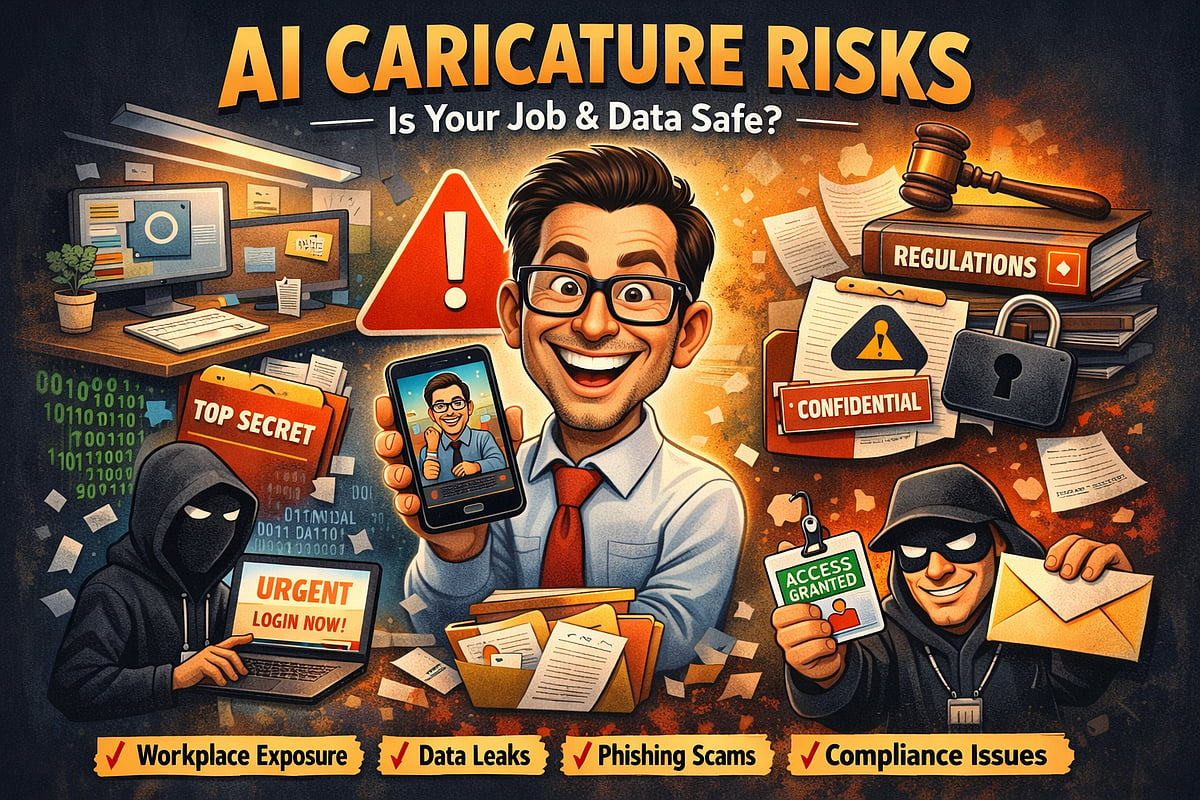
Even playful AI-generated images can reveal sensitive work details such as your team, projects, office setup, and clients. Sharing documents and drafts on public AI platforms can violate policies, and combining your face with work information makes phishing and spoofing easier.
The main risks include:
The fun, stylized images also show:
-
Workplace layout and company system
-
Department or team structure
-
ongoing projects
-
Daily life and tools used
-
Employer or customer information
By combining your name and visual similarity, you can:
-
Helping scammers make realistic phishing and spoofing attempts
-
Violate non-disclosure agreements or internal IT policies
-
If the photo includes screens, whiteboards, or documents, sensitive company data will be exposed
-
Create compliance issues in regulated areas (finance, healthcare, government, technology)
Oversharing your daily work with AI tools increases the risks of:
-
Draft emails, reports, or contracts
-
Sensitive PDF or proposal summary
-
Revise financial forecasts and internal strategy memos
Even if no breach has occurred, uploading sensitive company content to a public AI platform can violate policies and put your job at risk. If you don’t post information on LinkedIn, think twice before pasting it into an AI tool.
Lesson: Even exaggerated caricatures can reveal real-world details. In competitive and security-sensitive industries, even a small data breach can have a huge impact.
Where the data goes
AI Platform may use the submitted content for the following purposes:
pro tips: Features such as chat history and memory may be turned on by default. Deleting content may not permanently remove it.
Why trends feel harmless
Many people like how “accurate” their caricatures look. That accuracy isn’t magic. This reflects information already shared over time. When the output feels personal, it creates a sense of familiarity and trust. But rather than discovering secrets, the AI is combining what you’ve already provided. Accuracy is built on aggregation.
Tips for safe AI caricature
If you want to try a trend, keep it simple.
-
Use temporary/private sessions. Disable history if possible.
-
Avoid photos of your actual workplace. Avoid screens, whiteboards, badges, logos, etc.
-
Keep the prompts general and skip employer name, project, or customer information.
-
Remove metadata (location, timestamp) from images.
-
Never upload sensitive work content. Summarize the idea instead.
-
Feel free to experiment with neutral props and styles.
-
Save it locally and only share when you feel comfortable.
-
Regularly review platform policies and remove old sessions.
big picture
The ChatGPT caricature trend shows how creative and powerful AI has become. Turn scattered details into a polished digital identity in seconds. But it also shows how easily personal and professional information can be merged into one public snapshot.
This comic could be trending for a week. Your digital footprint and the impact it has on your career can last much longer.


