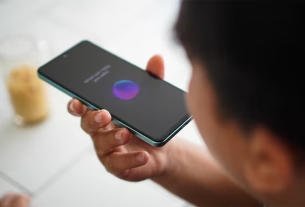
Transcription is no fun at all. Luckily, AI is good at it. Aiko is an app for Mac, iPad, and iPhone that transcribes audio files using Whisper, an open-source technology developed by OpenAI. Aiko doesn't upload files to the cloud for transcription; it's all done on-device. It's also pretty fast; I was able to transcribe a 30-minute radio drama in just a few minutes.
The app works best on devices with Apple Silicon processors (Intel Macs are technically supported but are very slow at transcribing). My 2022 iPhone SE was significantly faster than my 2018 Intel MacBook Pro, which took about three minutes to transcribe a 10-second conversation. But if you have the right hardware, the app is near perfect.

Credit: Justin Potts
To get started, you need to point the application at a file or start recording what you want to transcribe. Add any audio or video file to the application and it will immediately start creating a transcript. The recording feature is primarily for quick notes; the software encourages you to record using another application first if possible. On the mobile version, you can grab audio from the Voice Memo app, which is a handy feature.

Credit: Justin Potts
The application displays the text as it is being transcribed, meaning you can start reading before the transcription is complete. The application automatically detects the language being spoken, but you can set a different language in the settings if you prefer. You can also set the application to automatically translate non-English conversations into English if you prefer.
It's not a perfect application – there's no way to tell who's speaking in a text, for example – but it works fast and it's completely free, so it's hard to complain too much. This is going to be my go-to tool from now on.