

Have you ever imagined your vintage family photos moving like a movie scene? That dream is now a reality with image-to-video conversion AI. This breakthrough technology transforms photos taken yesterday or years ago into vivid, cinematic videos that let people revisit special moments in a whole new way.
Wondershare Filmora allows you to easily capture and bring nostalgia back to life, catering to both creators and regular users. By leveraging the Veo3 model, which offers advanced features for realistic animation, and the Nano Banana model, which improves image clarity, Filmora’s tools allow you to transform your life moments into emotionally impactful, professional-grade videos in just a few clicks.
Part 1: The magic behind Image to Video AI
The idea of turning old photos into moving visuals may sound futuristic, but image-to-video AI makes it surprisingly easy. At the core of this technology is the use of deep learning and motion mapping to analyze the structure of each image, determine depth, texture, and focus, and add smooth, natural movement to create lifelike animations.
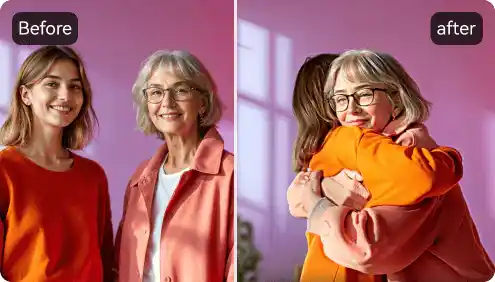
result? Your photos don’t just fade in and out like a vintage slideshow. They come alive. People’s faces change slightly, the scenery changes, and the lighting has a cinematic feel, as if it was shot on film.
Here are just a few examples of how photo-to-video AI technology is great for both creators and users.
- Realistic motion generation: AI predicts the movements of people and backgrounds in videos.
- Automatic scene transition: This tool simply adds pans, zooms, and angle changes automatically without manual intervention.
- emotional storytelling: Static and lifeless photographs become real again with the help of music, atmosphere and flow.
- Professional quality instantly: Thanks to AI, your videos will look high-quality even without any editing skills.
This is not only a technical process using tools like Wondershare Filmora, but also a personal process. I’m not editing the clip. You are reliving the moment.
Part 2: Breathe new life into old photos with an AI video generator from images
Photos sitting in dusty albums, old portraits, and ancient digital archives are filled with stories waiting to be retold. Turn your memories into movies in no time with the AI video-to-image generator.
Wondershare Filmora can help you with this. Its image-to-video AI capabilities are like a machine that quickly and automatically synchronizes animations, transitions, and sounds, turning your throwbacks into stunning visual stories without any effort. Whether you’re a content creator, a small business, or someone who wants to relive family memories, Filmora is the tool that can turn your photo library into a legacy.
How it works: Step by step
Follow simple steps to turn your old photos into interesting videos.
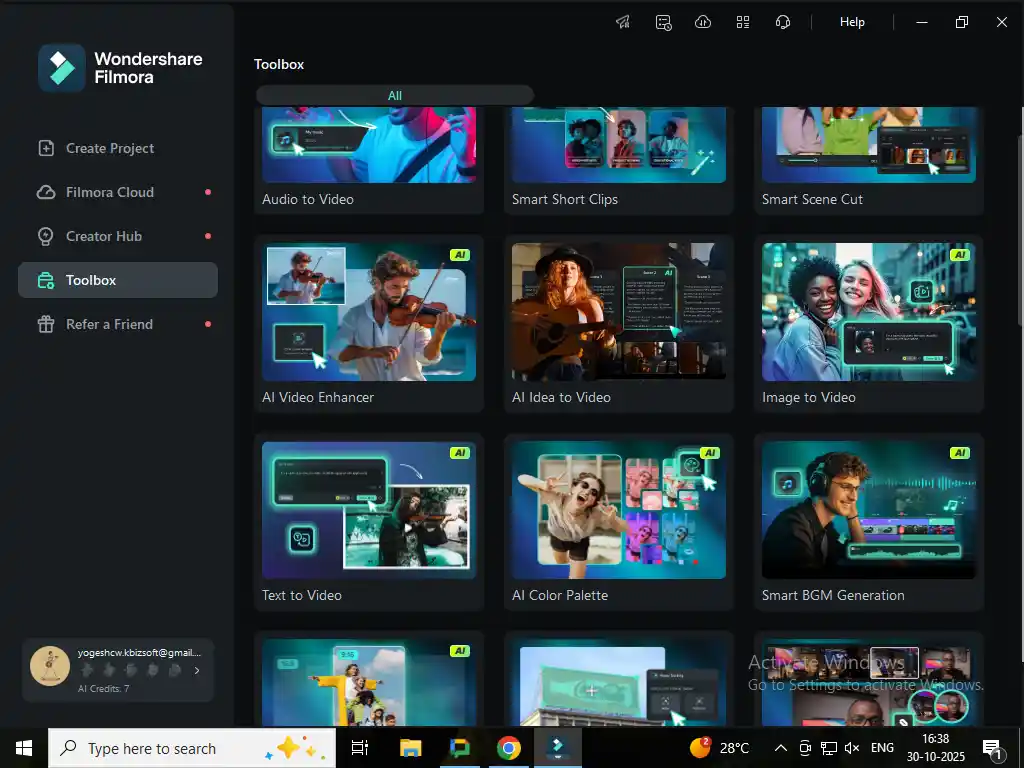
Step 1: Upload your old photos
Open Filmora and go to the Image-to-Video AI feature. Upload a single image or a collection of photos that you want to animate.
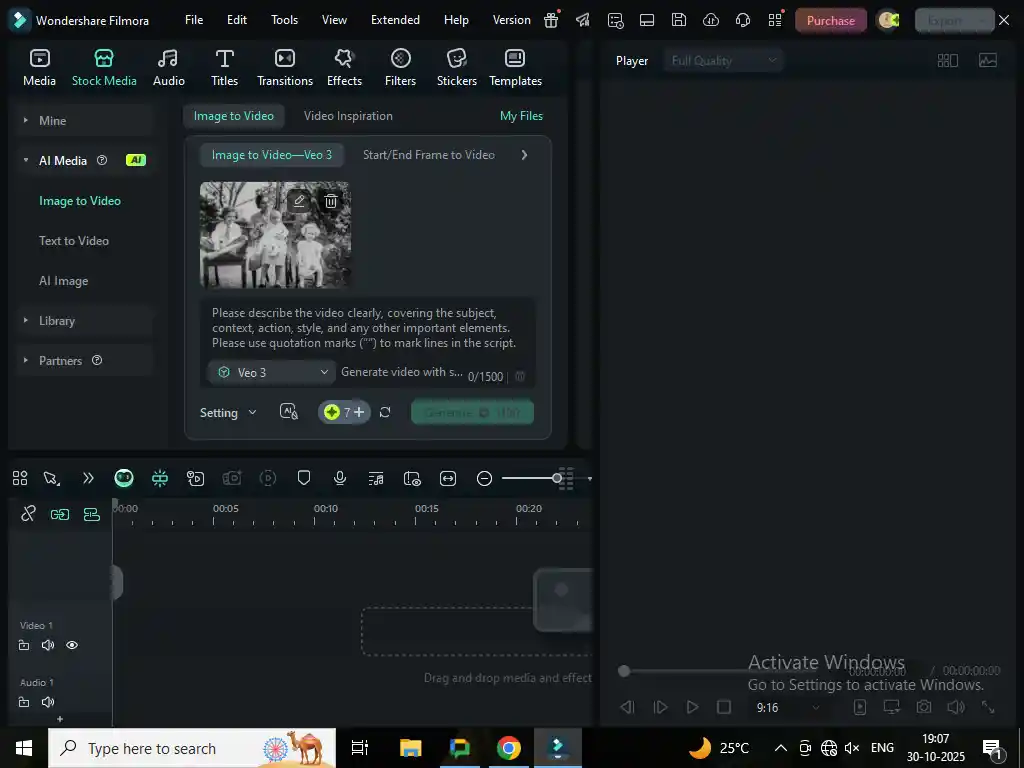
Step 2: Apply VEO 3
Once you’ve uploaded your photo, describe the scene or idea in the prompt box. Then choose VEO 3, Filmora’s powerful motion generation model, which automatically adds realistic transitions, depth, and smooth motion.[ビデオの生成]Click to preview the results.
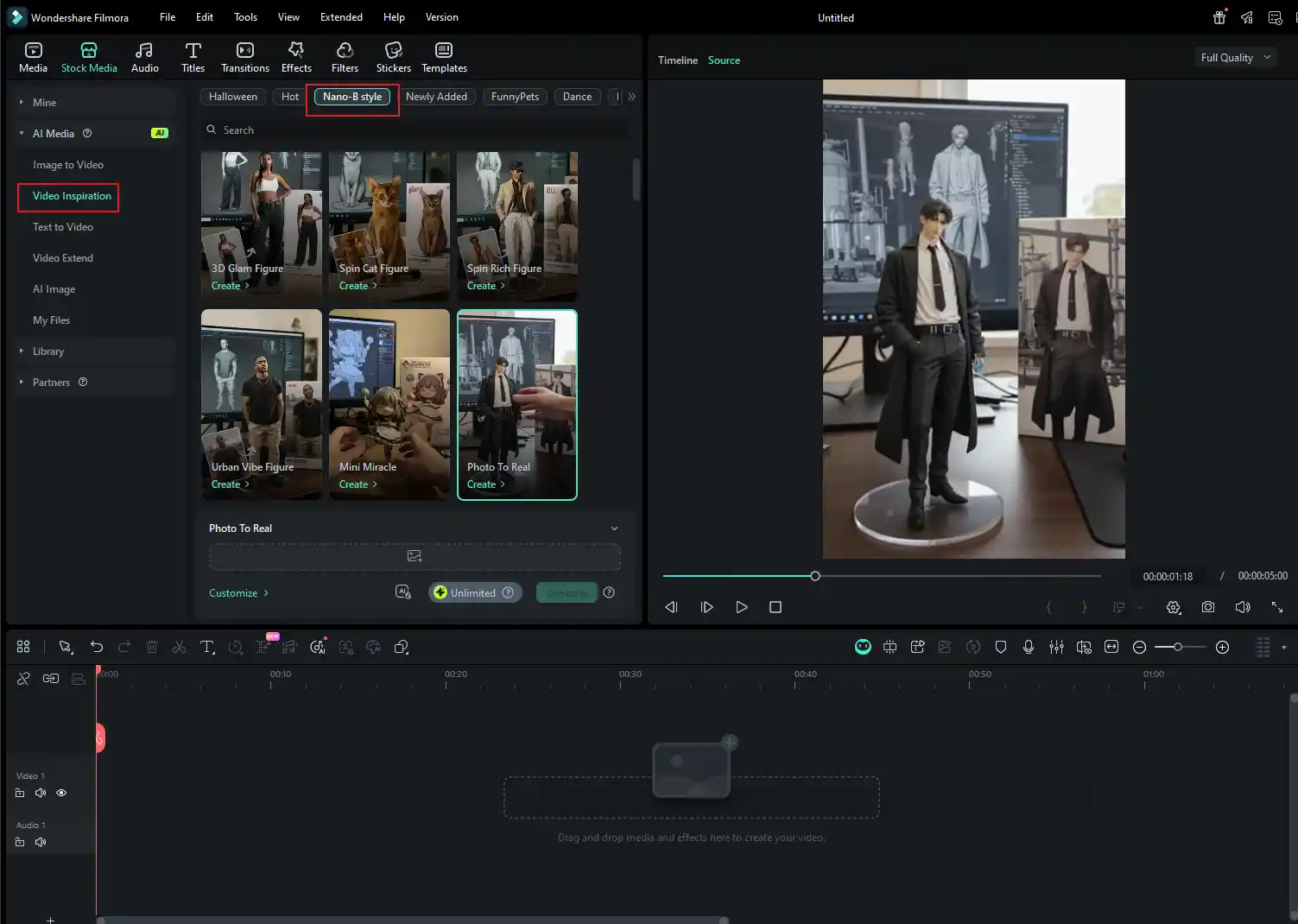
Step 3: Explore the Nano banana model
Want to try something unique with old photos? So choose your video inspiration, check out the versatile options to go Nano-B style, and check out the versatile Nano Banana model template. See how your old photos look in the Nano banana style.
Once you have your video, you can add a personal touch by adding background music, captions, or narration. Then, you can directly export the video in your preferred format and instantly share and cherish it.
This simple process allows you to create videos that look handcrafted, but in reality, the AI did all the heavy lifting for you.
Special notes: The latest version of Wondershare Filmora comes with an option for early access to enhanced AI tools. This means you can try out creative effects, image-to-video conversion features, and advanced models first without having to fully upgrade. This is a great way to see how new updates will affect your videos.
Part 3: Pro tips to make your AI-generated videos stand out
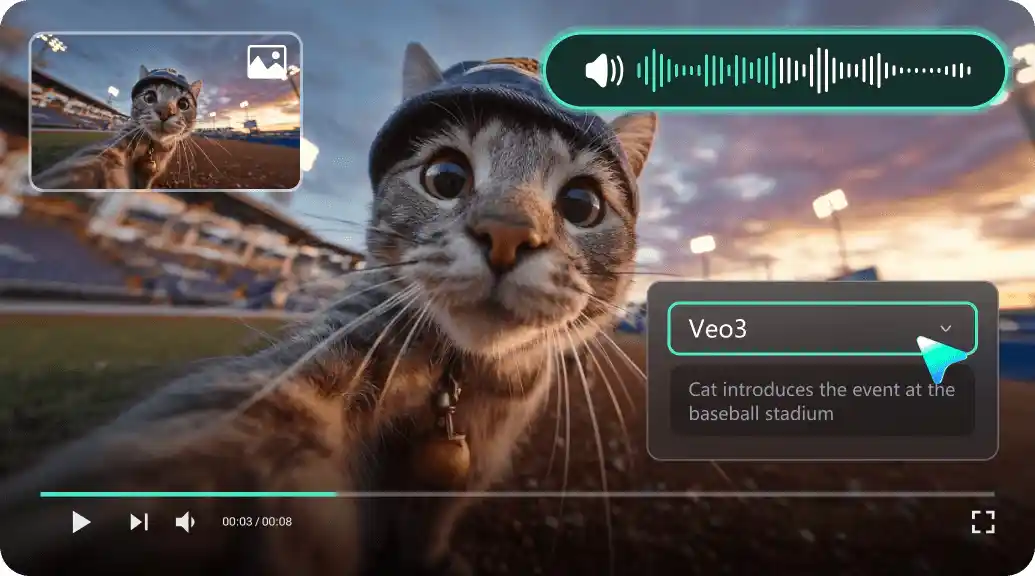
If you want to make your AI-generated videos more cinematic and emotionally engaging, here are some creative tips to help you.
- First and foremost, capture high-quality images. A clearer image is definitely a plus for the AI to detect more details, making movements smoother.
- Play some ambient music. Soft instrumentals and nostalgic soundtracks definitely enhance the emotional tone of the video.
- Employ subtle transitions: Don’t over-edit your video. You should be able to see the natural movement of the AI.
- Experiment with lighting and filters: Filmora’s filters allow you to create a specific mood throughout different parts of your video.
- Combine multiple photos: Using a series of photos can make the flow of your story more dynamic.
One of the great things about Wondershare Filmora is that it gives you complete control without any complications. While AI-powered automation is essentially what takes your video to a professional level, creative tools are the means to change every component, thereby turning your video into a more intimate, expressive, living entity in every frame.
conclusion
Old Old photos are full of stories that need to be retold. Image-to-video AI is the medium to make that happen. Whether it’s a childhood memory, a family portrait, or a photo taken years ago, this technology transforms static moments into living moments – highly emotional stories.
With Wondershare Filmora and its advanced image conversion AI powered by Veo3 and Nano Banana models, anyone can turn forgotten photos into cinematic masterpieces in minutes. It’s time to make your memories move again beautifully, effortlessly, and forever.
About the company: Founded in 2003, Wondershare is a software company that provides user-friendly solutions for creativity, productivity, and practicality. The company serves customers in more than 150 countries around the world.


