

Runway Review: No Camera, No Editing…AI Only
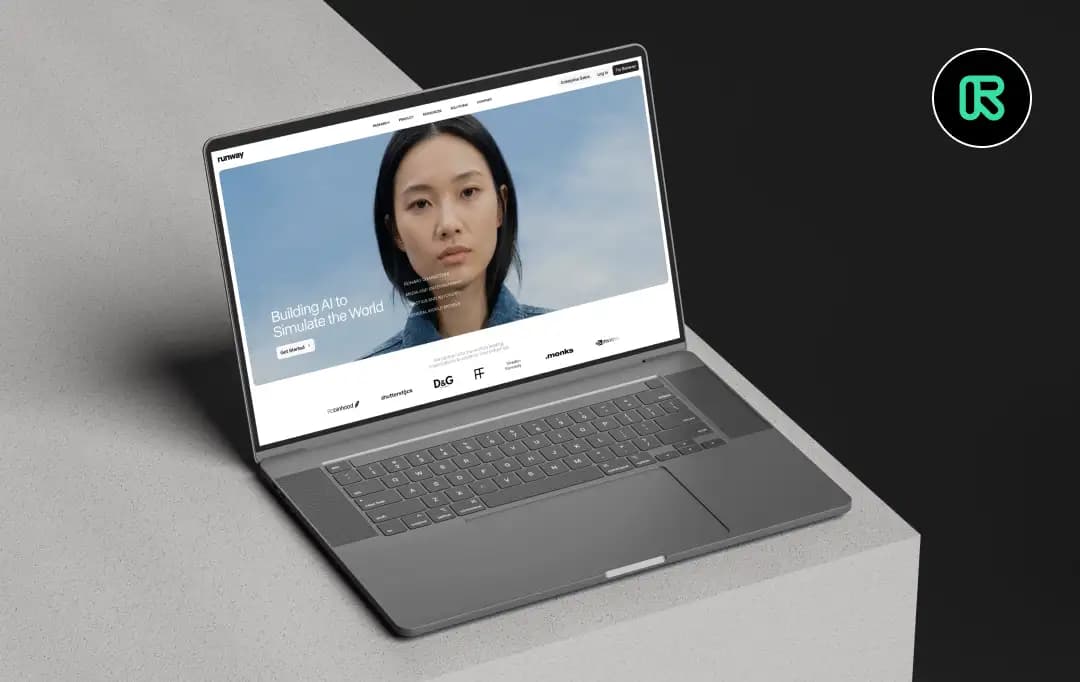
I opened Runway AI with a very simple goal. The idea is to create short videos that are actually safe to publish. No overthinking, just a simple idea to output a workflow, not “let’s just test the functionality”.
The interesting part? You can’t start the same way as usual. There’s no footage to organize or timelines waiting to be filled. You start with a prompt, and from there the tool takes you in a completely different direction than traditional editing.
The changes may seem small, but they are significant. Some things become almost effortless and faster. Others…not so much.
So rather than looking at Runway AI as just an AI tool, I spent some time understanding where it actually fits, what works well, where it’s difficult, and whether it holds up when trying to create something that’s not only impressive but usable.
This Runway AI review shows you how Runway AI really works.
Advantages and disadvantages of Runway ML
- The Gen-4.5 model significantly reduces boiling and ensures character and texture consistency throughout the shot.
- It offers fine-grained control over pan, tilt, and zoom, as well as “motion brushes” for animating specific elements within a still image.
- Across generations, it offers professional-grade tools such as lip sync, green screen extraction, background removal, frame interpolation, and more.
- It’s great for keeping a character’s appearance consistent across different scenes and camera angles, making it ideal for story creators.
- Gen-4 Turbo enables faster video generation with lower credit costs, making it ideal for rapid prototyping and storyboarding.
- Credit-based pricing models can be exhausted quickly and are costly for frequent iterations and long-term projects.
- Basic text-to-video conversion is easy, but advanced features (such as keyframes, multimodal prompts, and Act-Two) require practice and technical understanding.
- AI can struggle with very specific instructions, complex human interactions, or rendering readable text.
- Creating high-fidelity clips with the standard model can take several minutes per generation, especially during peak server load.
Learn more about the features of the runway
Runway AI is more than just a simple generative video tool. Rather, it is a platform for comprehensive world simulation and interactive media. Introducing the breakthrough features that make this platform an absolute powerhouse for creators, developers, and businesses.
1. Gen-4.5 video generation
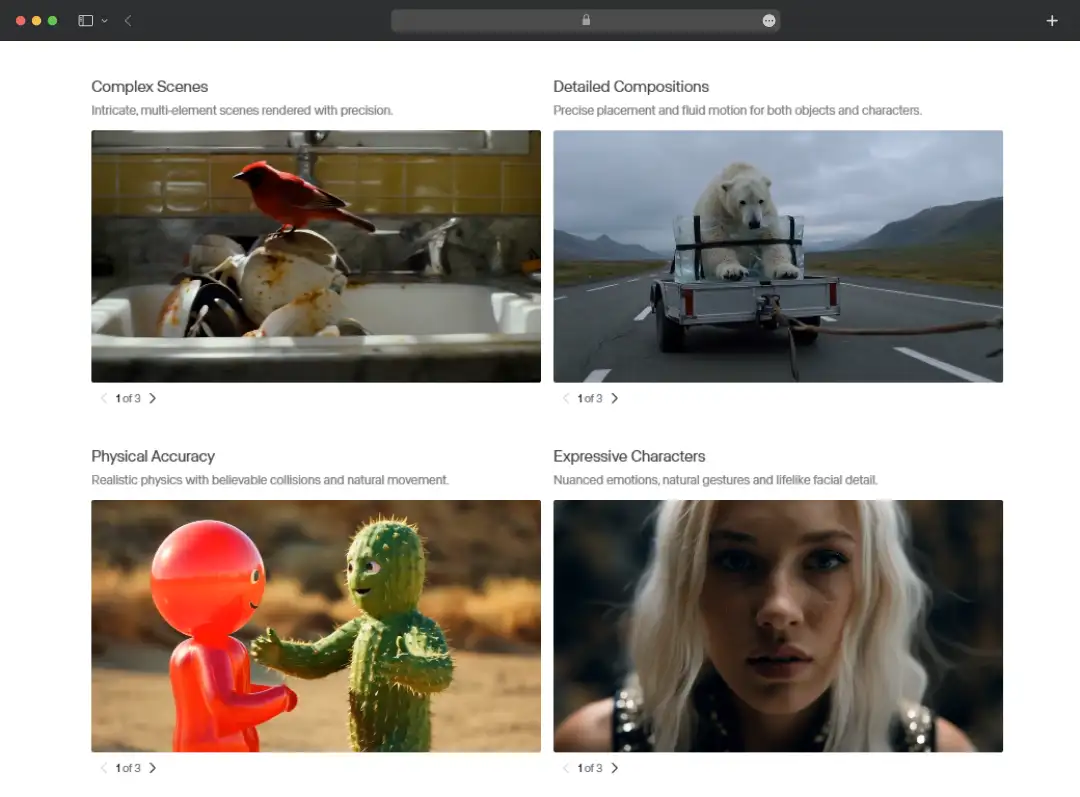
Runway’s flagship Gen-4.5 model sets a new industry standard for video creation, delivering visual fidelity and cutting-edge motion quality. Generate highly realistic cinematic clips from simple text or image prompts. This tool strictly follows the user’s instructions and provides unlimited creative freedom. This gives you precise and detailed control over every aspect of the video generation process.
2. Runway character (real-time video agent)
This feature enables users to build fully autonomous, real-time virtual agents capable of natural conversation and deep context awareness. With the new GWM-1 architecture, you can generate expressive digital personas from just a single image without any fine-tuning. This is the perfect solution for developing interactive customer service avatars, dynamic game NPCs, or virtual brand ambassadors.
3. GWM World (Interactive Environment)
GWM Worlds pushes the boundaries of traditional linear video and brings new frontiers to open-ended, interactive world simulation. This allows you to design infinite, explorable realities that are rendered in real-time. Therefore, you can actively engage with your environment rather than just passively observing it. This feature is sure to open up significant new opportunities for game developers, educators, and immersive digital storytellers.
4. GWM Robotics
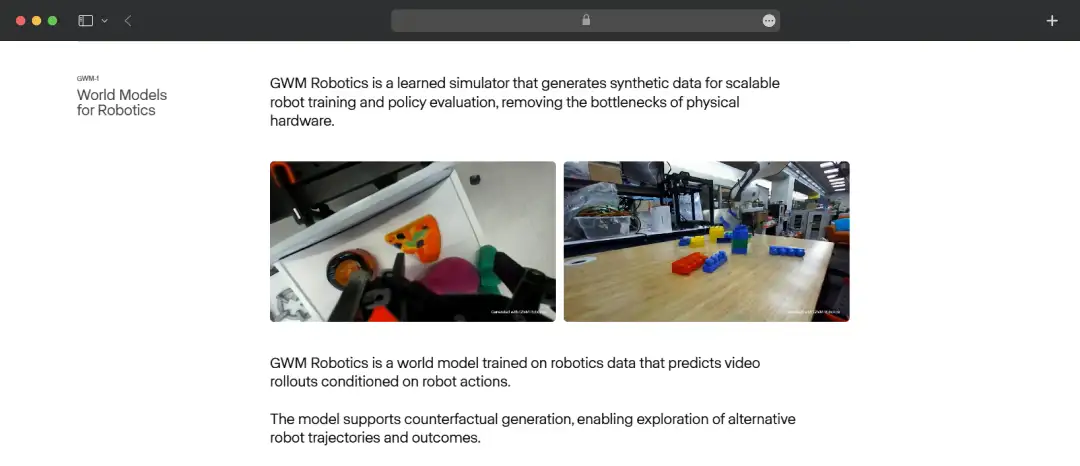
Runway brings generative AI into the physical realm by simulating complex robot movements and physical interactions through advanced world models. This helps you accurately predict how a particular action will actually unfold before it is deployed on actual hardware. This creates an advanced, risk-free training sandbox that accelerates innovation in the robotics and autonomy industry.
5. Developer APIs and enterprise integrations
To support seamless third-party integration, Runway provides robust API access that allows developers to embed these advanced models directly into their own applications. Whether you’re leveraging the Character API for custom conversational agents or automating high-volume video production, our infrastructure provides enterprise-grade scalability. This allows organizations to easily leverage Runway’s underlying technology to drive product innovation.
Advanced post-production & workflow tools from Runway
While generative world models and Runway’s AI image-to-video conversion capabilities are gaining traction, the real power of this tool for editors lies in its post-surgery ecosystem. These advanced workflow tools act like a virtual VFX department, giving you granular control to sculpt, animate, and craft your footage into a polished final cut.
| Tools/Features | Description and usage examples |
|---|---|
| Aleph (Advanced Video Conversion) | A state-of-the-art in-context editing model that allows you to completely transform existing footage, including changing weather, relighting scenes, changing characters, and more using simple text prompts |
| Act 2 (Performance Capture) | Revolutionize animation by allowing you to manipulate facial expressions, micro-movements, and lip-syncing of digital characters using standard video of human performance. |
| Cloning generated audio and voices | A comprehensive built-in audio suite with high-quality Text-to-Speech, Speech-to-Speech transfer, AI sound effects, and custom voice clones to give your characters the perfect vocal performance |
| Custom workflow (node-based) | Enabling advanced users and enterprise teams to connect multiple AI models and step up to highly customized, reusable “apps” to scale up production pipelines. |
| “Magic Tools” suite | Extensive library of single-purpose AI utilities to solve everyday editing headaches, including precision green screen removal, video repair, motion tracking, 4K upscaling, and more |
Understand Runway pricing and subscription plans
Runway AI video generation tools offer a flexible credit-based pricing structure designed to accommodate everyone from casual hobbyists and individual creators to large enterprise production teams.
Below is a detailed breakdown of Runway AI Video Generator pricing and current subscription tiers. This allows you to choose the one that best suits your workflow.
| Plan type | Pricing | what do you get |
|---|---|---|
| free | $0 (monthly) / $0 (yearly) | 125 One Time Credit Basic generated video (Gen-4 Turbo) and images Text-to-speech, 5 GB storage, up to 3 video projects |
| standard | Up to $15/month per user (monthly) / $144/year per user ($12/month) | 625 monthly credits Access to Gen-4.5 and Aleph video editing, upscaling, and watermark removal Unlimited video projects and 100GB storage (up to 5 users) |
| professional | Up to $35/month per user (monthly) / $336/year per user ($28/month) | 2,250 credits per month, all standard features Ability to create custom voices for lip syncing Text-to-speech and 500GB storage (up to 10 users) |
| unlimited | ~ $95/user/month (monthly) / $912/user/year ($76/month) | All Pro features plus “Explore Mode” for unlimited video generation |
| company | custom pricing | Everything in Pro, plus single sign-on (SSO) Custom credit amount, advanced security Priority support and workspace analysis |
*If you choose an annual plan, you can enjoy a 20% discount on all plans.
How can runways be used in different industries?
Runway AI isn’t just for independent creators. It’s a versatile powerhouse that transforms professional workflows across major disciplines. Here, we’ll show you how different industries can take advantage of this cutting-edge technology to scale up production and improve yields.
| industry | Usage example description |
|---|---|
| media and entertainment | Accelerate movie pre-production with AI storyboarding, generate high-quality VFX and cinematic B-roll without expensive on-location shoots, and use generated audio for quick dubbing. |
| marketing and advertising | Create personalized, high-converting video ad campaigns at scale, create dynamic social media assets in minutes, and quickly iterate across different visual styles for brand storytelling. |
| product and design | Rapidly prototype stunning 3D product visualizations, create cinematic flythroughs of architectural designs, bring static concept art to life, and deliver compelling presentations to stakeholders. |
| professional services | Enhance your corporate communications with engaging training videos, generate professional AI avatars for customer support, and streamline the creation of high-quality, customized presentation materials. |
| games and interactive | Generate immersive background environments, use runway characters to create dynamic and conversational NPCs (non-player characters), and quickly create concept art for expansive worldbuilding. |
| education | Develop highly engaging visual learning materials, simulate historical events and complex physics concepts for students, and create interactive avatars for personalized, real-time instruction. |
For us, product reviews mean taking a first look at the features of each digital product, whether it’s an app, software, or website. Our process revolves around hands-on testing of each tool we select. From scrutinizing features to testing security standards for vulnerabilities, our goal is to help you find products that not only work, but truly improve your experience. In short, we recommend products because we believe they can truly make your digital life easier.
How was your experience using the product?
At first, Runway AI seems like a fun but limited gimmick, or just a tool for producing quirky low-resolution clips. But that’s not all. This is a powerful tool for serious production, and it really blew my mind. We were so impressed that we immediately shared it with the rest of our team and collected reviews of Runway AI.
We were amazed by its level of granular control, the full visual fidelity of the 4.5 generation model, and the ability to seamlessly swap backgrounds and lip-sync characters in seconds. This tool has completely changed our perspective on what AI video can actually do.
That being said, it’s not perfect. The pursuit of perfection can quickly wear down credit systems, and the learning curve for advanced features like node-based workflows can be steep.
But the creative freedom and professional-grade post-production tools offered directly in the browser are definitely worth the trade-off.
It’s no longer just cool AI generator It becomes a legitimate and essential tool for serious creators and enterprise teams looking to scale their output without compromising quality.
So, is Runway AI MobileAppDaily approved? Yes, 100%. If you’re a marketer, filmmaker, content creator, or designer looking to push the boundaries of visual storytelling, Runway AI is definitely worth a try.


