Artificial intelligence startup Assistive has launched a new generative video platform called Assistive Video, which can create four-second clips from text and images.
It's the latest in a line of AI video tools, joining Runway, Pika Labs, Leonardo, StabilityAI's Stable Video Diffusion, and others. The field is advancing rapidly, with different underlying models offering strengths in different areas.
Assistive says they've put a lot of effort into increasing the photorealism in their models, and are constantly improving them, and while the current version is an early alpha release, it's better than expected, especially in terms of visual appeal.
The company says its goal is to enable users to create the most natural, realistic clips possible from both text and image prompts.
How well does Assistive Video work?
To find out just how good it is, I decided to give it a try. Assistive Video works much like other AI video tools, with some quick prompts, some basic motion options, and other settings.[Imagine]Click and wait to see what gets created.
Testing any artificial intelligence tool involves some luck, some quick consistency between different models, and a bit of trial and error. Assistive prides itself on photorealism, so I chose something that would let me test it.
1. Rocket launch test
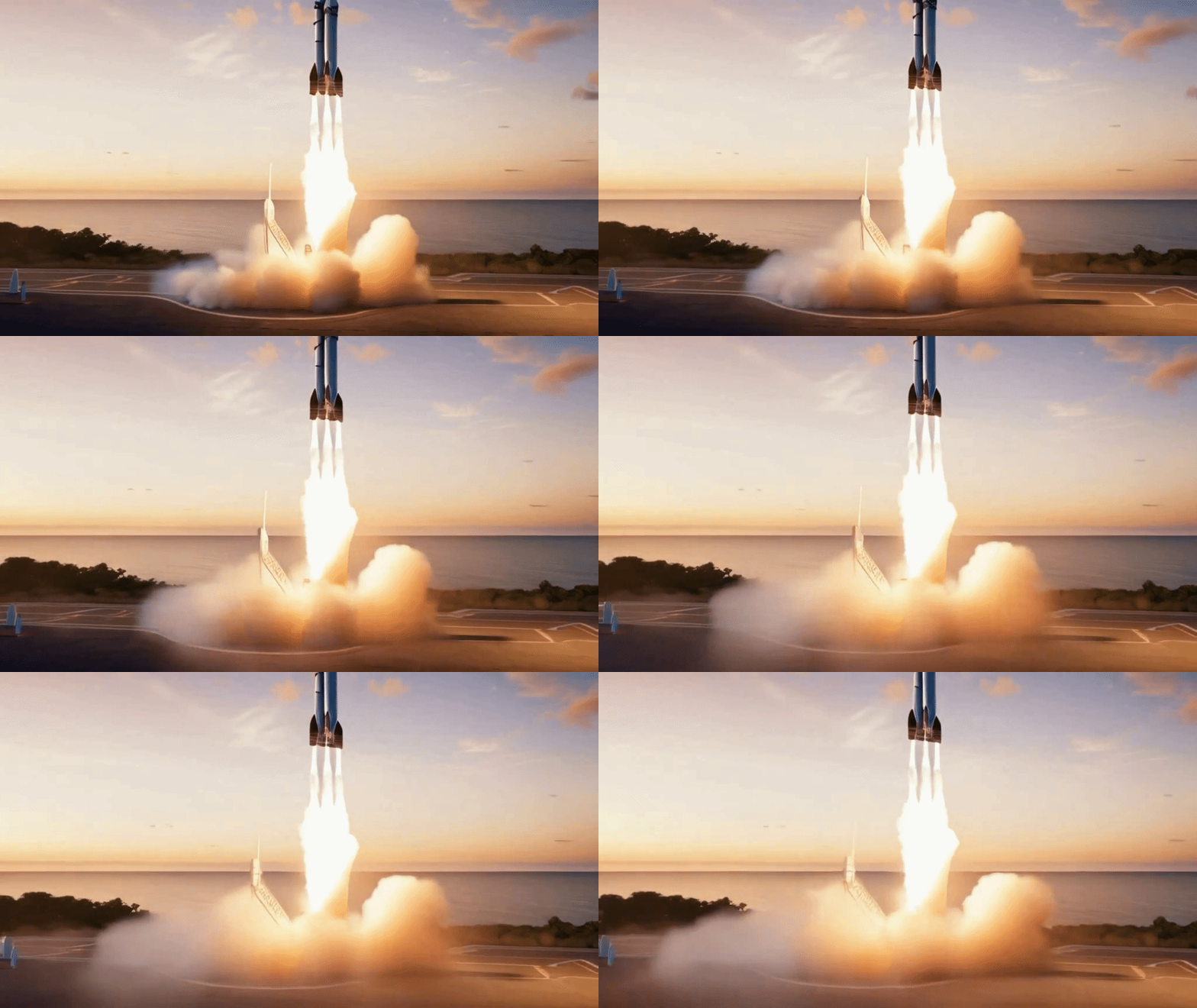
The first prompt is a rocket launch, something the model tends to struggle with without additional configuration. I chose the Text to Video prompt and left all other settings at default.
I asked Assistive Video to “create a photorealistic rocket launch from a coastal spaceport at dawn, with smoke billowing below the rocket as it lifts off the ground.”
The first prompt provides a detailed and descriptive overview of both the visuals and expected movements in the video — a great way to test comprehension of complex ideas and animating a lift off the ground, something AI video models often struggle with.
This video turned out great. It's a little different than what I had in my head because I was expecting a video of the rocket sitting on the ground and slowly rising up. However, you can see smoke billowing and the rocket rising up and slowly disappearing from the screen.
2. Walking the Streets
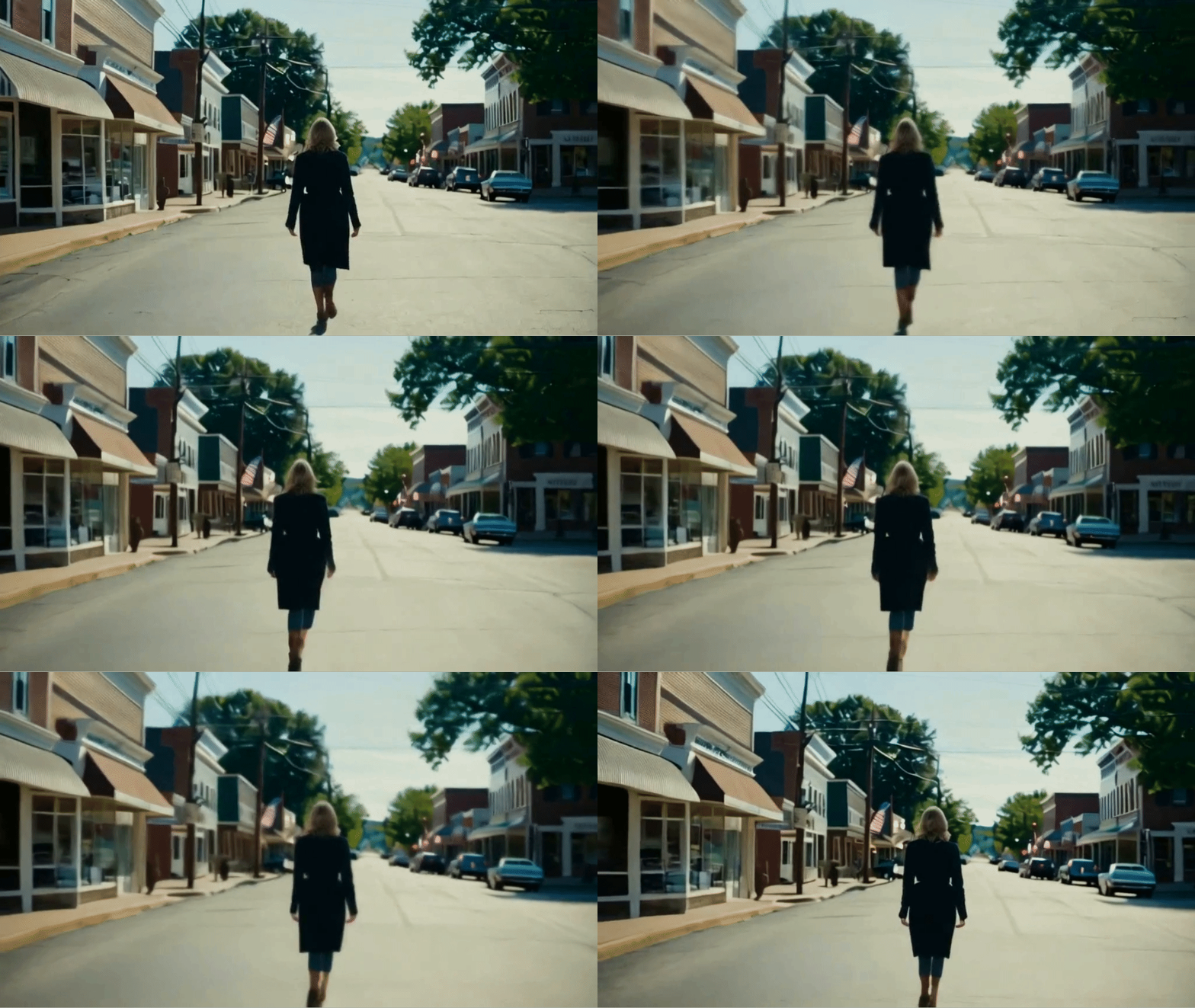
For the second prompt, I wanted to see how well it handled a person walking down the street, a type of movement that most AI video tools struggle with, often making pedestrians walk backwards or cars go the wrong way.
I decided to keep it simple, with the text prompt being “A woman walking into the distance, facing away from the camera, down a main street in a small town.”
The resulting footage was reminiscent of home video camera footage from the 80s. Not only did it capture the woman's walking style better than expected, but it also added a shaky element to the camera movement, making it feel more realistic.
The movement was impressive, although the blocky nature of the buildings made the visuals feel a bit unrealistic due to them being closer to early 3D animation, but this was forgivable due to the impressive movement.
3. Water Drop Test

Water is a great tool for testing movement and realism in your videos: ripples are beautiful, and splashing droplets create diverse and complex visuals.
The prompt was “A photorealistic close-up of a drop of water falling on a still pond, creating ripples.” I used average settings for both motion level and adherence to text.
The resulting video is incredibly mesmerizing and hypnotic, showing the water slowly rippling as the droplets flow and hit the surface, with shadows and light captured to perfection.
4. Flying Hummingbird

Here's our first image-to-video test: We used Leonardo to generate a bright, colorful image of a hummingbird on a flower, and we hope that Assistive Video will animate the bird's wings and movements as it hovers near the flower.
There are no text prompts, as all data about movement is obtained from images. Some models provide a combination of both text and image input to help explain how to interpret the image prompts. This may be provided in a future release, but this is an alpha version of the tool.
The final video captures the beauty of both the hummingbird and the flower generated from the original images, with camera movement and some depth added to the video.
The initial movements of the hummingbird are well captured, but later in the video, the camera runs into the same problem that many AI video tools suffer from: the bird blends into itself instead of moving slowly forward towards the flower.
5. The Aurora in full bloom

For the last two images, we used Leonardo's prompt generator, which lets you provide some general instructions and automatically creates a prompt for you. In this example, it generated an image of a green aurora borealis.
The final image prompt was, “Imagine a serene night sky dotted with twinkling stars and a subtle green aurora, as if nature itself were putting on a magical light show just for you.”
The image was of a beautiful frozen Arctic lake with a fantastic view of the Milky Way galaxy and a pale green glow surrounding the hills beyond the lake.
This result may be my favorite from this test, as it enhances the already incredible visuals of the original image, adding a layer of realism and creating an aurora like cloud and light show in the sky.
Final thoughts on Assistive Video
Overall, Assistive Video is a useful addition to Generative Video Rank. Like the other videos, it suffers from many of the issues, especially with regards to human motion, but it does bring an interesting level of photorealism to the output.