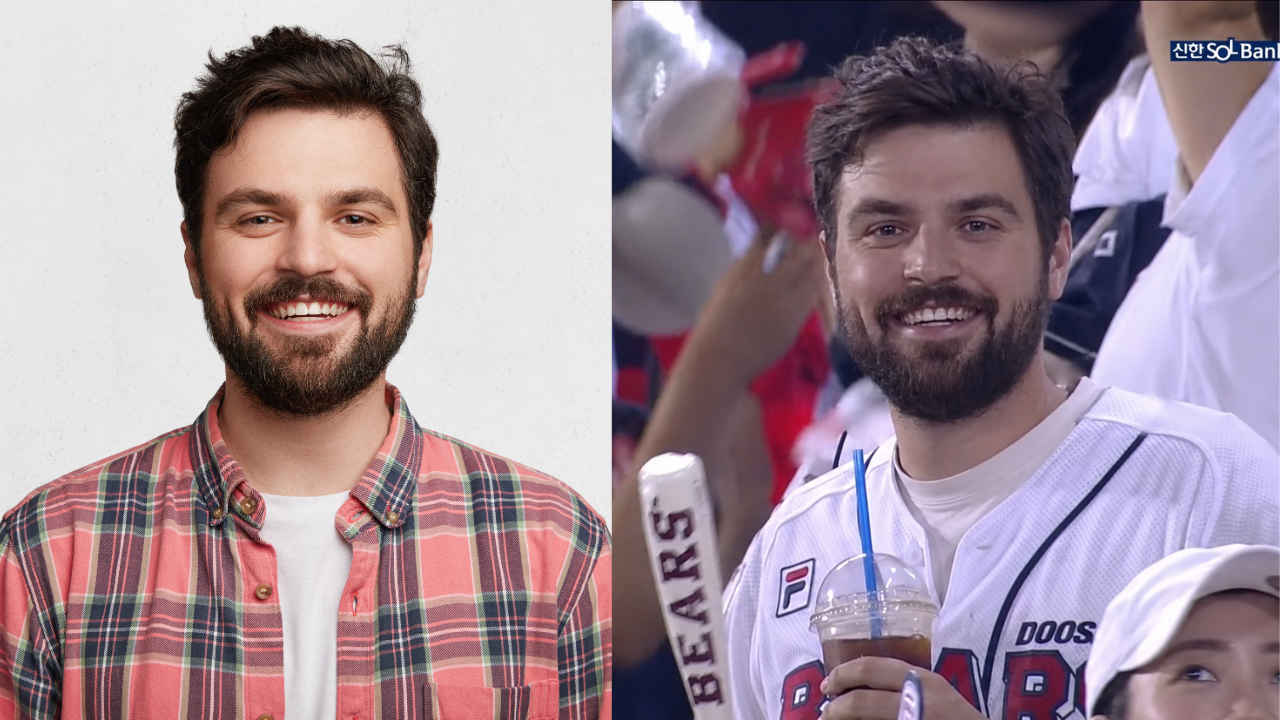
If you’ve been scrolling through Instagram, you’ve probably seen the latest viral AI baseball video. For those who don’t know, these videos usually feature people reacting when they see themselves inside the stadium. These AI videos are making people put themselves inside the stadium, and Instagram is full of such videos. But if, like many of you, you’re wondering how people actually create such videos, don’t worry. It’s very easy. The process involves creating a base image and then using AI tools to create the video. Read on to find out how to create such an image yourself.
 investigation
✅ Thank you for participating in the survey.
Also read: How to spot a fake smartphone: 4 methods explained
Why are AI baseball videos becoming a hot topic?
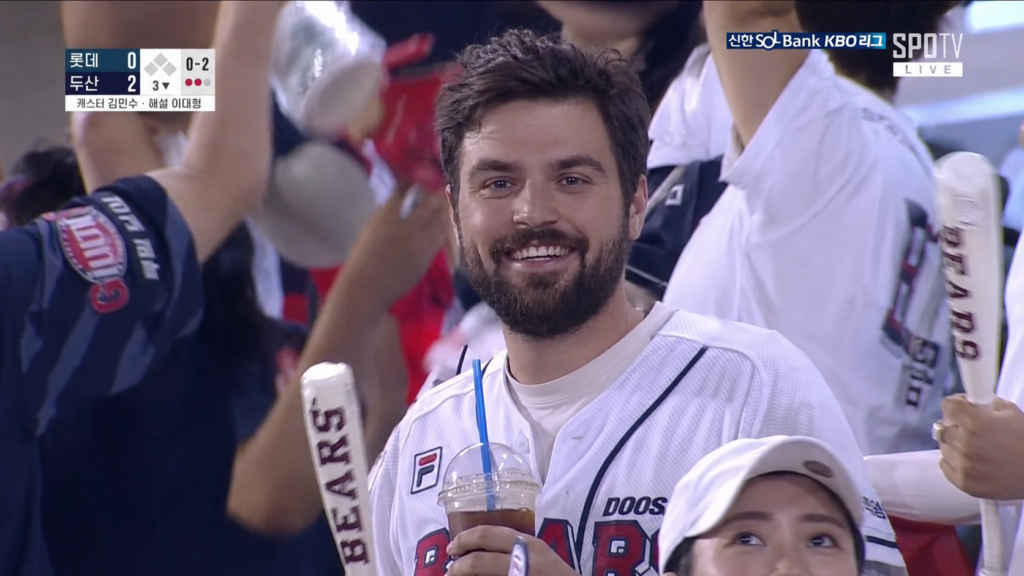
As with other Instagram trends, there’s no clear answer as to why these videos are spreading so quickly on the platform. But considering stadium-style videos usually get a lot of attention on Instagram, it’s no wonder so many people are trying to make videos like this. There’s a certain vibe to these videos, as crowd reaction in a packed stadium is always fun to watch. It is also noted that most of these videos take place in South Korea, where this sport is extremely popular. Now let’s see how to create such a video.
AI Baseball Viral Video Trends: A Step-by-Step Guide
Creating a viral AI baseball video trend is very easy and can be done within minutes. You can easily create one by following all the steps mentioned below.
Step 1: Create an image using ChatGPT/Gemini
First and foremost, you need to create an image using ChatGPT or Google Gemini. For the image, we recommend using a portrait photo of yourself for best results. Import these into your chatbot and use the prompts below. Once the image is created, download it to your device.
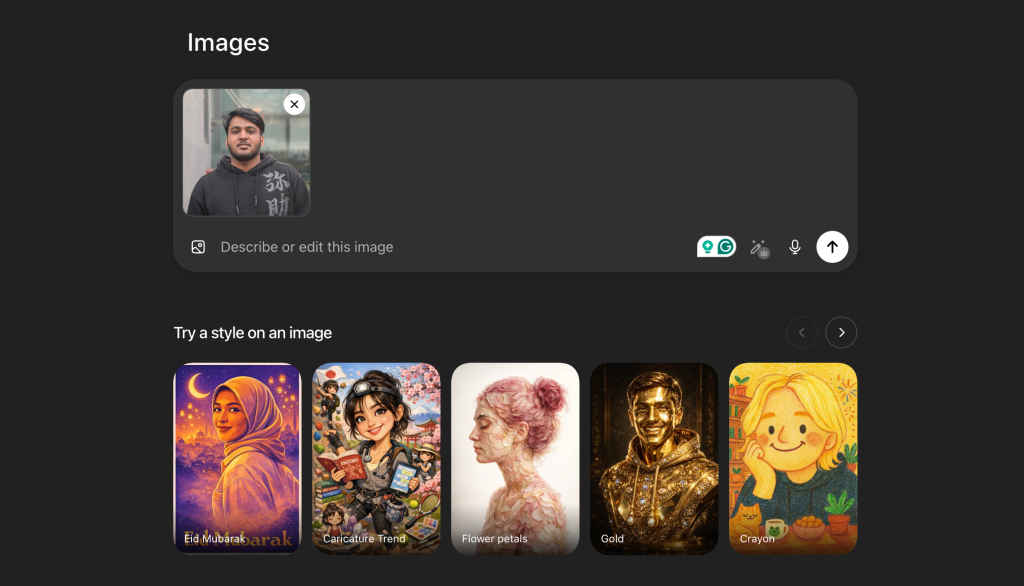
Image prompt:
“Use the uploaded reference image as your strongest identity anchor. The person should look exactly like the reference image. Same face shape, same eyes, same nose, same lips, same skin color, same facial style, same hair, etc. Keep accurate facial identity as a priority. Create a hyper-realistic candid KBO baseball broadcast screenshot of this person that happened to be captured by a live TV camera in the bleachers.”
Important: The face must remain close to the reference image. Please don’t change it to someone else. They are wearing clean white baseball jerseys over casual tops, holding iced drinks and cheering sticks, and sitting in a lively Korean baseball crowd. They notice the camera and give a natural little smile, a little surprised but calm.
Uses a realistic broadcast camera look. Telephoto compression, mild video softness, slight motion blur in the crowd, stadium lighting, natural skin texture, imperfect candid framing, 16:9 horizontal TV broadcast configuration. Background: Crowded Korean baseball stadium seats, cheering fans, bright stadium lights, and soft, out-of-focus LED boards. ”
Step 2: Create a video using Flow
Next, you need to use Flow, Google’s image and video creation tool. The process there is also very simple. All you need to do is import the image you created and paste the prompts shown below along with it. Make sure you select the correct settings on the tabs, such as selecting the start and end frames. You can also change the aspect ratio, AI model, and several other settings.
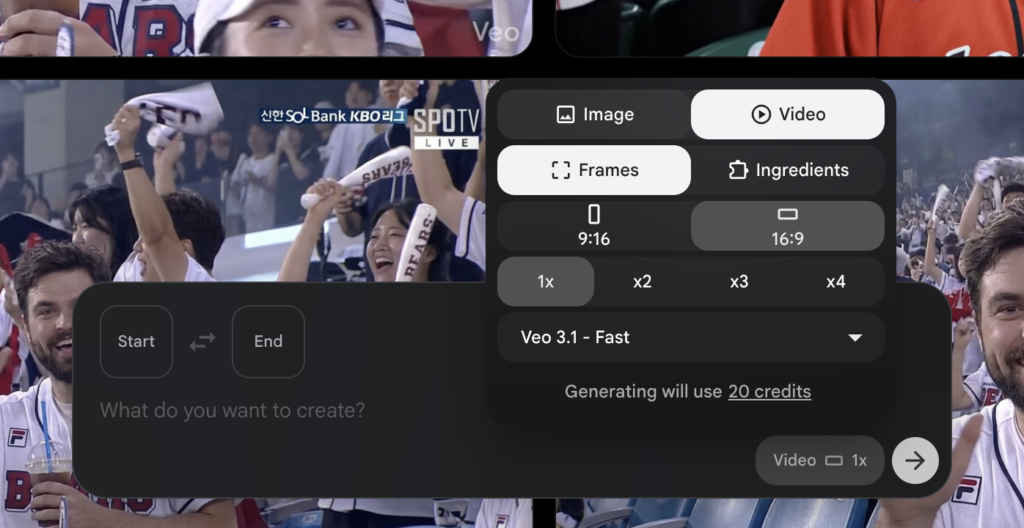
Video prompt:
“Preserve accurate face, hairstyle, skin texture, and identity. Do not stylize or embellish. Output: Single continuous live sports broadcast shot, 4-5 seconds, 16:9, 1080p, uncut.
Subject: A person based on @image1 sitting in the bleachers at a KBO baseball stadium. Look straight into the camera and smile brightly and sincerely. Wave your hands happily and cheerfully towards the lens. Energetic, relaxed and fun body language.
Environment: A lively and festive KBO Stadium crowd during a high-energy live game. The crowd in the background is very active, cheering, clapping, and waving team towels and thunder sticks. Plastic seats, fans in vibrant team jerseys all around. The background is slightly out of focus. Realistic stadium lighting. Slight haze due to broadcast compression.
Mood: Excited, fun, classic interactive jumbotron fancam moments. High energy authentic broadcast capture. There’s no cinematic drama. Pure live television entertainment.
Camera: Telephoto broadcast lens (120-150mm). Aim for a long-distance zoom at your subject from the top stand camera. Strong compression, shallow depth of field. Eye level, very slight upward slope. Subtle vibrations due to broadcast stabilization.
Action (4-5 seconds): [0-1s] When they realize they are on camera, their faces light up with big, happy smiles. [1-3s] Make direct eye contact and raise your hand to wave enthusiastically toward the lens. [3-5s] They continue to wave and laugh naturally, and the audience in the background actively cheers and jumps slightly.
Details: Direct eye contact with the camera. The skin texture is realistic and there is no smoothing. The background crowd has a slight motion blur. A faint broadcast scoreboard UI or “LIVE” graphic appears in the corner.
Once your video is finished creating, you will have the option to download it with just a click. That being said, we hope this guide helps you create the baseball AI trend that’s going viral on Instagram. Please share your results on social media and tag us too. For more useful guides like this, keep reading Digit.in.
Also read: How to create trendy chibi style images for Instagram using ChatGPT