
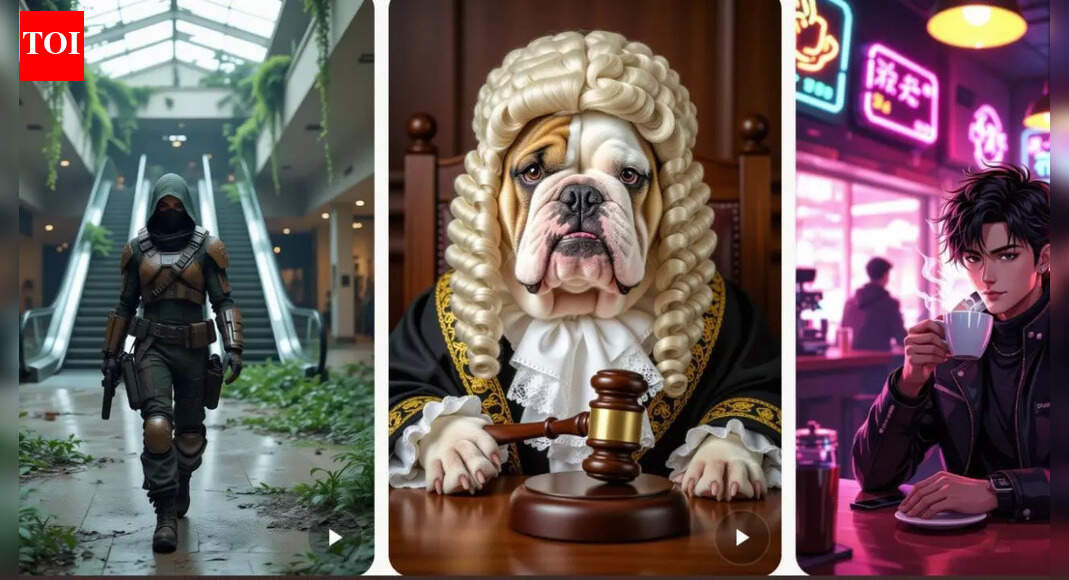
Elon Musk recently highlighted xAI's Grok Imagine, an AI tool for creating images and videos, and created a thread about guidelines for creating aesthetically appealing, cinematic content. Elon Musk recently posted a thread drawing attention to a guide article by AI enthusiast @karatademada that includes instructions and explanations highlighting the effectiveness of storytelling in improving the output of AI-generated media. According to an article posted by Elon Musk, unlike common AI tools that rely on object descriptions to create images, Grok AI has had great success with descriptions that focus on emotion, mood, lighting, and camera angles.
How to create using Grok Imagine Cinematic AI images and video
- Think like a director, not just a typist
Grok Imagine users are taught one of the most important lessons to move away from simple, descriptive prompts. For example, instead of writing “a woman walking down the street,” you should think about how you would stage the scene. “A cinematic shot of a woman walking alone through a rainy Parisian street at night, neon lights reflecting off the wet pavement, an atmospheric and moody film from director Christopher Nolan, shot in 4K.” By setting the mood and style, users can let the AI interpret the story behind the image, rather than just the objects in their space.
- Convey emotions and enrich visuals
Grok Imagine does a great job of capturing the emotional context. Instead of “Happy girl in the sun,” a more specific and emotionally stimulating prompt could be: “Close-up of a carefree young woman laughing under golden sunlight, wind blowing through her hair, summer energy, cinematic lens flare, warm tones.” By including in your images how you want the viewer to feel, AI can create compositions that convey emotional depth and appeal, making them appear more authentic and appealing.
- Utilize camera angles and cinematic techniques
Camera perspective and cinematography terminology are important in creating dramatic scenes. Users can define wide establishing shots, low-angle shots, or close-up shots. These definitions include “a wide-angle establishing shot of a futuristic city skyline at dawn, soft fog, reflections shining on a glass tower, and a slow camera pan” or “a low-angle cinematic shot of a hero standing on a rooftop, his coat flapping, and the sun behind his silhouette.”These descriptive terms allow Grok Imagine to render scenes from a cinematic perspective.
- Structured prompt approach
Consistently achieving high-quality results must include the following five aspects:
- Scene: A samurai on a misty mountain ridge.
- Style: Realistic movie style inspired by Ridley Scott.
- Atmosphere: Stoic and powerful.
- Lighting: Early dawn with soft fog.
- Camera: Wide shot, 50mm lens, depth of field.
Decomposing the prompt into these elements ensures that the AI understands the entire scene and generates an image that corresponds to the user's vision.
- Iterative editing and scene expansion
Grok Imagine allows you to refine your images step by step. The new scene can be improved or modified by specifying additional elements. It's the same photo, but includes soft morning sunlight streaming through the window, a cappuccino on the table, and the Paris skyline reflected in the glass. A complete transformation of the scene is also achieved in a much larger way. The same scene is changed to a futuristic cyber cafe scene, a holographic menu and a digital rain location.
- experimentation is very important
Creating better AI-generated images is an iterative process. Users can take advantage of the advice provided to improve their prompts using language, style, and organization. As an example, take the basic prompt “Portrait of a woman with flowers” and improve it in the following ways: Cinematic portrait of a woman with yellow tulips, soft focus, 85 mm lens, soft morning light.
quick Tips for using Grok Imagine
- Focus on atmosphere: Rain, fog, sunlight, or reflections add depth.
- Emphasize the characters' emotions and make your images come alive.
- Specifies the visual tone of the movie style or director.
- Try out unusual camera angles and perspectives.
- Include lighting details: soft, harsh, golden hour, or neon glow.
- Add props and environmental details for richer storytelling.
- Combine genres and eras to create unique and imaginative scenes.
- Iteration: Tweak one element at a time for better results.


