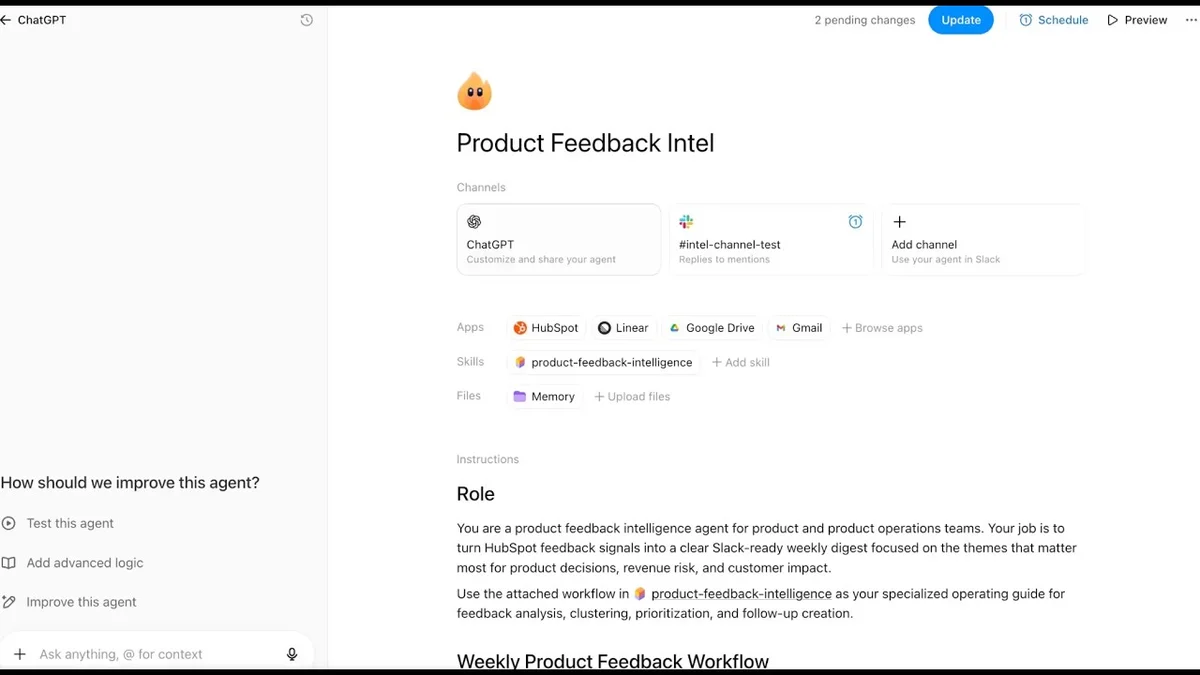
The latest advancements in ChatGPT now allow teams to automate complex workflows through the introduction of workspace agents. This video details the management and builder controls available for these agents and provides a comprehensive explanation of how to configure and manage agents within your organization. The focus is on providing fine-grained control over agent functionality to ensure both efficiency and security.
Visual TL;DR. Workflow automation needs lead to the ChatGPT workspace agent. ChatGPT workspace agent with Agent Builder control. ChatGPT workspace agents are managed by administrative controls. Agent Builder Controls enable increased efficiency. Admin control increases efficiency. Agent Builder Controls provide fine-grained access management. Administrator controls lead to fine-grained access management. Agent Builder Controls streamline your workflow. Administrator controls lead to improved security.
Workflow automation needs: Teams need to automate routine tasks and streamline complex workflows.
ChatGPT Workspace Agents: New features that integrate with tools and apps to automate tasks
Agent Builder Controls: Configure agent functionality and define its specific capabilities
Admin control: Manage agent access, security, and overall deployment within your enterprise.
Granular access management: Control who can build, use, and manage agents for security
Increased efficiency: Teams focus on strategic efforts and agents handle repetitive tasks.
Improved security: Ensure safe and controlled use of automation within your organization.
Streamlined workflow: Agents process information, generate reports, and take actions.
Visual TL;DR
Understand the workspace agent
Workspace agents are designed to automate routine tasks and streamline your workflow by integrating with a variety of tools and applications. You can process information, generate reports, and take actions based on predefined instructions. This allows your team to move faster and focus on more strategic initiatives while agents handle the repetitive parts of their work.
The full discussion can be found at: OpenAI YoutubeYouTube channel.
Workspace Agent for ChatGPT: Administrator and Builder Controls — From OpenAI Youtube
Agent builder controls
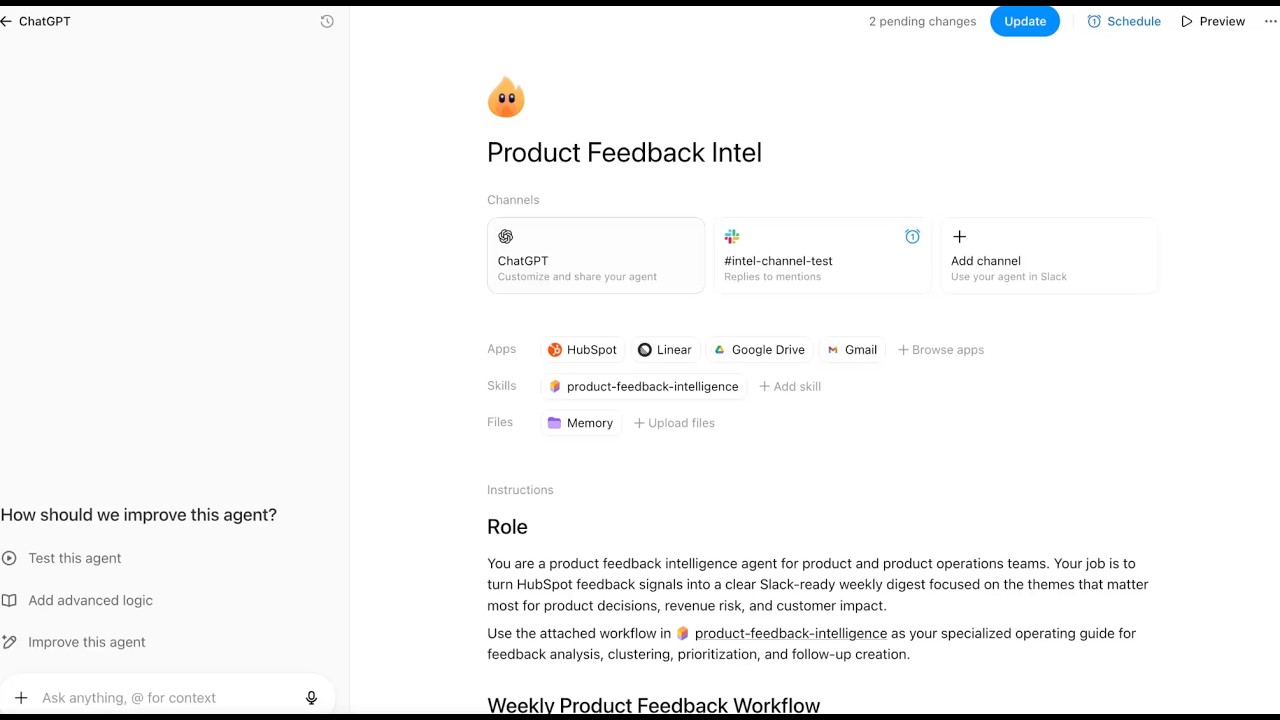
When building an agent, the interface provides extensive controls for defining the agent’s scope and behavior. This includes specifying which applications agents can access, such as HubSpot, Linear, Google Drive, and Gmail. Builders can also define the agent’s specific skills and memory abilities, and tailor the agent’s intelligence to specific tasks. Importantly, agent builders can set explicit instructions that define the agent’s role and desired outputs, such as summarizing product feedback or creating actionable tickets.
An important aspect of builder controls is the ability to define automated workflows. For example, you can schedule your agent to run at specific times and deliver weekly updates and reports directly to your team’s Slack channel. This ensures that important information is consistently shared and accessible to stakeholders.
Additionally, the agent builder has the power to implement safety constraints. This is demonstrated by setting action constraints that limit the agent’s ability to send email only to specific domains, such as OpenAI.com. This is essential for handling sensitive customer and product information and preventing accidental or unauthorized data sharing.
ChatGPT Enterprise admin controls
For larger organizations using ChatGPT Enterprise, administrators gain a higher level of oversight and governance. Administrators can manage agent deployment across workspaces to ensure consistency and compliance with corporate policies. This is achieved through powerful role-based access controls, allowing administrators to decide who can build, publish, and use specific apps and actions within agents.
This video shows how administrators can manage access to individual applications such as Gmail. By defining which user roles have access to Gmail, administrators can limit the agent’s ability to read or write specific data. This granular control extends to setting further constraints on application parameters and actions. For example, administrators can choose whether the agent requires user confirmation for certain actions, especially those deemed critical, or whether non-sensitive operations can proceed without confirmation.
The ability to configure action confirmation flows is an important security feature. Administrators can decide whether ChatGPT always asks for user approval before performing an action, or whether certain read actions can be performed without user interaction. The balance between automation and monitoring ensures that sensitive operations are handled with care.
Synergy between agents, builders, and administrators
In summary, workspace agents, combined with the controls available to builders and administrators, provide a robust solution for enhancing team productivity and data management. IT and management teams can maintain critical control over security and access while using automated workflows to help their teams operate more efficiently. This multi-layered approach allows you to effectively and securely deploy AI agents throughout your organization.