short answer
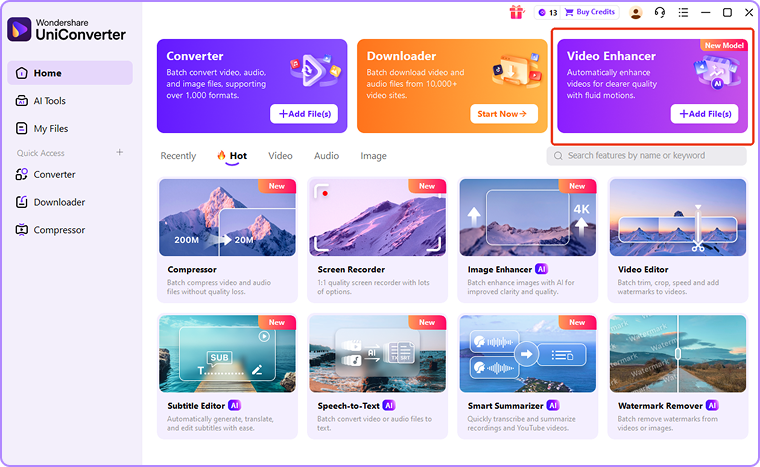
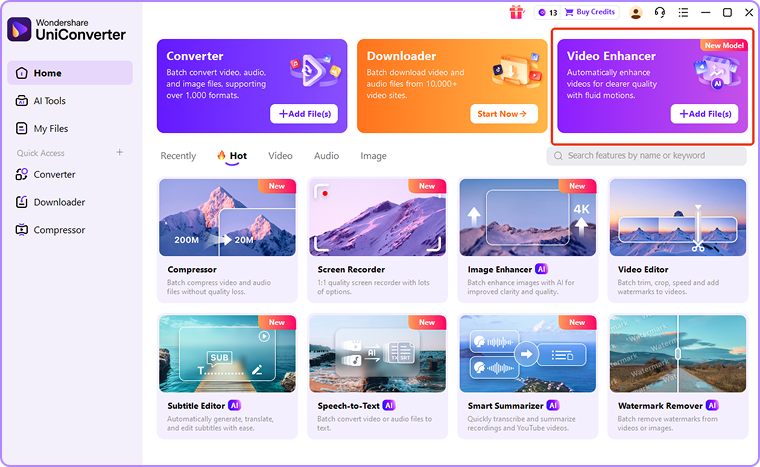
Wondershare Uniconverter continues to be one of the most practical AI video enhancement tools available in 2026. It combines AI-powered video enhancement and compression, format conversion, subtitle generation, and batch processing in one platform, perfect for creators, educators, marketers, and business users looking for faster, simpler workflows.
Important points
- Wondershare UniConverter uses AI to improve video quality through upscaling, noise reduction, sharpening, and restoration.
- Enhance, convert, compress, edit, and subtitle tools in one workspace.
- Batch processing helps you save time when processing multiple files at once.
- AI enhancement is especially useful for older footage, low-resolution clips, and compressed video.
- The interface is friendly for beginners and useful for experienced video users.
AI video enhancement has developed rapidly over the past few years. Although many tools promise dramatic improvements, actual results still depend on the quality of the source material and the AI models driving the software.
What is AI video enhancement?
AI Video Enhancement uses machine learning to analyze footage and automatically improve video quality.
The latest AI video enhancement tools help you:
- increase resolution
- Recover lost details
- Reduce digital noise
- improve sharpness
- Increase the clarity of the face
- restore old footage
- Improve low light video
Compared to traditional editing methods, AI enhancements can often deliver measurable improvements with far less manual effort.
Why do you need Wondershare UniConverter AI Video Enhancer?
Wondershare UniConverter AI Video Enhancer comes in handy when you want better-looking footage without spending hours on manual corrections.
- Restore old or blurry videos. Clean up noise, reduce blur, and improve clarity in old family videos and archived footage.
- Upgrade your content for social media. Improve compressed or low-resolution clips on platforms like YouTube, X, and short-form video channels.
- Upscale to higher resolution: Convert low-quality footage to HD, 4K, and even 8K for a more professional-looking output.
- Enhance motion and detail: Improve fast-moving scenes, gameplay clips, and action-heavy footage with tools like frame interpolation and AI sharpening.
Why Wondershare UniConverter stands out in 2026
Among today’s AI video enhancement solutions, Wondershare UniConverter stands out by combining AI-powered quality enhancement with a complete video workflow platform.
Wondershare UniConverter allows users to enhance, convert, compress, edit, and export videos within a single interface without having to switch between multiple applications.
For content creators, educators, marketing teams, and businesses managing multiple video projects, this integrated workflow can greatly improve productivity.
Key AI enhancements
Wondershare UniConverter includes several AI-powered tools designed to improve video quality.
- AI restoration
- noise reduction
- AI video upscaling
- AI video sharpening
- AI frame interpolation
These features can help improve clarity, reduce visual artifacts, and improve overall display quality, especially when working with older, compressed, or low-resolution footage.
More than just a video enhancer
One of the biggest advantages of Wondershare UniConverter is that the video extensions are just one part of the overall platform.
Additional tools include:
- video compression
- Format conversion
- screen recording
- video download
- Batch file processing
By combining these features into one workspace, Wondershare UniConverter reduces the need for multiple software subscriptions and fragmented workflows.
Other AI video enhancement tools worth considering
Wondershare UniConverter offers one of the most balanced all-in-one workflows available, while several other tools address specific use cases.
HitPaw is often positioned as an accessible AI-enhancing tool for users who need easy restore and upscaling. This is especially appealing for people who work with old footage, anime clips, or low-resolution videos.
AVCLabs focuses on restoring old or corrupted footage and includes AI-powered upscaling and face enhancement tools.
FAQ
What is the best AI video enhancer of 2026?
While the ideal solution will vary depending on individual needs, Wondershare UniConverter offers one of the most balanced combinations of AI enhancements, workflow efficiency, and ease of use to a wide range of users.
Can AI really improve video quality?
yes. Modern AI models can improve perceived video quality by increasing resolution, reducing noise, increasing sharpness, and restoring visual details. Results will vary depending on the quality of the original footage.
Is Wondershare UniConverter suitable for beginners?
yes. Wondershare UniConverter is designed with an easy-to-access interface that allows users to apply AI-powered enhancements without extensive editing experience.
final thoughts
AI video enhancements make better video quality available to more people. In reality, the tool with the most powerful extension model may not be the best tool. This helps users get great results without slowing down the rest of their workflow.
Wondershare UniConverter stands out because it integrates video enhancements and workflow management such as conversion, compression, subtitling, editing support, and batch processing into one platform.
Wondershare UniConverter remains a practical and competitive choice in 2026 for creators, educators, marketers, and business users looking for an efficient all-in-one solution.
Last updated: June 16, 2026