 Adobe has enhanced its Firefly generative AI tools, introduced last month, with additional video editing and manipulation options. Still in beta, the broader release will include AI-assisted features for adding text, adjusting colors, finding and inserting music, and other advanced editing features.
firefly video
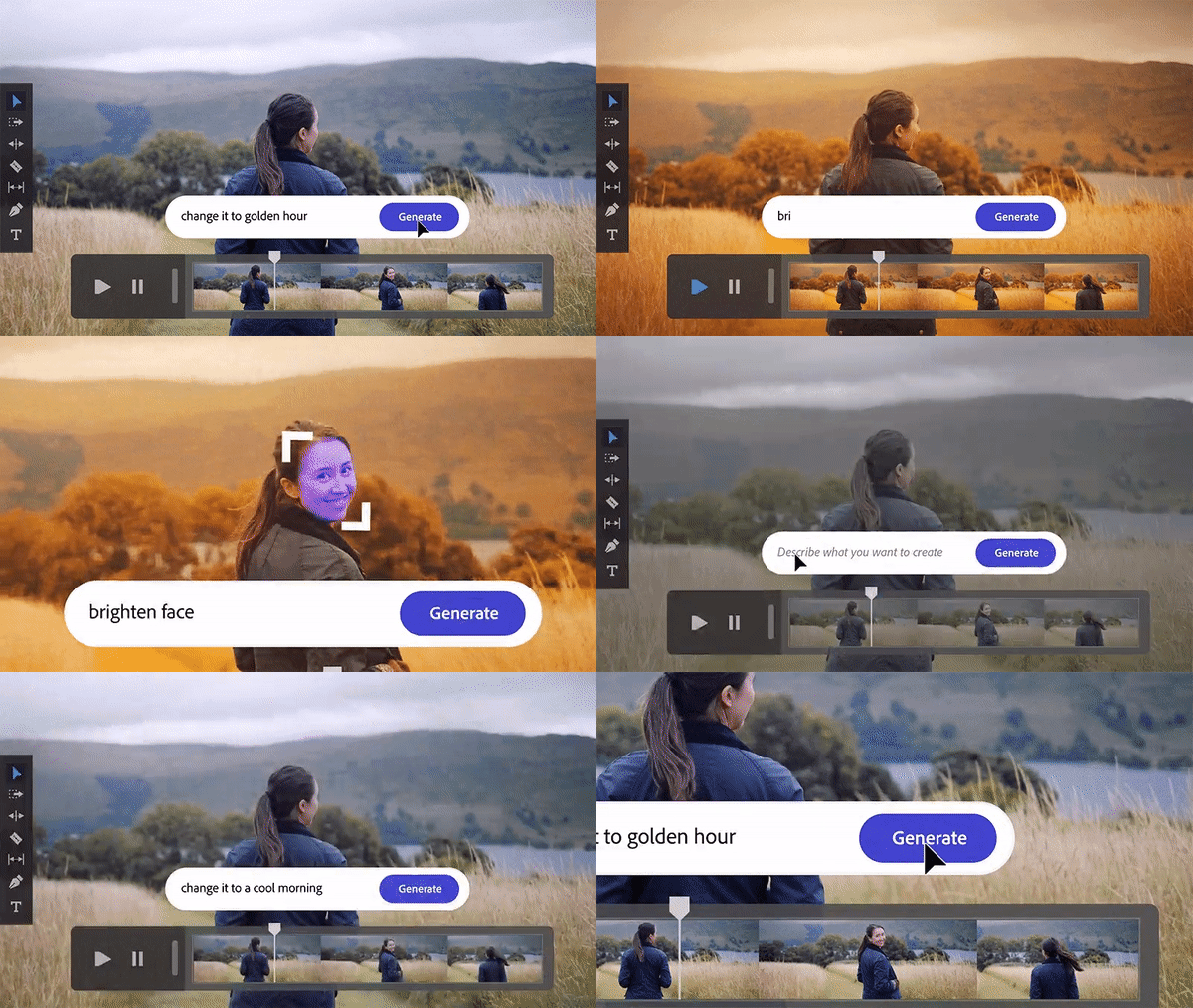
Precise color and lighting scale adjustments are necessary and sometimes tedious in video editing. Adobe Firefly’s new feature list allows users to describe in natural language how they want their scene to look. This is a sort of text filter tool for AI, including limiting changes to parts of the scene. clip above. You can also apply text to your video using the fonts and styles described in AI-interpreted and set-to-screen text boxes.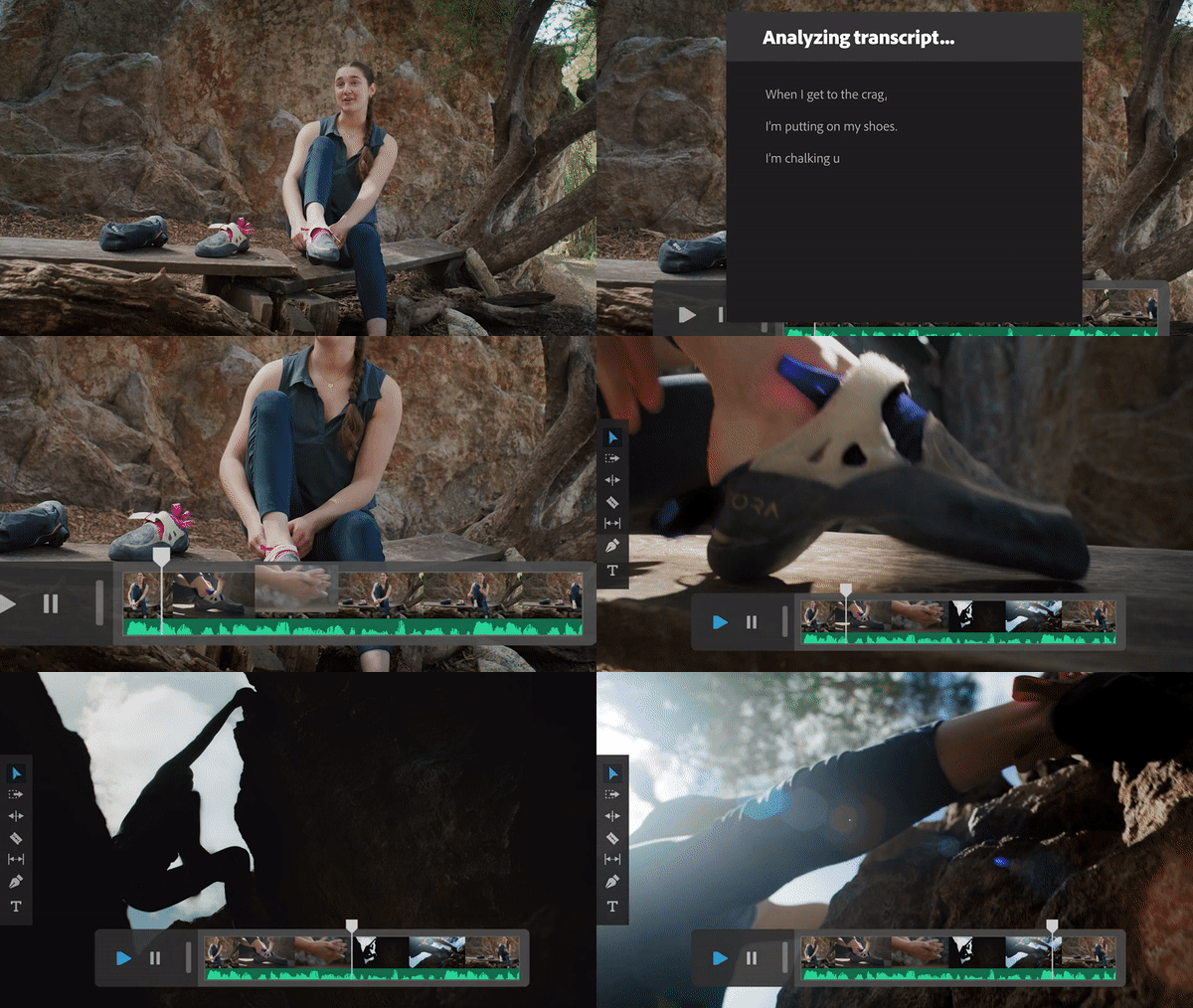
Adobe is also pitching Firefly as a more comprehensive filmmaking assistant, teaching users how to use more advanced Adobe editing tools and helping organize film pre-production. AI can analyze scripts to create drafts of expected storyboards and pre-visualizations, and collect potential B-rolls for discussions and interviews. Firefly looks at B-roll footage that matches what the on-screen person is saying and overlays it where appropriate. For example, an AI might pull a clip of people building the Empire State Building and go with someone explaining how it was built. Firefly can do the same for background music and sound effects, but by generating new audio based on a legally approved database to match what’s happening on screen. You can go one step further for
“We truly are in the golden age of video. Short-form videos are used in all areas of news, social media, and entertainment. Effectively scaling production of high-quality creative work is becoming very difficult,” Ashley Still, senior vice president of digital media at Adobe, explains in a blog post. “This is why we are excited to invent and innovate together with the video and audio community to make it easier and faster to bring your vision to life.”
generative film
Generative AI for video production is not as common as for still images, but new options are emerging at an accelerating rate. Meta recently introduced the Segment Anything Model (SAM). It can split both images and videos into component objects without training. SAM can identify and extract these objects in images or videos. Adobe’s video tools also resemble Canva’s recent approach in providing extensive generative AI assistance for creative presentations and campaigns. And as deepfake videos become mainstream, it’s easy to imagine the addition of generative AI tools as they integrate into entertainment and other areas.
“Using Firefly as a creative co-pilot enhances the discovery and ideation process and cuts post-production time from days to minutes. , you will be able to take advantage of these powerful new features immediately,” Still wrote. “Imagine the ability to instantly change the time of a video, automatically annotate to find relevant B-roll, or create endless variations of a clip. It becomes a dot.”
Follow @voicebotaiFollow @erichschwartz
Adobe Unveils Firefly Generative AI Models for Composite Imagery and Font Design
Meta’s new segment Anything model can identify and remove objects in images and videos
Canva Unleashes Generative AI Capabilities