
Digital filmmaking tools are more powerful than ever thanks to advances in hardware capabilities, software engineering, and the rise of generative AI, giving professional creators greater control and flexibility in bringing their visions to reality.
After 10 years in the business, Wondershare Filmora is already established as a desktop video editor that offers a high level of functionality while being affordable and accessible. With the new Wondershare Filmora V15 release, the software reaches new heights in powerful tools, AI integration, and intuitive workflows.
There's a lot to be said for the new release, but the end result is an advanced video editing experience that will appeal to industry professionals, influencer creators, AI enthusiasts, and anyone else who needs a premium video editing package. There are truly no limits to what you can do with Wondershare Filmora V15 AI Video Editor.
Despite these new enhancements, Filmora AI Video Editor maintains its signature ease of use, so anyone can get started. It also maintains low costs. Basic editing features are free, and the full package is only $4.17 per month. You can check out all the features and subscription plans on the Filmora website.
Watch Filmora V15 on Wondershare
AI-powered editing workflow

Artificial intelligence is transforming the way content is created and is at the heart of the Wondershare Filmora V15 upgrade. This is a true AI video editor. Wondershare Filmora V15 introduces the revolutionary AI Mate, marking a major step forward in intelligent video editing assistance.
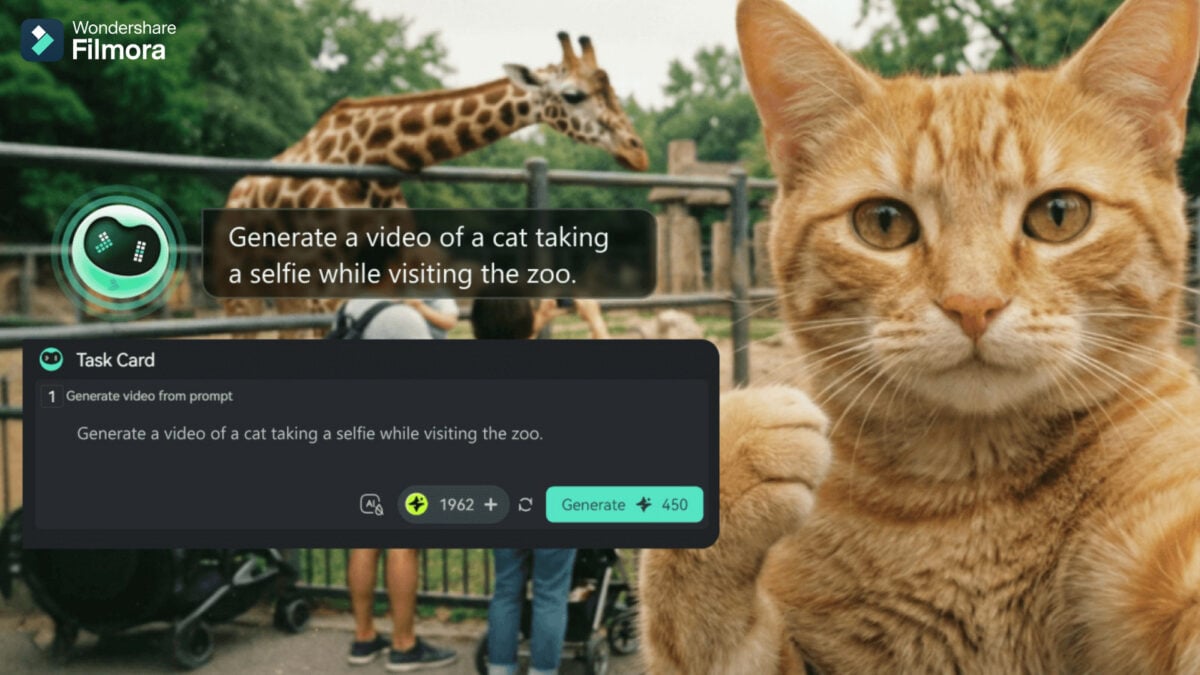
AI Mate is an intelligent editing assistant integrated into Wondershare Filmora V15. Currently, AI Mate offers four precise modes of operation. AIGC mode focuses on generating content assets such as scripts and videos. In guided mode, AI Mate acts as an instructor, providing feature descriptions and workflow guidance to help users learn how to use the software. Action mode automatically breaks down multi-step tasks and performs the corresponding editing action with a single click. Auto mode allows AI Mate to interpret your intent and intelligently select and activate the most suitable mode among the above. Users can freely switch between modes according to their needs, which makes video editing more efficient and the learning process much easier.
Filmora V15 provides comprehensive upgrades across both image and video generation capabilities by integrating a variety of advanced AI models.

AI images are powered by Nano Banana Pro integration, which enables native lossless output, faster generation speeds, flexible aspect ratio switching, and improved performance for image detail, semantic understanding, and text rendering.
The integration of Sora 2 and Veo 3.1 advances Text-to-Video capabilities to deliver more realistic motion and stronger multimodal understanding for more coherent long-form output. Image-to-Video also received notable upgrades in Sora 2 and the updated Veo 3.1, delivering smoother motion, richer action detail, and greater artistic consistency when converting still images to animated footage.
The video editing software also includes more AI upgrades. The new AI Extend feature lets you extend clips longer than 5 seconds along the timeline using generative AI. Clips can be made longer by a few seconds in either direction. This improves transitions between scenes, making them look smooth and natural, and reduces problems caused by scenes that are too short.

Wondershare Filmora V15 makes many existing features better than before, including Smart Cutouts (for intelligent object detection and stylized edge outline effects), AI Video Enhancer (for clear, reliable, algorithm-driven resolution upgrades), and AI Object Remover (for fast and precise removal of watermarks, subtitles, people, and more). Dynamic captioning and retouching features have also been enhanced to optimize the experience when adding subtitles and adjusting facial features at a skeletal level.
In this day and age, every video editor should be an AI video editor, but Wondershare Filmora V15 is ahead of the curve in how the AI model is integrated and how easy it is to use alongside traditional tools. Whether you want to generate an entire scene or enhance an existing one, these AI video upgrades can help.
Professional grade features
The Wondershare Filmora V15 upgrade doesn't end there. With this software, you can access new features with just a few clicks, such as loudness normalization, which automatically matches the loudness of your audio to platform standards (LUFS/LKFS) (you can also customize the loudness or choose from one of the presets).
A new Audio Gain feature enables intuitive batch processing of audio clips from a variety of sources, and a new Pen tool provides ultra-precise control over motion paths and visual drawing. You can also draw directly within the frame and adjust the stroke thickness, gradient, and trim path to define how each line appears or fades. There are also animated graphs that allow you to import data into your graph with one click, and a wide range of animation and style presets are available.

All video editors will appreciate the dual timeline editing features and source and timeline preview editing features. These features allow you to work with primary and secondary timelines and set up dual-screen workflows for a more efficient, intuitive, and immersive overall experience. Set up your video workspace the way you like and get started.
Users also now have subproject functionality, making it easier to carry files between projects. Additionally, new multitrack videos allow you to add unlimited audio tracks to the timeline, and the final export can include up to 10 audio tracks. This is perfect for videos that require multiple languages, multiple speakers, or tutorial-style narration.
Some existing features have also been further refined to support video animations, which are accessed through a smoother, more intuitive interface. Includes tools like masks, particles, and blur to give you more control over preview and duration. Text animations have also been upgraded to provide more templates and more flexible features.
Overall, this video editing software is better than ever, especially in its combination of beginner-level simplicity and pro-level controls, making every video editor feel right at home inside Wondershare Filmora V15. Video creation is now faster, smarter, and more intuitive, no matter your user experience level or project size.
This video editing software is already trusted and trusted by over 400 million users in over 150 countries. Wondershare Filmora V15 is available now with all these new features. For more information, visit the Wondershare website and Filmora YouTube channel.
Watch Filmora V15 on Wondershare


